
Although YouTube (commonly known as “the tube”) has adjusted its profit model in recent years and gradually transformed into a platform centered on internet celebrities (YouTubers), besides the media videos watched for over 1 billion hours every day that entertain people around the world, it actually also has very powerful functions for teaching and learning — namely the “slow motion (slow playback) and 2x fast-forward playback” introduced today.
Currently YouTube provides slow playback on all system platforms, including the YouTube app on Google Android and Apple iPhone/iPad iOS smartphones, as well as the YouTube web playback interface on desktop and laptop computers. You can find a total of 8 different video playback speed settings, from the slowest 1/4 (0.25x) to the fastest 2x.
Playback Speed Settings on the YouTube Desktop Website
When playing YouTube videos on a computer, you can find the “gear ⚙️” “Settings” option in the control bar of the playback window. After clicking it, playback speed settings at different rates such as 0.25, 0.5, 0.75, Normal, 1.25, 1.5, 1.75, and 2x will appear on the screen as shown below. After selecting the desired speed, playback at the changed speed starts immediately.
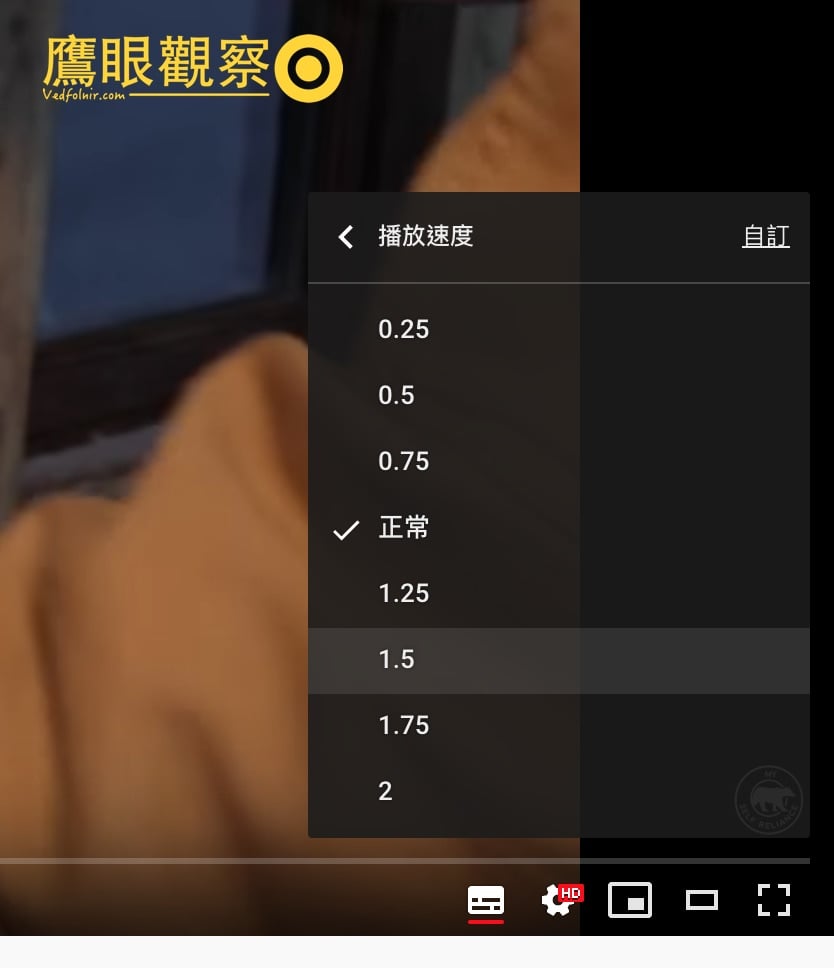
Playback speed settings on the YouTube website
Playback Speed Settings in the Smartphone YouTube App
Whether on a Google Android phone or an Apple iOS phone, after installing the YouTube app and playing a video, you can find the ”⋮” settings button at the top of the screen as shown below, and bring up the “Playback speed · Normal” option.
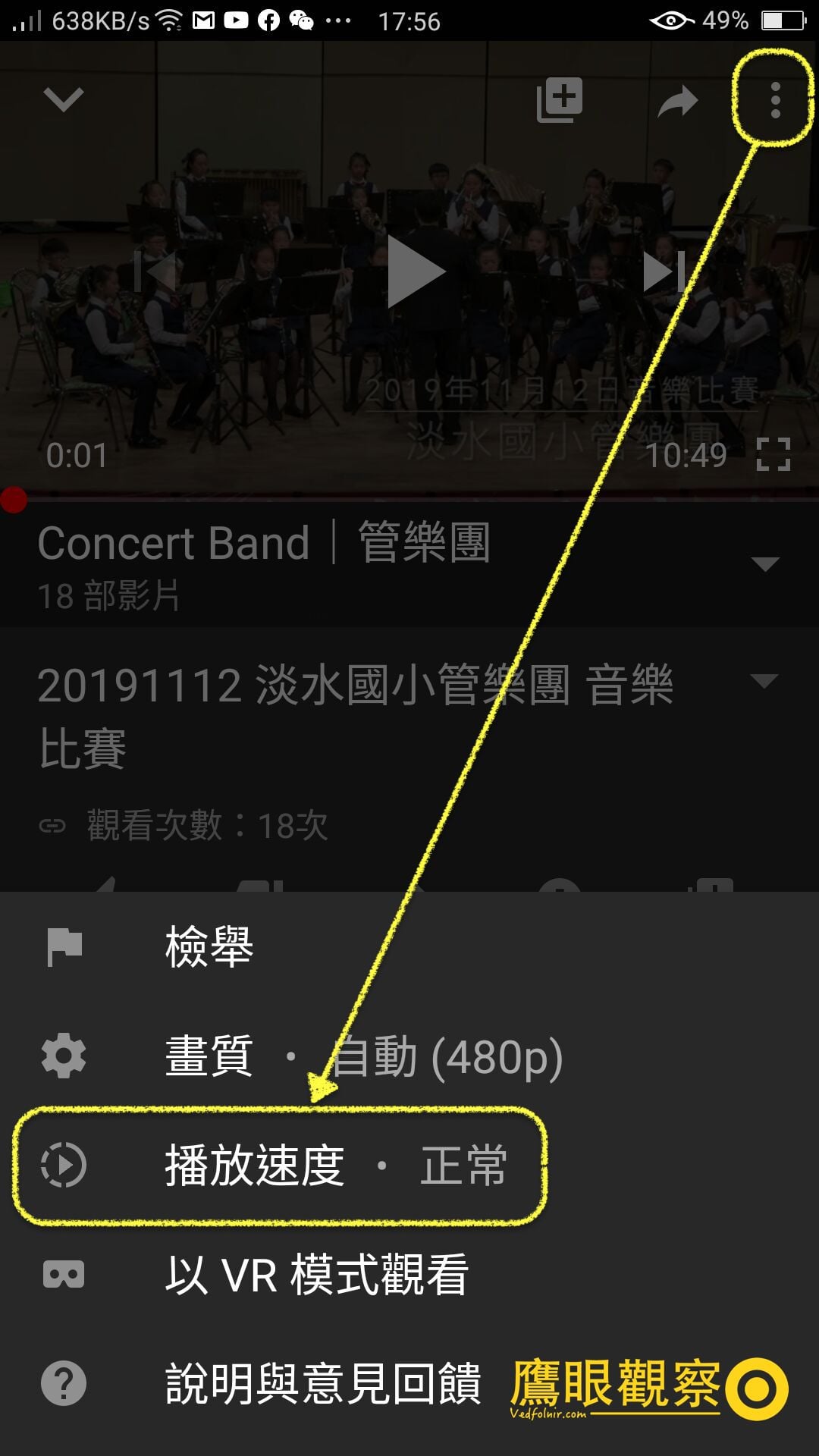
Playback speed settings in the mobile YouTube app
YouTube Where the Playback Speed Setting Cannot Be Found
If you cannot find the “Playback speed” option in the settings button on the YouTube video playback screen, it may be that the computer’s browser is too old or obscure. In that case, you can check whether the operating system supports the latest version design on the official “YouTube HTML5” page.
Results and Discussion
In fact, YouTube’s slow playback is a very useful and powerful feature, especially with remarkable effects for education and learning. For example, when learning the breakdown of Tai Chi movements, if played at normal speed, we often have to press pause to keep up with the teaching movements. After all, the moves in the video may be smooth, but those of us who are learning must not only watch with our eyes but also understand the order and combination of movements so the brain can send signals to command the body to produce the movements. At such times, the learning effect of slow-motion playback is often better.
Finally, by the way, although Chunghwa Telecom’s MOD media offers fast-forward playback at up to 32x, it is regrettable that it does not offer slow-motion playback. The reason I rarely go to cinemas to watch movies is actually that at home I can carefully savor the meaning each shot the director wants to convey, and may even watch a single scene repeatedly several times. I hope Chunghwa Telecom will offer slow playback in the future.
Support Independent Perspectives & In-Depth Insights
Every thoughtful analysis and candid critique comes from our dedication to truth and quality. We choose not to follow sensational algorithms or clickbait headlines.
Sustaining independent research requires reader support. Make a one-time or monthly contribution, securely processed by Google.
Payments secured by Google · Manage or cancel anytime in your Google Account




Comments