

Recently, when browsing friends’ updates on Facebook’s desktop timeline, whenever you scroll past a video post, the platform automatically starts playing the video in low resolution and muted mode. While this feature was originally designed to maximize video reach (and pave the way for video advertisements), forcing videos to play regardless of user preferences has sparked quite a bit of criticism.
Facebook seemed to notice the backlash later on. For videos detected to contain graphic or violent content, an overlay warning is placed over the screen indicating that the content may not be suitable for all viewers, asking users to proceed at their own discretion. Although this cover overlay doesn’t quite mesh well with Facebook’s standard user experience, it fulfills the responsibility of prior disclosure (Editor’s note: It is obvious they just really didn’t want to turn auto-play off by default).
Fortunately, Facebook’s video auto-play feature can be turned off, and the process is very simple. Below are two quick steps to help you disable video auto-play.
Steps to Disable Facebook Video Auto-Play
Step 1: In the top right corner of the Facebook desktop page, locate the small downward-pointing arrow (see Figure 1). Click it with your left mouse button to open the drop-down menu, then click on “Settings.”
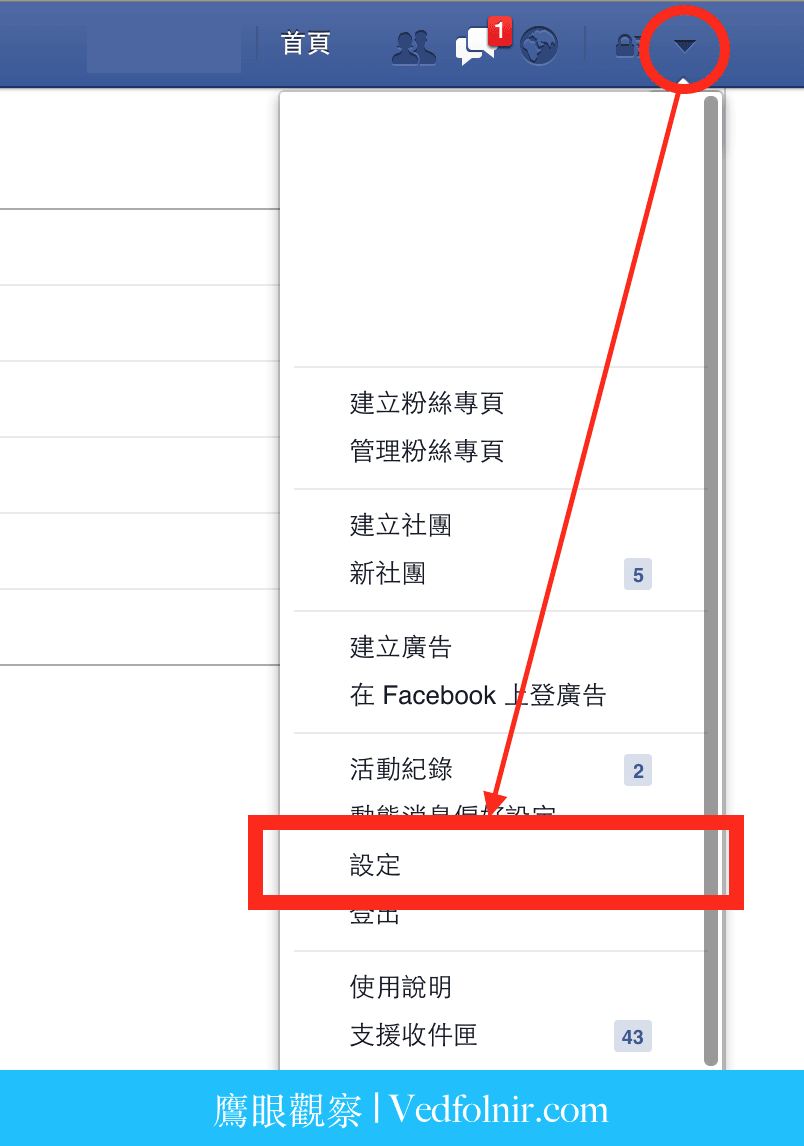 Figure 1: Facebook Account Settings.
Step 2: On the newly opened Account Settings page, find “Videos” in the left-hand navigation sidebar (as shown in Figure 2). Once selected, you will see the “Auto-Play Videos” option on the right side. Change this setting from “Default” to “Off.”
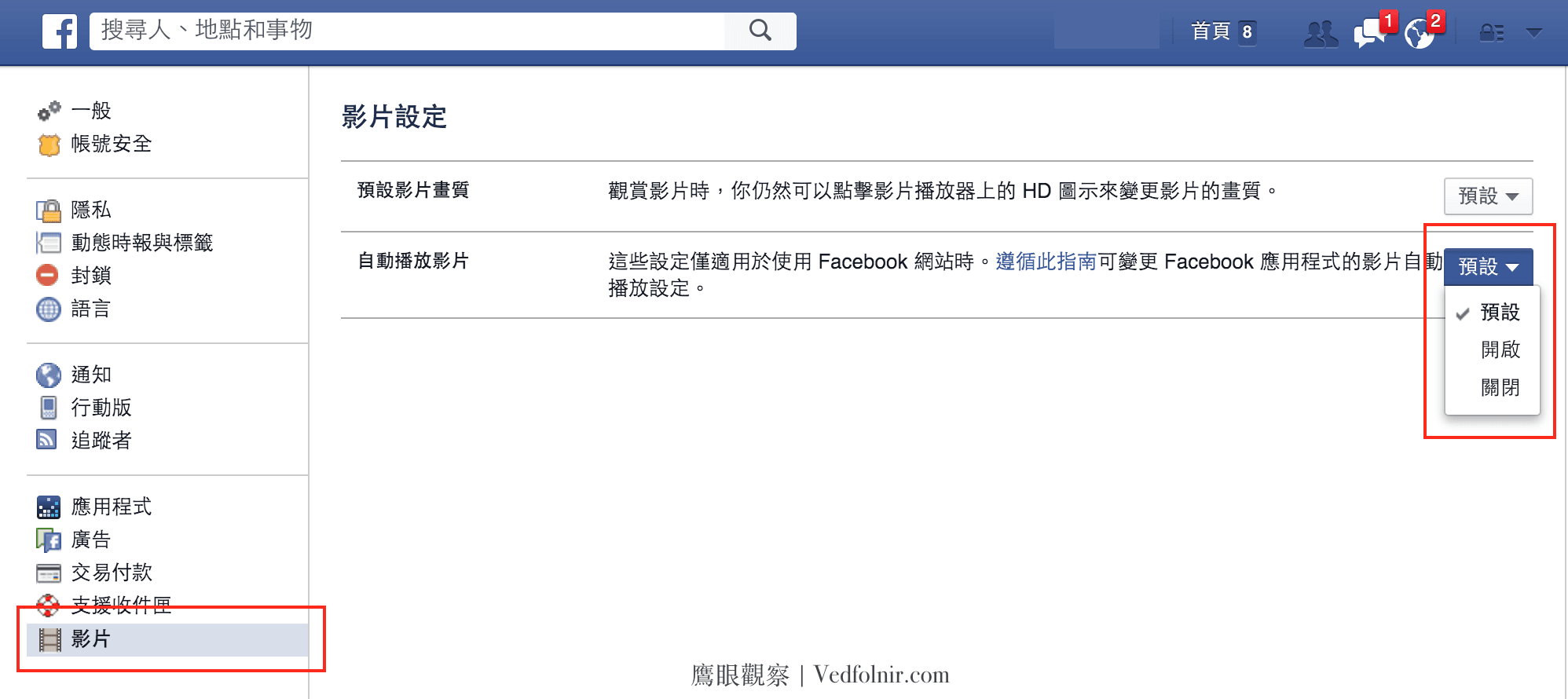 Figure 2: Facebook Video Auto-Play Settings.
Once you have completed the steps above, you will no longer have to worry about videos playing automatically as you scroll through your Facebook timeline. Beyond giving you complete autonomy over how you consume content, it also significantly saves data bandwidth if your computer is tethered to a metered connection.
Support Independent Perspectives & In-Depth Insights
Every thoughtful analysis and candid critique comes from our dedication to truth and quality. We choose not to follow sensational algorithms or clickbait headlines.
Sustaining independent research requires reader support. Make a one-time or monthly contribution, securely processed by Google.
Payments secured by Google · Manage or cancel anytime in your Google Account



Comments