
After taking a viral personality quiz game like “Percent” on Facebook Messenger, users are frequently bombarded with endless automated notifications. Every time a friend or contact completes the test, the game pings your Messenger inbox with unsolicited updates.
To stop these notifications, you have two approaches: mute conversation alerts or permanently remove the Instant Game.
Method 1: Muting Game Notifications in Messenger
In the Facebook Messenger chat window where the game posts notifications, locate the gear icon (⚙️) in the upper corner. From the dropdown menu, select “Mute Conversation” or “Turn Off Messages”.
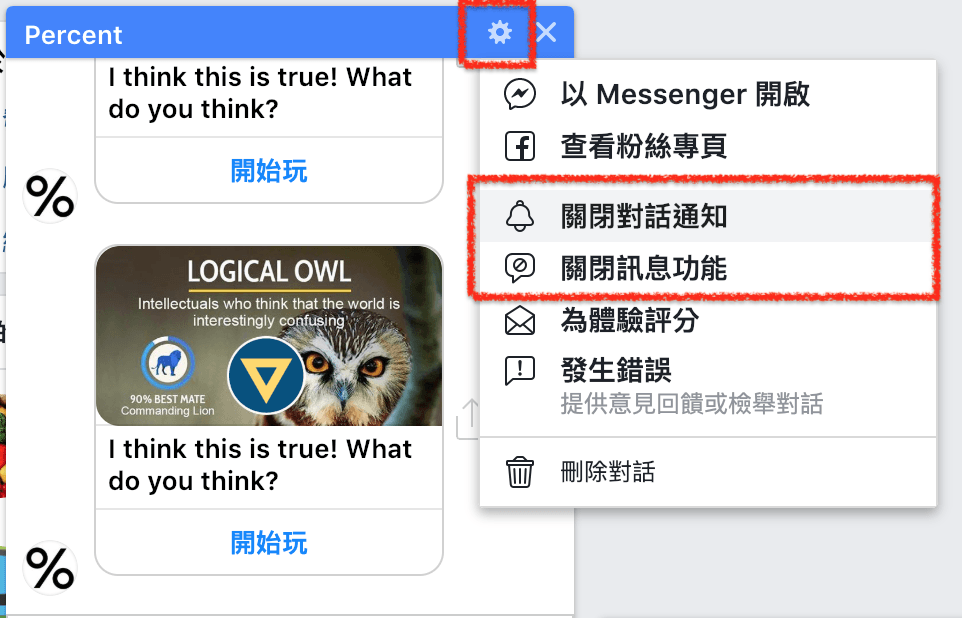
Muting game notifications within Messenger.
While muting stops audible pings, the game retains access to your profile data and permissions. For better privacy, permanently removing the app is preferable.
Method 2: Permanently Removing Facebook Instant Games
- Using a desktop web browser, log into Facebook and click the downward arrow (▼) in the top right header to open Settings & Privacy > Settings.
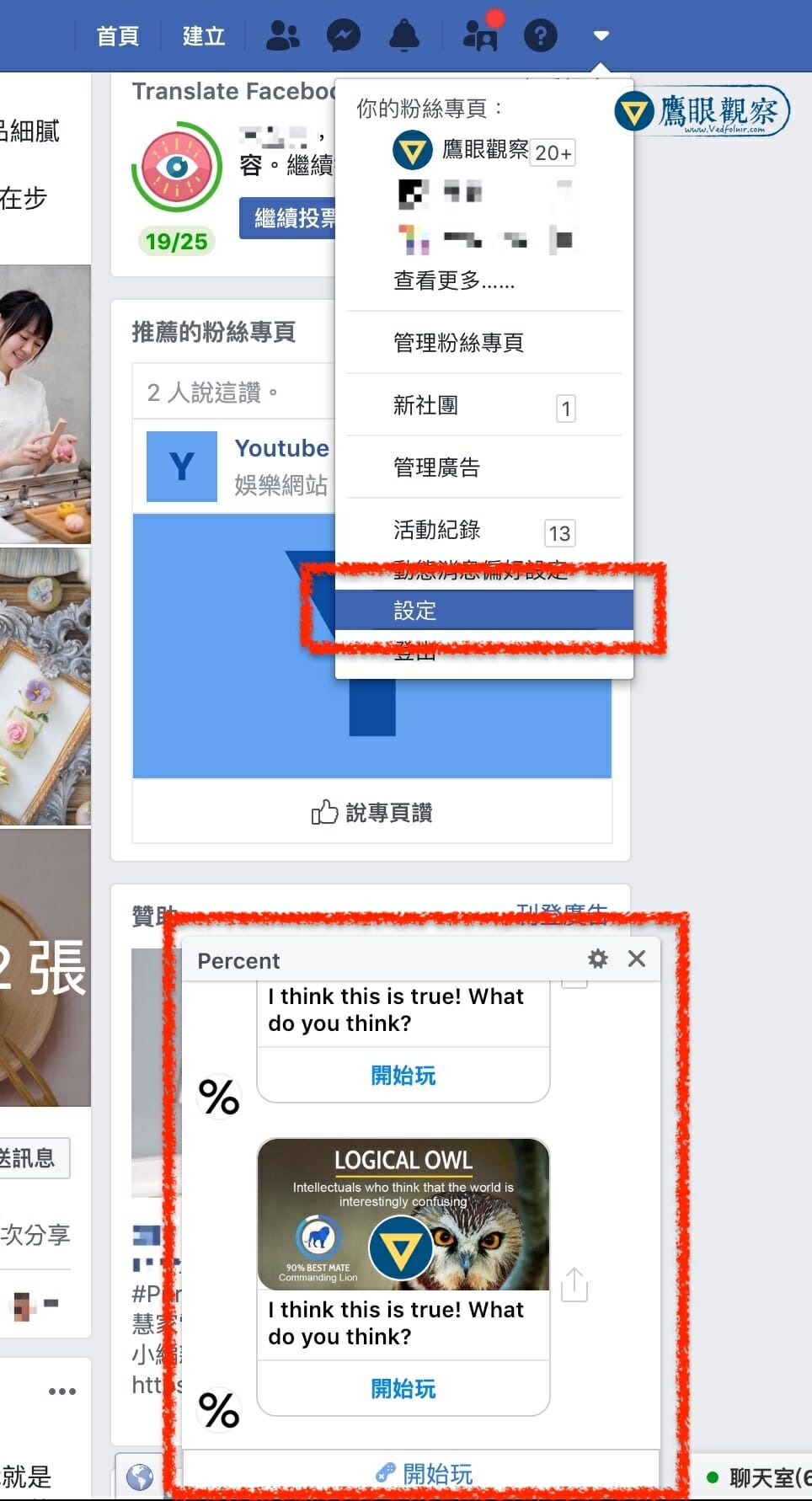
Navigating to Facebook Account Settings.
-
Alternatively, jump directly to the Facebook Instant Games Management Console.
-
In the left-hand navigation sidebar, select Instant Games. (Note: legacy connected games may reside under Apps and Websites).
-
Find the offending game (e.g., Percent), check the selection box, and click Remove.
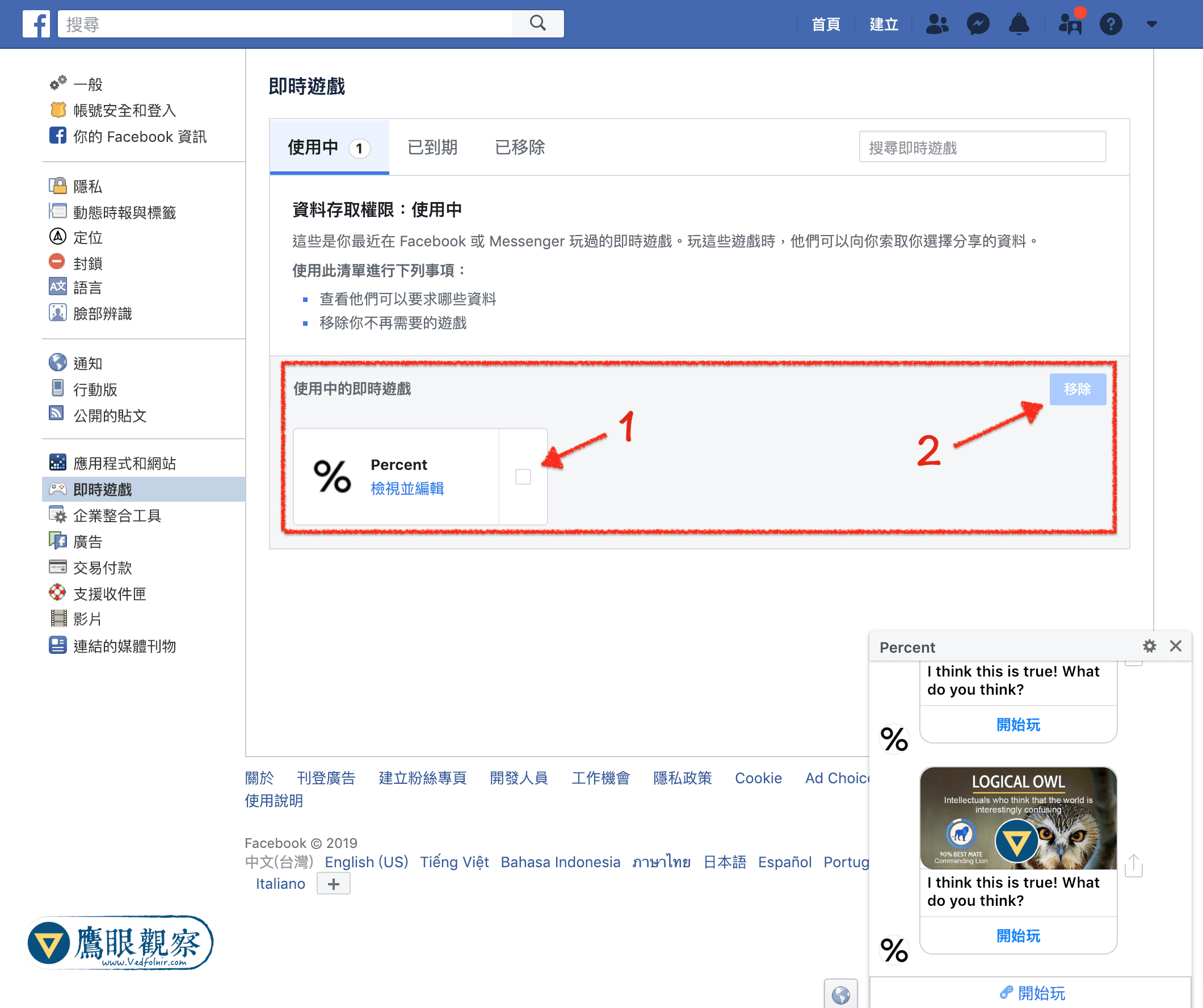
Selecting the game in the Instant Games registry.
- A confirmation dialog will appear. To purge all past gameplay records and timeline posts generated by the app, check “Also delete your game history on Facebook”, then click Remove.
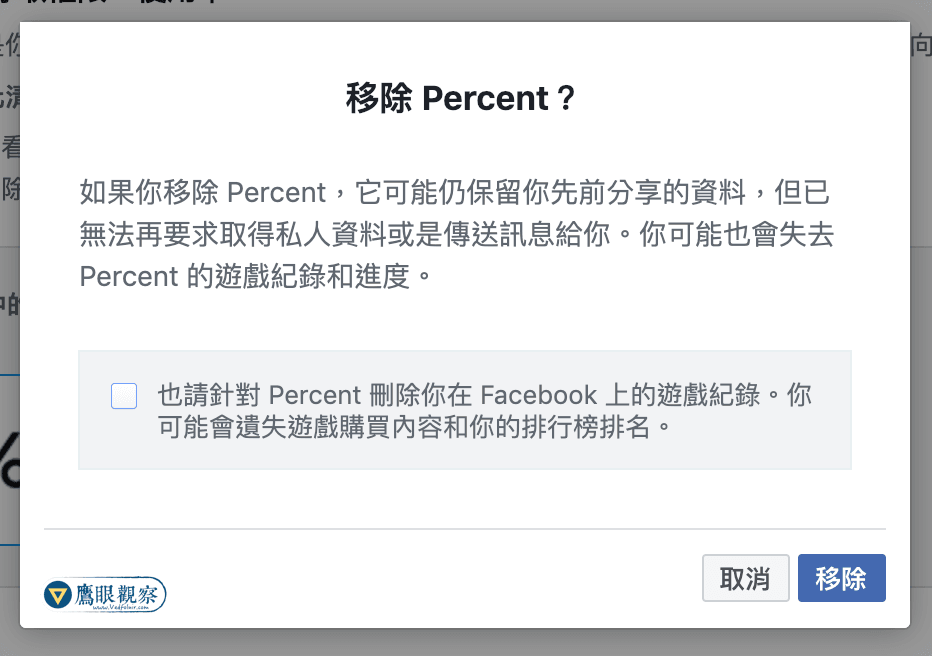
Confirming complete removal and data deletion.
Once removed, the application loses API access to your profile, permanently silencing notification spam.
Support Independent Perspectives & In-Depth Insights
Every thoughtful analysis and candid critique comes from our dedication to truth and quality. We choose not to follow sensational algorithms or clickbait headlines.
Sustaining independent research requires reader support. Make a one-time or monthly contribution, securely processed by Google.
Payments secured by Google · Manage or cancel anytime in your Google Account



Comments