
After completing the installation and setup of a brand-new website, our next step is to let the entire world know that this new site is officially live, allowing everyone to quickly find the content they are looking for.
One of the most crucial steps in promoting a new website is constructing a “Site Map (or website index)” and submitting this plain-text map to search engines like Bing and Google.
Once search engines index your new site’s sitemap, they can systematically crawl and catalogue your pages into their database according to the directory structure.
Generally speaking, sitemaps come in two formats: one is an HTML document, and the other is an XML document (Extensible Markup Language).
HTML sitemaps leverage web design and layout techniques to create a visual directory list of your site’s important pages—much like a book’s table of contents. Besides facilitating easy browsing for human visitors, it also assists search engines in making more accurate structural assessments, improving your site’s search engine friendliness. XML sitemaps, on the other hand, are the main focus of this article.
If you are using Google Blogger, you can skip this guide, as Google’s built-in indexing system handles this automatically, allowing you to focus entirely on writing great articles and publishing images.
For those using WordPress, I recommend installing the plugin “Google Sitemap Generator”, which automatically generates updated sitemaps on a regular schedule. Another popular alternative is the Yoast sitemap generator, though personally I am less fond of it.
Additionally, for custom-built websites where you prefer to generate your sitemap manually, check out the Online Sitemap Generator introduced below:
Online Sitemap Generator
 Xml Sitemaps Logo
Xml Sitemaps.com - Sitemaps Generation
- Pros: Generates sitemaps directly online with no software installation required.
- Cons: The free tier only crawls up to 500 pages, making it best suited for new or small websites.
Steps to Use
Enter the domain URL of the site you want to generate a sitemap for into the text box on the page, then click “Start” to begin the generation process.
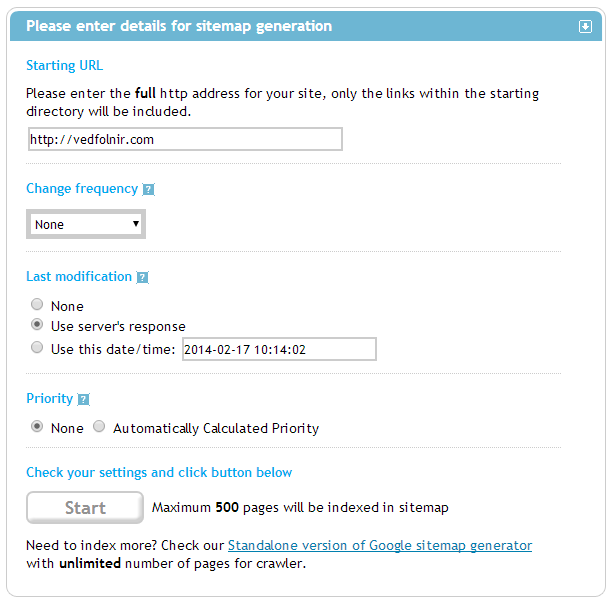 Xml Sitemaps Generation
Sitemap Software
Wonder Web Ware - SiteMap Generator (Official Website EXE)
This is a standalone desktop application for generating sitemaps. It is powerful, so use with discretion.
The workflow is largely similar across tools. Since my own website is still small, the free online service mentioned above is more than sufficient, so I haven’t used this desktop app extensively and won’t go into further detail.
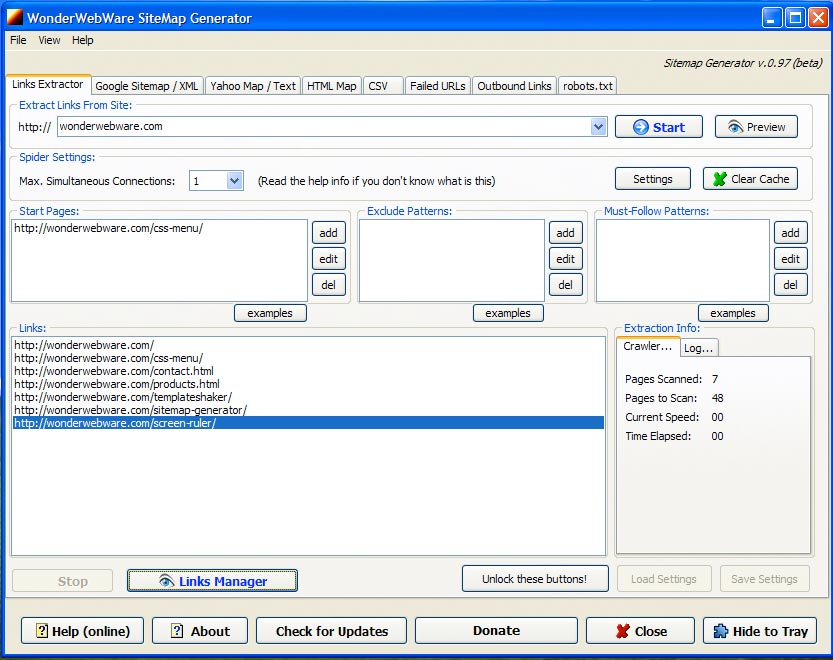 Sitemap Generator Software
Submitting Your Sitemap
After generating your sitemap, the next step is submitting it to major search engines to let them know new content is ready for indexing.
Step 1: Manually open the sitemap submission pages for the search engines listed below to register and submit your sitemap. I strongly advise doing this for at least Google and Bing; whether you submit to the others depends on your target audience:
- Google Search Console: https://www.google.com/webmasters/tools
- Bing Webmaster Tools: http://www.bing.com/toolbox/webmaster
- Yahoo: http://search.yahoo.com/info/submit.html (Merged into Bing Webmaster Tools since Nov. 2012)
- Baidu Webmaster: http://zhanzhang.baidu.com
- 360 Search Webmaster: http://zhanzhang.so.com
- SoSo: http://open.soso.com/datacoop/sitemap/
- Yandex: http://webmaster.yandex.com
Step 2: Create a robots.txt file in your root directory. This plain-text file gives crawling instructions to search engines. Add the following line to it (remember to replace the domain with your own :P):
Support Independent Perspectives & In-Depth Insights
Every thoughtful analysis and candid critique comes from our dedication to truth and quality. We choose not to follow sensational algorithms or clickbait headlines.
Sustaining independent research requires reader support. Make a one-time or monthly contribution, securely processed by Google.
Payments secured by Google · Manage or cancel anytime in your Google Account



Comments