
When you first get an Apple Mac, you have likely noticed that the window management and user interface in macOS (OS X) differ greatly from Microsoft Windows (though sharing Unix/BSD roots with Linux gives them some conceptual parallels). For example, the “Dashboard”, which functions as a dedicated desktop space hosting various widgets, is supposedly designed to offer quick and easy controls—or so they say.
As shown in Figure 1 below, the default widgets Apple engineers included in Dashboard are quite limited—mostly basic tools like a calculator, calendar, weather, clock, and stocks. However, all of these functions have long been integrated into modern macOS through the Notification Center (which can be summoned effortlessly on a MacBook trackpad by swiping left with two fingers from the right edge).
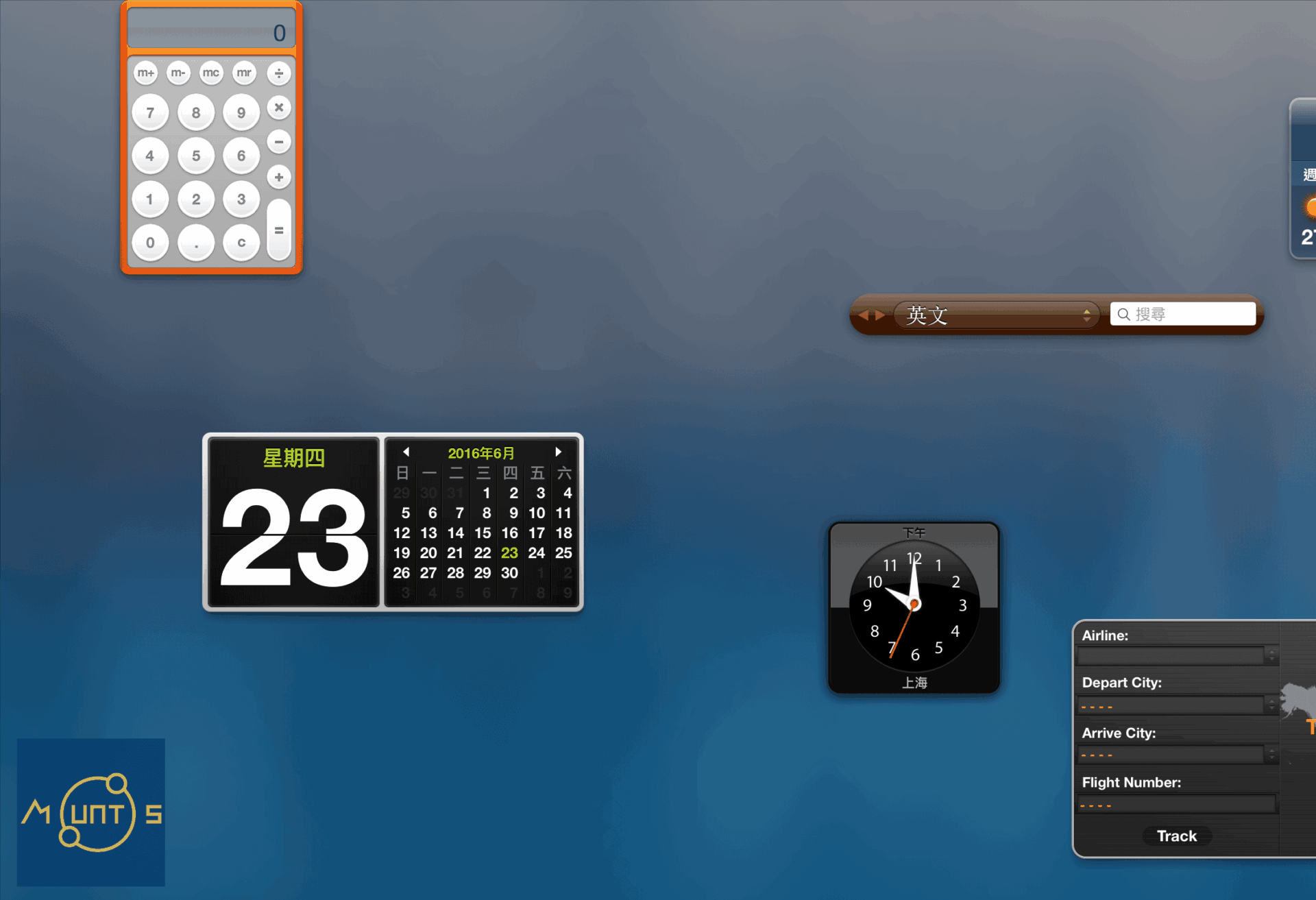
Some might argue that Dashboard looks sleek and professional, so keeping it open does no harm. But Dashboard constantly consumes precious system memory—in a quick test comparing memory usage before and after disabling it, Dashboard consumed nearly 0.18 GB of RAM. More frustratingly, when swiping between multiple desktop spaces, you inevitably accidentally swipe over into the Dashboard space, creating constant friction during daily use.
So, let’s go ahead and disable this annoying relic once and for all!
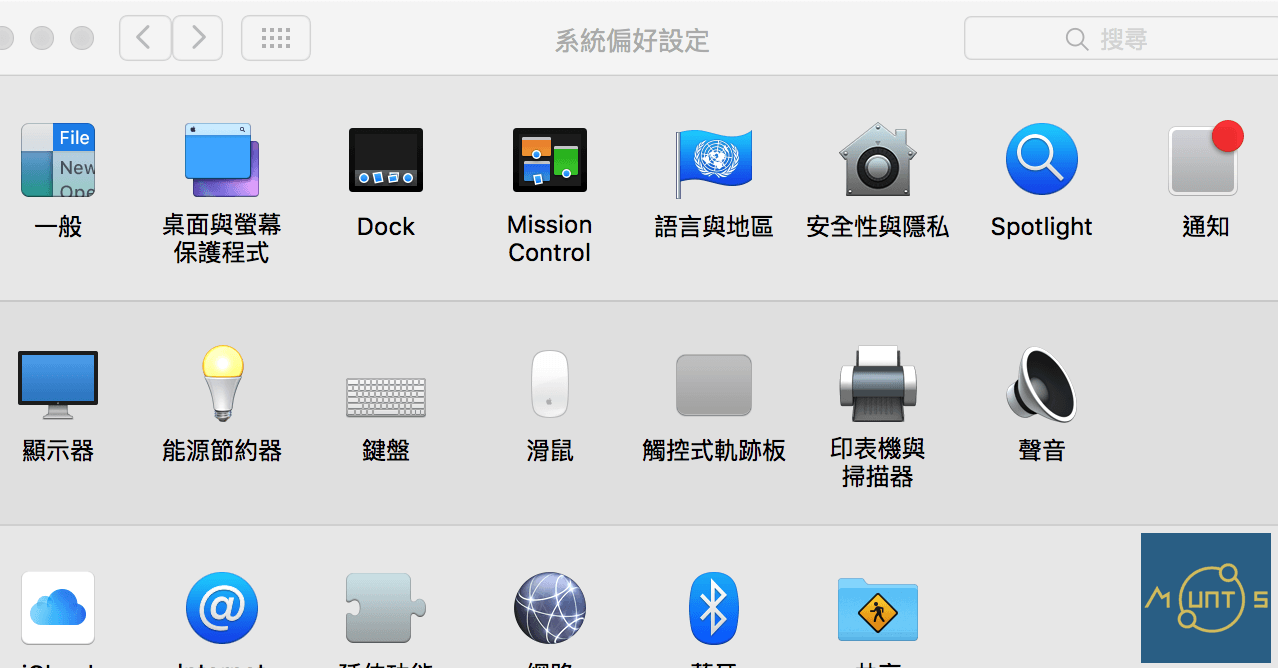
As shown in Figure 2, open “System Preferences”. In the top row, locate the preference pane titled “Mission Control”, which manages open windows, full-screen spaces, and the “Dashboard”.
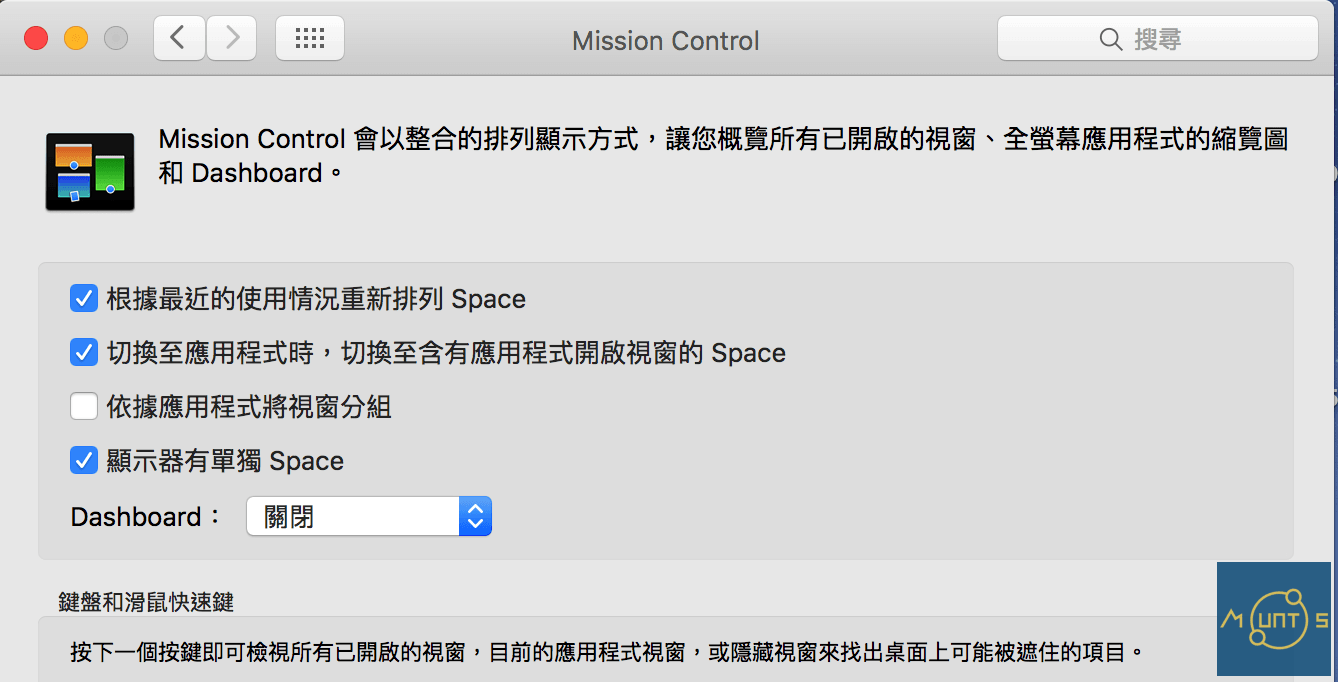
Next, as shown in Figure 3, look for the “Dashboard” dropdown menu inside the Mission Control settings. To turn it off completely, simply select “Off” (or “關閉”). Of course, if you still enjoy having a dedicated widget dashboard, selecting “As Space” keeps it as its own workspace—though disabling it entirely is well worth the reclaimed resources!
Support Independent Perspectives & In-Depth Insights
Every thoughtful analysis and candid critique comes from our dedication to truth and quality. We choose not to follow sensational algorithms or clickbait headlines.
Sustaining independent research requires reader support. Make a one-time or monthly contribution, securely processed by Google.
Payments secured by Google · Manage or cancel anytime in your Google Account


Comments