
With technological advancements and declining connectivity costs over the past few years, Internet traffic has become faster and more abundant. Consequently, the FTP servers that once flourished have gradually been superseded by P2P applications such as eMule or FOXY. At the same time, the download accelerators we once relied on—such as FlashGet or Download Accelerator Plus—have seen declining demand as network infrastructure matured.
Yet it cannot be denied that a smooth network experience relies heavily on robust hardware infrastructure and optimized software; countries outside the Republic of China may not all enjoy such advantageous conditions.
That being said, even on Taiwan Island, there are still many regions and users facing less mature network connectivity. Even with so-called 3.5G mobile broadband boasting theoretical speeds of 7.2 Mbps, actual file downloading often falls short of the stability and sustained throughput of fixed wired lines. Consequently, download managers with reliable resume capabilities remain a genuine necessity for a large segment of users.
Moreover, the commercial landscape of the web has shifted dramatically in recent years. Bundling aggressive advertising into software—especially freeware—has become standard industry practice, with many developers growing excessively dependent on ad revenues.
This trend frequently burdens end users: consuming network bandwidth to fetch real-time ad feeds, squandering system resources to render flashy animations, and demanding elevated privileges simply to display advertisements.
Doesn’t that sound oddly familiar? It bears an uncanny resemblance to the behavior of spyware or backdoors (laughs).
In short, finding a lightweight, responsive download manager that respects system resources is a true blessing for web users.
VisualWget Download Manager Guide
Today, we look at “VisualWget”, a web and FTP download manager that stands out for being portable, completely ad-free, and remarkably compact.
The developers describe it as “A download manager (GUI) based on Wget for Windows”. As the description suggests, it builds upon the battle-tested, time-honored wget command-line utility from Linux environments, bringing its robust capabilities to Windows through an accessible graphical interface.
First, download the archive from the official “VisualWget” SourceForge page. It comes packaged as a ZIP archive. Extract it using your preferred tool (such as Windows’ built-in extraction utility or WinRAR), open the resulting folder as shown in Figure 1, and launch VisualWget.exe.
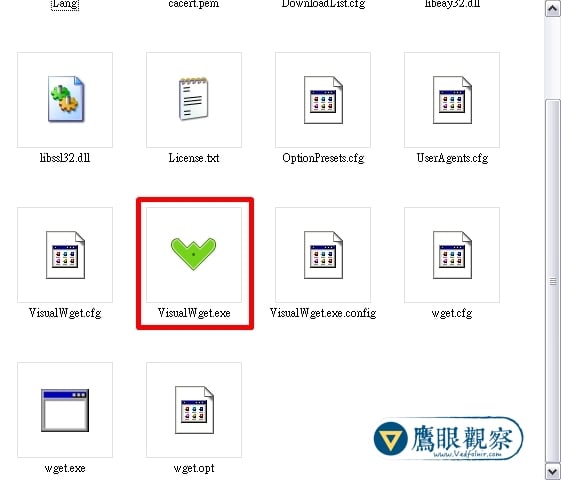
VisualWget portable installer directory
Once launched, the main application window appears as shown in Figure 2, ready for use:
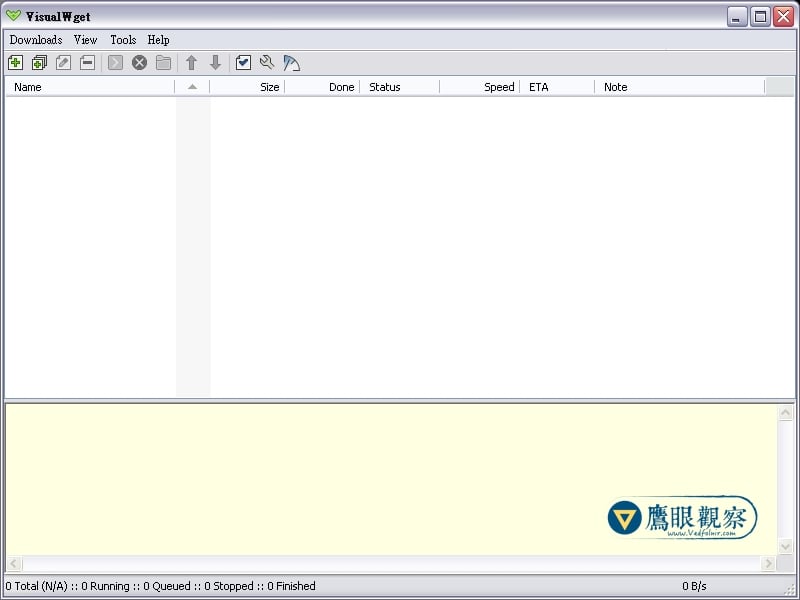
VisualWget main workspace window
Example: Downloading Files with VisualWget
Let’s illustrate how to use VisualWget with a practical example: downloading the OpenOffice office suite step-by-step:
- Navigate to the official OpenOffice website and enter the Download section.
- On the download page (shown in Figure 3), right-click and copy the link location under “Download OpenOffice.org”—this is the direct URL to the installer.
- Open VisualWget and click Download > New.
- In the “New Download” dialog, select the General tab and paste the copied link into the Urls field.
- Verify that the destination path in the Save Files to field is correct, adjusting it to your preferred folder if desired.
- Click OK, and VisualWget will immediately begin downloading the file, as illustrated in Figure 4.
- Finally, feel free to step away or head to sleep while it works.
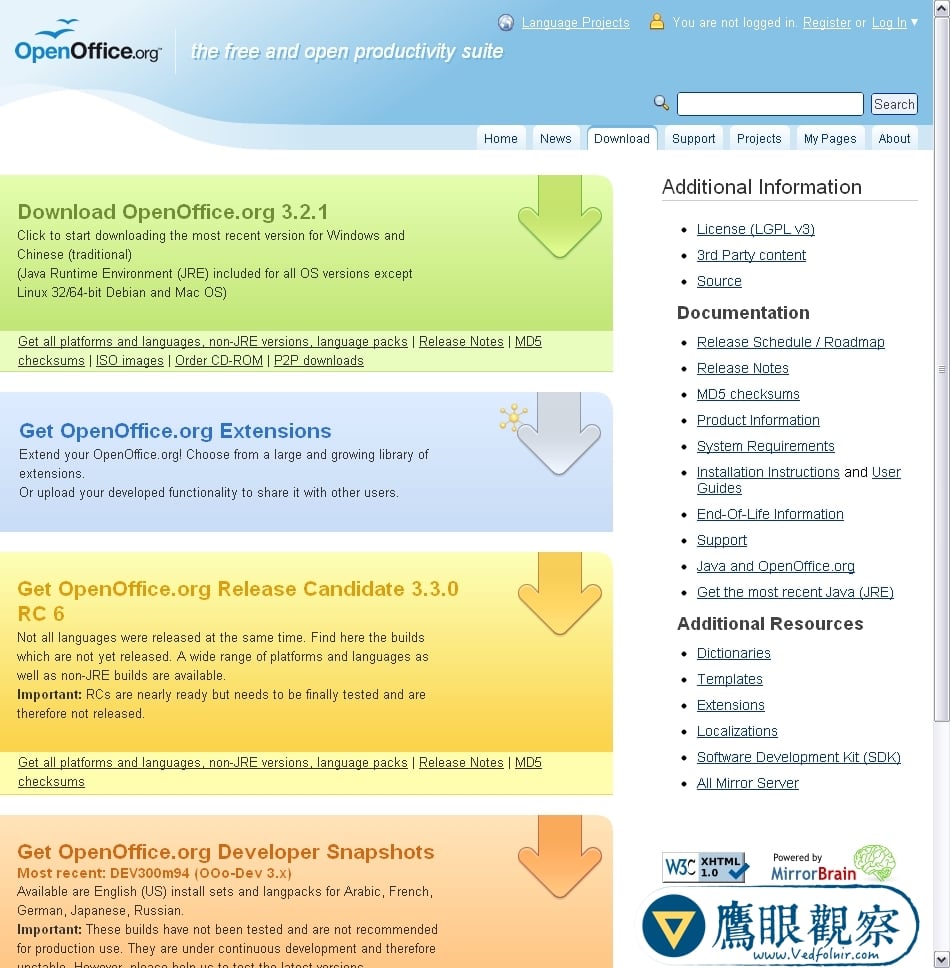
OpenOffice official website download page
Next, the download manager pulls down the installation package.
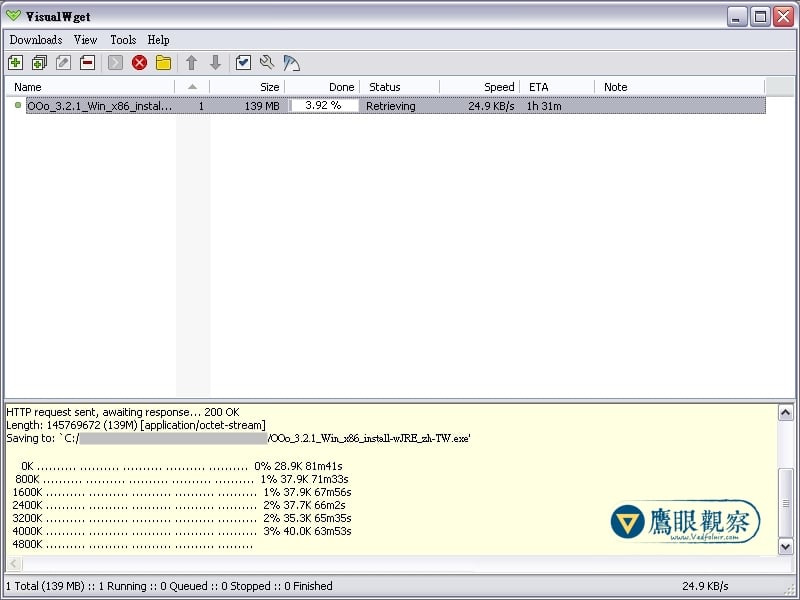
Download progress active inside the main application window
As shown below, when you wake up the next morning and the download is complete, a notification bubble will appear above the system tray icon, letting you know the task has finished successfully.
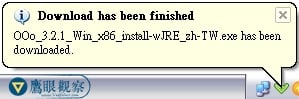
VisualWget system tray download completion notification
As computer hardware grows more powerful and application software continues to expand in scope, one sometimes cannot help but wonder: is all this complexity truly necessary? An office suite, at its core, is meant for presenting and organizing text, yet massive software packages churn through one heavyweight iteration after another. Other application categories are even more bloated.
Perhaps both software and daily life could benefit from a return to simplicity. After all, minimalism has a quiet beauty of its own.
Support Independent Perspectives & In-Depth Insights
Every thoughtful analysis and candid critique comes from our dedication to truth and quality. We choose not to follow sensational algorithms or clickbait headlines.
Sustaining independent research requires reader support. Make a one-time or monthly contribution, securely processed by Google.
Payments secured by Google · Manage or cancel anytime in your Google Account




Comments