
Today I want to introduce a handy online English-Chinese translation dictionary extension: “Google Dictionary”. Practicality and zero cost are our twin pursuits. If you would like to enjoy this convenient extension, hop over to the Google Chrome browser right away.
How to Install:
Step 1: Open the Google Chrome browser;
Step 2: Go to the Chrome Web Store;
Step 3: Search for Google Dictionary, which brings up the screen shown below;
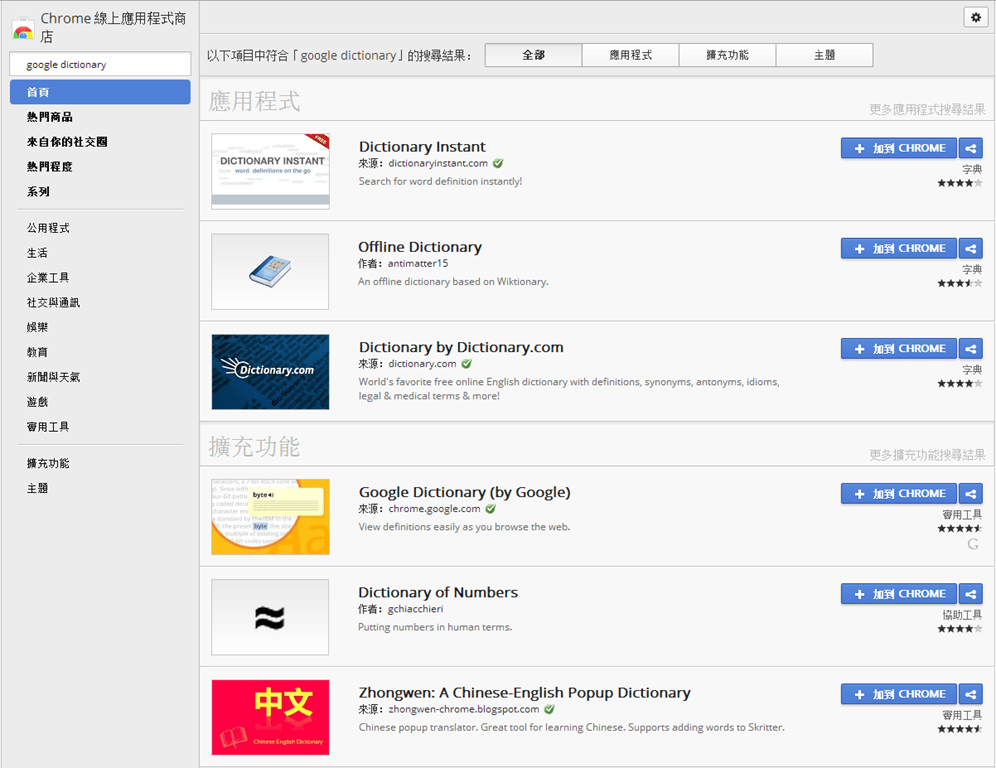
Google Store
Step 4: Click the “Add to CHROME” button next to Google Dictionary, bringing up the pop-up window shown below (for your convenience, a quick link is provided at the end of this article);
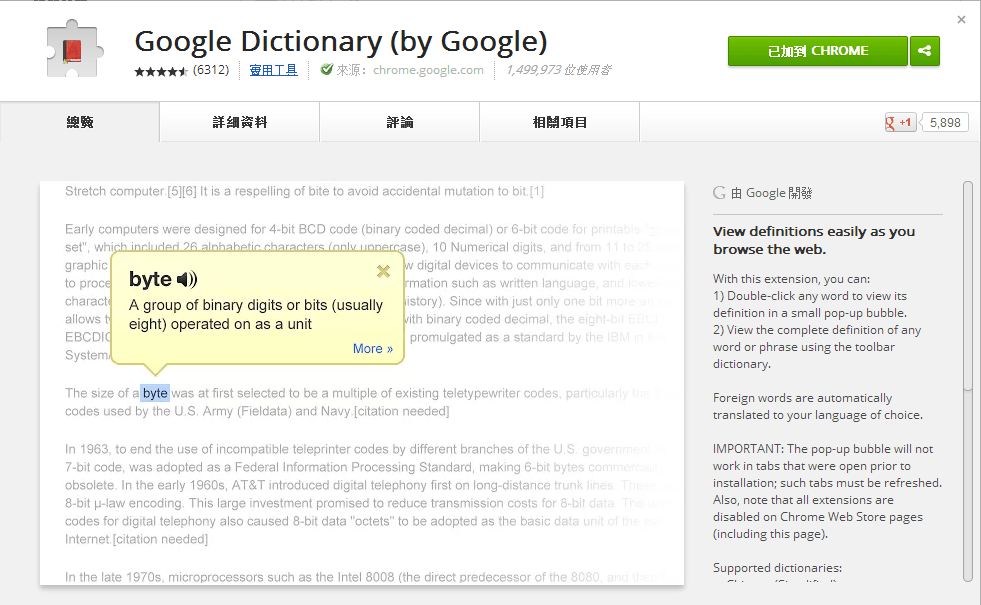
Google Dictionary
Step 5: As shown below, in the newly opened pop-up window, click the “Add extension” button;
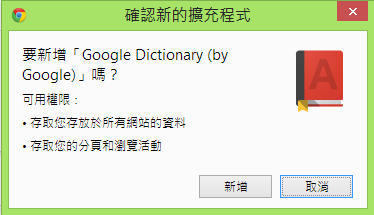
Confirm New Extension
Once you follow along to this point, the installation process is basically complete. You will notice that Google Dictionary in Step 3 now displays as shown below, signifying successful installation:

Installed Screen
At the same time, the Google Dictionary icon will appear on the Google Chrome toolbar:

Google Dictionary Tool Icon
Advanced Settings:
Right-clicking on the toolbar icon brings up its context menu, as shown below:
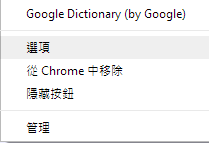
Icon Menu
Clicking “Options” opens the Google Dictionary configuration page, as shown below:
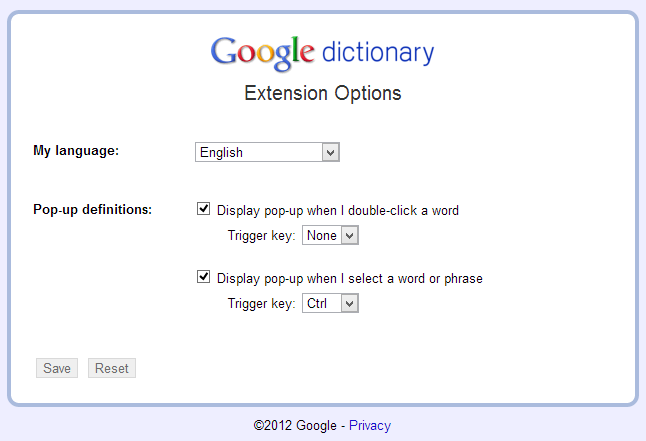
Settings Screen
In the settings page, unless you want to practice English-to-English definitions, set My Language to Chinese (Traditional). This way, any vocabulary you look up will automatically be translated into Chinese.
Translation Demo:
Once you finish the installation and setup steps above, you can start translating words right away.
Using Google Dictionary is remarkably straightforward: simply double-click any English word on a web page, saving you the hassle of typing.
Even better, it includes text-to-speech pronunciation.

Translation Popup
Strictly speaking, older translation software such as Yahoo! MiniPen or Dr.eye offered similar capabilities, but mostly as secondary or optional features. Moreover, attempting to support every possible word processor and browser made those applications notoriously unstable.
In contrast, Google Dictionary strips away legacy complexity, isolating this single capability purely for web browsing, resulting in exceptional speed and rock-solid stability.
While Google Dictionary may not match heavy desktop suites in sheer breadth of feature bloat, it is an exceptionally nimble and convenient companion for daily web browsing.
Note: Right after installing Google Dictionary, it won’t affect web pages that were already open in Google Chrome. Simply press F5 or refresh the page to allow Chrome to reload it before normal translation functionality kicks in.
Google Dictionary download link: Google Chrome Store.
★★★
Support Independent Perspectives & In-Depth Insights
Every thoughtful analysis and candid critique comes from our dedication to truth and quality. We choose not to follow sensational algorithms or clickbait headlines.
Sustaining independent research requires reader support. Make a one-time or monthly contribution, securely processed by Google.
Payments secured by Google · Manage or cancel anytime in your Google Account

Comments