
Recently, because the microphone on my Android phone stopped working and the iPhone SE pre-ordered from Chunghwa Telecom has taken more than three full weeks without arriving (a formal grievance filed in spirit!), I’ve been relying exclusively on LINE for Apple MacBook over the past few weeks to handle work and stay in touch with friends.
Yesterday afternoon, needing to head out for an off-site business meeting, I brought my phone along and reinstalled the mobile LINE app. But when I returned to the studio that evening, I discovered that LINE on my MacBook had been automatically logged out for security purposes.
After re-entering my email address and password to log in on the desktop LINE app, the system immediately pushed a notification to my smartphone alerting me to a new device login (shown in Figure 1 below), designed to protect user accounts from unauthorized access.
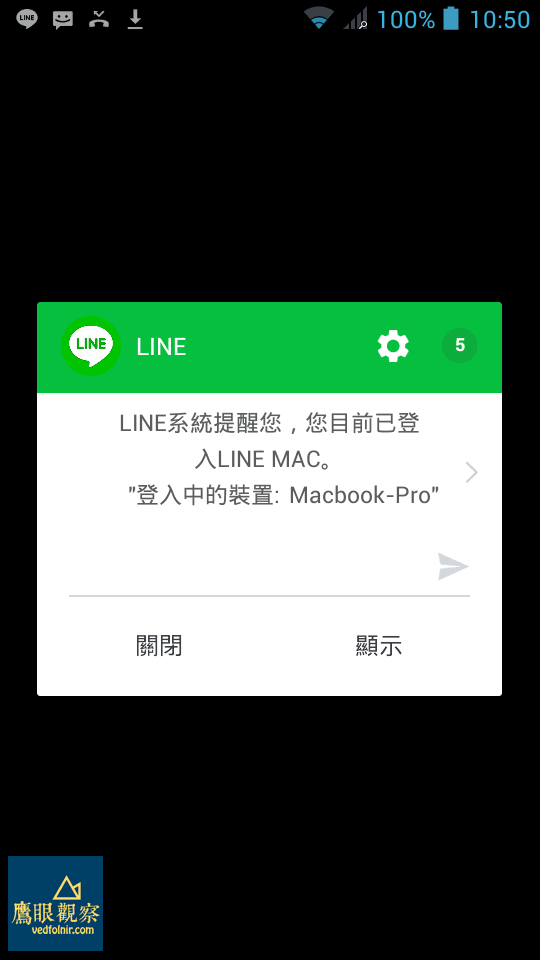 Figure 1: LINE on mobile displays a login alert when accessed from a computer.
Furthermore, I noticed that all chat messages in regular conversation windows on the desktop app were completely encrypted and locked down (shown in Figure 2).
 Figure 2: LINE messages on desktop forcibly encrypted.
It turns out this was LINE’s Letter Sealing feature, which requires re-authenticating on your smartphone to decrypt and restore chat histories. Enforcing security so strictly can feel a bit cumbersome, and it seemed like a newly rolled-out test feature—especially since the developers hadn’t even settled on a localized Chinese translation for “Letter Sealing” before pushing it live.
Decrypting messages is straightforward: simply click the "**User Confirmation**" link in the chat window shown in Figure 2 above to generate a 4-digit verification code, as seen in Figure 3.
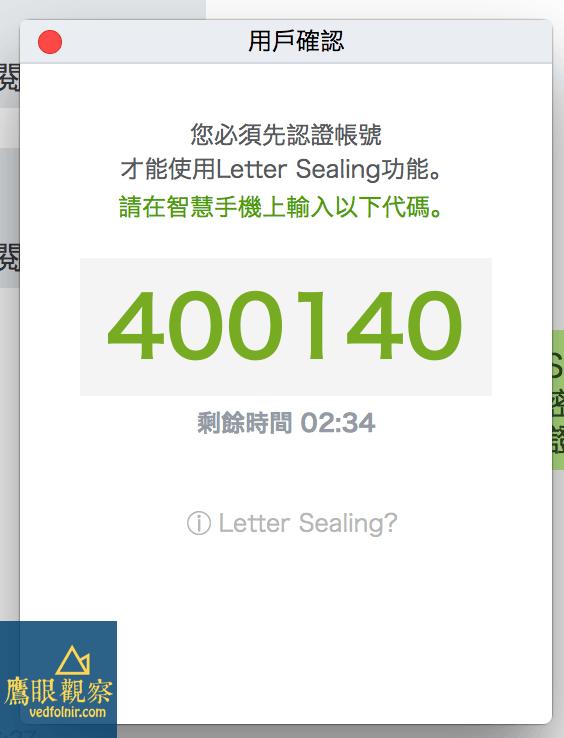 Figure 3: LINE desktop app prompts for verification passcode.
Next, open the LINE app on your smartphone, where an authentication prompt will automatically pop up. Enter the verification code shown in Figure 3 within the time limit and tap confirm.
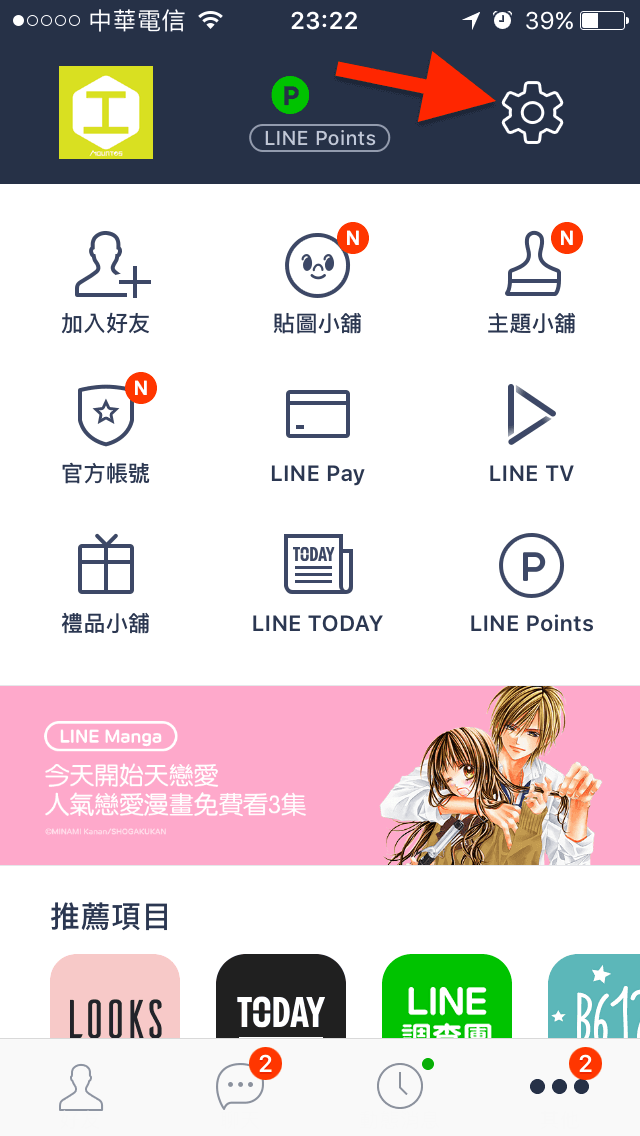
 LINE smartphone app awaiting verification passcode input.
Once verified, the encrypted messages in the desktop client will instantly decrypt, restoring your complete conversation view. While the process itself is simple, if you don’t happen to have your phone on hand, being locked out of your desktop chats could certainly be a harrowing experience.
Support Independent Perspectives & In-Depth Insights
Every thoughtful analysis and candid critique comes from our dedication to truth and quality. We choose not to follow sensational algorithms or clickbait headlines.
Sustaining independent research requires reader support. Make a one-time or monthly contribution, securely processed by Google.
Payments secured by Google · Manage or cancel anytime in your Google Account



Comments