
Ever since our studio transitioned our primary workstation machines to Apple MacBooks, our biggest workflow hurdle has been that Corel’s flagship vector software, CorelDraw, completely lacked support for OS X.
CorelDraw had always been our primary, razor-sharp weapon for precision logo design and vector illustration. Losing it felt akin to breaking our own rice bowl, which naturally spurred the decision to migrate our workflow over to Adobe Illustrator.
Yet after downloading the free trial from Adobe and getting hands-on with real vector drafting, I found Illustrator’s interface bewilderingly cumbersome.
The tactile, fluid intuition of shape manipulation and curve control in CorelDraw is leagues apart from Adobe Illustrator. It is no wonder that even with Adobe’s towering prestige through Photoshop, CorelDraw continues to command a loyal foothold among graphic designers worldwide.
Looking at the learning curve: to construct the exact same geometric shape, a self-taught CorelDraw designer will complete it exponentially faster than an Illustrator novice.
Merging Different Shapes (Paths) via the Pathfinder Panel
Taking Figure 1 below as an example, after drawing two distinct geometric shapes (paths) in Illustrator, we want to weld them together into one unified vector shape (single compound path).
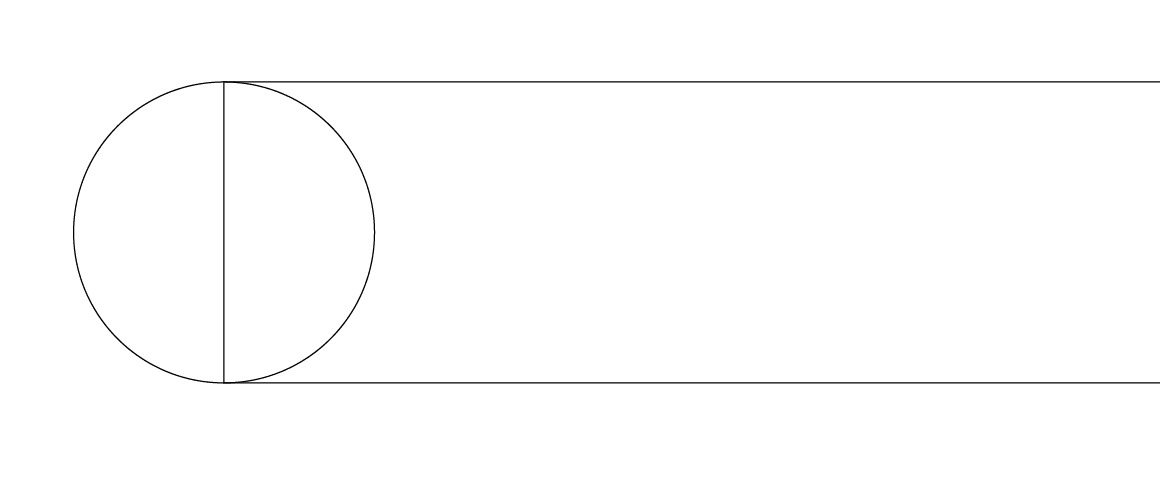 Figure 1: Two independent shape paths.
In Illustrator, to merge or join different shapes together, first select both shapes (paths) simultaneously with the Selection Tool (V). Next, open the “Pathfinder” panel (as shown in Figure 2) and click the “Unite” (Combine) icon under Shape Modes.
Tip: For reasons unknown, attempting to trigger path operations through the top control menu bar occasionally failed to merge properly on my build. However, triggering the exact same operation via the dedicated Pathfinder icon panel docked on the right toolbar (Figure 2) worked flawlessly. If you experience similar quirks, switch to the right-hand panel palette.
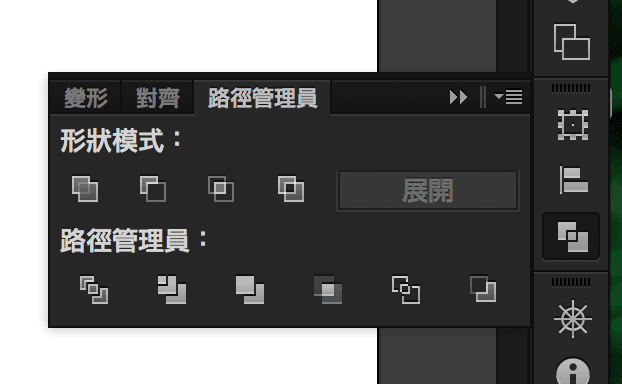 Figure 2: The Pathfinder panel.
Once combined, the overlapping geometries seamlessly fuse into the unified vector object shown in Figure 3.
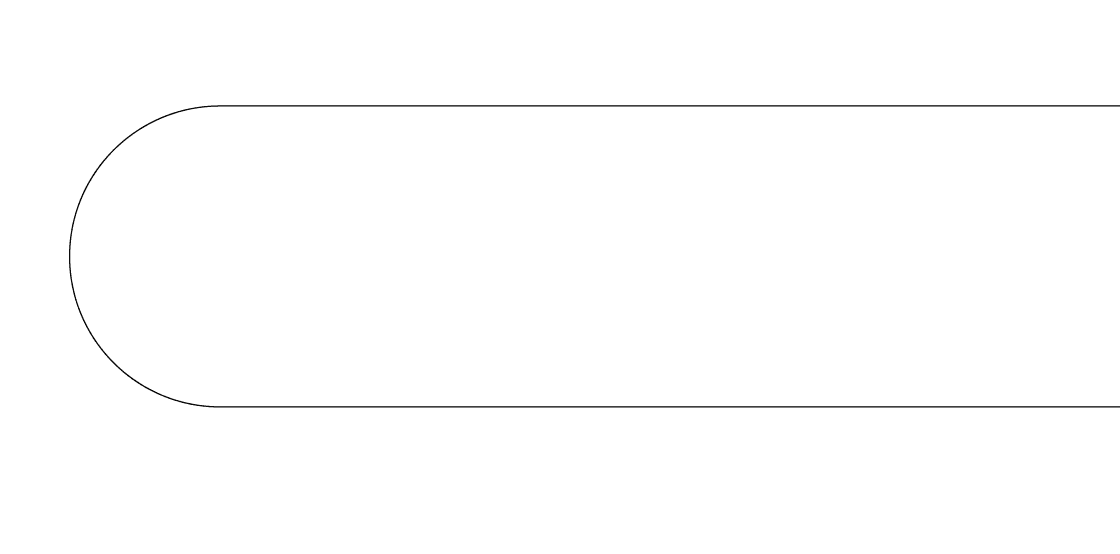 Figure 3: Combined paths.
Support Independent Perspectives & In-Depth Insights
Every thoughtful analysis and candid critique comes from our dedication to truth and quality. We choose not to follow sensational algorithms or clickbait headlines.
Sustaining independent research requires reader support. Make a one-time or monthly contribution, securely processed by Google.
Payments secured by Google · Manage or cancel anytime in your Google Account


Comments