
When installing professional third-party software downloaded directly from vendor websites—such as Phase One’s Capture One 11 for Sony—macOS users often encounter a dialog stating:
“App cannot be opened because it was not downloaded from the App Store.”
This restriction is part of Apple’s Gatekeeper security architecture, designed to protect users against malicious payloads and unsigned code. However, it also intercepts verified applications that developers choose to distribute independently outside the Mac App Store.
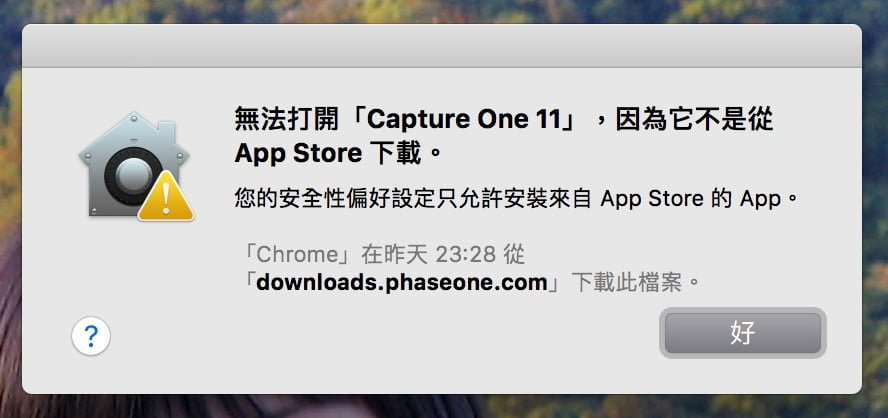
Method 1: The One-Time Override (Recommended)
Rather than dismantling global security protections, Apple provides a safe, targeted way to grant an individual application permission to run:
- Open Finder and navigate to your Applications folder.
- Hold down the Control (⌃) key on your keyboard and click (or right-click) the application icon.
- Select Open from the top of the contextual menu.
- A confirmation dialog will appear with an explicit Open button alongside the warning. Click Open.
Once opened this way, macOS permanently saves an exception in its security quarantine attributes. You can subsequently launch the app normally via Launchpad, Spotlight, or Dock shortcuts.
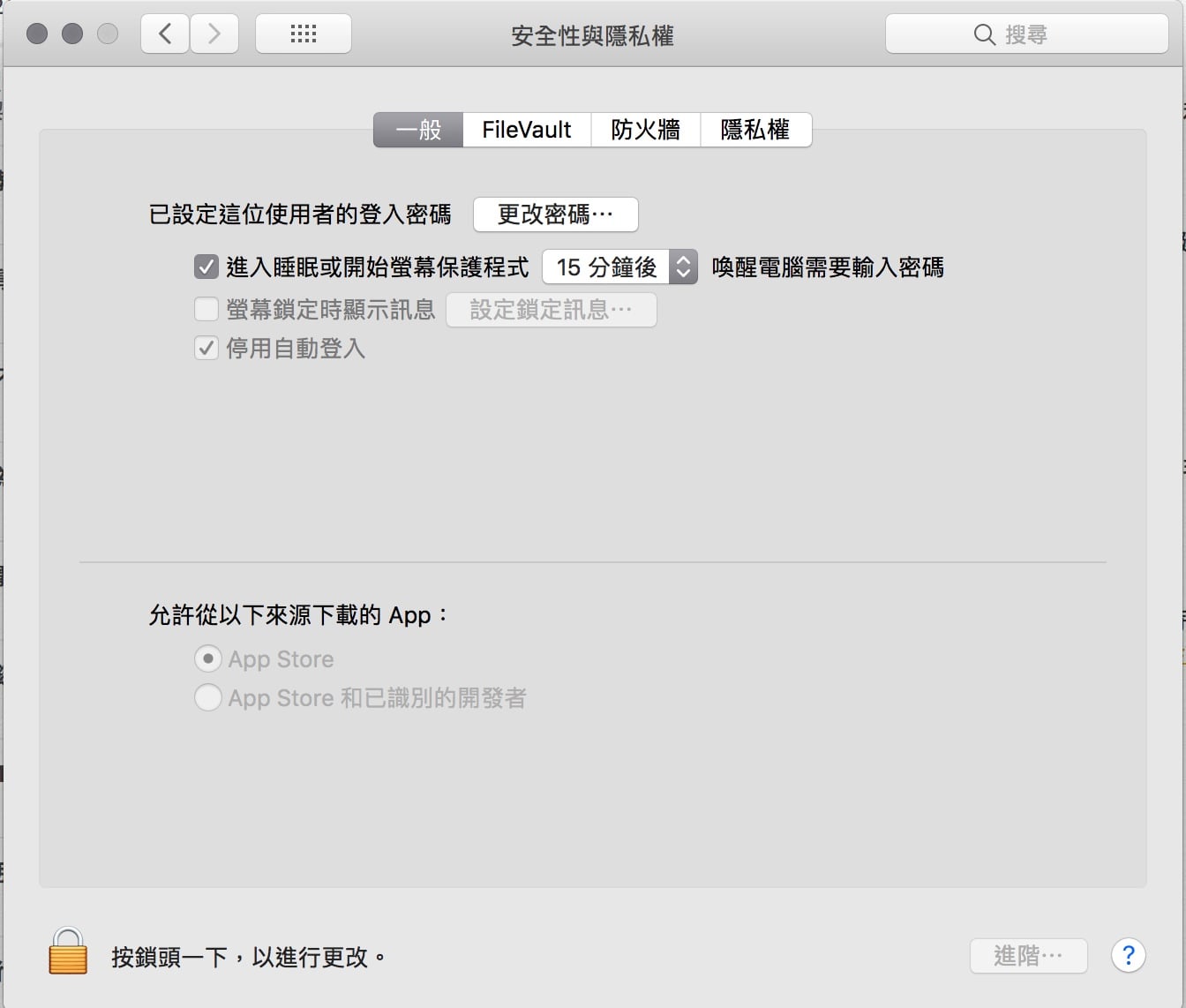
Method 2: System Preferences Gatekeeper Settings
If you frequently install verified software from developer sites:
- Click the Apple menu () -> System Preferences.
- Select Security & Privacy, and go to the General tab.
- Click the lock icon (🔒) in the bottom left corner and enter your macOS administrator password.
- Under “Allow apps downloaded from:”, select “App Store and identified developers”.
Advanced: Terminal Quarantine Removal
For notarized packages downloaded via web browsers that remain blocked, open Terminal and run:
sudo xattr -rd com.apple.quarantine /Applications/TargetApp.appThis clears the extended quarantine flag, allowing the application to execute cleanly.
Support Independent Perspectives & In-Depth Insights
Every thoughtful analysis and candid critique comes from our dedication to truth and quality. We choose not to follow sensational algorithms or clickbait headlines.
Sustaining independent research requires reader support. Make a one-time or monthly contribution, securely processed by Google.
Payments secured by Google · Manage or cancel anytime in your Google Account


Comments