
If you are a creative professional or enthusiast relying on Adobe’s software suite for daily workflows, you have likely noticed that subscription costs accumulate rapidly.
Taking the Creative Cloud All Apps 100GB annual plan (paid monthly) as an example, the standard recurring fee typically hovers around NT$1,250 (or approximately £57 / $55 USD) per month. For freelance designers and photographers, this represents a recurring operating expense that is hard to ignore.
Fortunately, there is a proven method to lower your Adobe subscription cost without giving up your favorite creative applications.
The Cancellation Workflow: A Proven Negotiation Strategy
Among seasoned Adobe subscribers, one well-tested strategy stands out: “Negotiating a discount directly through the cancellation flow.”
Here is how to execute this strategy step by step:
- Initiate the cancellation process: Log in to your Adobe account dashboard or navigate to subscription management to begin the cancellation workflow. This signals to Adobe’s automated retention system that you are preparing to terminate your subscription.
- Specify your reason: When prompted to choose why you are leaving, select “Too expensive.” This response is crucial—Adobe’s automated CRM rules frequently trigger retention offers and targeted discounts upon receiving this specific feedback.
- Review the retention offer: After selecting the cost reason, Adobe will often present a special discount rate applicable for the next 12 months before final cancellation.
For example, an overseas user recently utilized this workflow to reduce their Creative Cloud All Apps subscription from £57 per month (approx. NT$2,348) down to £30 per month (approx. NT$1,236)—saving roughly NT$1,112 every month. Over an entire year, this represents significant budget relief.
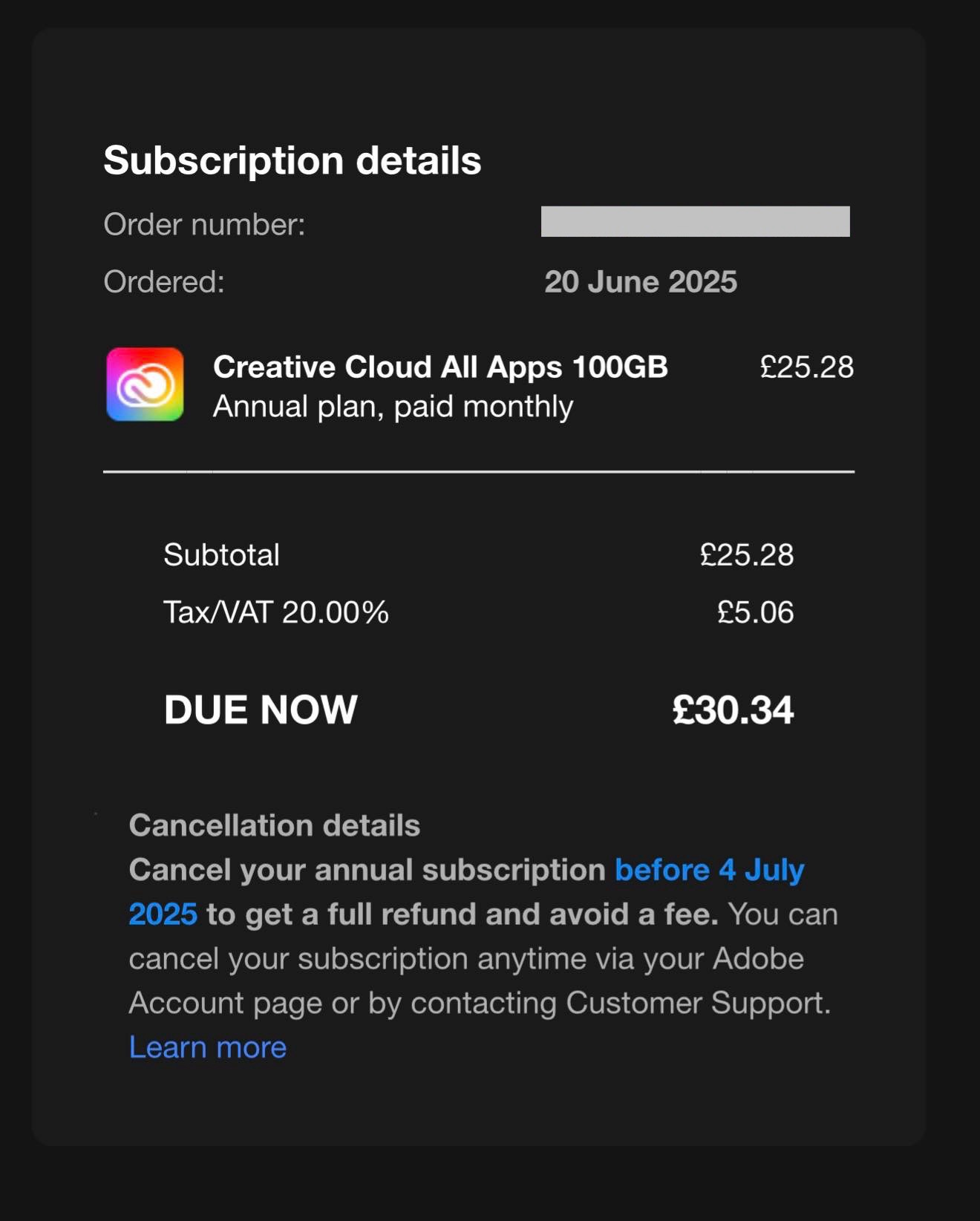
Creative Cloud All Apps 100GB — Annual plan, paid monthly.
Why This Retention Model Works
Adobe operates on a SaaS recurring subscription model where customer retention (reducing churn) directly impacts lifetime customer value. Losing an active subscriber cuts off recurring revenue; consequently, customer success algorithms are authorized to offer short-term discounts to keep you on board.
This approach is particularly effective for subscribers on comprehensive tiers or accounts with a long continuous subscription history.
Crucial Considerations
- Timing is critical: If you want to renegotiate or review your plan without incurring early cancellation penalties, review your renewal cycle window before the contract automatically locks in.
- Discounts are time-limited: Retention pricing typically lasts for 12 months, after which rates revert to standard pricing. Mark your calendar to review your subscription strategy annually.
- Patience pays off: Occasionally, automated prompts may not immediately trigger an offer. If needed, a polite and straightforward chat with Adobe’s online support team regarding pricing constraints can yield similar results.
Additional Cost-Saving Tips
Beyond the retention workflow, consider these practical options:
- Check seasonal promotions: Adobe frequently runs holiday and Back-to-School discounts for new or educational accounts, often pricing comprehensive suites much lower.
- Evaluate cloud storage tiers: If your workflow relies on local NAS or external SSDs rather than Adobe Cloud Storage, selecting a lower cloud allocation tier (such as 20GB) can noticeably decrease recurring costs.
- Review team or bundled offerings: If collaborating with studio partners, pooling resources into business or educator tiers may lower per-seat expenses.
By applying these proactive strategies, you can manage software operational overhead efficiently and free up resources for hardware and creative endeavors. Log in to your Adobe account today and review your current subscription status!
Support Independent Perspectives & In-Depth Insights
Every thoughtful analysis and candid critique comes from our dedication to truth and quality. We choose not to follow sensational algorithms or clickbait headlines.
Sustaining independent research requires reader support. Make a one-time or monthly contribution, securely processed by Google.
Payments secured by Google · Manage or cancel anytime in your Google Account




Comments