
The other day, a Facebook friend asked: “Can the eight ‘Most Visited’ website thumbnails that appear when opening a New Tab in Google Chrome be customized manually?” After some research[1], the current answer is: without relying on third-party extensions, “no”.
Because Google designed the Most Visited thumbnails to update dynamically—unlike traditional browser static bookmarks or favorites—the thumbnails are calculated directly from your browsing history based on your most frequently visited sites.
In other words, if you want to remove a specific thumbnail from “Most Visited” (for instance, an adult site you don’t want your significant other to see), you can click the small “X” in the top-right corner of the thumbnail (this can be undone, as explained later), or go to Chrome’s “Settings”, navigate down to “Privacy”, and click “Clear browsing data” (as shown in Figure 1).
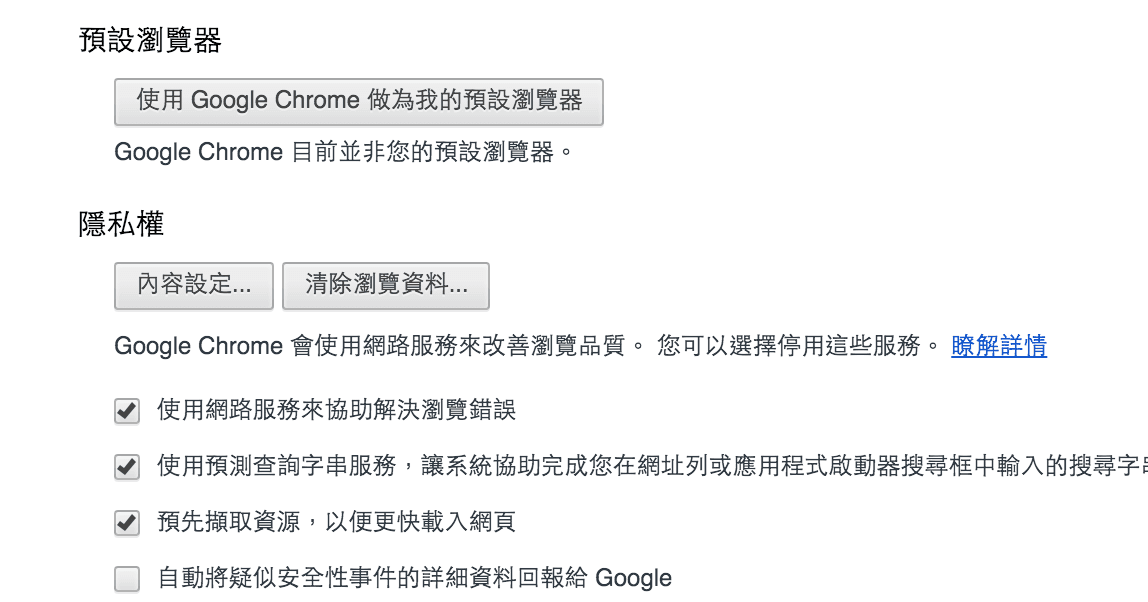 Figure 1: Privacy settings page.
Referring to Figure 2 below, in the Clear browsing data dialog, check the “Browsing history” box, set the time range to “the beginning of time” (or “All time”), and click the “Clear browsing data” button to purge all Google Chrome history.
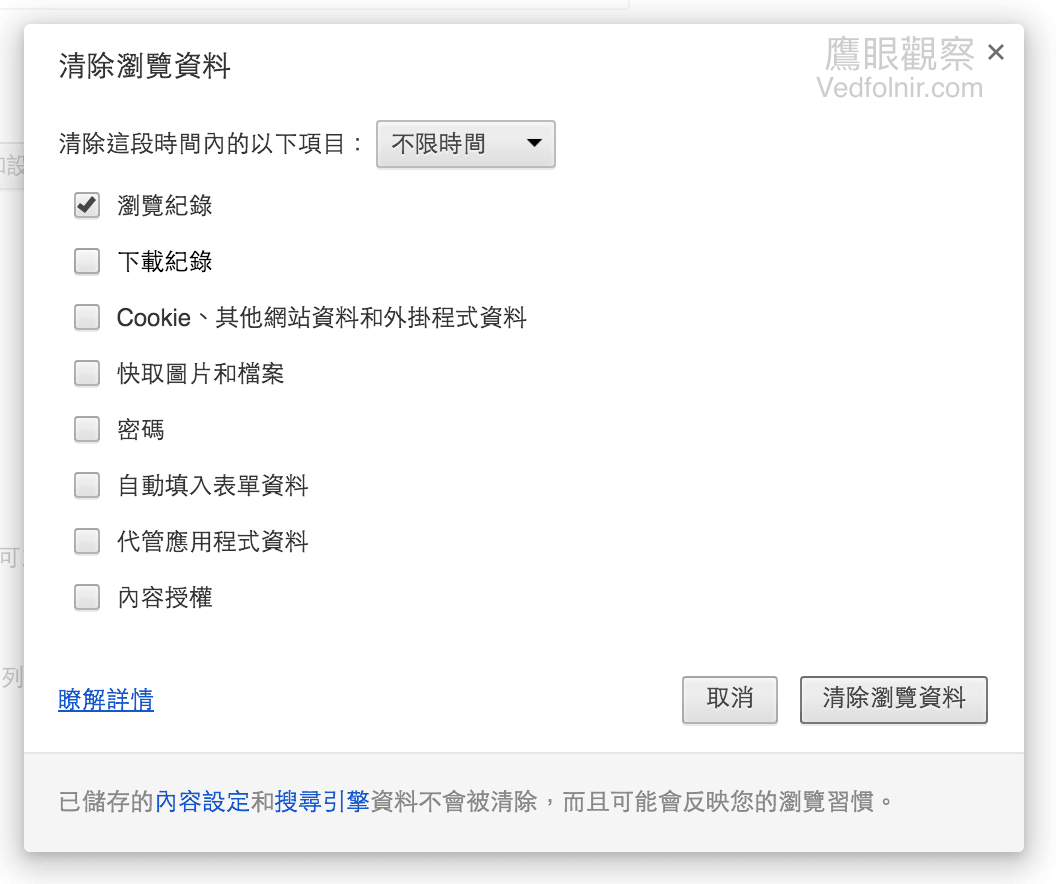 Figure 2: Clearing browsing data.
Referring to Figure 3, after clearing your browsing history, Chrome can no longer compute frequent visits, and the Most Visited thumbnails will reset to their factory default state (this cannot be undone).
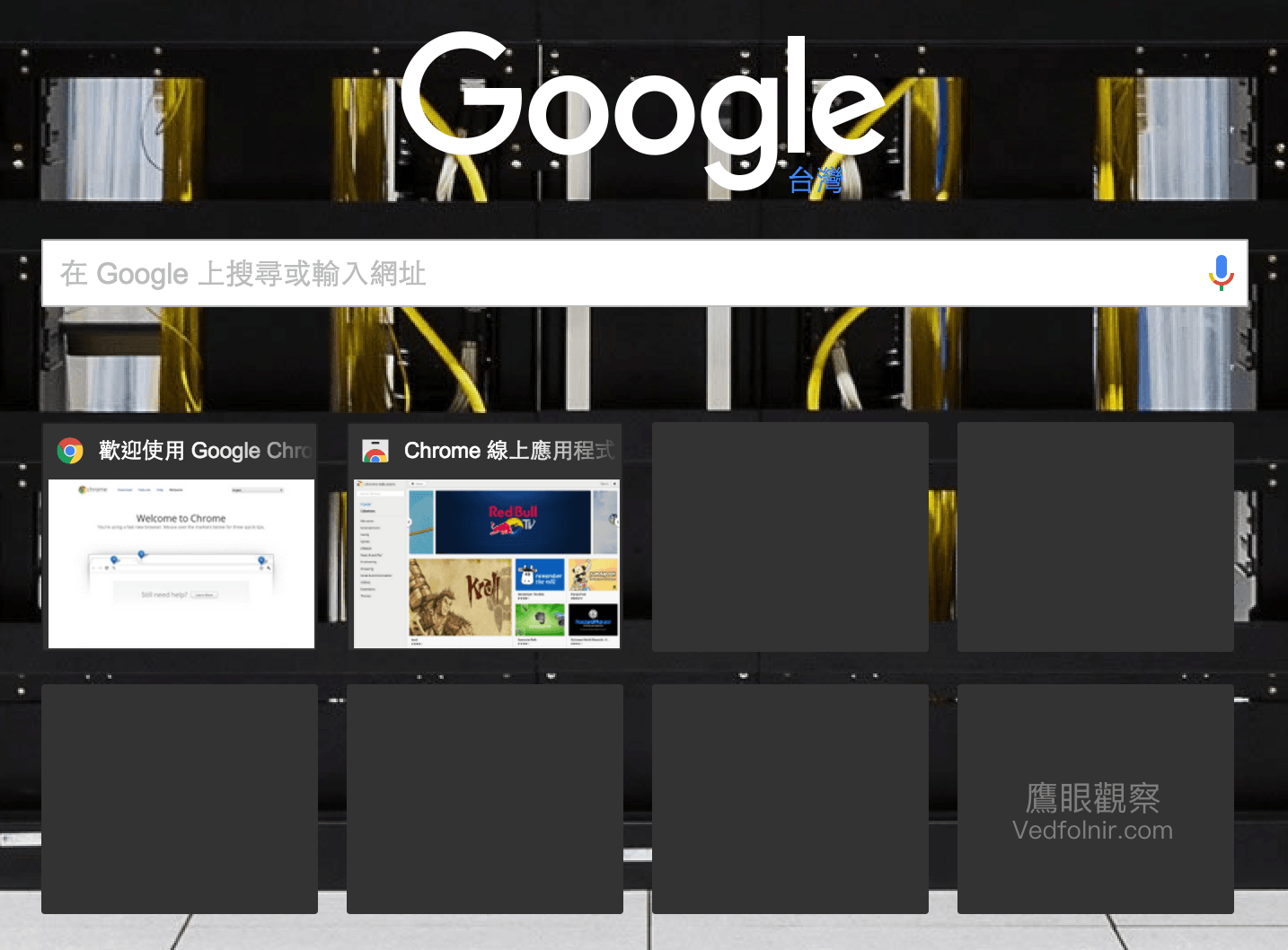 Figure 3: Default Most Visited thumbnails on a New Tab.
How to Restore an Accidentally Deleted Most Visited Thumbnail?
As mentioned earlier, each Most Visited thumbnail has a small “X” in the upper-right corner. Clicking it removes that thumbnail, replacing it with the next most visited site. But what if you delete the wrong one by mistake? (I often make this kind of silly mistake myself.)
In Figure 4 below, for example, I accidentally removed the Facebook thumbnail.
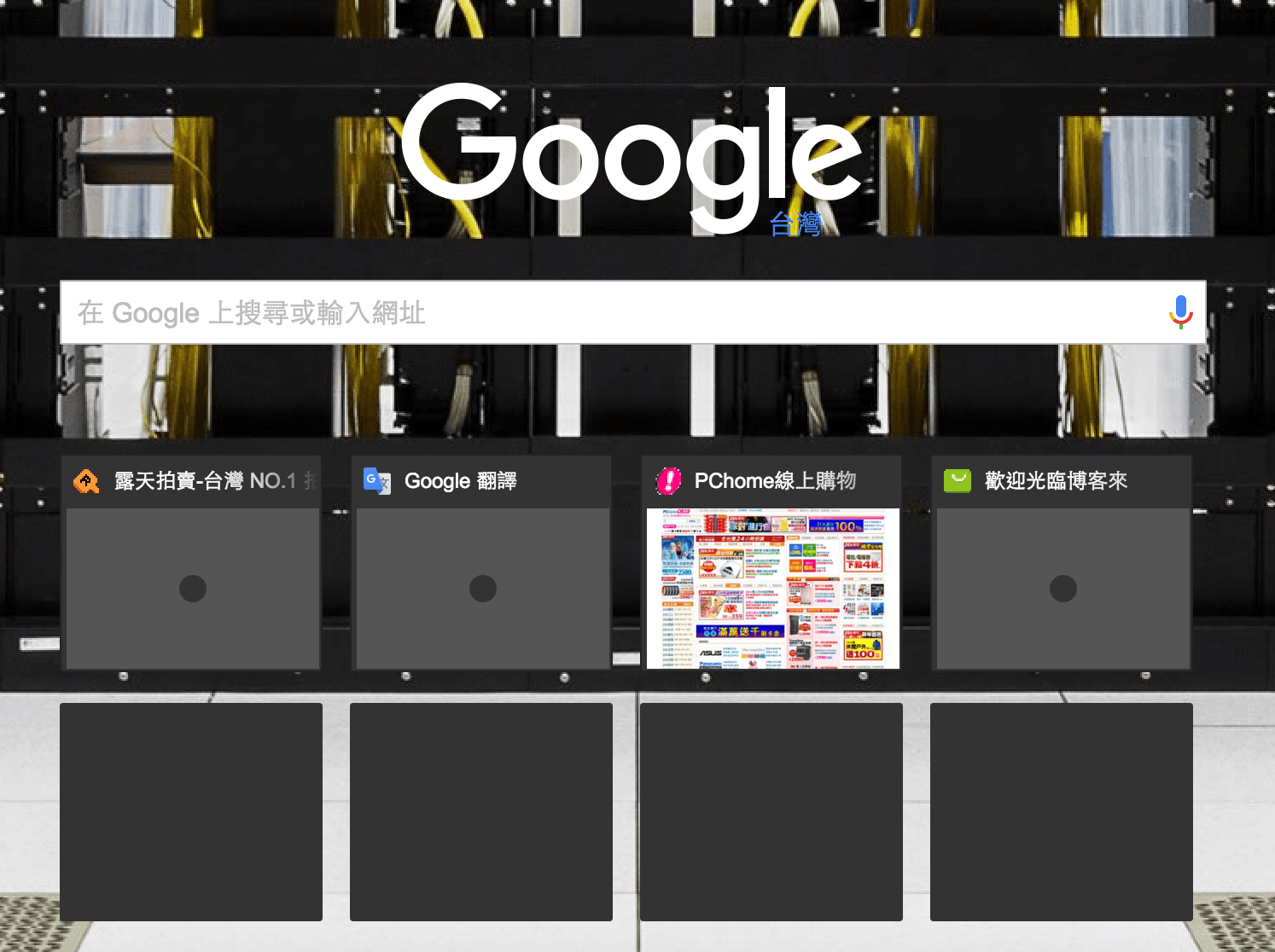 Figure 4: Accidentally removing a Most Visited thumbnail.
To restore an accidentally removed thumbnail, immediately look at the bottom of the Chrome window after removing it. You will see a notification stating “Thumbnail removed”, accompanied by two options: “Restore” and “Restore all” (as shown in Figure 5).
 Figure 5: Restoring individual or all thumbnails.
If you only want to bring back the thumbnail you just dismissed, click “Restore”. If you want to reset all dismissed thumbnails across all time, click “Restore all”.
In other words, if you want to recover a thumbnail you deleted long ago, simply remove any current thumbnail, then click “Restore all”. Chrome will recalculate visit frequency weights across your historical browsing data (as shown in Figure 6).
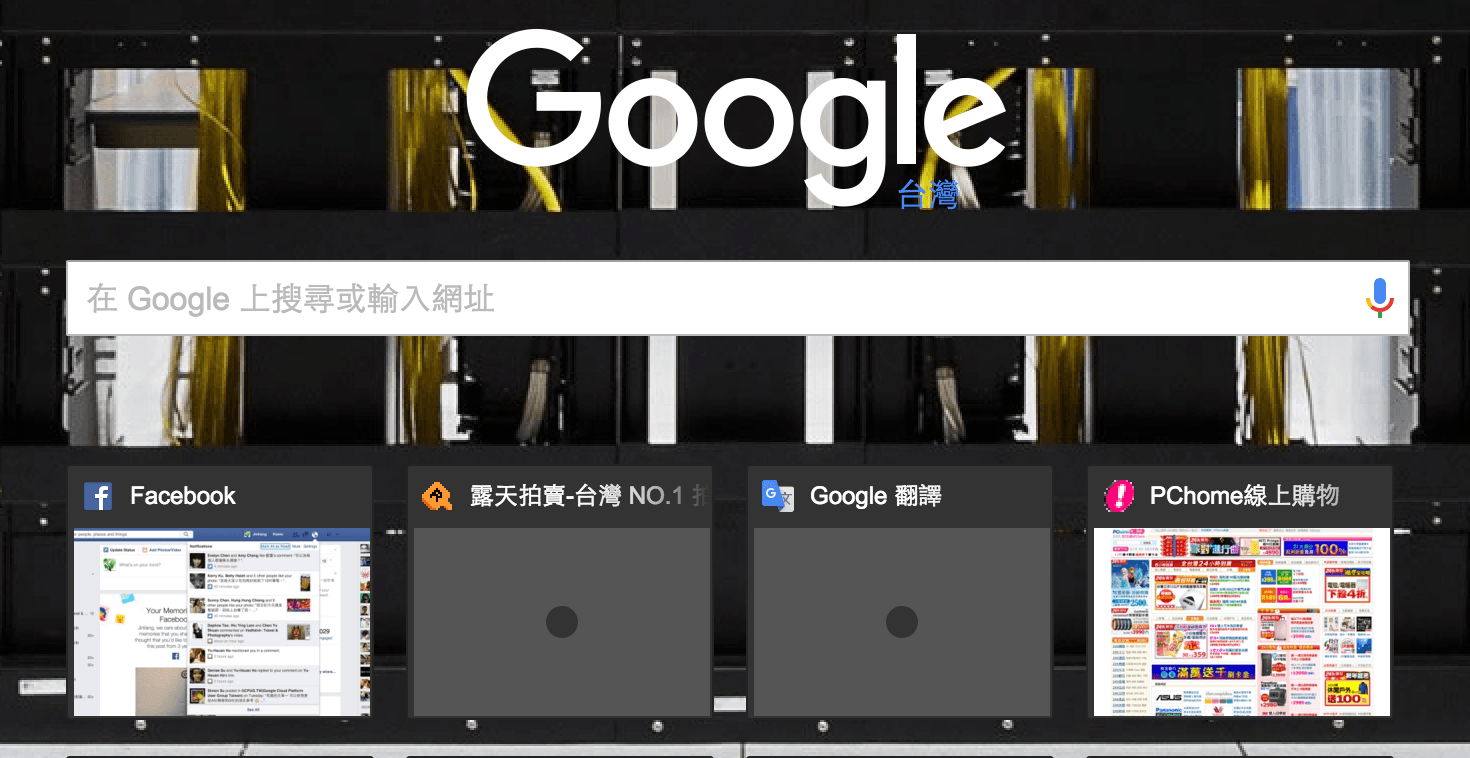 Figure 6: Resetting Most Visited thumbnails to defaults.
Tech Tips Every Couple in a Relationship Should Know
If you are a woman and dislike your boyfriend browsing questionable adult websites, you might just spot those mysterious domains right among these eight Most Visited thumbnails.
However, if you don’t find anything unusual in these eight thumbnails, your boyfriend might just be exceptionally clever!
At that point, try the restore trick mentioned above—you might just catch a dramatic reveal.
On the other hand, if you are a guy, after removing sensitive browsing thumbnails, always make sure to clear your browsing history; otherwise, a partner who has read this article might catch you red-handed.
Extended Reading
[1] During research, it turned out that years ago, frequent website thumbnails could indeed be customized by modifying Chrome system files. On Apple Mac OS X, for instance, this was done by tweaking the Preferences XML file in the application directory.
However, as stated earlier, Google designed Most Visited sites to be calculated dynamically, so there is currently no simple configuration tweak to pin custom thumbnails manually.
If a new method is discovered in the future, we will update everyone, so make sure to follow LINE “Hawk Eye Observation” for the latest updates!
Support Independent Perspectives & In-Depth Insights
Every thoughtful analysis and candid critique comes from our dedication to truth and quality. We choose not to follow sensational algorithms or clickbait headlines.
Sustaining independent research requires reader support. Make a one-time or monthly contribution, securely processed by Google.
Payments secured by Google · Manage or cancel anytime in your Google Account

Comments