
Google recently updated the Chrome browser to version 40.0.2214.93 m [1]. While this release brought little obvious change to the immediate user experience, it caused an abrupt error prompt dialog to pop up on desktop screens (Figure 1), reading: "**Your profile can not be opened correctly. Some features may be unavailable. Please check that the profile exists and you have permission to read and write its contents.**"
This error dialogue consistently appears upon rebooting the computer and landing on the Windows desktop.
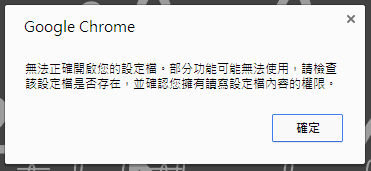 Figure 1: Chrome profile error message.
If you click OK in Figure 1 and continue opening Chrome, you’ll discover that the eight most visited website shortcuts on the New Tab Page have completely vanished. Even after browsing extensively, these shortcut tiles fail to repopulate or update, stripping away quick one-click access to favorite bookmarks.
Inconvenient, right? Here is the simple trick I used to resolve this profile corruption glitch.
Chrome Troubleshooting Steps
Finding this fix was purely serendipitous—stumbled upon through trial and error. Here is the step-by-step fix:
Step 1: When the error prompt shown in Figure 1 pops up on your screen, click OK or simply close the dialogue.
Step 2: As shown in Figure 2, Google Chrome typically keeps a background service icon running in the Windows system tray / taskbar. Right-click this Chrome icon and select "**Exit (X)**" to terminate all resident Chrome background processes completely.
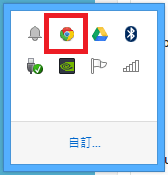 Figure 2: Chrome system tray icon.
Step 3: Re-launch the Google Chrome browser from your desktop or Start menu, prompting Chrome to rebuild the profile cache.
As shown in Figure 3, the freshly launched browser interface—including previously open tabs and frequently visited website tiles—will be completely restored to working order (Editor’s note: Looks like someone avoided reinstalling Windows yet again!).
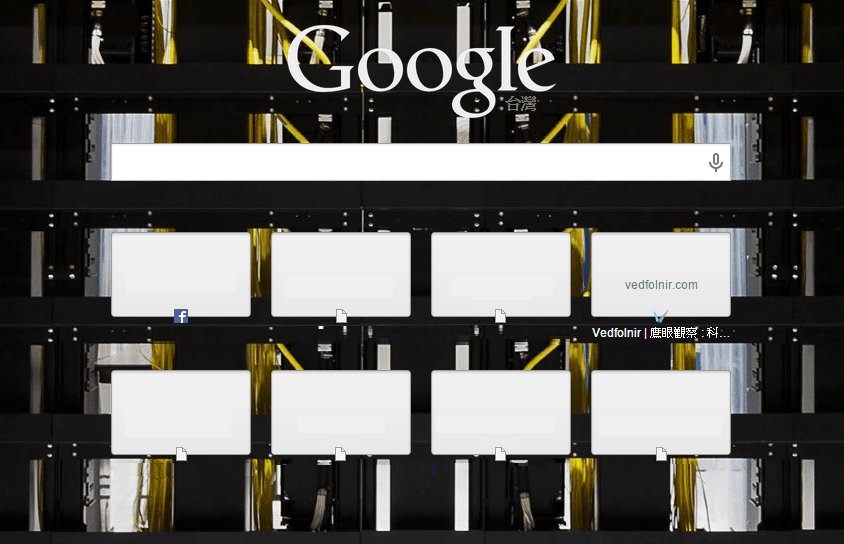 Figure 3: Restored most visited site thumbnails.
Further Reading
- Google Chrome Browser Update Direct Link.
- Chrome rolled out another minor update on February 8. The most visible tweak touched the eight shortcut tiles on the New Tab page mentioned in this article—likely related to these profile loading glitches. In the revised layout, site icons and titles moved above the thumbnail boxes for a cleaner, more standardized aesthetic.
Support Independent Perspectives & In-Depth Insights
Every thoughtful analysis and candid critique comes from our dedication to truth and quality. We choose not to follow sensational algorithms or clickbait headlines.
Sustaining independent research requires reader support. Make a one-time or monthly contribution, securely processed by Google.
Payments secured by Google · Manage or cancel anytime in your Google Account

Comments