

Today I want to introduce a must-have feature for Google Chrome users: the "**App Launcher**". The launcher itself doesn’t offer flashy animations or complex standalone features—it isn’t even a separate full program—yet it brings tremendous convenience to daily desktop workflows.
The Chrome App Launcher lets you rapidly fire up default Google services like Gmail and YouTube, as well as third-party Chrome web apps you’ve added, such as Facebook. If you rely heavily on the Chrome ecosystem, I highly recommend giving it a spin.
At its core, the launcher simply pins an icon to your Windows taskbar and desktop, as shown in Figure 1.

Figure 1: Launcher icon.
This icon serves as a shortcut linked to the main Chrome executable, appended with the flag --show-app-list. Its sole purpose is to quickly summon Chrome’s application grid.
Installation Walkthrough
Step 1: Visit the official Google page [1] and click the "**Get the launcher**" button as shown in Figure 2.
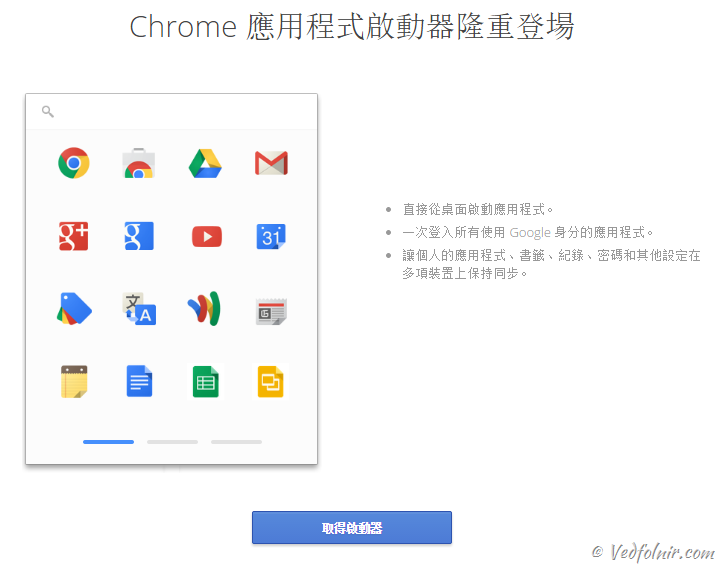
Figure 2: Official Google download prompt.
Step 2: Close the page.
And that’s it! Fast, painless, and completely seamless.
Usage Demonstration
As shown in Figure 3, clicking the launcher icon on your desktop or taskbar opens a compact floating window.
The interface consists of two primary elements: a top search box and the application grid below. The grid displays default Google apps (like Gmail) alongside any extensions or web apps you have installed from the Chrome Web Store (such as Facebook), making them instantly accessible.
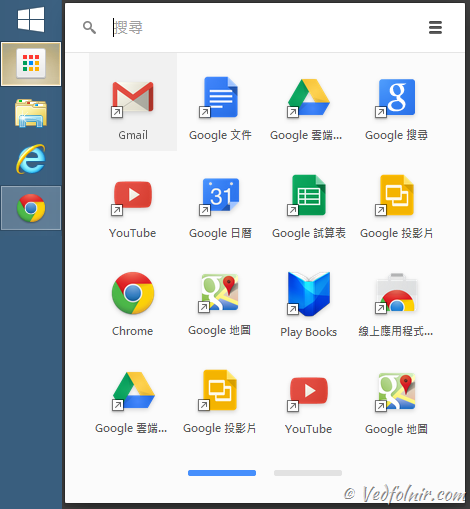
Figure 3: Chrome App list.
As shown in Figure 4, the top bar functions as a standard search field, but you can also type application names to launch specific tools instantly.
Even better, the search bar queries the Chrome Web Store in real time, making discovery and installation remarkably quick.
For example, typing “YouTube” prioritizes the pre-installed YouTube app, followed by relevant URL suggestions, standard Google web search terms, and related store apps.
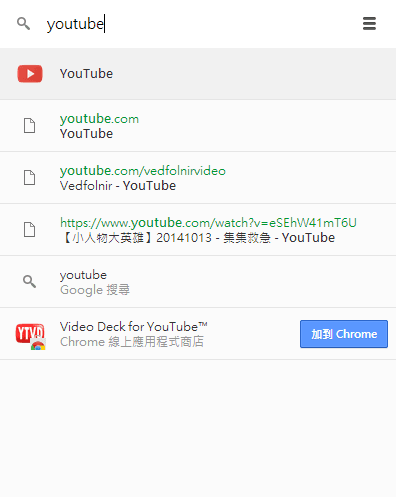 Figure 4: Search bar functionality.
As shown in Figure 5, once your library of installed Chrome apps grows, the launcher organizes them into paginated screens.
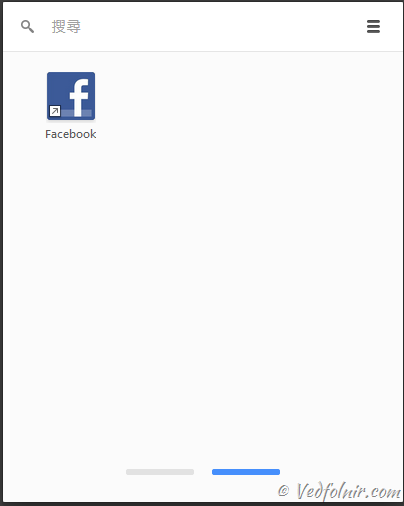
Figure 5: Paginated app list.
Summary
While seemingly modest, this lightweight utility genuinely streamlines everyday browsing workflows. Instead of manually launching Google Chrome before navigating to a service, the App Launcher lets you summon the specific tool first, with Chrome seamlessly managing the background process. It makes desktop web multitasking feel snappier and more intuitive.
Vedfolnir Rating: ★★★★☆
Further Reading
- Download Link: Chrome App Launcher
Support Independent Perspectives & In-Depth Insights
Every thoughtful analysis and candid critique comes from our dedication to truth and quality. We choose not to follow sensational algorithms or clickbait headlines.
Sustaining independent research requires reader support. Make a one-time or monthly contribution, securely processed by Google.
Payments secured by Google · Manage or cancel anytime in your Google Account



Comments