
When designing tables and forms (spreadsheets), since the top header and left header are mostly used as major and minor titles, the first cell where the two headers intersect often needs to contain two kinds of information to effectively display information. At this time, you can draw a header slash (diagonal line) in the table to separate the table space (as shown in the figure below).
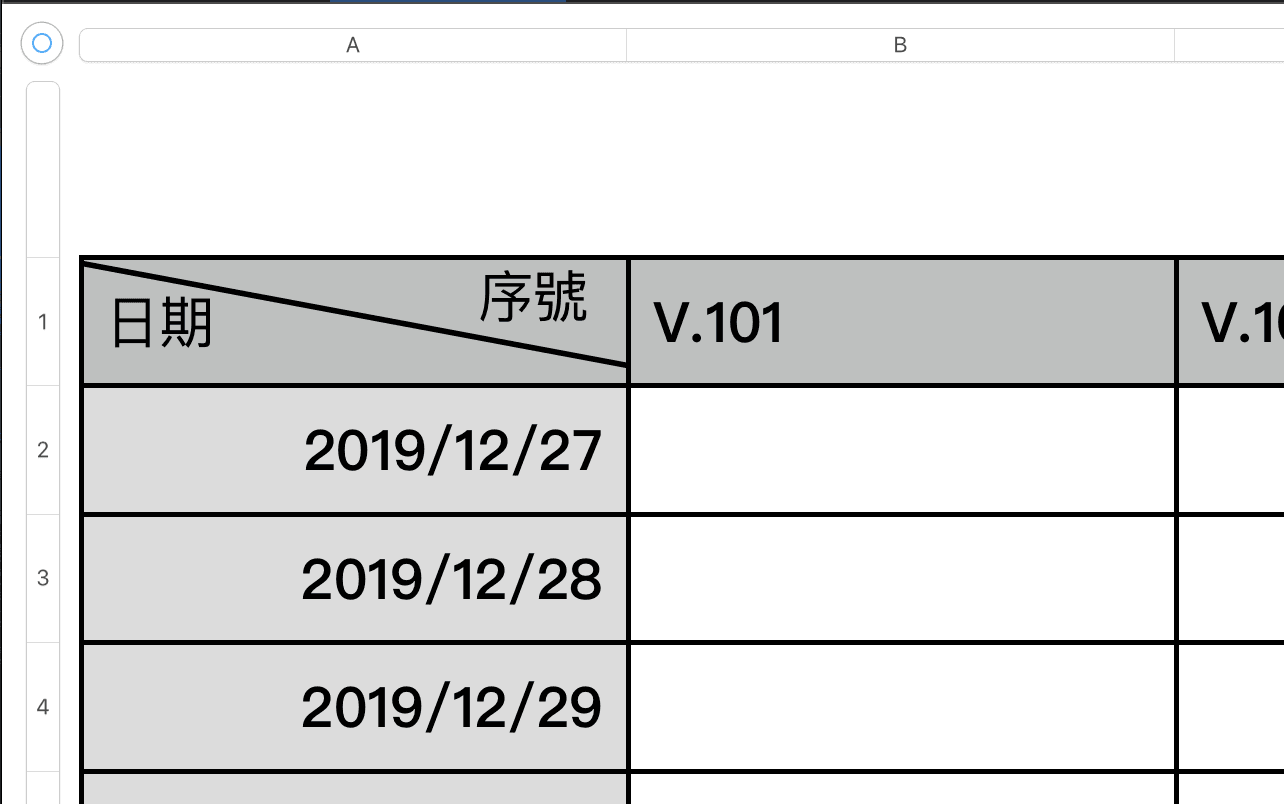
In the huge market of word processing software, Microsoft’s Office series is still the most convenient to use!
Taking the header slash of an Excel table as an example, users only need to click the “slash” button in the border settings to easily divide a cell into two equal parts. Neither Apple’s macOS Numbers nor Google Sheets can be designed as simply as Microsoft’s.
Although Apple macOS’s Numbers spreadsheet is sufficient in most cases, and some of its design aesthetic features are quite popular, it has never been able to replace the position of MS Office, precisely because of these minor details (which may even be patented by Microsoft).
If you must draw a cell that divides the space on a Numbers table, you can only use a rather clumsy method, that is, D.I.Y. manually drawing lines and inserting text.
Taking Apple’s Numbers as an example, click “Line” in “Shapes” and drag it to the destination table cell. Then click “Text,” enter the text, adjust the appropriate text size, and drag it to a corner of the divided cell (please refer to the figure below).
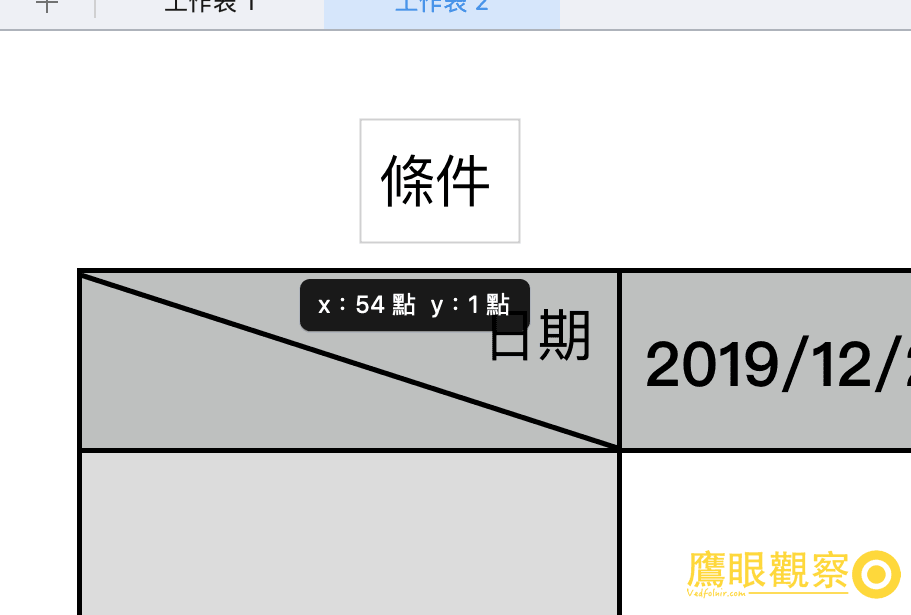
Reminder: This kind of dragged-out text and table will not be linked to the data and formulas (functions, equations) in the worksheet, nor can it use functions such as sorting and filtering. It can only serve the purpose of aesthetic recognition when exporting to PDF or printing.
Official website: “Apple Numbers”.
Support Independent Perspectives & In-Depth Insights
Every thoughtful analysis and candid critique comes from our dedication to truth and quality. We choose not to follow sensational algorithms or clickbait headlines.
Sustaining independent research requires reader support. Make a one-time or monthly contribution, securely processed by Google.
Payments secured by Google · Manage or cancel anytime in your Google Account


Comments