

Ever since upgrading my computer’s operating system to Windows 8.0, I haven’t installed Microsoft’s Office desktop suite.
The genuine license I currently own is for Office 2007. Since it is a 32-bit edition, I never fancied installing it onto a 64-bit OS. Nor do I currently have the need or plan to subscribe to Office 365.
However, if convenience, simplicity, ease of use, and security are your top priorities, feel free to skip this article and purchase the official commercial release directly (i.e., subscribe to Office 365).
Honestly speaking, the adage “you never realize the value of software until you need it” holds completely true.
Even if I don’t actively create documents with Office every day, countless event overviews, tutorials, and official forms across the internet are still distributed as Microsoft Office files—finding an organization that offers PDFs feels like a stroke of sheer luck.
You can certainly find plenty of free “Office-like” alternatives online, such as Apache OpenOffice, LibreOffice, QuickOffice, Kingsoft Office, AbiWord, and more.
Among these, LibreOffice is arguably the most well-known, whereas OpenOffice, its predecessor, has gradually fallen out of favor.
LibreOffice
Yet as mentioned earlier, to keep my system lean and clean, I generally avoid installing software with low usage frequency.
Furthermore, when these Office alternatives open documents originally created in Microsoft Office, formatting discrepancies frequently occur.
Such alignment issues can be a serious annoyance for standardized registration forms (though truth be told, incompatibility can happen between different versions of MS Office as well).
Online Document Processing Platforms
Thanks to modern web technology, we now have another alternative: online (cloud-based) document editing.
Prominent examples include Google Docs and Microsoft Office Web Apps in SkyDrive (Official Documentation). Unsurprisingly, Microsoft Office Web Apps delivers the best native compatibility with Microsoft Office documents.
Office Web Apps is integrated directly into SkyDrive; you can visit https://skydrive.live.com to create new documents on the fly. It offers web-based versions of standard office tools including Word, Excel, PowerPoint, and OneNote.
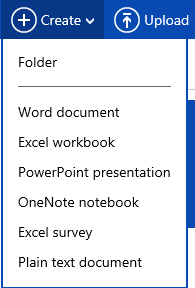
Create Items
Additionally, as shown in the two screenshots below, Windows 8.0 and 8.1 link user accounts directly with Live.com (Outlook.com).
This enables built-in SkyDrive folder synchronization, linking your local PC file system directly with Microsoft SkyDrive cloud storage.
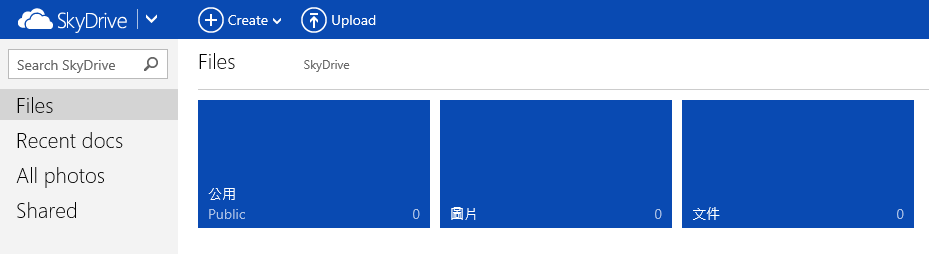
SkyDrive Web Interface
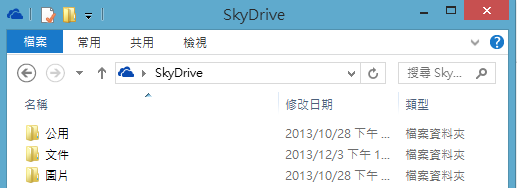
New SkyDrive Integration with Windows Folders
This allows you to drop downloaded Word documents or spreadsheets directly into your local SkyDrive folder, which makes them immediately accessible for viewing and editing via SkyDrive’s web interface.
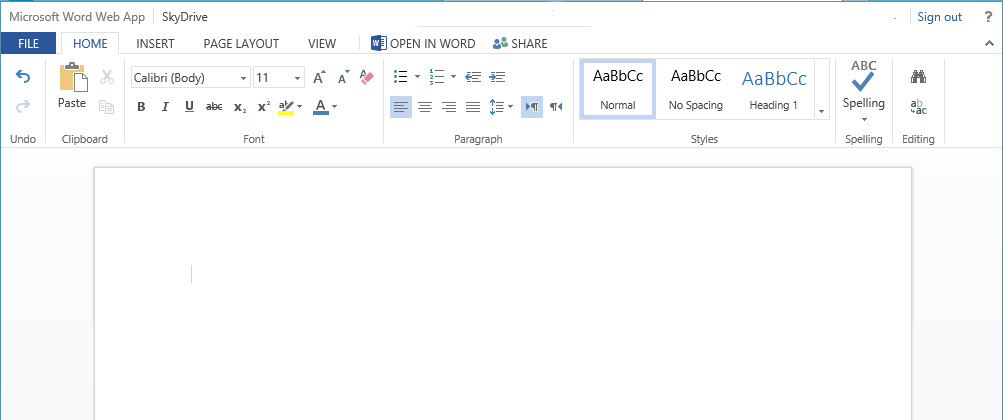
Microsoft Word Web App Editing Interface
Finally, a fair disclaimer: even when using SkyDrive Web Apps to open files sent by others, slight formatting quirks can still happen! (Ducks for cover)
For die-hards who refuse to install office suites on their PC yet need 100% formatting fidelity, another practical workaround is bringing the file directly to a 7-Eleven store kiosk to print (which includes native Microsoft Office engine support)—especially convenient when you only need to fill out and mail physical paper forms.
Support Independent Perspectives & In-Depth Insights
Every thoughtful analysis and candid critique comes from our dedication to truth and quality. We choose not to follow sensational algorithms or clickbait headlines.
Sustaining independent research requires reader support. Make a one-time or monthly contribution, securely processed by Google.
Payments secured by Google · Manage or cancel anytime in your Google Account


Comments