
After installing the WordPress blog/content management Multisite Network System, you have likely set up multiple sub-sites and published plenty of great content. But have you noticed anything peculiar about the URLs of the root site (for example: https://mountos.com/) located at the top-level domain?
WordPress Multisite offers two methods for provisioning new sub-sites: one is using subdomains (such as https://LAB.mountos.com), and the other is using subdirectories (such as https://mountos.com/LAB).
The former involves server configuration and wildcard DNS considerations, while the latter, by utilizing subdirectories, is often more convenient in practice for system configuration and SEO management.
However, using subdirectories introduces an inherent problem: since each new sub-site occupies a directory slug, could it potentially collide with post or page slugs on the root site?
The answer is yes.
WordPress already anticipated this collision and created a default safeguard: when you publish new posts on the main root site, they are placed under the /blog subdirectory.
As shown in Figure 1 below, the original permalink path of the main site defaults to https://mountos.com/blog/....
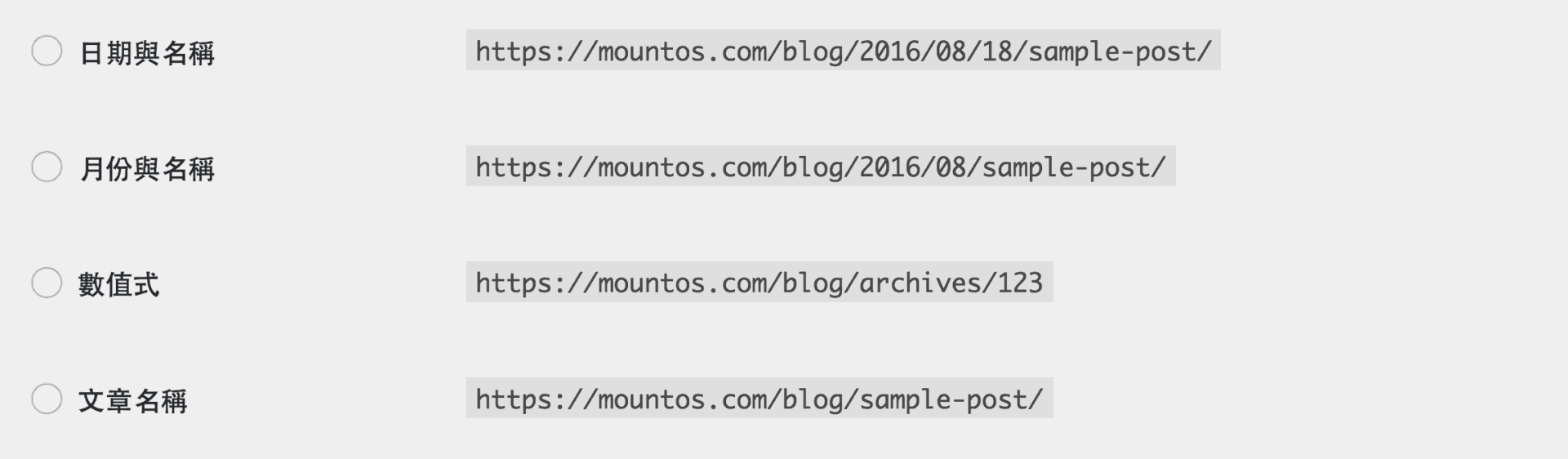
Figure 1: Default /blog permalink path in WordPress Multisite.
The primary benefit of this design is that all articles and pages on the main site are isolated within the /blog folder structure, preventing slug collisions with newly created sub-sites. For instance, if the main site adds a page named “Travel”, but a sub-site also uses https://mountos.com/travel, a name conflict would occur without that prefix. However, having that extra /blog slug can be visually undesirable and less elegant.
Can you remove this default /blog path from the root site?
Yes, absolutely, and the process is very straightforward.
As shown in Figure 2 below, in the WordPress dashboard left sidebar, navigate to Settings and select the Permalinks option, which allows you to customize your post URL structure.
Simply change the permalink structure under Common Settings from custom to Plain (or adjust the custom structure to remove /blog), and the default /blog prefix will be eliminated, giving your main site clean, elegant URLs.
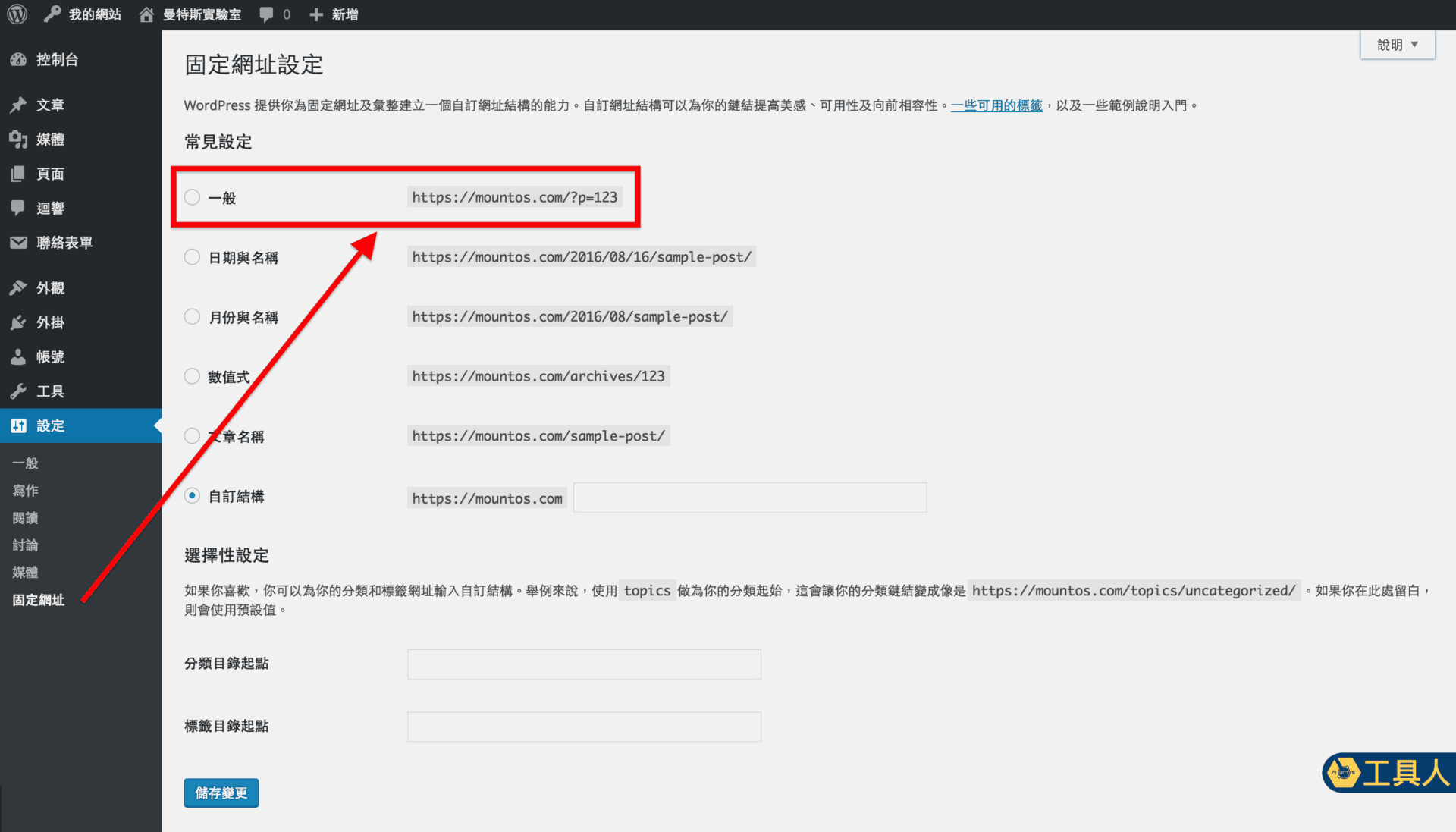
Figure 2: WordPress Dashboard permalink settings.
Restoring the Original /blog Prefix in WordPress Multisite
Once you complete the steps above, your main site’s permalinks will cleanly stem from the root directory. However, while a cleaner root URL looks attractive, it may not always be practical if it risks naming collisions with other sub-sites. Deciding whether to remove the /blog root prefix is ultimately up to the site administrator.
If you ever wish to restore the original /blog URL structure, simply go back to the Permalinks settings page, select Custom Structure, and input /blog/%year%/%monthnum%/%day%/%postname%/ (or your preferred tokens) into the text field. WordPress will automatically restore /blog as the root site’s default directory prefix.
The Fixer’s Tip: URL structure should be finalized during the initial stages of building your website. Once you begin producing content, avoid changing it whenever possible.
Support Independent Perspectives & In-Depth Insights
Every thoughtful analysis and candid critique comes from our dedication to truth and quality. We choose not to follow sensational algorithms or clickbait headlines.
Sustaining independent research requires reader support. Make a one-time or monthly contribution, securely processed by Google.
Payments secured by Google · Manage or cancel anytime in your Google Account


Comments