
In our previous article, A Quick Reminder on Migrating and Merging MSN into Skype, we discussed several Skype bugs.
One specific bug prevents us from blocking or unblocking legacy MSN contacts on our contact list directly inside the Skype client software.
Microsoft has yet to provide an intuitive in-app fix for this problem. However, they have at least offered a slightly roundabout workaround.
Checking MSN Contact Block Information
Under Skype’s Options, “Privacy → Blocked People” is where users manage contact block states.
As shown in the image below, the upper list “Blocked People” displays currently blocked contacts, while the field “Block this person” shows unblocked contacts.
When an ordinary contact is blocked in the messaging app, that account appears in the upper box and can be easily unblocked. However, while legacy contacts that were previously blocked in MSN also appear in this list, the “Unblock this person” button remains completely grayed out or unusable—meaning you cannot lift an MSN block from within Skype itself.
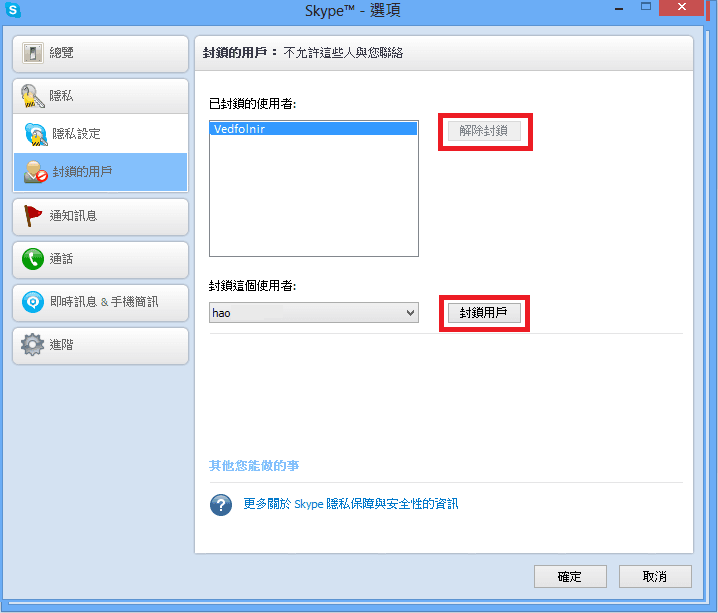 Skype Options - Blocked People
Unblocking MSN Contacts
Because lifting the block on MSN contacts is impossible directly from within Skype, we must take another path: managing the account settings via the web interface.
For the web interface, you can navigate to “Outlook / Microsoft Account - People” or access it through your preferred portal.
As shown below, the information panel on the right side of the contacts page distinguishes whether each entry is a Skype contact or a Messenger contact, making them easy to identify.
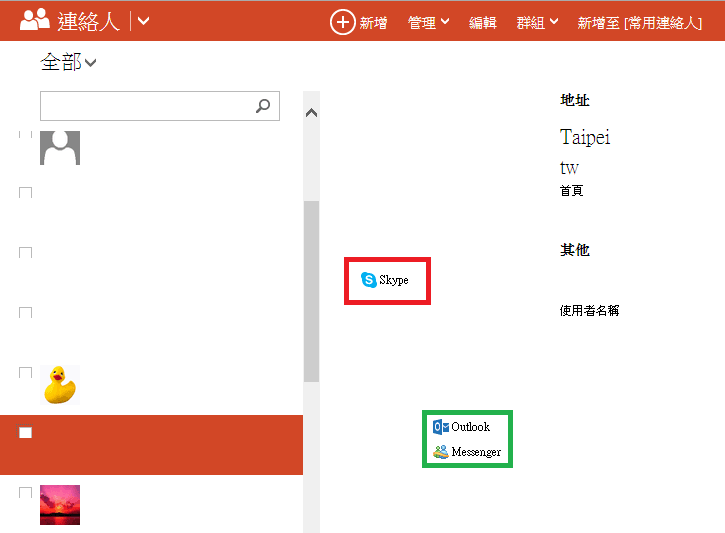 Outlook Contact Management Page
Locate the contact you intend to unblock, and click the ”…” menu icon at the far right of the top toolbar in their details pane.
A new “Unblock” option will appear in the dropdown menu. Click that button to complete the unblock action, and you can then close the browser tab.
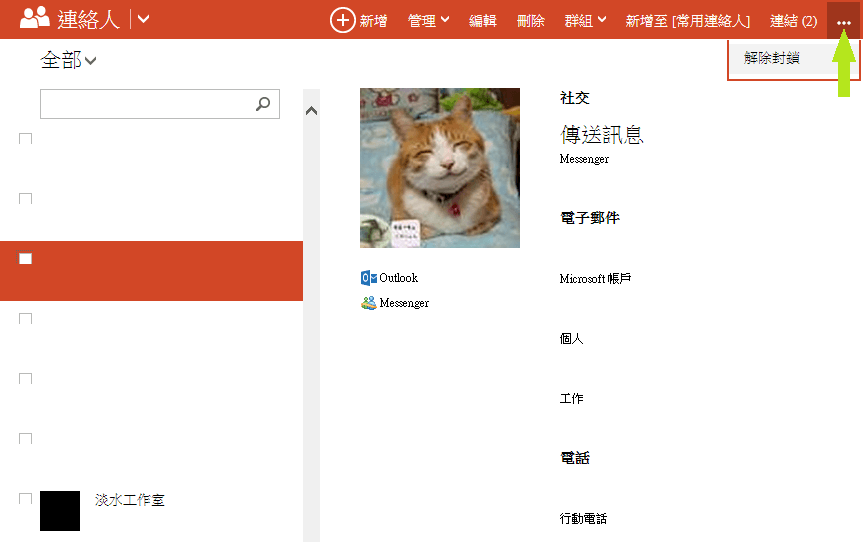 Unblocking a Contact
Next, return to the Skype desktop client. As shown below, you should see that your previously blocked MSN contact is now available for chat.
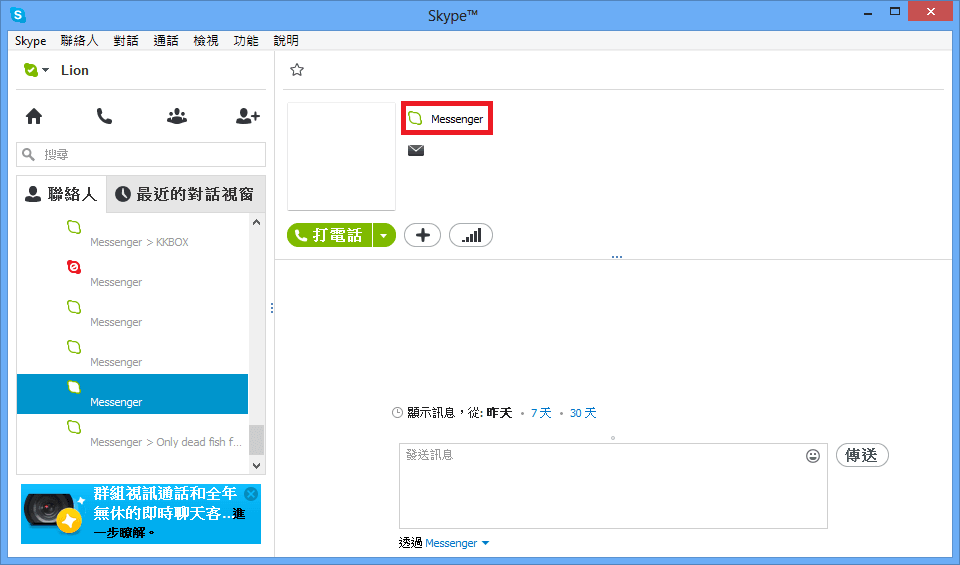 Unblocked Legacy MSN Contact
If the contact still shows as blocked after completing these steps, please sign out of Skype and log back in, which should restore proper synchronization.
Support Independent Perspectives & In-Depth Insights
Every thoughtful analysis and candid critique comes from our dedication to truth and quality. We choose not to follow sensational algorithms or clickbait headlines.
Sustaining independent research requires reader support. Make a one-time or monthly contribution, securely processed by Google.
Payments secured by Google · Manage or cancel anytime in your Google Account




Comments