

In this article, I have compiled a list of my most frequently used PC programs to share with everyone. Naturally, I only recommend tools that are genuinely productive and dependable.
Furthermore, out of respect for intellectual property rights and budget constraints, this selection highlights free, open-source, or freeware applications that easily replace costly commercial software without sacrificing functionality:
Word Processing & Office
- Vim: A powerful text editor, ideal as an advanced replacement for WordPad and basic editors.
- OpenOffice: A full-featured office productivity suite comprising Writer, Calc, Draw, Impress, Math, and more—a solid replacement for Microsoft Office.
- FreeMind: An intuitive mind-mapping application.
- Lingoes: A versatile, free dictionary and text translation tool.
- PDF-XChange Viewer: A lightweight, responsive PDF reader and annotator that can replace Adobe Acrobat.
- Chewing (新酷音): A popular open-source intelligent Zhuyin (Bopomofo) input method.
- doPDF: A virtual PDF printer driver that allows you to convert any printable document or image into a PDF file.
Art & Design
- PhotoScape: An all-in-one photo editing suite featuring batch editing, photo management, animated GIF creation, and screen capture.
- Google Picasa: An efficient photo viewer and organizer offering basic adjustments, album management, and online synchronization.
Scientific Research & Engineering
- Scilab: An open-source numerical computation package and matrix calculator serving as an alternative to MATLAB.
- EEGLAB: An interactive toolbox for processing continuous and event-related EEG signals, replacing high-priced proprietary packages like NeuroScan.
- EAGLE PCB: A widely used printed circuit board design and schematic tool (later acquired by Autodesk in 2016).
Internet & Communications
- Google Chrome: A fast, standards-compliant web browser replacing Internet Explorer.
- Skype: An internet communication client featuring VoIP calling, capable of connecting to traditional landlines and mobile phones.
- Windows Live Messenger: One of the most iconic instant messaging platforms of its era.
- VisualWget: A graphical frontend for Wget that supports reliable download resuming when given direct URLs.
- FileZilla Portable: A fast, cross-platform FTP, FTPS, and SFTP client that runs without installation.
Operating System & System Utilities
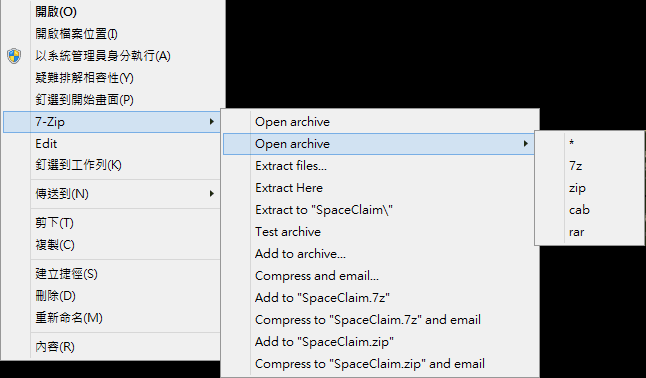
- 7-Zip: A high-compression file archiver supporting multiple formats, replacing WinRAR.
- K-Lite Codec Pack: A comprehensive collection of multimedia codecs designed to enhance Windows Media Player and overall media playback compatibility.
- QuickTime: Apple’s multimedia framework for playing MOV and related video files.
- Elaborate Bytes - Virtual CloneDrive: A virtual CD/DVD drive emulator that mounts ISO image files effortlessly.
- Eraser: An advanced security tool that thoroughly wipes sensitive data by overwriting it multiple times.
- Microsoft Security Essentials: A lightweight, free antivirus utility from Microsoft.
- Gavotte Ramdisk: A utility that allocates system RAM as a high-speed virtual drive.
- VirtualBox: A robust virtualization platform for hosting guest operating systems, ideal for software testing and operating system experiments.
- LCDTest: A screen testing utility to identify stuck or dead pixels on LCD monitors.
- HWMonitor: A hardware monitoring program that reads PC system health sensors: voltages, temperatures, and fan speeds for CPUs, GPUs, and hard drives.
- CPU-Z: A detailed diagnostic tool reporting real-time CPU architecture, clock speeds, cache, and motherboard specifications.
- GPU-Z: A lightweight diagnostic utility detailing graphics card specifications, clocks, and temperature metrics.
- HD Tune: A benchmarking and health monitoring utility for hard disk and storage drives.
Equipped with the software listed above, most users can satisfy nearly all of their daily computing requirements. Best of all, they are free to use, and many offer portable editions that do not clutter the Windows registry, contributing positively to overall system stability.
Finally, many of these software packages offer cross-platform versions, ensuring a seamless user experience whether running Microsoft Windows or Linux distributions.
Support Independent Perspectives & In-Depth Insights
Every thoughtful analysis and candid critique comes from our dedication to truth and quality. We choose not to follow sensational algorithms or clickbait headlines.
Sustaining independent research requires reader support. Make a one-time or monthly contribution, securely processed by Google.
Payments secured by Google · Manage or cancel anytime in your Google Account



Comments