
As personal privacy protection receives increasing attention, people today must be mindful when sharing content on social media to avoid inadvertently leaking sensitive personal details. Fortunately, there is a simple method to prevent data exposure: inspect photos before uploading and apply a mosaic censor over sensitive information!
On a computer, there are generally two ways to conceal sensitive details:
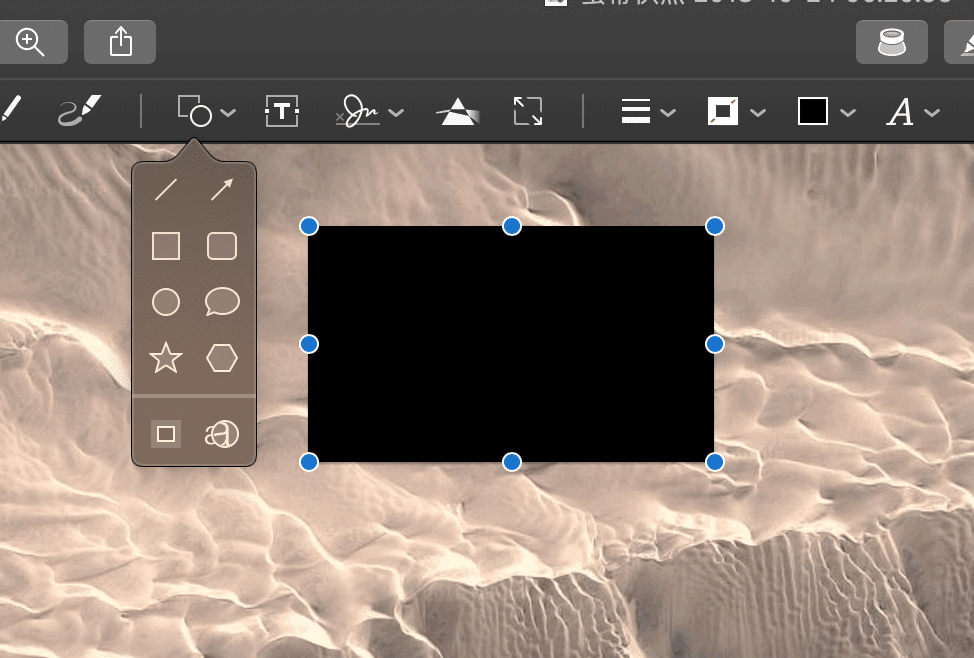
The first method is using image editing software to draw solid color blocks (or select an empty space and duplicate it as a patch) to cover the confidential area.
This solid-block approach is the simplest and can even be done directly in default system image viewers without launching dedicated editing tools. For instance, the Preview app on Apple macOS allows you to add colored rectangular overlays directly (as shown below).
The second method is applying a mosaic effect. By using pixelated mosaic image processing, the obscured area blends more naturally into the surrounding background, offering a visually smoother experience without looking overly jarring.
Beyond comprehensive graphic editors like Adobe Photoshop, dedicated lightweight utilities are available on Apple’s App Store. One such standout tool is Photo Mosaic Pro, introduced below.
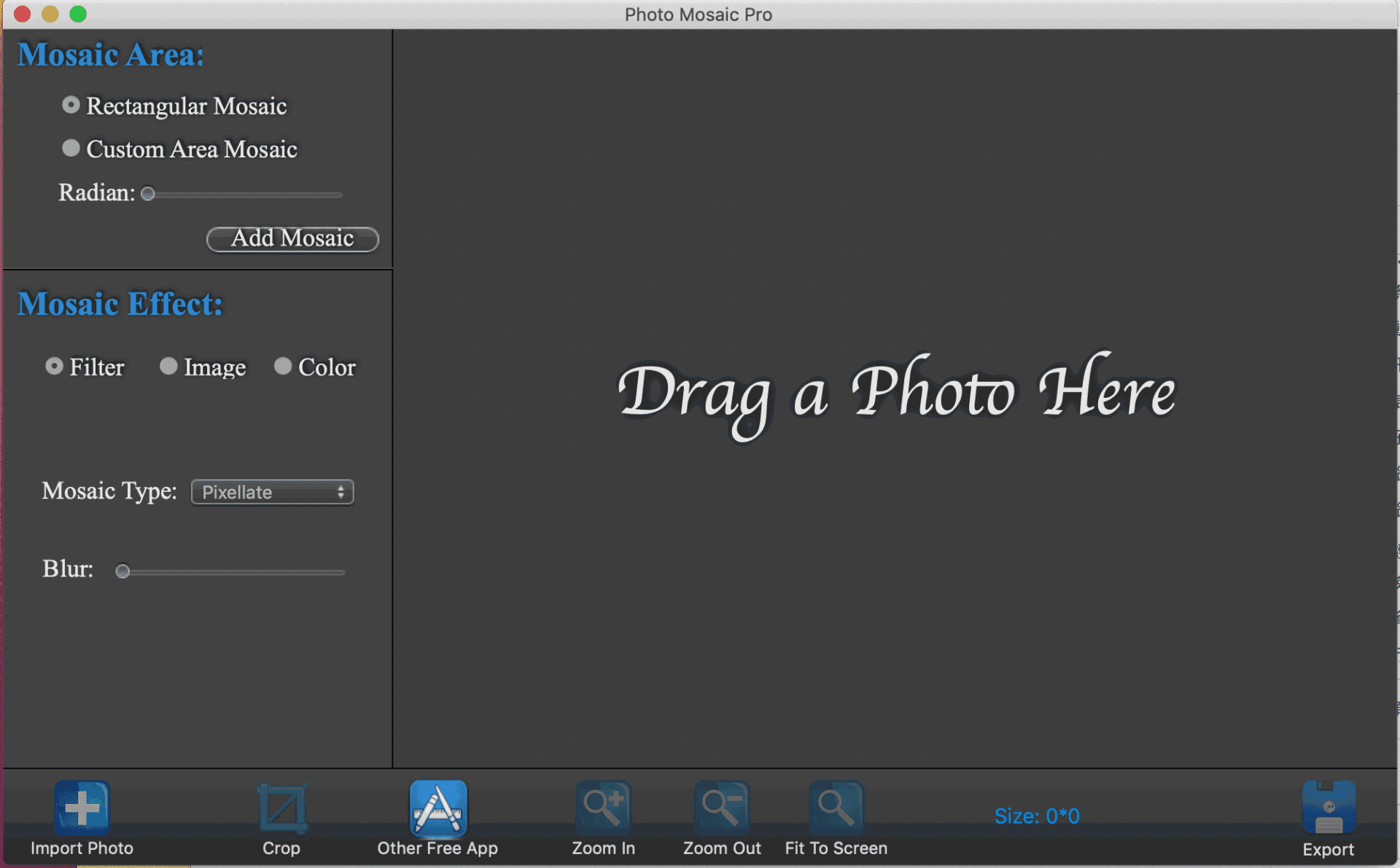 Photo Mosaic Pro Workspace
The sole purpose of the Photo Mosaic Pro application is adding mosaic censoring to photos. As a result, its workflow is remarkably straightforward, involving just four steps:
- Importing the Photo: Click the “Import Photo” button, or simply drag and drop an image from your desktop or folder onto the “Drag a Photo Here” workspace.
- Selecting the Area (Mosaic Area): Two selection tools are available—“Rectangular Mosaic” and “Custom Area Mosaic.” The former is a resizable rectangle (with minimum size constraints), while the latter lets you click to define custom polygon boundaries, ideal for small or irregular shapes.
- Choosing the Mosaic Effect: Under “Mosaic Effect,” you can choose from three styles:
- Filter: Generates classic mosaic encoding effects, subdivided into “Blur” (soft censor), “Pixellate” (traditional pixel grid), and “Polygon” geometry.
- Image: Applies a pre-configured patterned mosaic graphic.
- Color: Creates a flat solid color block overlay.
- Exporting the Image: Click “Export” to save the processed image, with options to adjust JPEG compression quality to manage file size.
Software Download
- Apple Mac App Store: “Photo Mosaic Pro”
The following side note can be taken as casual historical trivia. When talking about mosaic censoring, one cannot overlook Japan, the pioneer and most avid user of the technology due to its adult video industry. Constrained by Japanese legal regulations, domestic adult releases—apart from uncensored imports from Europe—must apply mosaic pixelation over private areas.
This kind of image-based censoring is distinct from scrambled TV channels. Roughly twenty years ago, consumers could purchase an analog hardware filter (commonly known as a descrambler stick) plugged into the back of a television set to unscramble premium pay-per-view channels. When regulators noticed that cheap descrambler sticks were widely available everywhere, cable TV operators were mandated to improve control mechanisms, leading to addressable set-top descrambler boxes costing thousands of dollars over a decade ago. Both systems operated by deliberately injecting interference into video signals, which could only be restored via authorized decoding hardware.
With the widespread adoption of digital cable and streaming boxes today, those analog descrambling filters have vanished into history. Now, accessing restricted adult channels is as effortless as entering a PIN on a digital set-top box (accompanied by a paid subscription, of course).
Support Independent Perspectives & In-Depth Insights
Every thoughtful analysis and candid critique comes from our dedication to truth and quality. We choose not to follow sensational algorithms or clickbait headlines.
Sustaining independent research requires reader support. Make a one-time or monthly contribution, securely processed by Google.
Payments secured by Google · Manage or cancel anytime in your Google Account


Comments