
Following our discussion on the controversy surrounding LINE’s privacy policy updates, many users who rely on LINE for daily communication want to limit how much personal data is harvested.
Fortunately, the application allows users to manually revoke optional data-sharing permissions within its settings menu.
Step-by-Step Guide: Revoking Data Sharing in LINE
-
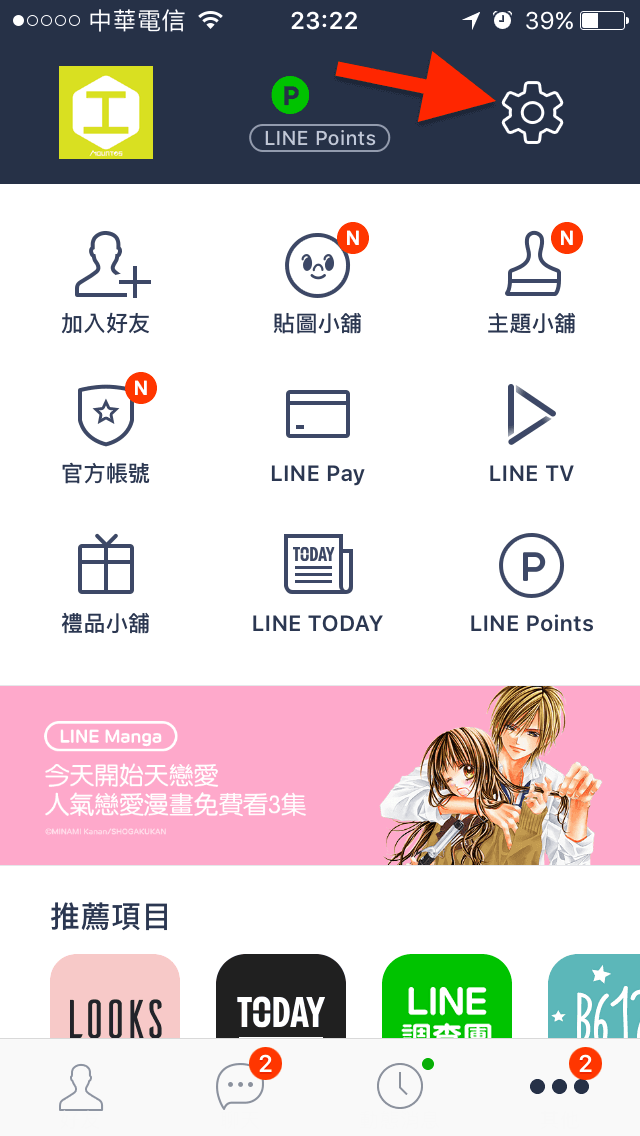
Open the LINE application and switch to the Settings menu by tapping the Gear icon in the top-right corner.
-
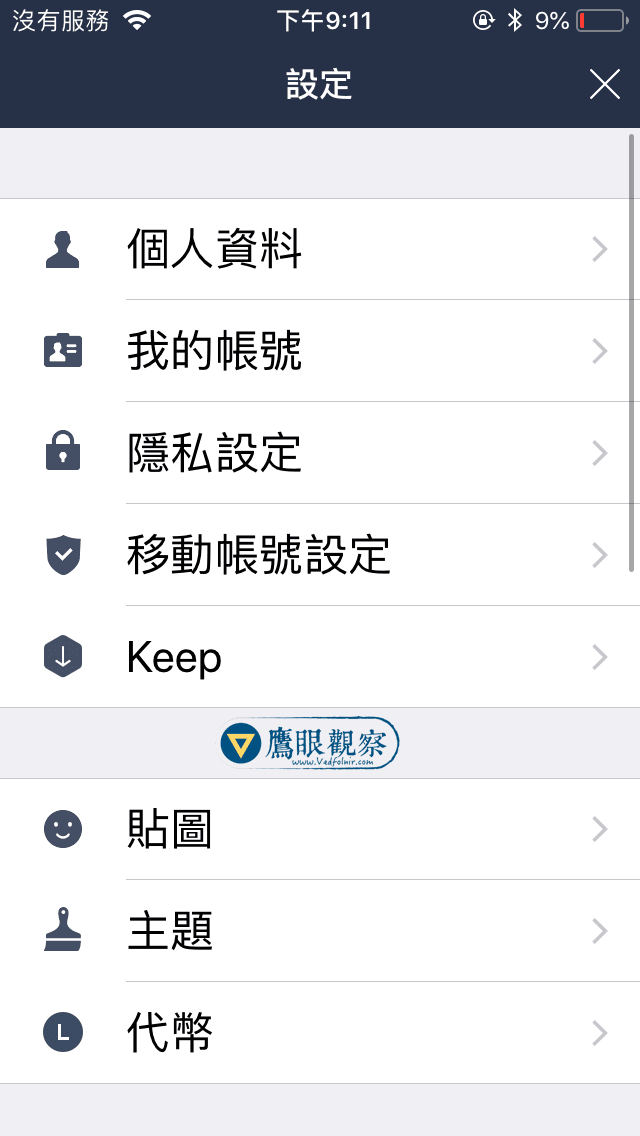
Scroll down and select “Privacy” (隱私設定).
-
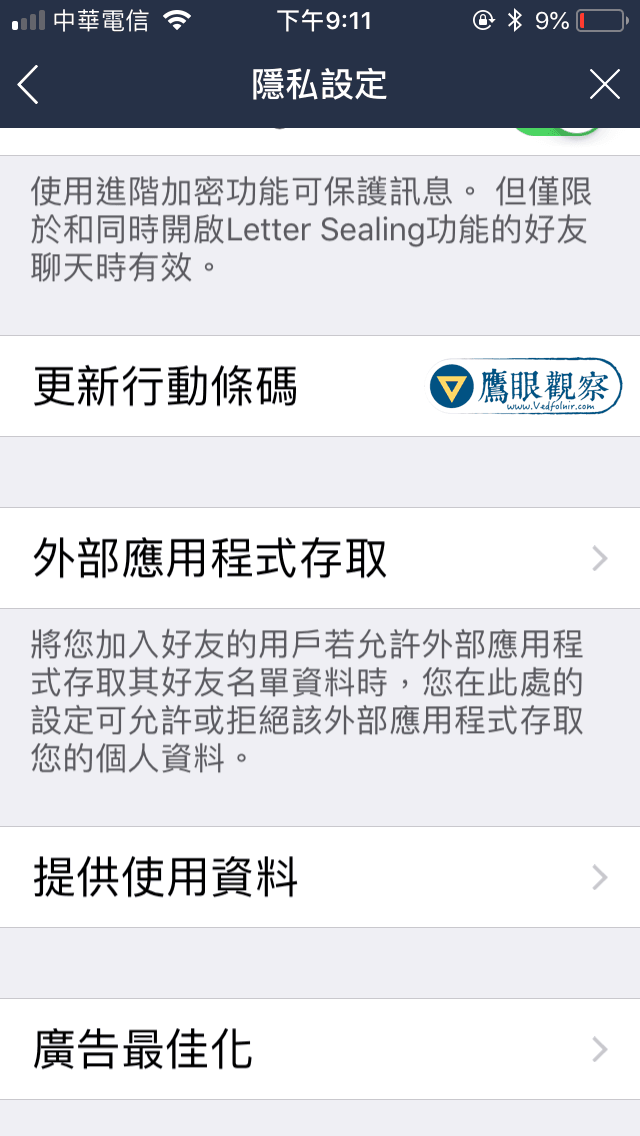
Tap on “Provide Usage Data” (提供使用資料).
-
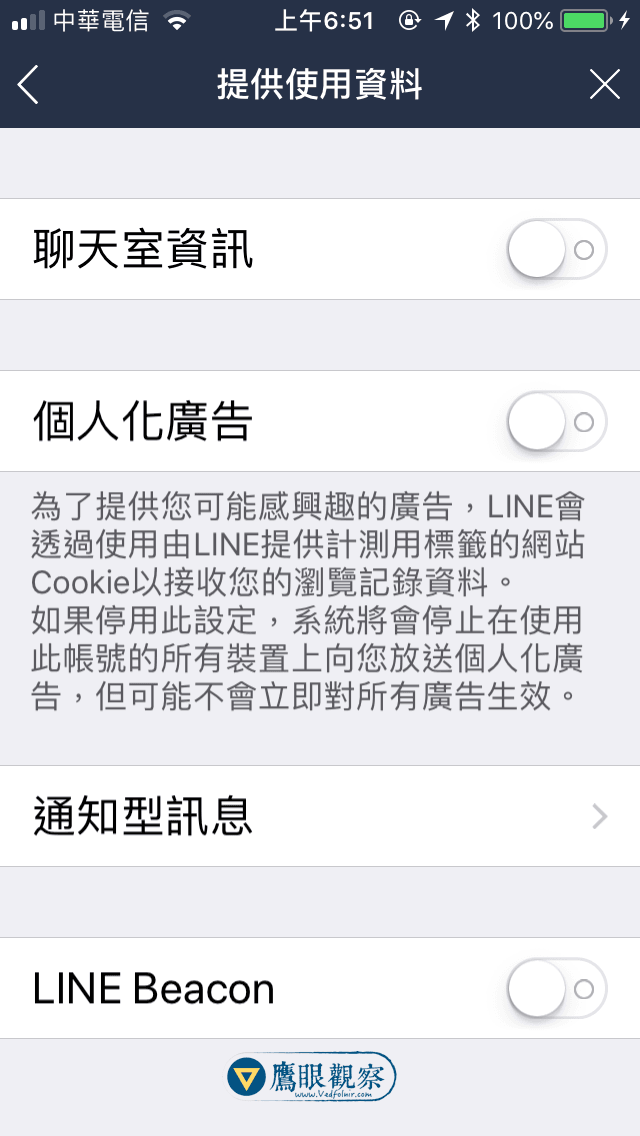
On the Provide Usage Data screen, you will find toggles for:
- Chat Room Information (聊天室資訊): Disable this toggle. (This is the most controversial tracking feature).
- Personalized Ads (個人化廣告): Disable this toggle to prevent behavioral profiling for targeted ads.
- Notification Messages (通知型訊息): Disable if you prefer not to receive automated service notifications from corporate accounts.
- LINE Beacon: Disable to prevent physical Bluetooth beacons in retail locations from detecting your presence.
-
Once toggled off, return to the main chat screen. Your preferences are saved immediately.
Additional Privacy Recommendations
In the main Privacy menu, review these additional security settings:
- Allow Others to Add by ID: Disable this unless actively coordinating with a new contact. Keeping it off prevents automated spam bots from adding your account.
- Filter Messages (阻擋訊息): Enable this feature to block messages from accounts that are not in your confirmed friends list.
- Letter Sealing (End-to-End Encryption): Ensure this is enabled to guarantee end-to-end cryptographic protection for text messages and voice calls.
Support Independent Perspectives & In-Depth Insights
Every thoughtful analysis and candid critique comes from our dedication to truth and quality. We choose not to follow sensational algorithms or clickbait headlines.
Sustaining independent research requires reader support. Make a one-time or monthly contribution, securely processed by Google.
Payments secured by Google · Manage or cancel anytime in your Google Account

Comments