
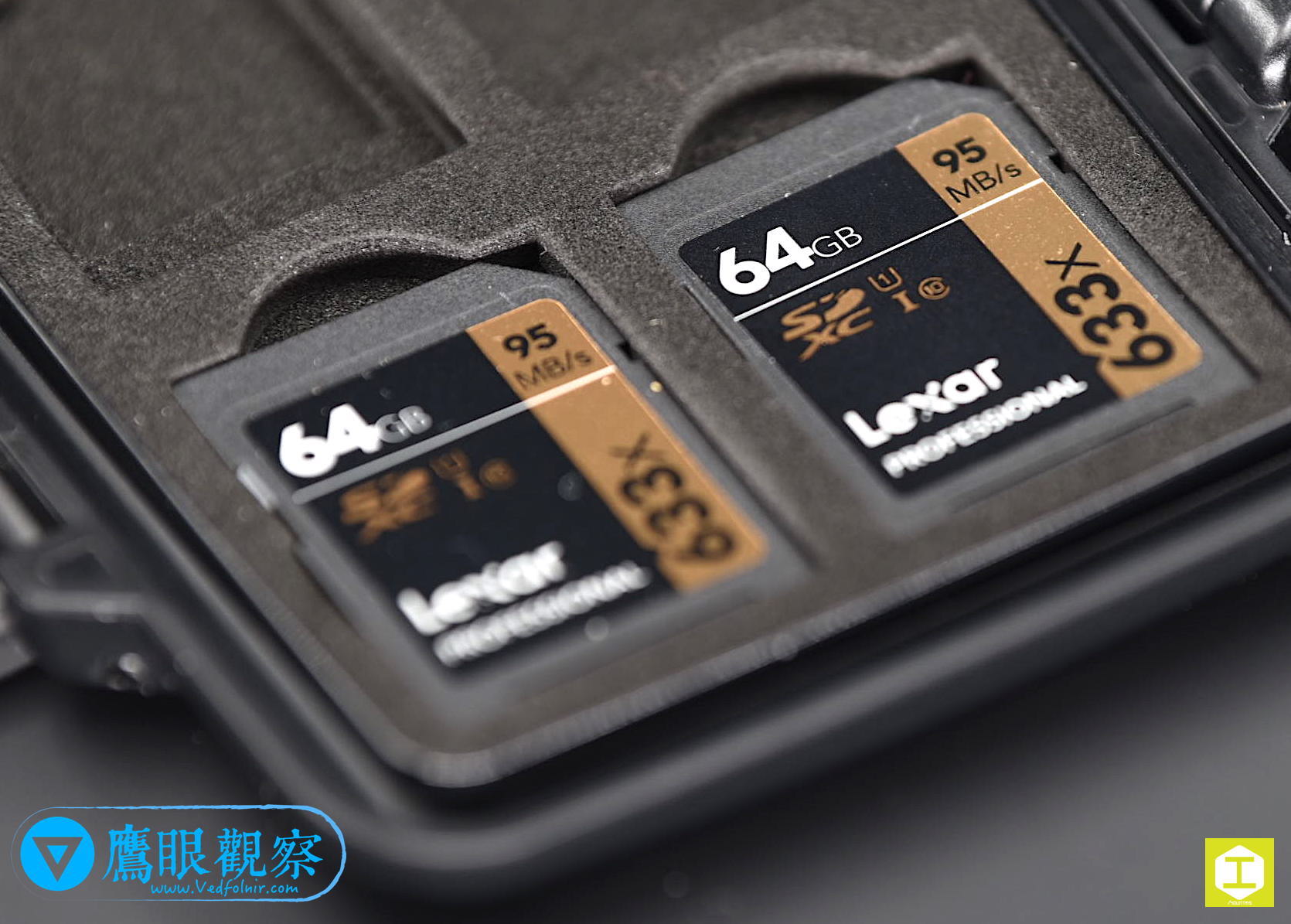
In an era of ubiquitous digitization, whether it is decades of cherished family photo albums, precious videos of children growing up, raw creative design project files, or confidential corporate contracts, everything is preserved across external hard drives (HDDs), solid-state drives (SSDs), laptops, and flash memory cards.
However, many people fall into a perilous cognitive blind spot: “As long as I don’t drop the hard drive on the floor, storing it in a desk drawer will keep it safe for a lifetime.”
In reality, whether mechanical hard drives or solid-state drives, from the first second power flows through their circuits, they are irreversibly “consumable items.” The precision spindle motor bearings, voice coil motors, and magnetic coatings inside mechanical hard drives, along with the finite write endurance (TBW) of NAND flash cells in SSDs, degrade steadily over time and through continuous usage.
Standard manufacturer warranties typically span 3 to 5 years. Yet, by mastering proper usage and preventative maintenance habits, you can substantially prolong your equipment’s actual operational lifespan, enabling these memory repositories to function reliably for 7 to 10 years or even longer.
This article walks through the core physics behind hard drive preservation and explores how to securely safeguard personal and corporate data privacy when storage media reach the end of their operational lifecycle.
Four Core Hard Drive Maintenance Practices: Grounded in Physical Mechanics
To keep storage hardware stable and enduring, daily handling must align with sound hardware fundamentals:
1. Always Click “Safely Remove Hardware” in Your OS; Never Yank the Cable
To shave off a few seconds, many people pull the USB cable out of an external hard drive immediately after using it. This is a devastating shock to hard drive longevity.
Modern operating systems (Windows, macOS, and Linux) routinely enable “write caching” to boost overall performance. When the file transfer progress bar hits 100% on your screen, it does not mean every bit has settled onto the magnetic sectors; portioned data often remains buffered in volatile RAM, waiting for background idle cycles to flush the final write operations.
Unplugging the cable abruptly at this juncture causes:
- Logical Corruption: The filesystem directory tree fractures easily, triggering common nightmares like the volume becoming RAW or prompting a mandatory format;
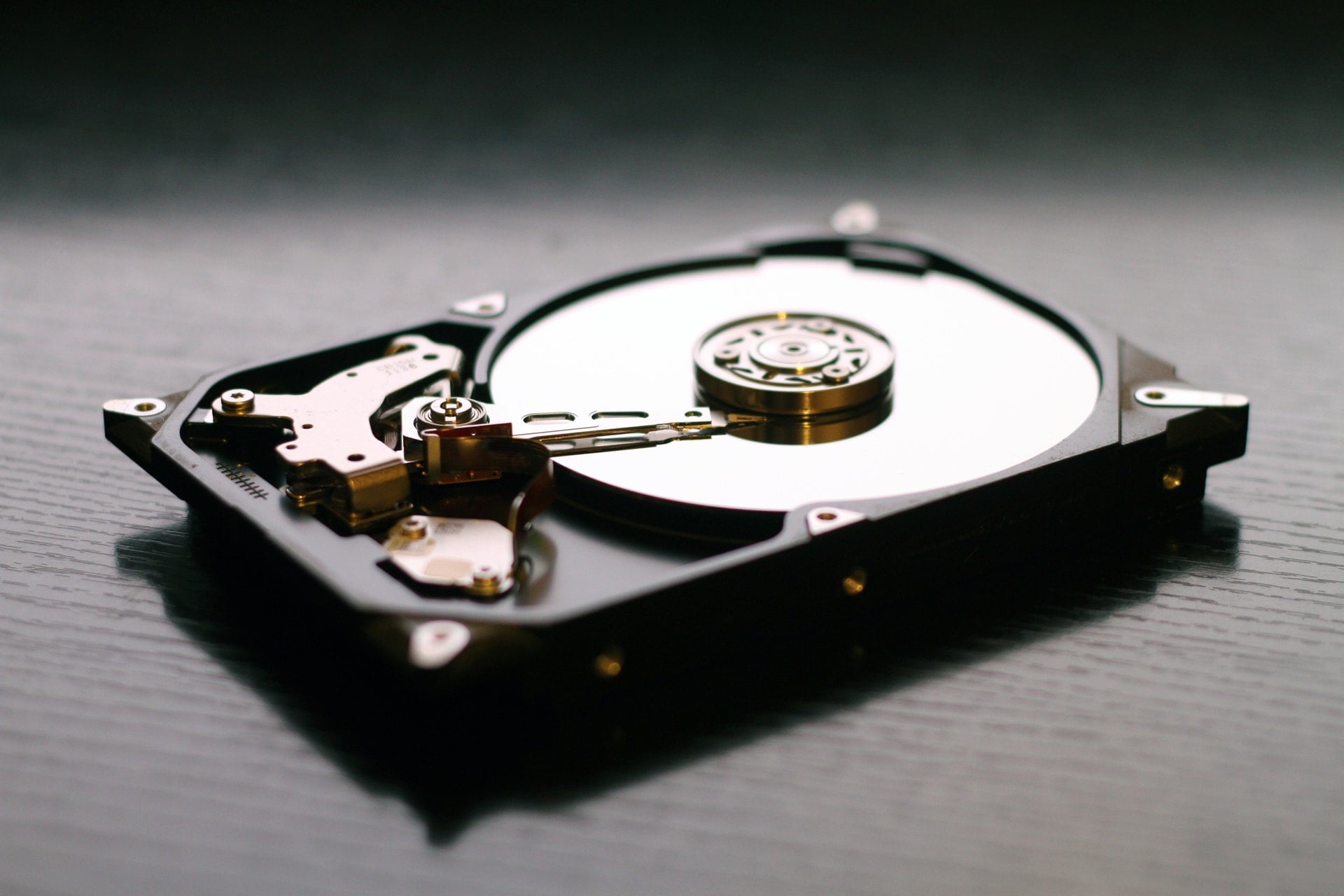
- Physical Hardware Damage: Inside a spinning mechanical hard drive, sudden unexpected power cutoffs trigger emergency retraction springs. However, there is still a high probability that the drive heads fail to dock smoothly onto the perimeter “head parking ramp (Landing Zone / Ramp),” causing the actuator heads to crash down and scrape against spinning magnetic platters, carving permanent physical bad sectors!
Always build the habit of clicking “Safely Remove” in the system tray or Finder sidebar, ensuring the heads park gracefully and caches flush completely before disconnecting.
2. Strictly Prevent Movement and Vibrations During Operation: The Nanometer “High-Speed Collision” Crisis
When an HDD is powered on and spinning, its platters rotate at dizzying speeds of 5,400 RPM or 7,200 RPM. The read/write heads ride on microscopic aerodynamic air cushions generated by this rotation, floating above the platter surface at an astonishing gap of just “3 to 10 nanometers (nm)”!
To put this in perspective: a single human hair measures roughly 70,000 nanometers in diameter, and a microscopic airborne smoke particle spans hundreds of nanometers. In other words, the flying height of a hard drive head is thinner than a virus particle!
If while reading or writing to a spinning drive, you:
- Slide or adjust the external drive casing across your desk;
- Accidentally bump your elbow or an object against the drive chassis;
- The sudden inertial acceleration causes the floating heads to destabilize, crashing directly into the spinning mirror-finish platter, resulting in a catastrophic “Head Crash”!
A head crash behaves like a miniature lathe chisel, carving deep concentric gouges across mirror platters, instantly pulverizing millions of sectors into metallic dust. Such physical gouging is universally classified as irreversible fatal damage by data recovery cleanrooms.
Maintenance Tip: Position external hard drives flat and rock-solid on vibration-free desks; when traveling, always pack them inside thick shock-absorbent silicone carrying cases.
3. Regulate Temperature and Humidity: The Circuit Oxidation Threat in Island Climates
Subtropical island environments suffer year-round relative humidity frequently hovering between 70% and 85% or higher.
High ambient humidity acts as an invisible assassin for delicate electronics:
- Exposed copper traces on the drive’s bottom printed circuit board (PCB) and golden contact pins easily suffer electrochemical corrosion and copper patina oxidation;
- Stashing backup drives containing family archives into closets, drawers, or basements without power for 3 to 5 years allows moisture to saturate them. The instant they are plugged back in, oxidation short circuits routinely fry power management controllers and spindle motor drive ICs.
Storage Recommendation: For mission-critical cold-storage backup drives, store them inside an electronic dry cabinet, keeping relative humidity stably regulated between 40% and 50% RH. Avoid desiccating the air below 30% RH, which can embrittle and crack internal rubber gaskets, compromising mechanical airtight seals.
4. Periodic S.M.A.R.T. Health Inspections and the Golden “3-2-1 Backup Rule”
Before an HDD dies completely, its internal Self-Monitoring, Analysis, and Reporting Technology (S.M.A.R.T.) usually broadcasts faint distress signals.
Run quarterly diagnostic checks with free professional utilities (such as CrystalDiskInfo), keeping a watchful eye on three critical threshold attributes:
- 05 Reallocated Sectors Count: The number of bad sectors retired and substituted by spare sector reserves.
- C5 Current Pending Sector Count: Unstable sectors currently awaiting verification and remapping.
- 07 Seek Error Rate: Degradation in magnetic head positioning precision.
When utility diagnostics display a yellow “Caution” status, magnetic surfaces are already degrading physically. Cease intensive write operations immediately, clone drive images without delay, and replace the media!
Simultaneously, engrave the golden rule of data preservation into your routine—the “3-2-1 Backup Strategy”:
- Maintain at least 3 copies of vital data;
- Store them across 2 different storage media types (e.g., one on your internal SSD, one on a NAS or external drive);
- Keep at least 1 copy stored offsite or in encrypted cloud storage (to hedge against fire, flood, or burglary).
The Overlooked Second Half: Cybersecurity Catastrophes During Hardware Disposal
When storage media age out, accumulate bad sectors, or get replaced during computer upgrades, most people stumble into a dangerous security misconception:
“I ran a ‘Quick Format’ in the OS, or hammered the casing a couple of times; that should make the data unrecoverable, right?”

Quick Formatting Does Not Erase Your Data!
Executing a “Quick Format” or emptying the Trash merely wipes clean the volume’s high-level “Index Allocation Table,” flagging underlying sectors as available for overwriting. The raw underlying binary bits (0s and 1s) remain entirely intact across storage sectors!
Any free data recovery tool (like Disk Drill, EaseUS, or PhotoRec) plugged into the drive for a deep scan can fully reconstruct national ID scans, online banking credentials, private business contracts, and personal intimate photos in a matter of minutes!
Hammering Casings Fails Against Laboratory-Grade Extraction
Denting an external chassis or snapping a memory card in half does not guarantee destruction. As long as internal glass/aluminum magnetic platters inside an HDD have not been ground into fine dust, forensic laboratories inside cleanrooms can remount platters into forensic rigs to recover vital fragments. For SSDs and smartphones, if internal NAND flash chips are not physically pulverized, technicians can solder jumper leads directly to raw chip traces and pull every piece of private data.
Still Using a Hammer? That Is Simply Not Secure
When storage media reach the end of their operational lifecycle, simply tossing them in household trash or recycling centers invites catastrophe. As long as internal chip or platter structures remain intact, forensic recovery tools can stitch fragmented data back together.
If you require dependable hardware sanitization, consider exploring the Mountos Data Destruction Service. We offer physical shredding and degaussing for smartphones, hard drives, SSDs, and flash memory cards, guaranteeing total non-recoverability so your sensitive data and personal privacy never leak upon equipment disposal.
Conclusion: Cherish Your Memories; Retire Your Hardware with Dignity
A hard drive is like a dense digital journal, silently bearing witness to our life journeys, professional accomplishments, and unforgettable moments.
During daily operations, treat it with mindful care:
- Safely eject every time, avoiding sudden power cuts;
- Keep drives stable and motionless, preventing catastrophic head crashes;
- Maintain balanced humidity, track S.M.A.R.T. metrics, and practice 3-2-1 backups.
And when hardware reaches the end of its journey, bid it farewell intelligently and securely—through the Mountos Data Destruction Service, ensuring old phones, hard drives, and memory cards are completely sanitized as you transition seamlessly into the digital future.
Support Independent Perspectives & In-Depth Insights
Every thoughtful analysis and candid critique comes from our dedication to truth and quality. We choose not to follow sensational algorithms or clickbait headlines.
Sustaining independent research requires reader support. Make a one-time or monthly contribution, securely processed by Google.
Payments secured by Google · Manage or cancel anytime in your Google Account



Comments