
All of our studio team members currently use Apple MacBook Pro laptops. While the internal drive capacity varies slightly across our machines, everyone’s daily work sentiment is remarkably unanimous: “There is never enough storage!”
Take my personal laptop as an example: the built-in factory SSD is only 128GB. After accounting for macOS itself and several indispensable creative production suites (Adobe Creative Cloud, video editors, and productivity apps), 35GB to 50GB vanishes instantly. Once you load raw shoot photography, multi-track audio projects, and 4K B-roll footage into the equation, warning alarms sound almost immediately.
If you assume keeping 20GB of free space is plenty of headroom, you are overlooking the massive “Scratch Disk / Swap” memory requirements demanded by professional creative software. The moment free disk space dwindles, software throws out-of-memory errors or simply crashes.
Consequently, for heavy computing tasks and professional content creators, relying on 128GB of internal storage requires a dependable, expansive, and high-speed external storage backbone. In this guide, we break down the most essential hardware tool for external workflows: the Direct-Attached Storage (DAS) hard drive enclosure!
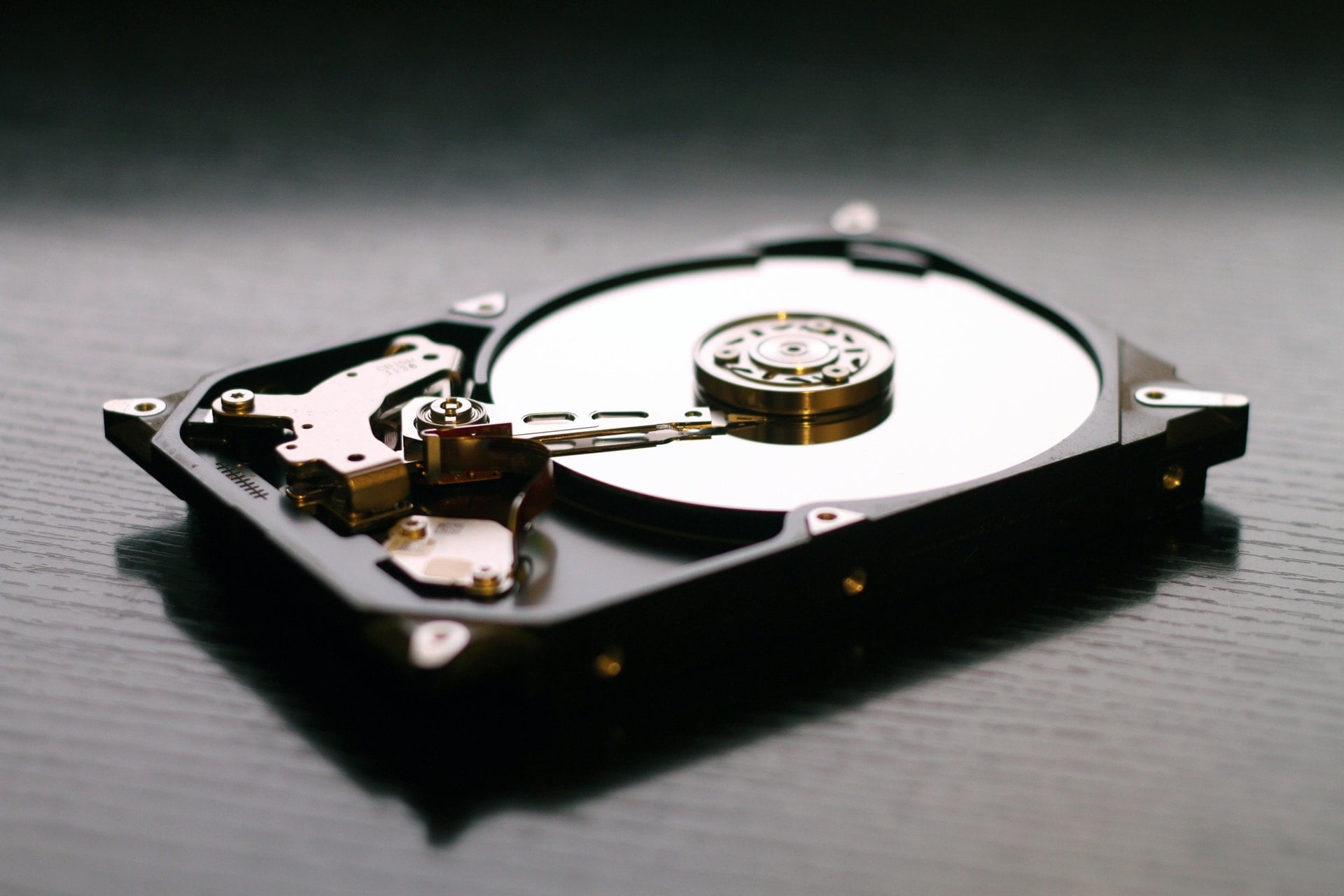
1. Why Choose an “Enclosure” Over an All-in-One External Hard Drive?
When people talk about external storage, the default reflex is to walk into an electronics retailer and grab an off-the-shelf, plastic 2.5-inch portable hard drive.
However, in our production studio, we avoid integrated consumer portable drives. Throughout years of IT maintenance, portable hard drives have proven to have the highest failure rates of almost any computer peripheral!
Fatal shortcomings of mass-market 2.5-inch integrated external drives include:
- Integrated PCB soldered connectors: Many drives solder the USB interface directly onto the hard drive logic board. If a minor drop loosens the USB socket or fries the bridge chip, data recovery costs skyrocket;
- Abysmal thermal dissipation: Cramped plastic shells lack active airflow or thermal pads. Continuous heavy read/write operations trap heat inside, drastically shortening mechanical spindle life;
- Zero hardware fault tolerance: A single drive with no redundancy means a bad sector or read-head crash instantly wipes out all your work.
Setting aside Network Attached Storage (NAS)—which involves higher upfront costs and complex network configurations—as well as internal PC drive cages, pairing dedicated hard drive enclosures with standard 3.5-inch or 2.5-inch hard drives represents the ultimate balance of performance, cooling, expandable capacity, and data security.
2. Interface Standards & Bandwidth Breakdown
The first step in selecting an enclosure is deciphering the various connectivity standards and throughput ratings:
| Interface Standard | Rated Speed | Theoretical Data Limit | Real-World Performance & Characteristics |
|---|---|---|---|
| USB 2.0 | 480 Mbps | 60 MB/s | Approx. 35–40 MB/s (Obsolete bottleneck) |
| USB 3.0 (USB 3.1 Gen 1) | 5 Gbps | 500 MB/s | Approx. 400–450 MB/s (Mainstream market standard) |
| USB 3.1 Gen 2 | 10 Gbps | 1,250 MB/s | Approx. 900–1,000 MB/s (Fully saturates SATA SSDs) |
| Thunderbolt 2 | 20 Gbps | 2,500 MB/s | Bi-directional daisy chaining, Mac studio standard |
| Thunderbolt 3 | 40 Gbps | 5,000 MB/s | Peak bandwidth, driving 4K/5K displays and multi-drive arrays |
| eSATA / 1394 FireWire | 3 Gbps / 800 Mbps | 300 / 100 MB/s | Legacy standards for older equipment |
Tech Trivia: Why is USB 3.0’s 5 Gbps Divided by 10 Instead of 8?
When converting bits to Bytes, you normally divide by 8 (8 bits = 1 Byte).
However, the physical layer of USB 3.0 uses 8b/10b encoding—meaning every 8 bits of payload data requires 2 additional clock-sync and error-correction framing bits. Because transmitting 1 Byte consumes 10 physical bits, the true mathematical ceiling is:
$$\text{Effective Theoretical Speed} = \frac{5000\text{ Mbps}}{10} = 500\text{ MB/s}$$
3. Internal SATA Bus and RPM Cooling Considerations
The internal bus bridging the enclosure chip to the drive itself also features physical limits:
- SATA 1 (1.5 Gbps): 150 MB/s ceiling (actual ~100 MB/s);
- SATA 2 (3.0 Gbps): 300 MB/s ceiling (actual ~200–250 MB/s);
- SATA 3 (6.0 Gbps): 600 MB/s ceiling, today’s baseline standard. SATA SSDs easily hit 500–550 MB/s, while conventional 3.5-inch mechanical drives deliver around 150–250 MB/s.
7200 RPM vs. 5400 RPM Trade-Offs
- 7200 RPM High-Performance Drives: Excellent sustained transfer rates and lower seek times, but generate noticeable heat, vibration, and chassis resonance. Look for enclosures with thick aluminum chassis and active low-noise cooling fans;
- 5400 RPM Low-Speed Drives: Run cool, quiet, and power-efficient—ideal for secondary archival cold backups.
4. RAID Arrays: Blazing Speed or Ironclad Peace of Mind?
If you opt for a 2-Bay (or multi-bay) enclosure, strongly consider hardware RAID (Redundant Array of Independent Disks). The two most common and practical configurations are:
- RAID 0 (Striping) — [Maximum Speed]
- Mechanism: Splits data blocks across two disks simultaneously, combining total capacity (2TB + 2TB = 4TB).
- Pros: Read and write throughput almost doubles! Two 7200 RPM drives in RAID 0 can reach 350–400 MB/s, smooth enough for multi-stream 4K editing.
- Critical Risk: Zero fault tolerance. If either drive fails, all data across both drives is permanently lost! Best reserved for scratch disks, rendering caches, or easily reproducible assets.
- RAID 1 (Mirroring) — [Maximum Safety]
- Mechanism: Writes identical copies to both drives in real time, halving usable capacity (2TB + 2TB = 2TB).
- Pros: Exceptional security. If one drive fails, the mirror remains intact; replacing the failed drive triggers automatic rebuild.
- Cons: Write speed is bounded by the single slowest drive, and effective storage cost per gigabyte doubles. Highly recommended for photographers and filmmakers storing irreplaceable camera masters and production archives.
5. Recommended Gear & Apple-Certified Flagship Arrays
1. High-Value Practical Workhorse: RAIDON GR3660-B3
Manufactured by RAIDON Technology (Taiwan, Republic of China), the GR3660-B3 (2-Bay 3.5-inch array system) remains an enduring, battle-tested favorite that hits every studio fundamental:
- USB 3.0 high-speed interface;
- Rugged all-aluminum chassis with well-engineered thermal wind tunnels;
- Hardware dip-switches allowing quick toggles between RAID 0, RAID 1, and JBOD;
- Hot-swappable drive trays—an unbeatable utilitarian array choice on a budget.
2. Premium Performance: Apple-Certified Flagship Brands
If you demand peerless industrial design, 5-year enterprise warranties, and uncompromised throughput, Apple-certified production brands (G-Technology, LaCie, PROMISE) are Hollywood and creative studio benchmarks:
[G-Technology (Western Digital Pro Brand)]
- G-DRIVE mobile USB-C / USB 3.0 1TB: approx. $64.95
- G-DRIVE mobile Thunderbolt / USB 3.0 1TB: approx. $199.95
- G-DRIVE EV Portable Hard Drive (Thunderbolt & USB 3.0) 1TB: approx. $199.95
- G-DRIVE Thunderbolt 3 4TB: approx. $379.95
- G-RAID with Thunderbolt 3 (Dual-Bay RAID) 8TB: approx. $649.95
- G-SPEED Shuttle XL Thunderbolt 2 24TB: approx. $2,699.95
- G-SPEED Shuttle XL Thunderbolt 3 36TB (with ev bays): approx. $3,999.95
- G-SPEED Shuttle XL Thunderbolt 2 64TB: approx. $6,099.95
[LaCie (Seagate Premium Division)]
- LaCie Rugged RAID Thunderbolt + USB 3.0 4TB: approx. $349.95
- LaCie d2 Thunderbolt 3 + USB-C 8TB: approx. $449.95
- LaCie 2big Dock Thunderbolt 3 RAID 8TB: approx. $599.95
- LaCie 2big Dock Thunderbolt 3 RAID 16TB: approx. $899.95
- LaCie Bolt3 Thunderbolt 3 + USB-C Pro SSD 2TB: approx. $1,999.95
- LaCie 6big RAID Thunderbolt 3 24TB: approx. $2,499.95
- LaCie 6big RAID Thunderbolt 3 48TB: approx. $3,499.95
- LaCie 12big RAID Thunderbolt 3 72TB: approx. $5,299.95
[PROMISE (Enterprise Array Specialists)]
- PROMISE Pegasus2 R2+ CF/SD Media Bay 6TB: approx. $749.00
- PROMISE Pegasus2 M4 4TB (Thunderbolt 2): approx. $1,199.95
- PROMISE Pegasus3 R4 12TB (Thunderbolt 3): approx. $1,499.00
- PROMISE Pegasus2 R6 18TB (Thunderbolt 2): approx. $2,599.00
- PROMISE Pegasus3 R6 24TB (Thunderbolt 3): approx. $2,799.00
- PROMISE Pegasus2 R8 32TB (Thunderbolt 2): approx. $3,899.00
- PROMISE Pegasus3 R8 48TB (Thunderbolt 3): approx. $4,999.00
Conclusion: Invest in Solid Enclosures for Long-Term Data Safety
In the digital creative era, your data is your most valuable asset.
Rather than gambling critical client deliverables on fragile all-in-one portable drives, investing in an enclosure with robust aluminum cooling, UASP support, and hardware RAID 1 protection is the most responsible choice you can make.
A quality enclosure easily lasts seven to ten years, while raw drives can be upgraded and swapped anytime capacity demands grow. Clarify your bandwidth needs and budget, and build an unshakeable storage foundation for your MacBook today!
Support Independent Perspectives & In-Depth Insights
Every thoughtful analysis and candid critique comes from our dedication to truth and quality. We choose not to follow sensational algorithms or clickbait headlines.
Sustaining independent research requires reader support. Make a one-time or monthly contribution, securely processed by Google.
Payments secured by Google · Manage or cancel anytime in your Google Account

Comments