
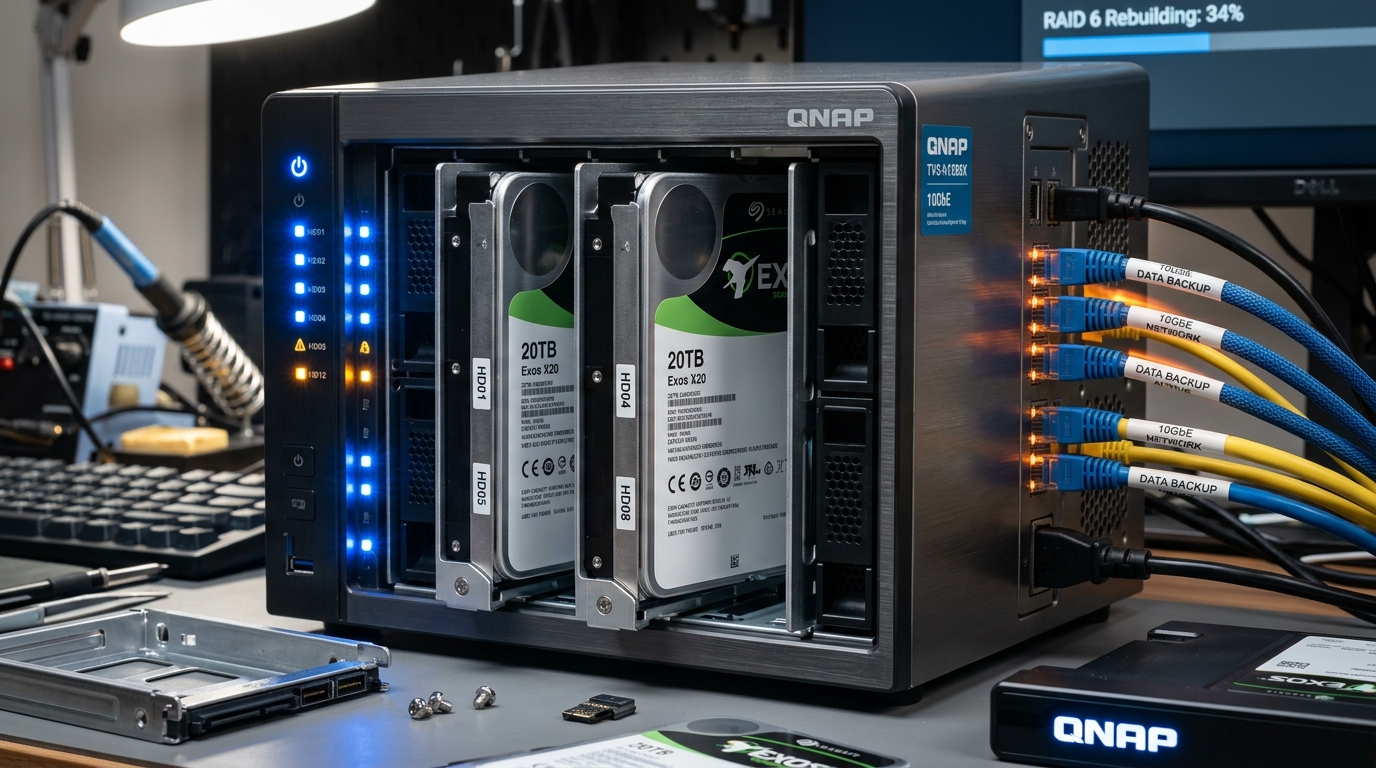
In recent years, as the prices of large-capacity mechanical hard drives (HDD) and solid-state drives (SSD) have become more affordable, and as network-attached storage (NAS) architectures such as Synology, QNAP, Asustor, and Western Digital WD My Book Pro have matured, many video creators, independent freelance studios, and advanced 3C enthusiasts have set up multi-bay NAS systems at home or in the office.
Besides being used to centrally store tens of TB of 4K video material, high-resolution photo RAW files, and important business contracts, they can also perform real-time editing and computing directly over high-speed networks.
When setting up these storage systems, almost everyone enables “Redundant Array of Independent Disks (RAID)” at the first opportunity. However, many people mistakenly believe that as long as they do RAID 1 mirroring or RAID 5, their data will be worry-free from then on. It is only when two hard drives die one after another within the same week and the entire NAS array collapses that they cry helplessly in sleepless nights before a costly professional data recovery quote.
This article will thoroughly dismantle the technical essence of common RAID levels and reveal the cruelest truth in the storage world: RAID protects “uninterrupted system operation (high availability)”; it has never been a true “backup”!
1. What Is a Disk Array (RAID)? An Analysis of the Core Operating Modes
The original intent of RAID was to integrate multiple smaller-capacity, relatively inexpensive independent physical hard drives through software or a hardware controller, combining them into a logically large disk drive. Through different striping, mirroring, and parity algorithms, it achieves the goals of “capacity stacking,” “multiplied read/write performance,” or “hard drive fault tolerance and redundancy.”
The RAID levels most commonly adopted in mainstream consumer and commercial NAS today include:
| RAID Level | Minimum Drives | Usable Capacity Ratio | Read Speed | Write Speed | Max Fault Tolerance | Core Positioning and Use Cases |
|---|---|---|---|---|---|---|
| RAID 0 | 2 drives | 100% | Extremely fast | Extremely fast | 0 drives (no fault tolerance) | High-speed computing scratch, non-critical cache disk |
| RAID 1 | 2 drives | 50% | Doubled | Slightly slow | 1 drive | Extremely high reliability, core databases, small-capacity critical documents |
| RAID 5 | 3 drives | (N-1)/N | Close to RAID 0 | Slower (parity calculation) | 1 drive | A compromise balance of capacity, performance, and cost |
| RAID 6 | 4 drives | (N-2)/N | Good | Slower (dual parity) | 2 drives | Large-capacity multi-bay NAS to defend against rebuild risk |
| RAID 10 | 4 drives | 50% | Extremely fast | Fast | 1 drive per group (max 2) | High performance with high fault tolerance, first choice for video editing studios |
1. RAID 0 (Striping): The Speed King, but One Loss Ruins All
RAID 0 connects two or more hard drives in parallel into one large-capacity disk. When the system writes data, the controller cuts the data into blocks and writes them simultaneously across these drives; when reading, it can also read in parallel across multiple paths.
- Advantage: The fastest among all levels, with disk space utilization reaching 100%, with no waste at all.
- Fatal trap: RAID 0 has absolutely no redundancy or fault tolerance capability! As long as even one hard drive in the array develops a physical bad sector or dies, all files on the entire array will instantly collapse and be destroyed, a level of danger equal to or even higher than a single hard drive or JBOD. Therefore, RAID 0 is absolutely forbidden for storing unique important assets that have not been backed up.
2. RAID 1 (Mirroring): Double Insurance, but the Lowest Space Utilization
RAID 1 mirrors and synchronizes two or more hard drives with each other. When the primary hard drive writes data, the mirror hard drive also synchronously writes identical data.
- Advantage: When one hard drive fails and goes offline, the other hard drive can immediately take over seamlessly, offering the highest data security. In a multithreaded environment, the read speed can even reach several times that of a single disk.
- Fatal trap: Disk utilization is always only 50% (no matter how many hard drives are installed, the usable capacity is always only equal to the smallest hard drive). If you use two 16TB hard drives to form RAID 1, you can only use 16TB, and the remaining 16TB is entirely used for mirror backup.
3. RAID 5 (Striping + Parity): A Compromise Between Performance and Cost
RAID 5 requires at least 3 hard drives. It does not mirror and copy the entire set of data, but instead stores data slices and the calculated “parity” alternately and interleaved across different hard drives.
- Advantage: Balances read performance and storage cost. The usable space is the capacity of
(N-1)hard drives, and as long as any one of the hard drives fails, the system can use the data and parity on the remaining drives to instantly reconstruct and restore the lost data. - Fatal trap: Because each write must calculate parity, the write speed is relatively slow; more seriously, when replacing a new hard drive to perform “array rebuild,” the entire set of hard drives will face dozens of hours or even days of 100% extreme read/write, which is highly likely to trigger a second hard drive death during the rebuild (see the disaster analysis below for details).
4. RAID 10 vs RAID 01: Mirror First or Stripe First?
- RAID 10 (RAID 1+0): Mirror first, then stripe. Pair the hard drives into RAID 1, then combine these RAID 1 groups into RAID 0. When one hard drive fails, as long as its corresponding mirror disk hasn’t failed, the entire system still operates normally. Commercially available motherboards and NAS almost universally support RAID 10.
- RAID 01 (RAID 0+1): Stripe first, then mirror. Divide the hard drives into two RAID 0 groups, then mirror these two groups. As long as one hard drive fails, that RAID 0 group is completely destroyed, leaving only the other group struggling, with fault tolerance stability far behind RAID 10.
2. A Real Blood-and-Tears History: Two Drives Died Simultaneously Despite RAID 1, and Life Went Pitch Black
Many NAS users often share such painful experiences:
“The most important work and the whole family’s life records were made into a RAID 1 mirror, but the two hard drives actually both lit up red and went offline within the same week, and life instantly went pitch black! Sleepless all night, I could only remove the hard drives and send them into a cleanroom, anxiously waiting for the quote and assessment notice from a professional data recovery company (Ling Wei Technology)…”
What is even more regrettable is that many experienced sellers and original factory engineers have long repeatedly warned: “When buying a NAS, never buy hard drives of the same model and same batch at the same time from the same channel!” But most beginners, to save effort or to get a promotional discount, still order identical hard drives at the same time, ultimately ending up with simultaneous deaths.
Why Do “Same-Batch Hard Drives” Become a Serial Killer for RAID?
In reliability engineering, electronic and mechanical parts all follow the famous “bathtub curve”:
- Infant mortality: Failure in the early stage after leaving the factory due to manufacturing defects.
- Normal life: The stable period of smooth operation.
- Wear-out period: A wave of failures caused by mechanical wear, bearing aging, and head degradation.
When you buy two or four hard drives from the same production line and the same week of manufacture at the same store in the same package, and install them in the same NAS, experiencing the same temperature, ventilation environment, and read/write load—this means their life clocks are ticking in complete synchronization!
When the first hard drive is declared dead due to mechanical fatigue, the hard drive next to it has actually long since reached the cliff edge of its lifespan.
3. The “Second Death” Tragedy During Array Rebuild
This is the most common devastating disaster in RAID 5 and large-capacity hard drive environments:
When a hard drive fails and the NAS lights up a glaring yellow-red warning light, the user usually hurries to buy a brand-new hard drive and insert it to perform a “data rebuild.”
However, during the rebuild process, the NAS must read every sector of all the remaining old hard drives “from beginning to end at 100% full speed” to calculate and restore the lost data. In today’s era where a single hard drive is often 16TB or 20TB, this full-load read process often lasts 30 to 70 hours!
Under this extreme high-pressure read/write load, the remaining old hard drives of the same batch and same operating hours only need to encounter any of the following:
- An undetected bad sector (URE, Unrecoverable Read Error);
- Bearing overheating and seizing, or the head directly failing and dying;
The entire RAID 5 array will directly declare “Rebuild Failed,” and all data will instantly sink into the sea.
4. Five Fatal Threats That RAID Cannot Prevent
Please remember this iron rule of the data engineering world: “RAID is NOT a backup!”
What RAID provides is only “high availability (HA)“—allowing the server to keep business uninterrupted and everyone able to continue accessing files when one hard drive physically fails. But in the face of the following situations, RAID is powerless:
- User accidental deletion and overwriting: You slip and press Shift+Delete or overwrite a file, and RAID will faithfully “synchronously mirror-delete” the data on all hard drives within milliseconds.
- Ransomware virus encryption: Once hackers or malware infect the internal network, they will encrypt all network shared folders on the NAS, and RAID 1 or RAID 5 will only faithfully synchronously store the encrypted junk code for the hackers.
- Electrical anomalies and surge burnout: Lightning surges, power outages, or the aging and breakdown of the NAS’s original power adapter—high-voltage current will run along the backplane and directly pierce all slots, causing the motherboard circuits of 2 or 4 hard drives to melt simultaneously.
- Natural and man-made disasters and whole-machine theft: Fire, flooding, earthquake drops, or a thief directly carrying away the entire compact NAS—all hard drives are lost overnight.
- NAS operating system or array controller damage: When Synology DSM or QNAP QTS file systems severely crash, or the hardware array card fails, even if the hard drives themselves are not broken, it is extremely difficult for an ordinary person to retrieve the data.
5. The “Ultimate Invincible Backup Architecture” for Professional Enthusiasts and Studios
Since RAID has these fatal traps, how should we plan a storage architecture that is both efficient and absolutely safe?
1. Implement the “3-2-1 Backup Golden Rule”
True safety is only achieved through the 3-2-1 principle:
- 3 copies of data: Including the original file, one local backup, and one off-site backup.
- 2 different media: Don’t put all your eggs in the same basket (for example, one copy on a NAS hard drive, one copy on an offline external portable hard drive or Blu-ray cold optical disc).
- 1 off-site or cloud cold backup: At least one copy stored in a place with a completely different physical location (for example, cloud storage space or a second remote NAS at your parents’ home).
2. Flexible Configuration: RAID 0 High-Speed Computing + Independent Backup Disk + Cloud Cold Storage
For creators who frequently need to edit large-capacity 4K/8K videos or do model computing, a highly praised practical configuration is:
- Working Storage: Use 2 hard drives or NVMe SSDs to form RAID 0, specifically for running editing cache and the current in-progress project, pursuing extreme read/write speed.
- Local Backup: Another 2 hard drives operating independently (or forming RAID 1), using the NAS’s built-in scheduled backup tool (such as Hyper Backup) or snapshot function to regularly snapshot and back up important data every night.
- Off-site Cloud: Synchronize and upload the most core, irreplaceable files (personal life photos, important tax contracts, original code) to large-capacity cloud space (such as Google Drive 10TB, OneDrive, Synology C2, or AWS S3 Glacier).
Many people are surprised to find that even after accumulating more than a decade of all personal and family photos and important documents, after excluding movie and entertainment files that can be re-downloaded at any time, the core files are often only about 3TB to 6TB. Backing up these few TB of “lifeline data” in the cloud and on offline cold hard drives is extremely low-cost, yet it lets you rest easy and sleep soundly in the face of any hardware disaster!
3. Hard Drive Purchasing Pitfall-Avoidance Rules
- Diversify purchase channels and manufacturing batches: If you want to build a 4-bay NAS, it is recommended to buy from two different channels, or even deliberately pair different brands or different months of manufacture of enterprise-grade hard drives (such as one Seagate IronWolf paired with one WD Red Plus, or Toshiba N300s from different months of manufacture).
- Avoid SMR (Shingled Magnetic Recording) hard drives: For NAS arrays, be sure to specifically buy CMR (Conventional Magnetic Recording) hard drives. SMR hard drives experience a cliff-like plunge in speed during writes and array rebuilds, and may even directly trigger array timeout and drive ejection.
- Be sure to install an uninterruptible power supply (UPS): An inexpensive line-interactive UPS with a USB signal cable linked to the NAS for automatic shutdown (such as APC or CyberPower) costs only a couple thousand dollars, yet it can save the entire NAS and tens of thousands of dollars’ worth of hard drives at the instant of a power outage.
Conclusion: Revere Your Data, Let Backup Walk Ahead of Disaster
The disk array RAID is an excellent server computing and continuous-operation tool, but it can never replace an independent backup mechanism.
Don’t wait until the hard drive emits a piercing clicking noise, the array collapses simultaneously, and life goes dark before you realize the cost of data recovery, which can run from tens of thousands to over a hundred thousand dollars. Review your storage devices today, implement the 3-2-1 backup principle, and build a truly indestructible protective net for your important memories and hard-earned assets!
Support Independent Perspectives & In-Depth Insights
Every thoughtful analysis and candid critique comes from our dedication to truth and quality. We choose not to follow sensational algorithms or clickbait headlines.
Sustaining independent research requires reader support. Make a one-time or monthly contribution, securely processed by Google.
Payments secured by Google · Manage or cancel anytime in your Google Account




Comments