
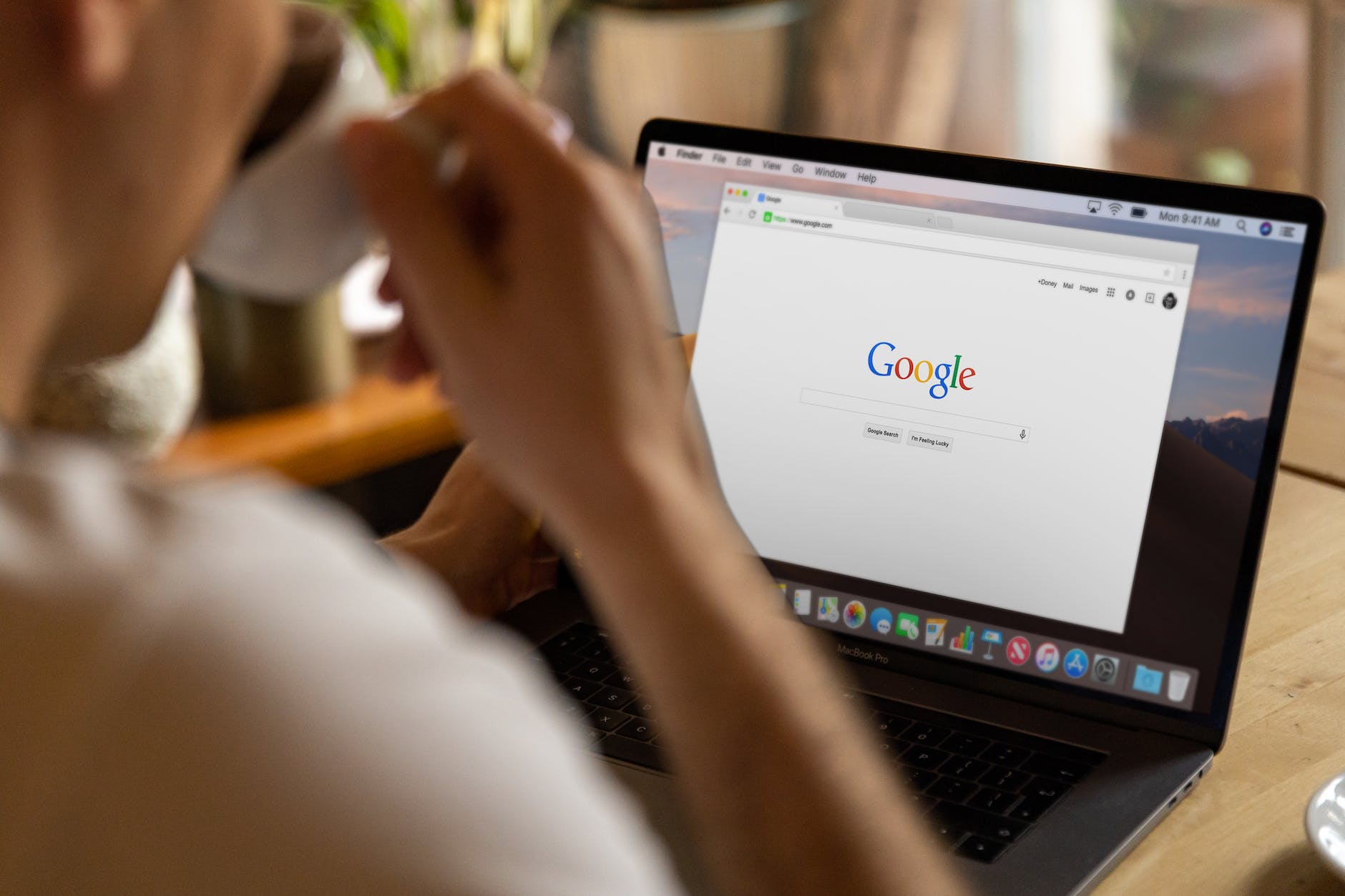
When using Google online services (such as My Maps, Webmaster, etc.), if you find an abnormal problem on the website, the official provides a feedback option.
As shown in the image below, we just need to write down the error and submit it, and the engineers can fix it.
 Feedback
However, when using this form, the author repeatedly found that the “submit button” ran off the screen (on an Apple iPad tablet) (please refer to the image below).
No matter how much you manually shrink the browser view, the same hidden situation appears, making the submit button impossible to click smoothly, causing quite a bit of trouble.
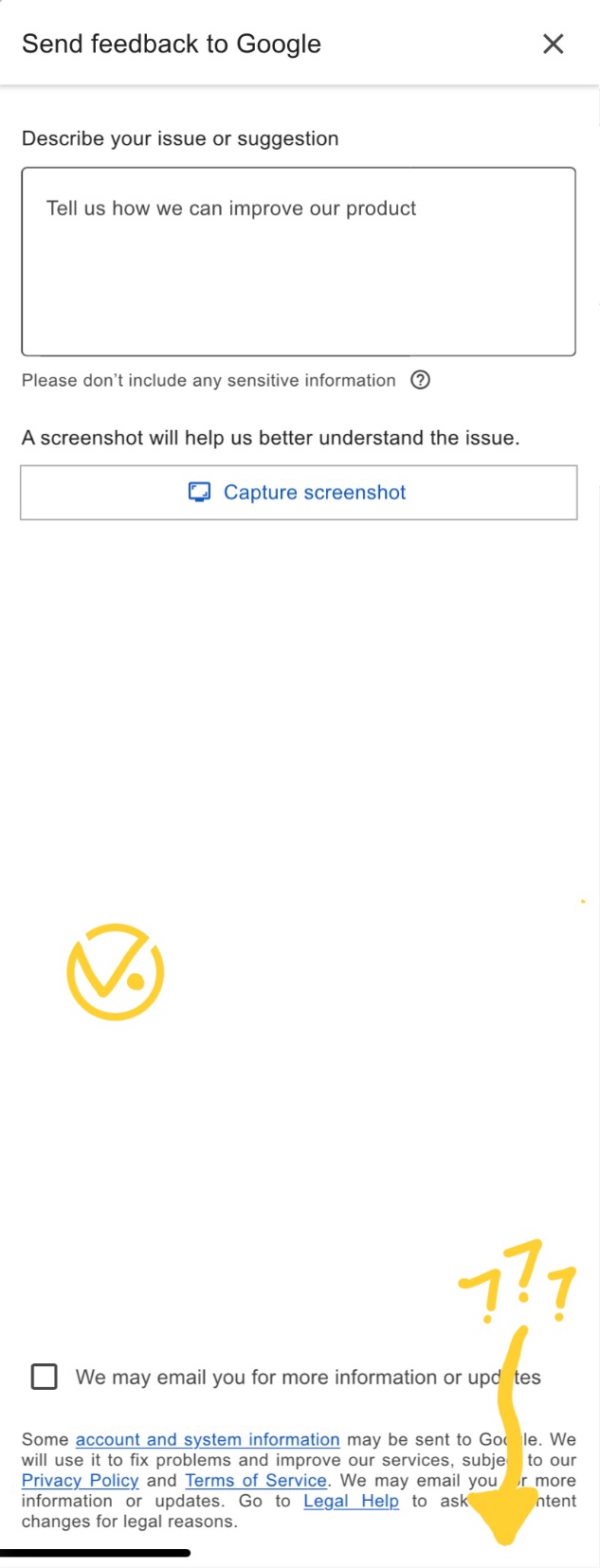 The vanished submit button in the browser
So far, the author has only found this phenomenon on the original Safari browser on Apple’s iPad tablet. After checking, it turns out that just one action can bring the vanished submit button back.
Please refer to the image below. Just tap the “Size” icon next to the address bar at the top of the Safari browser, and the function menu shown below will appear.
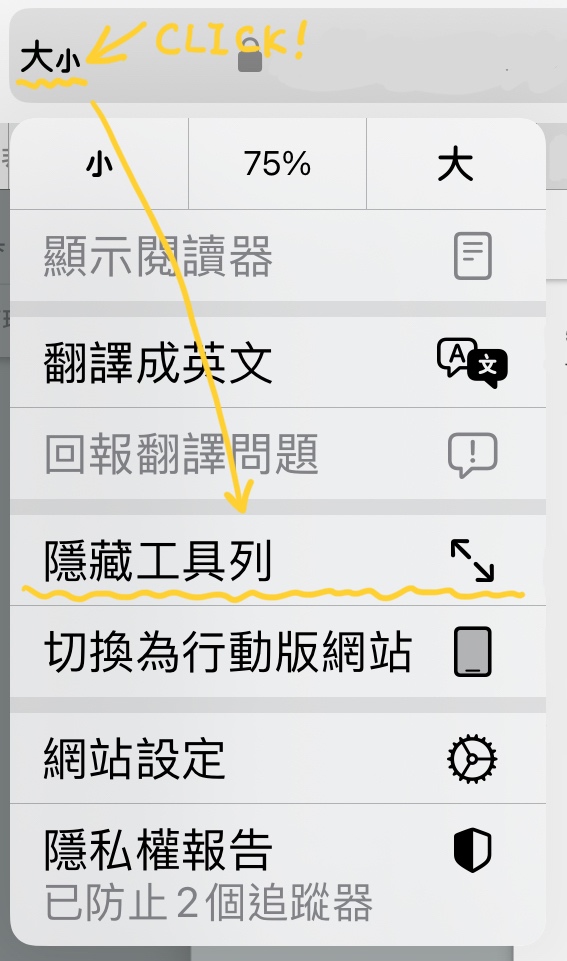 Safari browser function menu
Then tap “Hide Toolbar,” and use two fingers to pinch together and slide on the screen to shrink the distorted view (caused by the hidden toolbar) back to its normal size. This way, the submit button can be displayed (as shown in the image below).
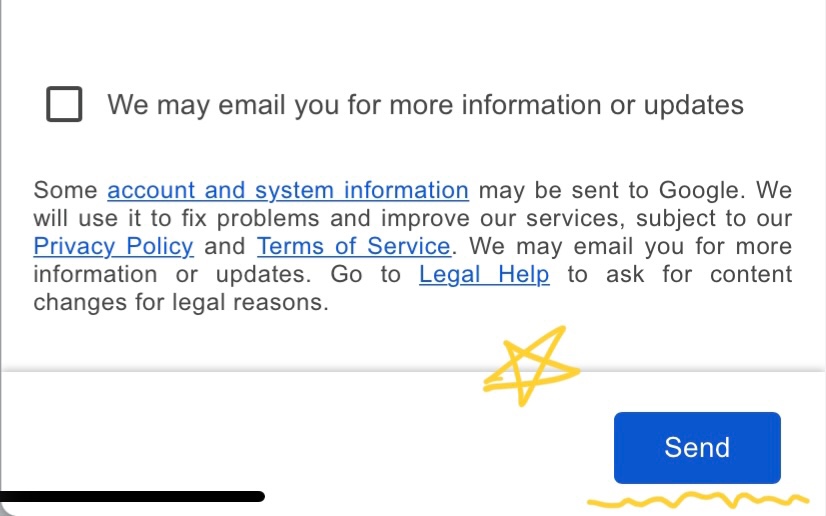 The submit button of the feedback form
From this, we can see that this is the fault of Google’s web developers.
When designing the web page, they failed to correctly capture the Safari browser’s viewport boundary dimensions, causing a display error. The fact that an incorrectly displayed view size appears even after hiding the toolbar also indicates that they did not incorporate the concept of Responsive Web Design (RWD).
Support Independent Perspectives & In-Depth Insights
Every thoughtful analysis and candid critique comes from our dedication to truth and quality. We choose not to follow sensational algorithms or clickbait headlines.
Sustaining independent research requires reader support. Make a one-time or monthly contribution, securely processed by Google.
Payments secured by Google · Manage or cancel anytime in your Google Account



Comments