
Recently, while creating a new Google Plus page for a newly launched website, I completed the setup information and verified domain ownership—standard operating procedure when setting up a brand page for any website.
However, have you ever run into the annoying hurdle when trying to “claim a custom URL for your page”, where Google’s system insists on forcing an awkward, redundant “suffix (extra characters)”?
In my past experience, as long as the website uses a standard .com top-level domain—such as Hawk Eye Observation’s https://www.Vedfolnir.com—and the name has not been claimed by anyone else, you can easily obtain a clean custom URL on Google Plus, such as https://google.com/+vedfolnir.
Conversely, with ccTLDs like .cc or .tw, several tests have resulted in rather clumsy custom URLs, like https://google.com/+Tamsuicc. The system apparently treats the .cc extension as an inseparable element of the custom URL string, resulting in an awkward appearance.
This is another reason why I strongly favor purchasing a .com domain whenever possible, even if finding an unregistered short name is increasingly difficult (using domain search tools helps substantially).
However, I ran into a new quirk this time around.
After creating the brand page and verifying the domain, when attempting to configure the “custom URL”, Google Plus required appending extra suffix characters—even though the desired custom URL was completely unclaimed—producing something clunky like https://google.com/+TenChoice-com.
Since I found the forced suffix completely unappealing, I decided to leave it alone and not touch it for a few days (the ostrich approach, perhaps?).
Surprisingly, when I logged back into the page management dashboard several days later, the system showed a notification: “We’ve pre-approved custom URLs for your page”.
As shown in the image below, I was finally able to select a clean, concise custom URL for the page (while still having the option to add custom characters if desired).
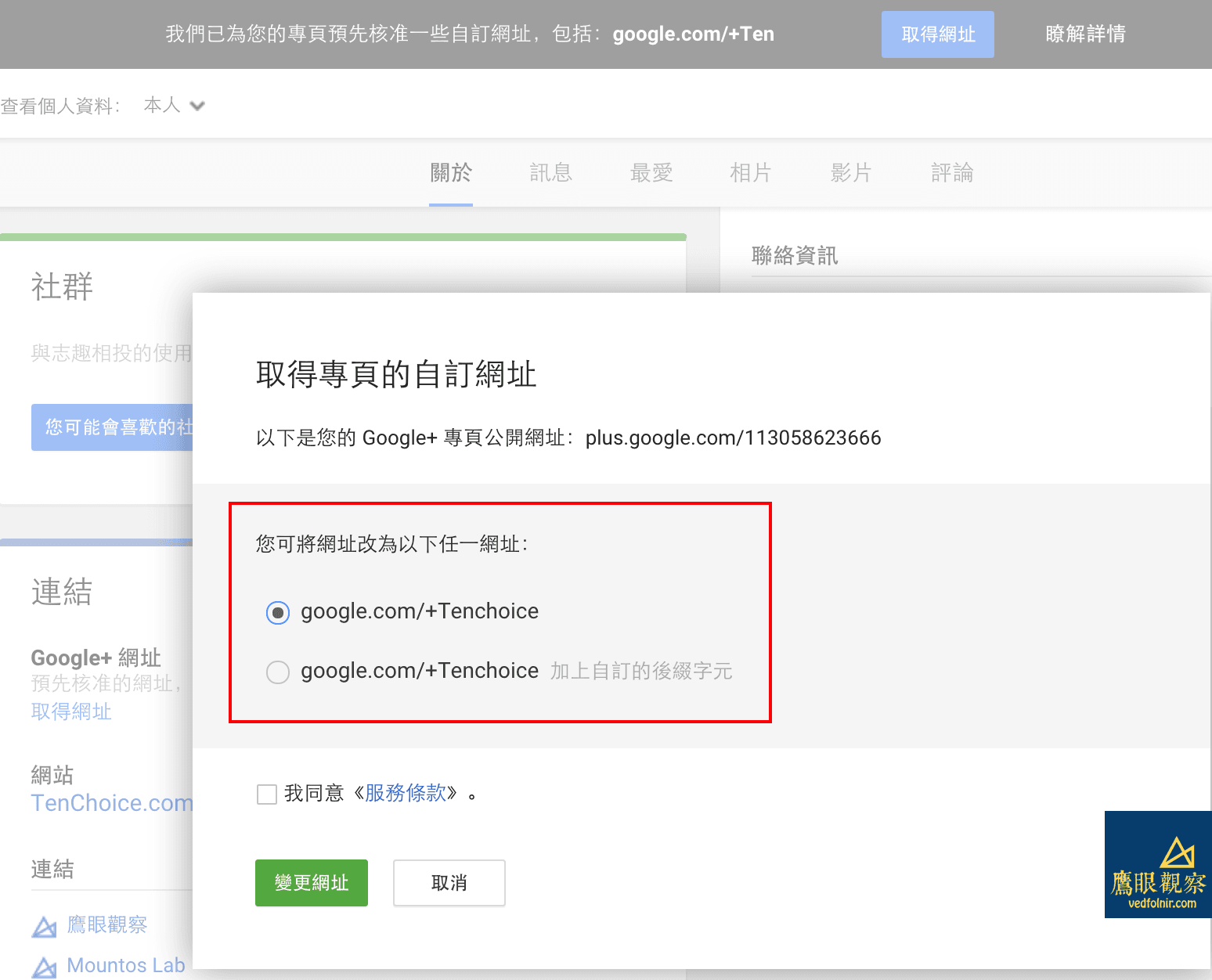 Google+ Page, custom URL and suffix settings.
Next time you create a new brand page and find yourself forced to add an unwanted suffix to your custom URL, simply wait two or three days for Google Plus to pre-approve your domain ownership and address. You’ll then be able to claim a clean, polished URL just like I did!
Support Independent Perspectives & In-Depth Insights
Every thoughtful analysis and candid critique comes from our dedication to truth and quality. We choose not to follow sensational algorithms or clickbait headlines.
Sustaining independent research requires reader support. Make a one-time or monthly contribution, securely processed by Google.
Payments secured by Google · Manage or cancel anytime in your Google Account


Comments