
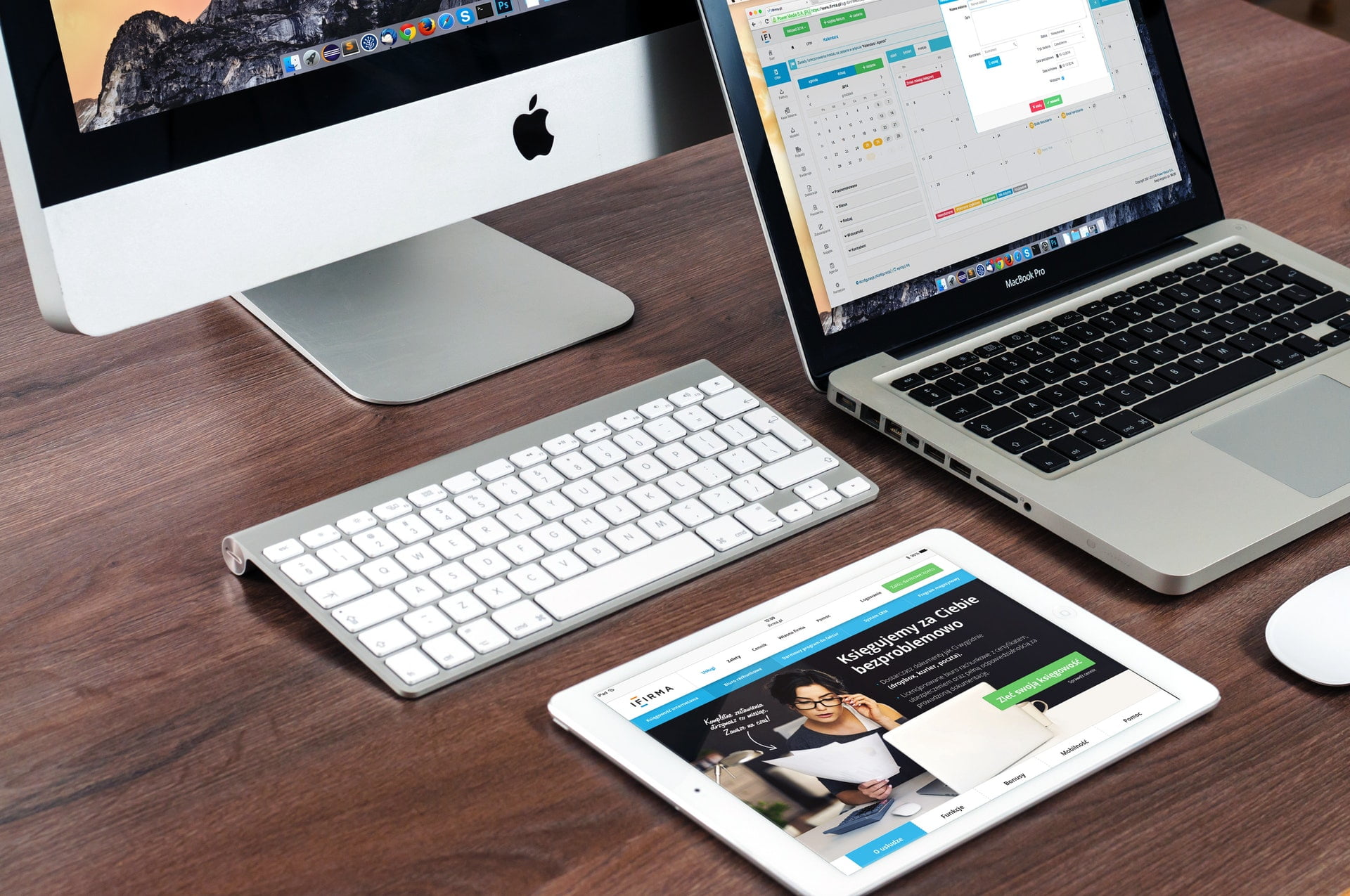
From twenty or thirty years ago to now, with the arrival of the generation of lightweight, inexpensive smartphones and tablets that everyone owns, the author has noticed an interesting phenomenon appearing around us in daily life.
What used to be doable on a single Windows (Microsoft operating system) screen desktop now requires lining up an iPad, MacBook, iMac, and iPhone on the desk,
one for playing music,
one for watching videos,
one for checking email,
one for writing reports,
and that’s only 4 windows—you can’t do a 5th thing.
The above is a little joke in the computer world. In fact, more professional hackers or computer workers in the past would also use several hosts paired with multiple monitors to achieve a multitasking-efficient work mode. The benefits of multiple monitors are roughly two, including:
- The work screen and the reference material screen can be separated;
- It can be used as a monitoring screen.
Even the author, when buying a secondary computer monitor to pair with the main work screen, would deliberately choose one that can rotate 90 degrees to make the display vertical, which is very handy for reading papers and writing reports.
But installing a second or even third or fourth monitor isn’t really necessary for most people, and unlike a phone it can’t be repurposed for other uses, so those who deliberately configure a multi-monitor desktop are ultimately still a minority. After all, people who can create great works can win a literary award even writing by hand, right?
But now, when people line up one or two phones, tablets, laptops, and even a computer monitor on the work desk, the sight of multiple screens glowing at once still looks very techy—though in reality it’s mostly just for taking wasteful, power-consuming influencer-style photos.
The author believes that before setting up multiple monitors, one premise must be considered: the screens must all be large enough, so that users don’t have to adjust their body movements just to see the screen content clearly. Rather than saying multiple monitors are useful, the correct concept should be to let the system provide a large screen with rich detail while maintaining abundant computing resources.
After all, with so many handheld devices now, although there seem to be many screens, the screen images are too small (including laptops). Unless used as temporary real-time monitoring, under normal work modes there is no practical necessity or value in using them. They may even easily distract you—because you can easily skip to the next song or look for a video—leading to decreased work efficiency.
Moreover, although these devices have many screens, you have to reach out and operate each one separately, which is less efficient than the old way of pulling out a few windows on one computer and dragging them around with a mouse.
Then again, it’s not about blindly pursuing the bigger the screen the better—after all, you also have to consider whether your neck will get twisted.
Support Independent Perspectives & In-Depth Insights
Every thoughtful analysis and candid critique comes from our dedication to truth and quality. We choose not to follow sensational algorithms or clickbait headlines.
Sustaining independent research requires reader support. Make a one-time or monthly contribution, securely processed by Google.
Payments secured by Google · Manage or cancel anytime in your Google Account

Comments