

Shared albums is a brand-new feature rolled out recently by Facebook. While I personally give it high marks, widespread adoption might take time because the workflow isn’t entirely intuitive yet.
Because the Shared Albums feature is currently in early rollout testing, some users may not have access to it just yet.
Under current specifications, a single album can support up to 50 individual uploaders, formally termed Album Contributors. For instance, when a class goes on a graduation trip, the teacher can create a single shared album so every student in the class can pool their photos into one centralized repository.
This feature is extraordinarily convenient for real-world social groups, whether for corporate outings, community meetups, or trips with a partner.
Creating a shared album follows Facebook’s standard album creation flow:
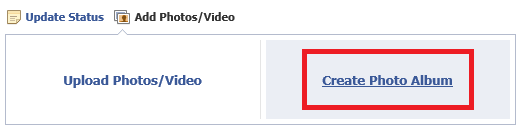 Creating a shared album
In the new album settings panel, an Album Contributors input field appears. Simply type in the names of specific friends, and those individuals will gain permission to upload their own photos into the album.
Notably, a contributor’s permissions are limited exclusively to the photos they upload themselves; they cannot delete or alter other people’s photos, nor can they modify overall album privacy settings.
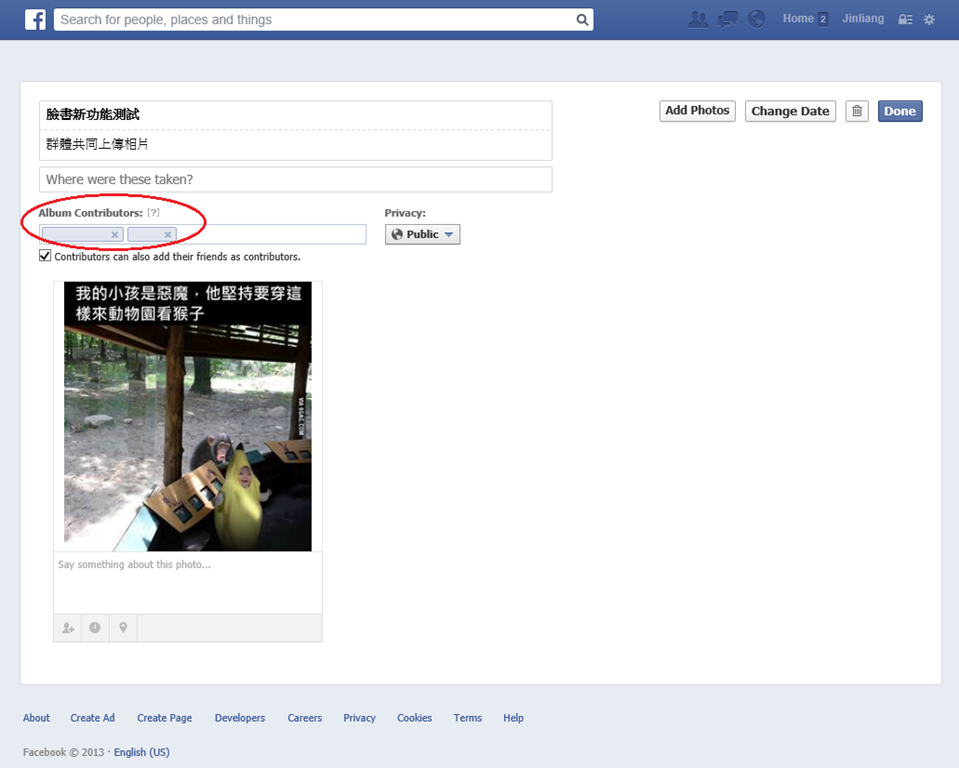 Shared album settings
When a friend is designated as a contributor, an invitation notification appears directly in their Facebook feed:
 Notification when added as a contributor
When newly invited contributors visit the shared album for the first time, Facebook displays an onboarding walkthrough tooltip:
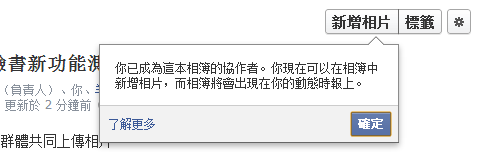 Onboarding tutorial tooltip
Keep in mind that because the shared album is initiated by one individual, the album technically resides solely within the creator’s personal account.
As shown below, when you view a shared album where you have contributor status, two key controls become available to you:
- Add Photos: You can upload new photos directly into the shared album.
- Add Contributors: You can invite additional contributors to the album, subject to the total 50-person cap.
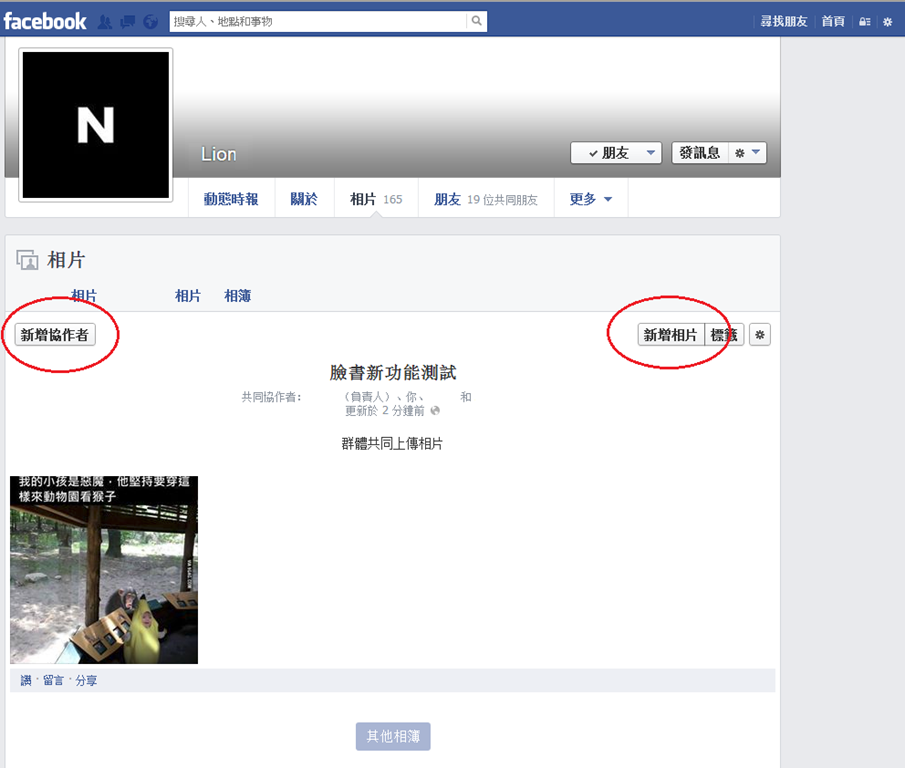 Shared album controls
Whenever a contributor uploads new photos into the shared album, the album owner receives an instant notification:
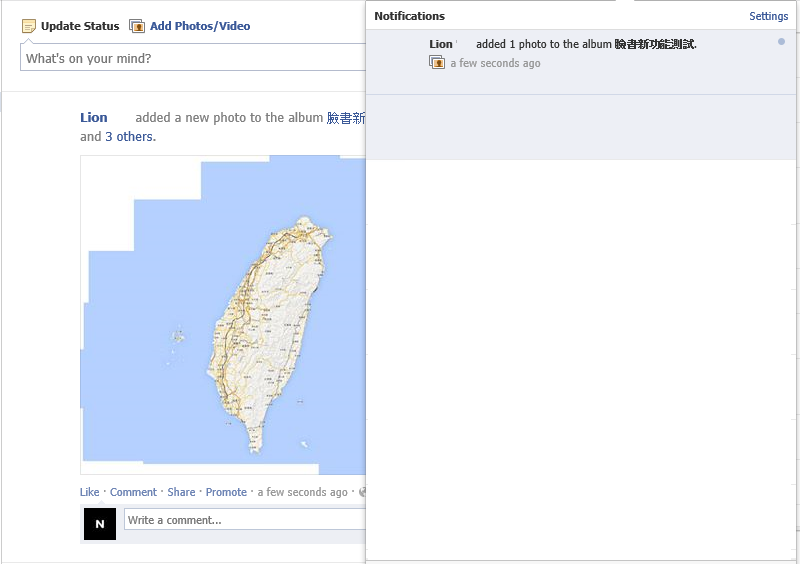 Notification when a contributor uploads new photos
Finally, a crucial caveat regarding privacy: likely due to the collaborative nature of the feature, shared albums currently offer only three visibility tiers: Public, Friends of Contributors, and Contributors Only.
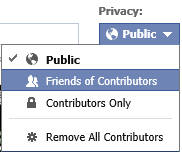 Shared album privacy settings
You cannot selectively exclude individual contacts from the privacy audience, which feels slightly restrictive for privacy-conscious users.
In fact, due to an initial misconfiguration on my end, friends of my contributors were unexpectedly able to browse the entire album. Hopefully Facebook redesigns this in future updates (though questionable privacy defaults from Facebook are hardly surprising). (Note: Facebook later added granular exclusion controls.)
Support Independent Perspectives & In-Depth Insights
Every thoughtful analysis and candid critique comes from our dedication to truth and quality. We choose not to follow sensational algorithms or clickbait headlines.
Sustaining independent research requires reader support. Make a one-time or monthly contribution, securely processed by Google.
Payments secured by Google · Manage or cancel anytime in your Google Account



Comments