

I began using Facebook around 2010. Before I knew it, five years had flown by—and what surprised me most was that Facebook had never offered a built-in search tool for past posts. Countless joyful or painful life memories had simply vanished into the vast ocean of time and text.
BUT, in 2015, Facebook finally introduced an incredibly powerful full-text search feature! Simply enter a keyword, and you can uncover any past post stored across Facebook’s vast database.
This feature is expected to pose another threat to Google’s dominant position in the knowledge economy (though given how much of Facebook’s content lacks substantial depth, let’s discount that threat by 80% for now).
Why Is Historical Post Search on the Timeline Important?
Most of us have had moments where we suddenly recalled something we or someone else wrote long ago, but could not quite remember the full phrasing.
Now, with post content search, simply entering a keyword allows you to swiftly find conversations and public posts shared by yourself or others on any given day in the past.
We no longer have to waste endless time continuously scrolling down Facebook Timelines just to track down a single post.
How to Search Past Facebook Posts?
Because this search capability initially rolled out without support for Chinese interface settings, users had to head to Facebook Settings and switch the interface language to “English”.
Next, go to the search bar in the top-left corner of the Facebook page and enter your keyword (as shown in Figure 1).
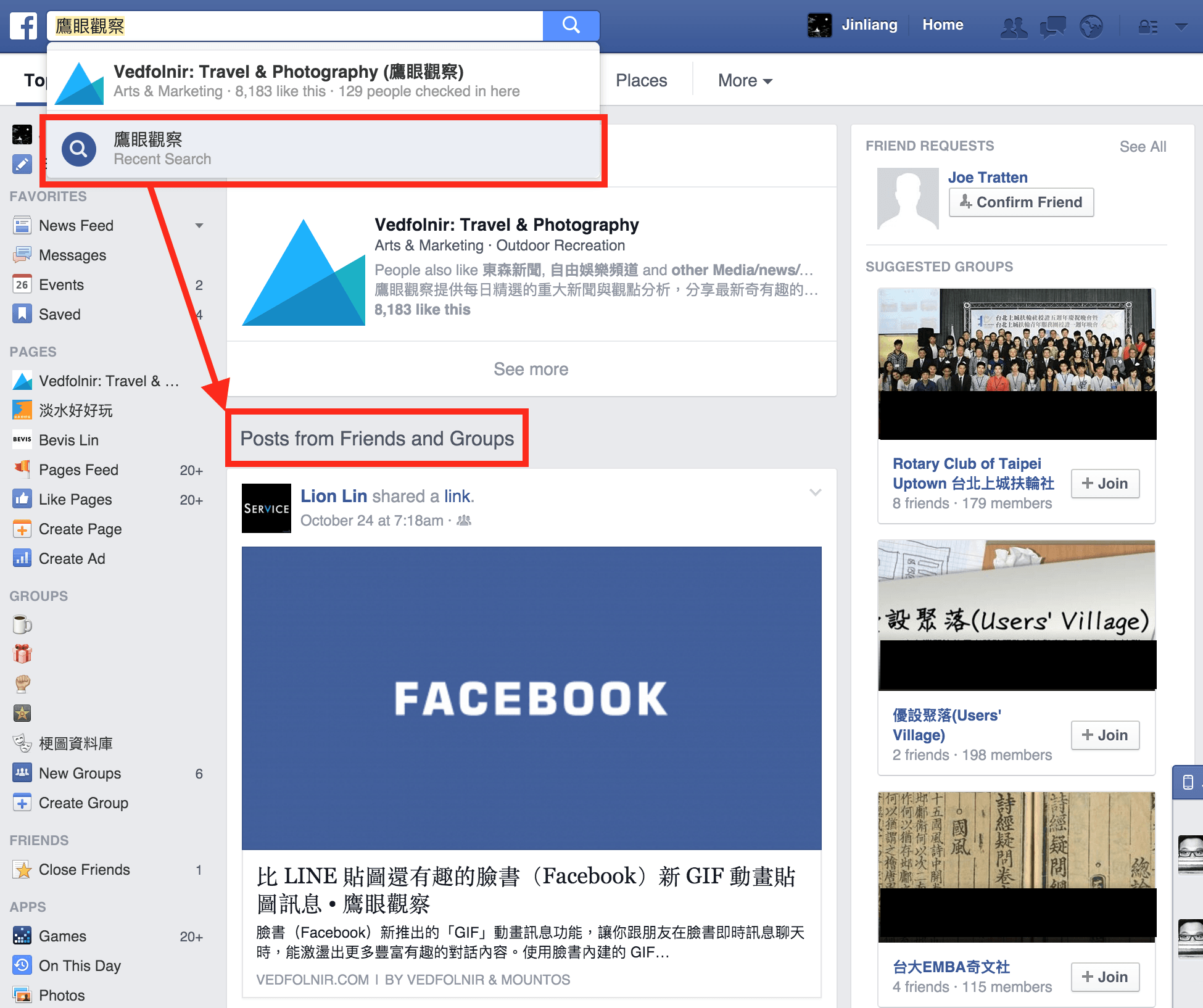 Figure 1: Keyword search and results list.
As you type, Facebook dynamically displays matching categories (such as fan pages, personal profiles, and groups with similar names). In Figure 1, right in front of the queried phrase (outlined in red), there is a flat-design blue magnifying glass representing the “Search past posts” option.
Clicking this search option refreshes the timeline to list all search results containing matching keywords.
This search thoroughly covers your own posts, those of your “Friends”, and your “Groups”.
Therefore, you not only need to watch out for things you wrote that shouldn’t be seen; you also need to make sure your circle of acquaintances hasn’t publicly posted things you would rather keep under wraps today.
Searches support single keywords as well as multi-word queries (for example: “Eagle Eye Mountos”).
Given the arrival of this historical post search feature, let’s walk through how to protect your privacy and keep your old posts away from unwanted eyes.
Limit the Audience for Past Posts
While full-text search has obvious advantages, it can easily cause trouble for many people (such as how effusively one praised an ex-partner in years past).
To prevent past posts—written either intentionally or casually—from being weaponized, we can at least apply some privacy safeguards.
Path to limit past posts: Facebook Desktop Homepage → “Settings” → “Privacy” → “Who can see my stuff?”.
As shown in Figure 2, Facebook offers a privacy safeguard that instantly adjusts the visibility of all your past timeline posts.
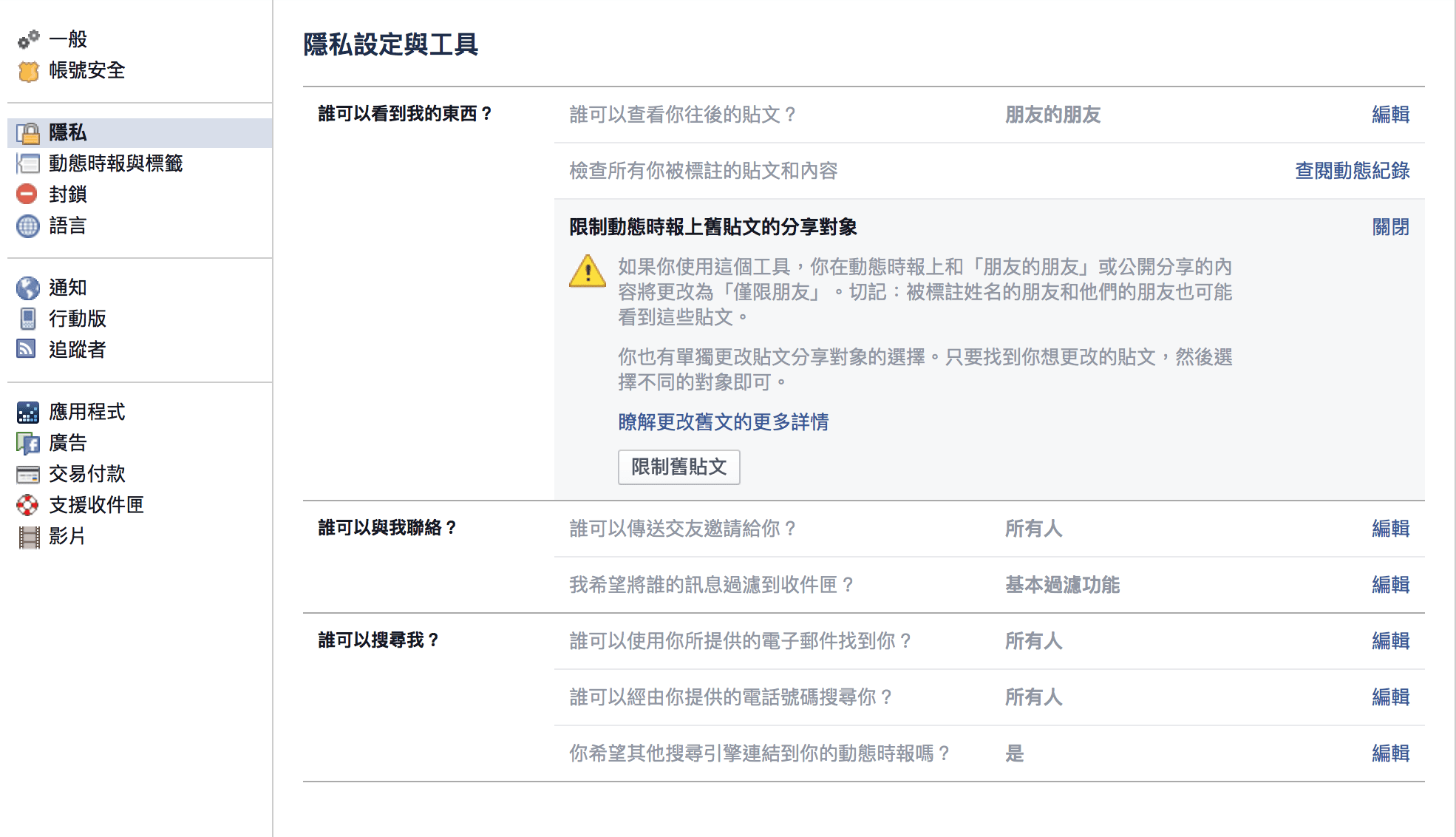 Figure 2: Limit the audience for past posts.
Locate the option “Limit the audience for old posts on your timeline”, and click the “Limit Past Posts” button. All public posts previously shared on your timeline will instantly be switched to “Friends Only”.
In other words, while strangers previously could easily search and discover your public timeline posts, this single step ensures only your accepted Facebook friends can search them, significantly enhancing your privacy.
Facebook will inevitably roll out this feature across all locales. Rather than waiting for someone to unearth posts that were better left forgotten, or giving ill-intentioned people ammunition (such as that time you vented about your boss), you should take advantage of this window to review and clean up your digital footprints.
Support Independent Perspectives & In-Depth Insights
Every thoughtful analysis and candid critique comes from our dedication to truth and quality. We choose not to follow sensational algorithms or clickbait headlines.
Sustaining independent research requires reader support. Make a one-time or monthly contribution, securely processed by Google.
Payments secured by Google · Manage or cancel anytime in your Google Account



Comments