

Over the past few days, I noticed friends appending system tags like “feeling wonderful” with a smile:

to the end of their Facebook updates. It couldn’t help but spark a warm, gentle sense of happiness, putting a broad smile on my face.
It seems to be a fun new feature rolled out by Facebook. Unfortunately, this set of emoticons and feeling statuses does not yet support Facebook’s Traditional Chinese interface natively. Therefore, we first need to switch Facebook over to the English interface.
Below is how the standard post publisher looks under the Chinese interface:
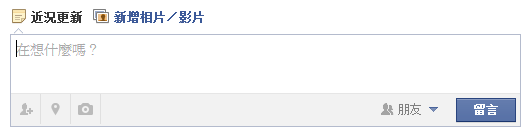 Chinese Post Publisher
Click the “gear” icon in the upper right corner of Facebook, then select “Account Settings.”
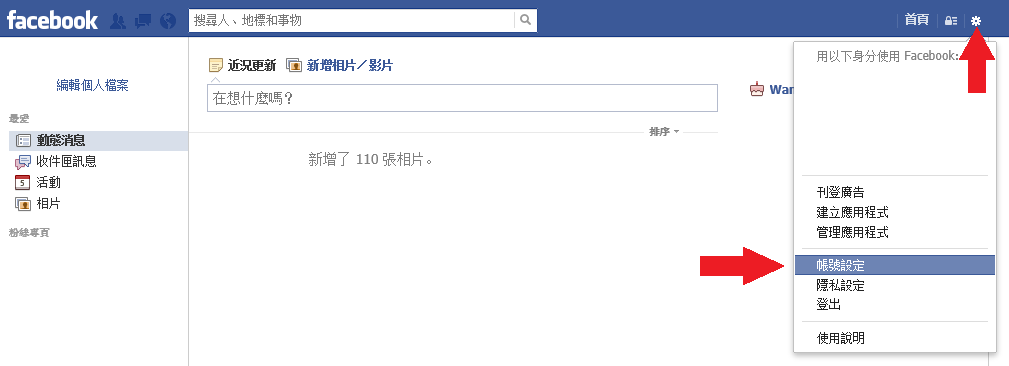 Account Settings
In “General Account Settings,” locate the “Language” field at the bottom right. Switch the primary language to “English (US)” and click “Save Changes.”
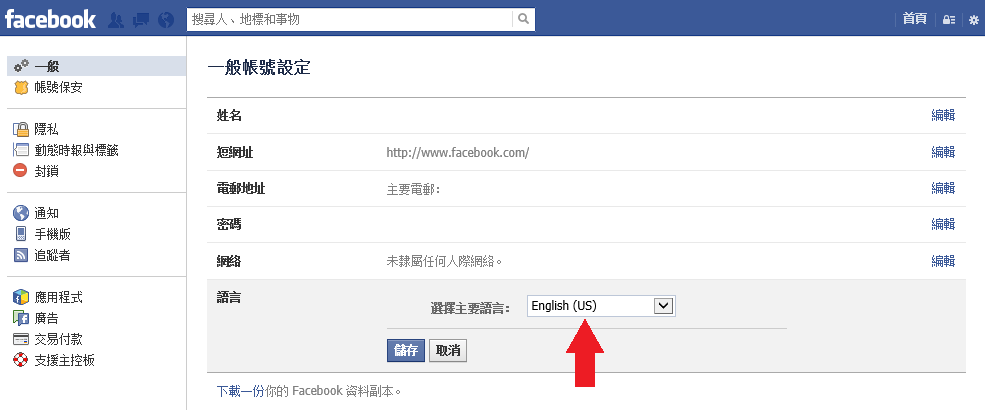 General Account Settings
Once the language change is complete, Facebook’s interface switches directly to English mode.
As shown below, a brand-new emoticon icon appears directly beneath the status composer (Facebook even helpfully offers an onboarding tooltip):
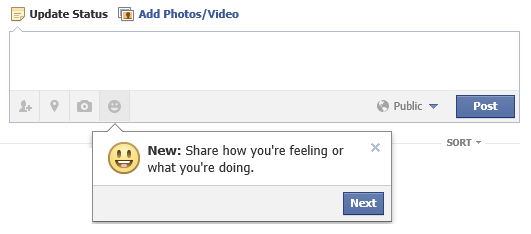 English Post Publisher
Clicking on the smiley icon opens the “Activity and Emoticon Menu,” featuring an emotional Feeling category alongside several Activity statuses:
- Feeling
- Watching
- Reading
- Listening to
- Drinking
- Eating
- Playing
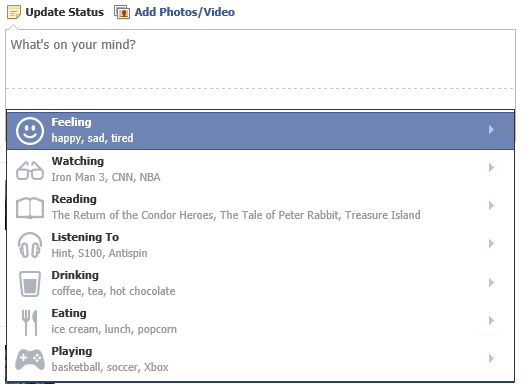 Activity Directory
Clicking on Feeling reveals a wider array of emoticons paired with corresponding mood descriptors (such as Happy, Sad, Tired, etc.), encompassing as many as 40 distinct emotional states.
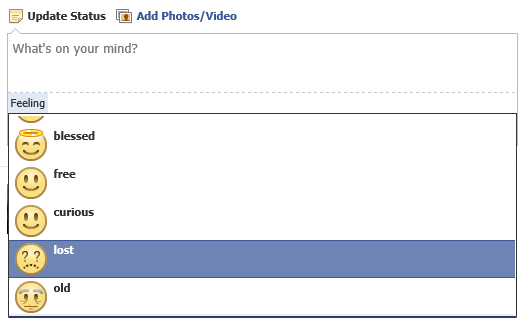 Selecting Feeling Statuses
Here is an example after selecting Feeling > Lost within the composer box. You can still type your regular message or attach photos just like any standard post:
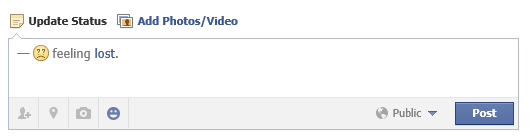 Emoticon Rendered in Post Composer
If you want to swap the emoticon directly within the compose window, simply click on the selected icon to change it:
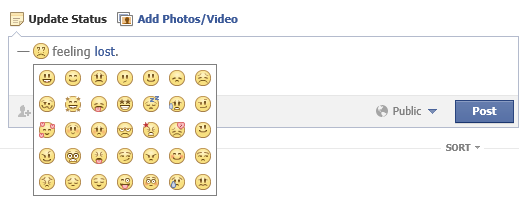 Changing the Emoticon
Keep in mind that modifying the emoticon this way might mismatch the original textual status (e.g., pairing a bright smiley face with a “Lost” descriptor), which might make you look slightly unhinged to your friends:
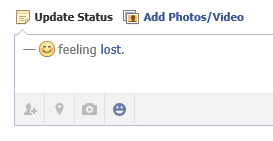 Substituted Emoticon
Once you publish the post, it appears on your timeline—looking even more delightfully eccentric:
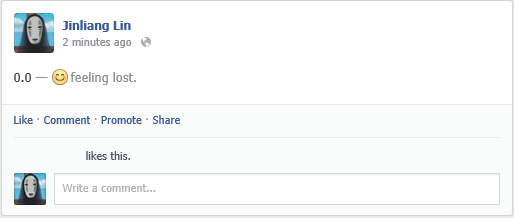 Post on the Timeline
One detail requires special attention: while the emoticon selection tool requires the English interface, Facebook automatically displays translations for Chinese users. Consequently, the Chinese localization of the mood you selected might catch you completely off guard.
For instance, in the image below, the “Lost” status I chose was translated as “feeling perplexed / confused” in Chinese, which felt quite different from the emotional “feeling down / sorrowful” I originally had in mind. If combined with ambiguous context, it could unintentionally trigger misunderstandings:
 Localized Feeling Status
At this stage, I recommend exercising some care when playing with these fun feeling statuses—though the quirky mismatches are undeniably entertaining.
Commercial Opportunities
Paired with back-end behavioral analytics, this feature not only strengthens Facebook’s user intent profiling, but also opens up tremendous monetization potential for commercial advertising.
For example, in the “Activity Status” directory mentioned earlier, paying advertisers could easily buy top placement for their products.
Take “Reading” as an example: sponsored recommendations could turn into Facebook’s own curated best-seller list (Facebook’s CFO’s eyes lighting up).
Furthermore, as seen below, notice the subtle suggestions nested under “Watching”—prime real estate for blockbuster movies and NBA game promotions (Facebook’s CFO beaming with delight):
 Watching Suggestions
Potential Controversies
I had always thought Facebook was quite strict regarding age-gated content due to US legal constraints. However, three examples made me wonder.
First, below is a test post where I selected Drinking > Whiskey. This raises potential concerns regarding alcoholic beverage marketing visible to minors:
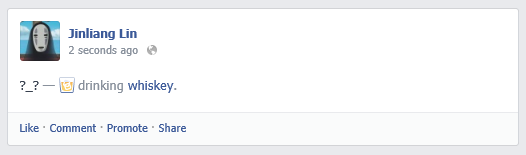 Drinking Whiskey
Although the Drinking submenu offers a diverse list of beverages, alcoholic options do not appear in the default list (perhaps simply due to lower generic popularity):
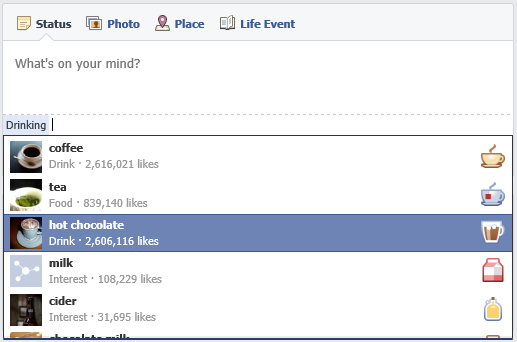 Drinking List
In fact, Whiskey was not on the default preset list either; I manually typed it in using Facebook’s custom “ADD” feature.
Facebook likely restricts presets out of caution against youth-targeting backlash, though whether spirits brands will allocate advertising spend here in the future remains to be seen (proper age-gating algorithms would theoretically prevent ads from reaching underage users).
Second, searching under Eating > Cigarettes reveals that tobacco-related terms also pop up readily:
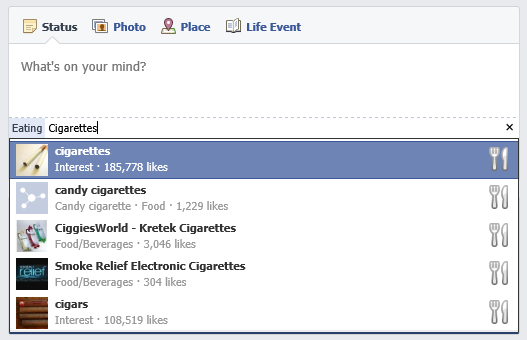 Eating Cigarettes
Third, pushing the envelope further, I searched for something far more sensitive: “Diacetylmorphine (Heroin)”, and sure enough, relevant entries surfaced:
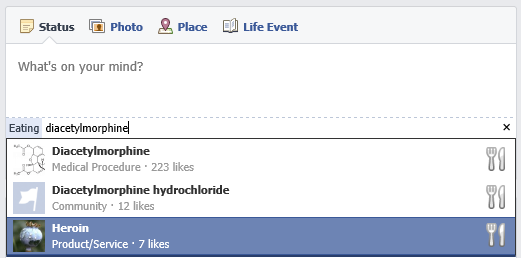 Eating Diacetylmorphine
Fortunately, clicking through Facebook’s search results for those three sensitive keywords showed that the entries themselves were completely innocuous—the first linked to a Wikipedia informative page, while the other two were empty placeholders. Still, it highlights that ambiguous gray areas exist for user-generated tags and pages across the platform.
Discovered Bugs:
- When publishing a feeling status attached to a photo, you can later delete the emoticon while editing the photo caption, but you cannot add a new feeling emoticon back in.
Support Independent Perspectives & In-Depth Insights
Every thoughtful analysis and candid critique comes from our dedication to truth and quality. We choose not to follow sensational algorithms or clickbait headlines.
Sustaining independent research requires reader support. Make a one-time or monthly contribution, securely processed by Google.
Payments secured by Google · Manage or cancel anytime in your Google Account




Comments