

When configuring a WordPress MU (Multisite) network, you may discover that certain plugins fail to work as expected. While a few plugins fundamentally do not support multisite environments (such as specific caching plugins), many others merely suffer from minor compatibility oversights. With a simple trick, you can often get them running perfectly!
Below, I will use WP-Polls—the popular polling plugin—as an example to explain the solution for making incompatible plugins work smoothly.
Typically, when enabling plugins across a WordPress Multisite network, an administrator goes to the Network Admin plugins screen and clicks "**Network Activate**" (as shown in Figure 1). This activates the plugin globally across all subsites, allowing individual subsite admins to access its features right away.

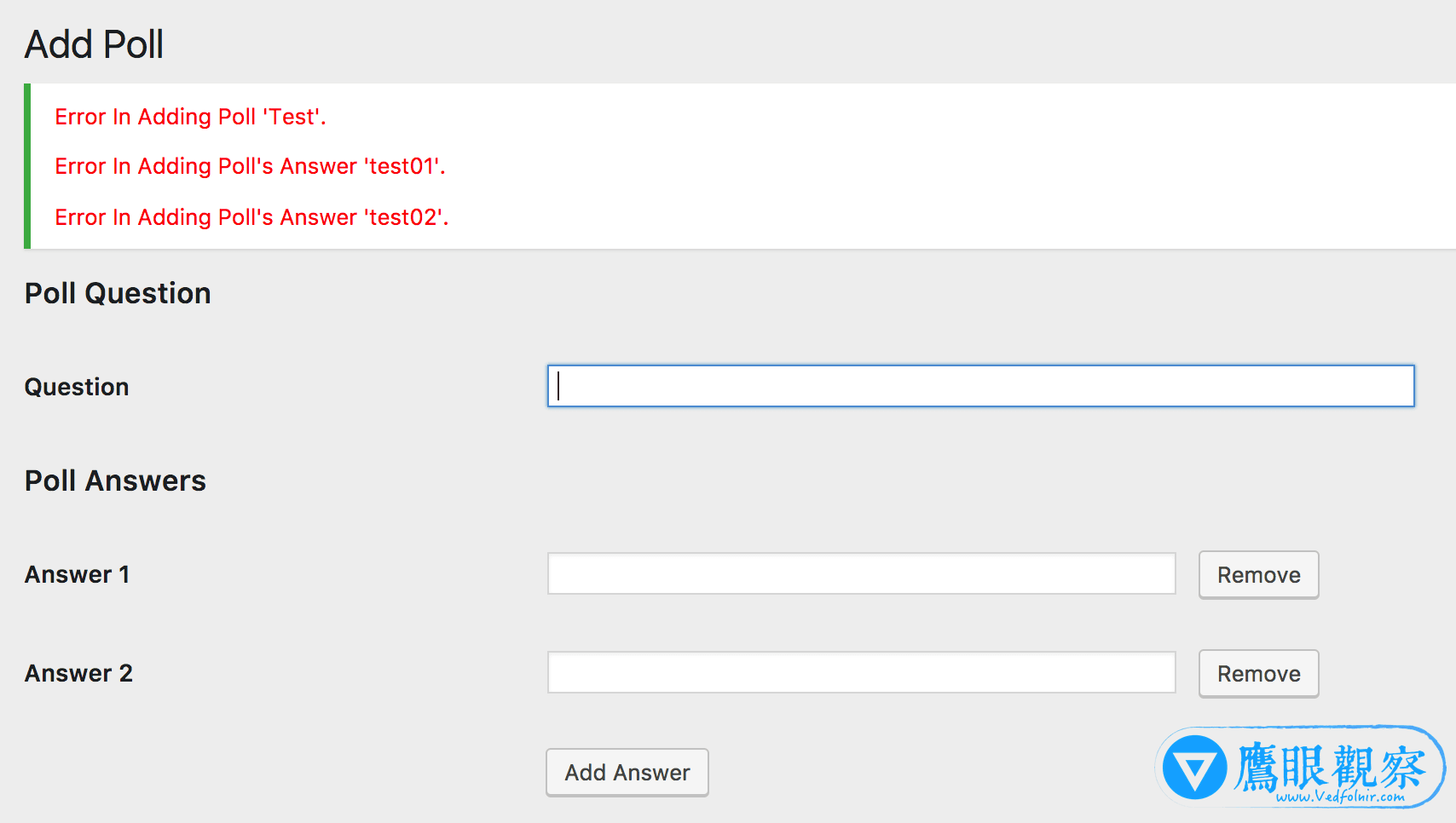
However, after network-activating the WP-Polls plugin, attempting to create a new poll triggers an error message as shown in Figure 2. No matter how many times you try, saving polls or answers fails. This typically occurs because the plugin’s database table creation logic does not adhere strictly to WordPress Multisite’s per-site database prefixing structure.
The fix is straightforward: navigate back to the Network Admin plugins dashboard and Network Deactivate the WP-Polls plugin.
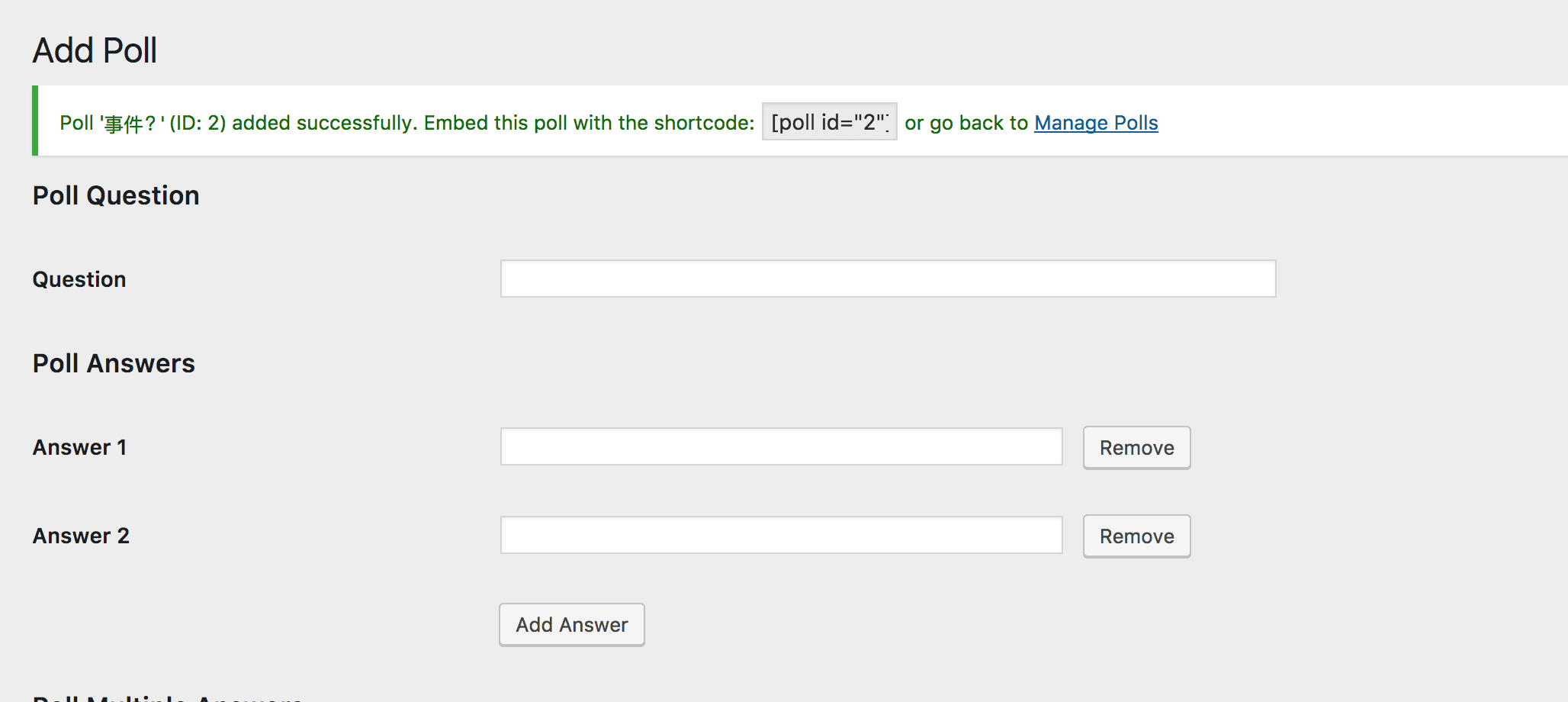
Next, switch to the specific subsite’s own plugin management screen and activate WP-Polls individually just for that site. This triggers the subsite-specific database table creation routine, allowing WP-Polls to work completely normally (as shown in Figure 3).
Support Independent Perspectives & In-Depth Insights
Every thoughtful analysis and candid critique comes from our dedication to truth and quality. We choose not to follow sensational algorithms or clickbait headlines.
Sustaining independent research requires reader support. Make a one-time or monthly contribution, securely processed by Google.
Payments secured by Google · Manage or cancel anytime in your Google Account


Comments