
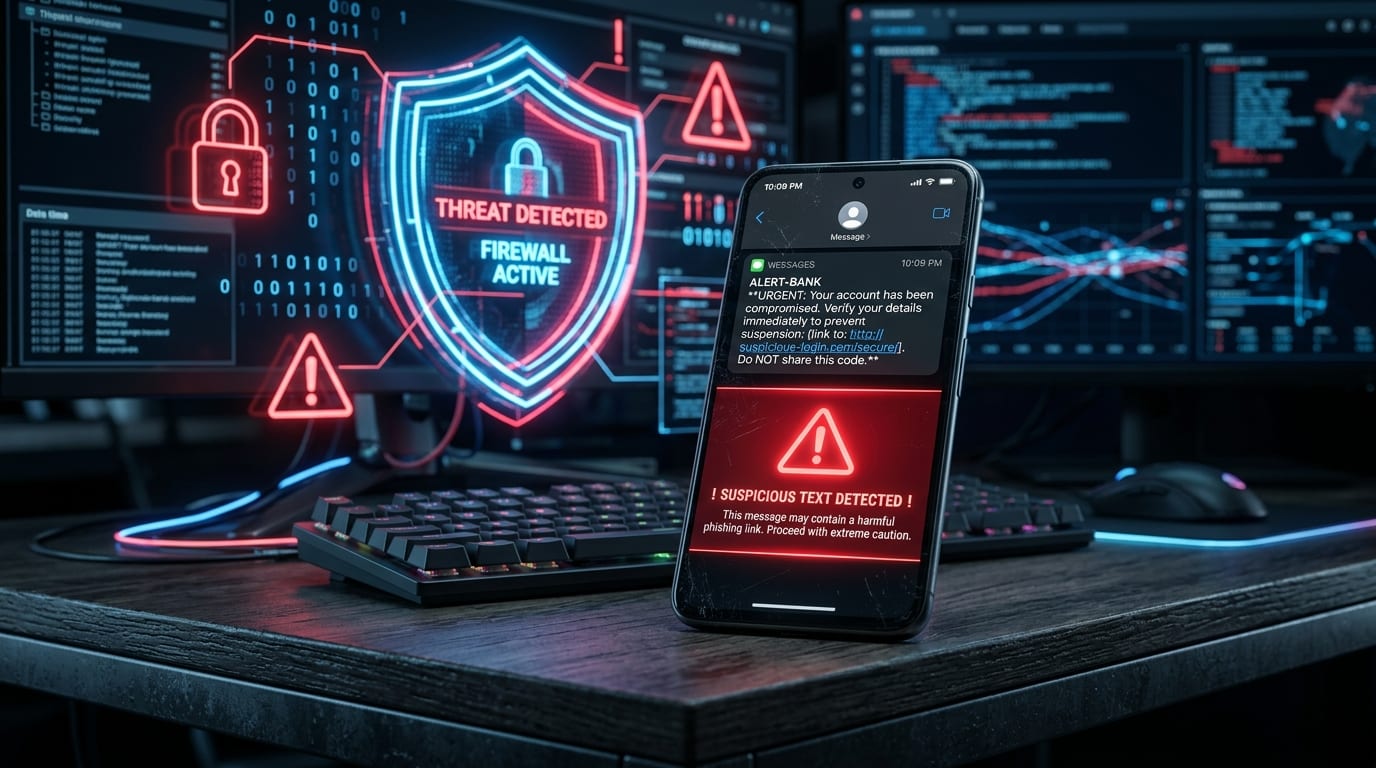
Not long ago, we published an information security advisory titled “What to Do When Receiving Fake icash Award SMS Scams”, which exposed how fraudulent syndicates use high-value gift card lures to trick users into downloading malicious Trojan horse apps.
Recently, however, SMS scams have escalated rather than subsided, adopting the guise of authentic “official carrier URLs.”
Countless users report receiving unsolicited text messages disguising their links behind the Chunghwa Telecom official short URL (cht.tw), paired with scandalous gossip or alarming notices. Seeing a reputable link associated with the largest telecom operator in the Republic of China (ROC), many lower their guard. Once clicked, users not only have their credentials harvested by phishing portals, but some have even woken up to tens of thousands of dollars in fraudulent credit card charges and carrier billing micro-transactions!
1. Five Prevalent SMS Scam Scripts
Fraud rings exploit human psychology—leveraging voyeuristic curiosity, account panic, or logistical urgency to prompt impulsive clicks without verification:
1. Infidelity Rumors & Moral Panic (Highest Click-Through Rate)
“Someone in your family is having an affair, stop destroying someone else’s home. I took a side profile photo of both of them and uploaded it to Chunghwa Cloud for you to see: http://cht.tw/h/xxxxx"
"Keep an eye on who you’re close with. Saw them flirting with someone else. Uploaded the photo to the cloud, go take a look: http://cht.tw/h/xxxxx”
These texts deliberately use ambiguous, accusatory phrasing that pushes recipients into an emotional state of shock or anger. Victims rush to click the alleged “cloud photo” link, failing to notice obvious red flags like irregular grammar and punctuation.
2. The “LINE Chat History Forwarding Confirmation” Trap
Many smartphone users have received fake system notices regarding LINE chat backup forwarding, claiming:
“The system detected an external request to forward and back up all your LINE chat logs to an unauthorized email address. If you did not authorize this action, please click the link below within 24 hours to revoke authorization: http://cht.tw/h/xxxxx”
When panicked recipients open the link, they encounter a deceptively authentic replica of a Google or LINE login page. The moment credentials are submitted, fraudsters capture them in real time, hijack the social account, and broadcast emergency borrowing requests to all your friends and family!
3. Package Delivery and Municipal Service Masquerades
Posing as “Black Cat Yamato Delivery Failure Notices,” “Courier Signature Inquiries,” or “Overdue Traffic Citation Alerts from New Taipei City Police.” Because online shopping is ubiquitous, people frequently click these links half-believing they are legitimate.
4. Viral Warning Chains (Active Number Probes)
“Urgent alert! Block 0930702559 immediately, do not answer calls from this number. Police and CNN have warned about mobile phone viruses. Never answer or call back, otherwise you will face exorbitant phone bills!”
This is a classic ‘cry-wolf’ chain rumor. The goal behind distributing these fake warnings is not helpful advisory; rather, scammers exploit helpful individuals who forward them to contacts, allowing the syndicate to map and harvest which mobile phone numbers represent “active, responsive human accounts” for future targeted spear-phishing campaigns.
2. Why Did the Official “cht.tw” Domain Become a Security Blind Spot?
Many victims wonder: “If it’s an official Chunghwa Telecom domain (cht.tw), how could it lead to malware?”
This stems from a fundamental misunderstanding of URL shortening services:
1. Shorteners Are Merely Redirect Pointers
A URL shortener simply maintains an HTTP 301 or 302 redirect entry on a server. Chunghwa Telecom originally rolled out the cht.tw service to help subscribers include concise links within SMS character limits.
However, early shortener implementations did not perform automated security screenings on destination URLs. Anyone could submit a malicious Trojan APK hosted on an overseas server and immediately produce a seemingly trustworthy http://cht.tw/h/xxxxx link wearing the official Chunghwa Telecom cloak!
2. A Real Victim Story: NT$24,000 Drained in the Early Morning
A resident in New Taipei City, who happened to be a Chunghwa Telecom subscriber, received an SMS mentioning “Chunghwa Cloud” and cht.tw. Assuming it was a legitimate telecom value-added service announcement, he clicked without hesitation.
Upon opening, the mobile browser downloaded and prompted the installation of an APK. Mistaking it for a complimentary game or system optimization tool, he approved the installation and went to sleep.
At 3:00 AM, his phone buzzed with 8 consecutive credit card authorization alerts within 30 minutes: NT$3,000 per transaction, billed 8 times, totaling NT$24,000! Shocked, he rushed to freeze his card and filed a police report at daybreak.
Forensic analysis revealed that once installed, the malware requested SMS interception permissions in the background. It abused Carrier Billing (telecom micro-payments) and digital game-point purchases, silently reading incoming one-time SMS verification passwords (OTP) and immediately wiping the notification logs while the victim slept.
3. Four Essential Rules to Shield Yourself from SMS Scams
How can you protect your device and bank account against these deceptive text messages?
1. The Crucial Step: Call Customer Support to Disable Carrier Billing
Most mobile malware monetizes via carrier micro-billing on your phone bill.
- Action: Pick up your phone and call your telecom customer service hotline (Chunghwa Telecom: dial 800; Taiwan Mobile: dial 188; FarEasTone: dial 888) and explicitly request: “Please completely disable carrier billing and micro-payments for this mobile number!”
- With this setting disabled, even if your device becomes compromised, fraudsters cannot bill charges to your telecom invoice, neutralizing the primary attack vector.
2. Android Users: Disable “Install Unknown Apps”
Due to iOS’s strict application sandbox, external apps cannot be sideloaded without explicit authorization; Android devices with side-loading enabled, however, leave the front door wide open:
- Navigate to Android “Settings” -> “Security” or “App Permissions”.
- Ensure that “Install Unknown Apps” is switched to “Not Allowed” across all browsers and file managers.
- No matter how insistently a webpage demands that you “update your video player” or “install a cloud viewer plugin,” never manually agree to install any file ending in
.apk.
3. Unshorten URLs Before Clicking
When encountering short links—whether cht.tw, bit.ly, or tinyurl.com—do not click blindly!
- Use a free online link expansion tool (such as CheckShortURL or Unshorten.me).
- Paste the short link to preview the destination server IP and real domain name, exposing phishing replicas immediately.
4. Remember: Official Agencies and Telecoms Never Ask for Passwords via SMS
Authentic government bodies, postal services, banks, or telecom providers will never send official business notices from private random mobile numbers, and will never ask you to input passwords, national ID numbers, or credit card details via an SMS link.
4. Emergency Action: What If You Accidentally Downloaded Malware?
If you mistakenly clicked a link and allowed an app to install, follow these immediate triage steps within the golden three-minute window:
- 📴 Step 1: Turn on Airplane Mode or Remove the SIM Card Immediately
Instantly cut all 4G/5G mobile data and Wi-Fi connectivity to prevent the malware from exfiltrating data or intercepting verification codes with overseas command-and-control servers. - 🗑️ Step 2: Inspect Installed Apps and Force Uninstall
Go to “Settings” -> “App Management”, locate recently installed apps with blank icons or suspicious names, tap “Force Stop,” and immediately “Uninstall.” If uninstallation is blocked, back up your photos and perform a clean “Factory Reset.” - 💳 Step 3: Call Your Bank to Freeze Cards and Report to Anti-Fraud Hotline 165
Call your card-issuing bank to temporarily freeze credit cards or request replacements, and contact the 165 Anti-Fraud Hotline for police intervention against suspicious fund transfers.
Conclusion
As technology evolves, phishing tactics and disguises become increasingly convincing.
Keep this golden cybersecurity rule in mind: "**Just because a link looks official doesn't mean its destination is legitimate!**" Taking an extra minute to verify before tapping a link will safeguard your hard-earned finances against devastating fraud losses. Share this guide with friends and family to strengthen your collective digital immunity!
Support Independent Perspectives & In-Depth Insights
Every thoughtful analysis and candid critique comes from our dedication to truth and quality. We choose not to follow sensational algorithms or clickbait headlines.
Sustaining independent research requires reader support. Make a one-time or monthly contribution, securely processed by Google.
Payments secured by Google · Manage or cancel anytime in your Google Account



Comments