
Chip card readers are a product born over the past two decades as enterprises went online. Whether it’s a bank ATM debit card (also called a bank card), a government health insurance card, the soon-to-be-replaced new ID card, or a citizen digital certificate, they all allow remote identity verification, letting people conveniently handle the identity authentication needed for commerce and government administration from home — and they can even read the data stored on a phone’s SIM card.
There isn’t really anything special to watch out for when buying a chip card reader. After all, these are quite mature products; you can develop a finished product just by using a reference circuit, and many white-label and rebranded products flood the market. So you just need to look for a cheap, good-looking model on a large enough online shopping platform.
I remember that long ago, when opening a company account, the bank would even give away a low-end chip card reader (the EZ100PU). Many years have passed, yet the same model can still be found for sale online, which shows that these products haven’t changed much at their core.
**
Note ⚠️: Because these products haven’t changed much, the earlier basic versions actually occupy a large market share. For example, Chunghwa Telecom’s MOD has built-in driver optimization for the Castles Technology EZ100PU reader. If you want something that works in the most places, buying the basic model actually has its advantages.
My previous low-end chip card reader had been in use for many years (though in reality I used it less than once or twice a year — it was a real white elephant), and it was finally discarded earlier this year when it stopped working.
But as the government, amid this COVID-19 pandemic (commonly called the Wuhan virus in Taiwan), rolled out a flood of flashy subsidy programs of questionable value like an addiction, my family elders asked me to help apply for the Arts Fun Voucher lottery using their health insurance cards, so I specifically bought a chip card reader for around NT$200 (as shown below).
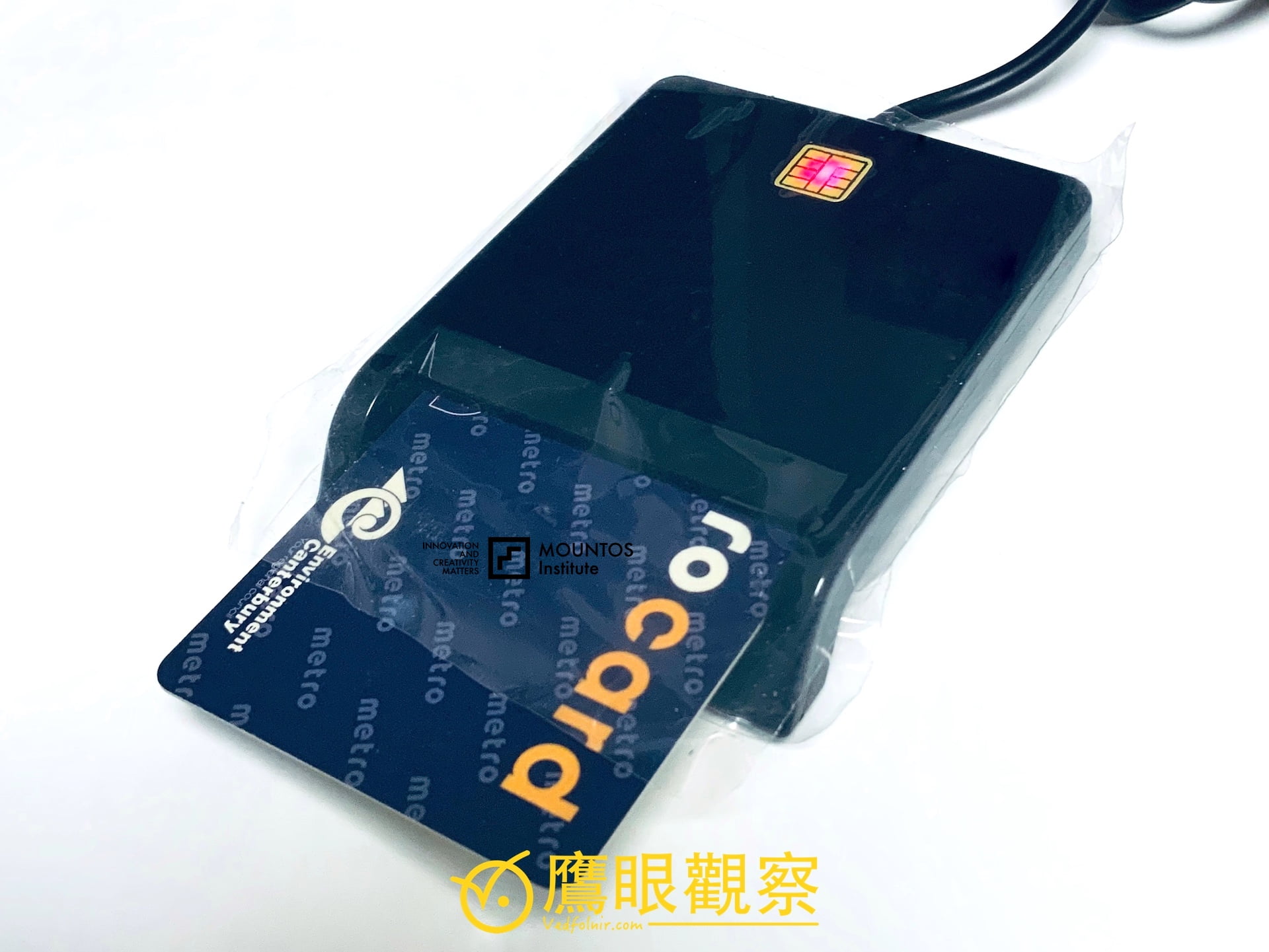
Figure 1, chip card reader.
Since our computer is an Apple MacBook Pro running the macOS operating system, I had to specifically test whether the computer’s drivers support the chip card reader’s hardware resources.
However, as mentioned above, since the device itself is already a universal piece of equipment, it naturally becomes a common built-in driver **resource across various operating systems. The main problems often arise with whether browsers and website designs support reading and writing to the chip card reader.
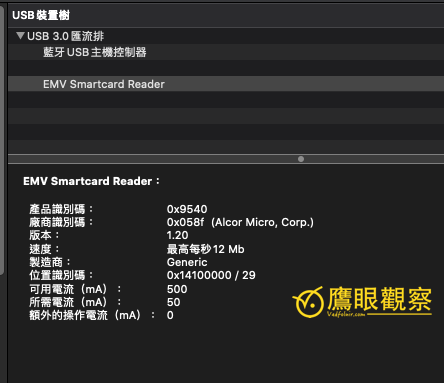
Figure 2, Apple Mac USB device tree.
Downloading the Browser Component for the Chip Card Reader
Since the main purpose this time was to apply using a health insurance card, I first tested the software and hardware from the official page “Health Insurance Card Online Service Registration - Apply” of the National Health Insurance Administration, Ministry of Health and Welfare of the Republic of China.
Please refer to Figure 3 below. On the NHI application page, there are prompts with browser component installation files (or drivers) for operating systems including Microsoft Windows, Apple Mac, and Linux. First download the installation file according to your computer’s operating system.
After downloading, simply run the installation file to complete the installation. Then refresh the website page or restart the browser or operating system, and you’ll be able to read the chip card contents normally.
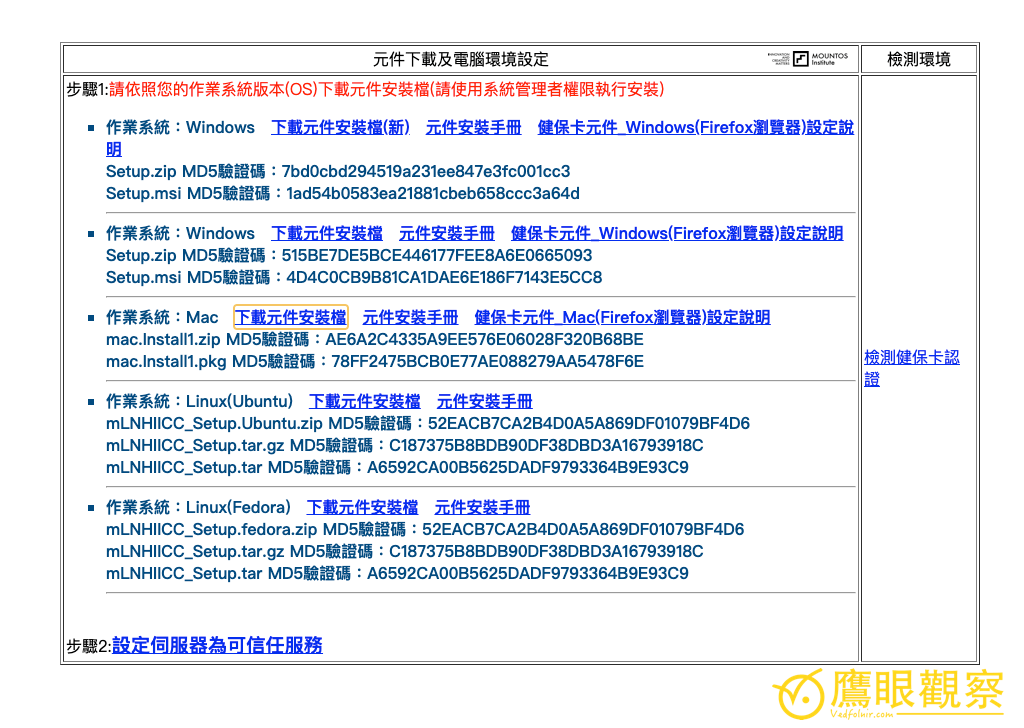
Figure 3, browser component download and computer environment settings.
However, even if you install the NHI’s driver, that doesn’t mean other websites will work with that browser component. And even if Google Chrome doesn’t support it, Apple’s Safari browser might — and the situation can even reverse depending on the website.
This is the problem we most often encounter when operating a chip card reader: there are as many driver components to install as there are website designs. You can only patiently install them through trial and error.
For example, Figure 3 below shows Bank of Taiwan’s online ATM, which doesn’t support the NHI’s browser component, so it can’t correctly read the chip card reader data. Only after additionally installing Bank of Taiwan’s own component installation file could it read normally.
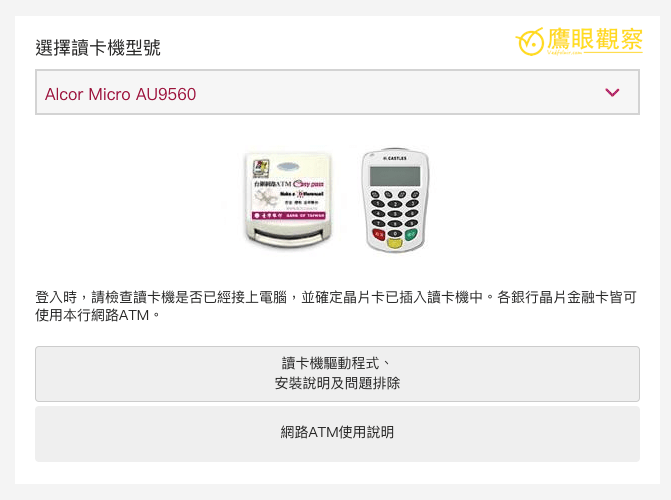
Figure 4, Bank of Taiwan online ATM card reader driver.
Product Reference
- ATM bank card, health insurance card, citizen digital certificate chip card reader
Support Independent Perspectives & In-Depth Insights
Every thoughtful analysis and candid critique comes from our dedication to truth and quality. We choose not to follow sensational algorithms or clickbait headlines.
Sustaining independent research requires reader support. Make a one-time or monthly contribution, securely processed by Google.
Payments secured by Google · Manage or cancel anytime in your Google Account



Comments