
The Philips Bluetooth CD stereo has built-in Bluetooth and can wirelessly connect to smartphones and computers, but to get an Apple MacBook Pro connected so it can play music through the stereo, you need to perform pairing between the two devices in addition to enabling the BT Bluetooth module on the phone or computer.
The Philips Bluetooth CD stereo system (model: BTM1360/BTM-1360, a type of micro stereo) is a bedside stereo with extremely high value, offering wireless Bluetooth speaker connection, CD playback, radio, USB flash drive music playback, audio cable input playback, and other music input/output functions.
Please refer to Figure 1 below. Button 11 on the left side of the stereo main unit is not only for selecting the music input source (short press to switch, or use the remote control to select until “bt” appears on the screen) but can also be used to perform Bluetooth pairing (press and hold until you hear a beep confirming it).
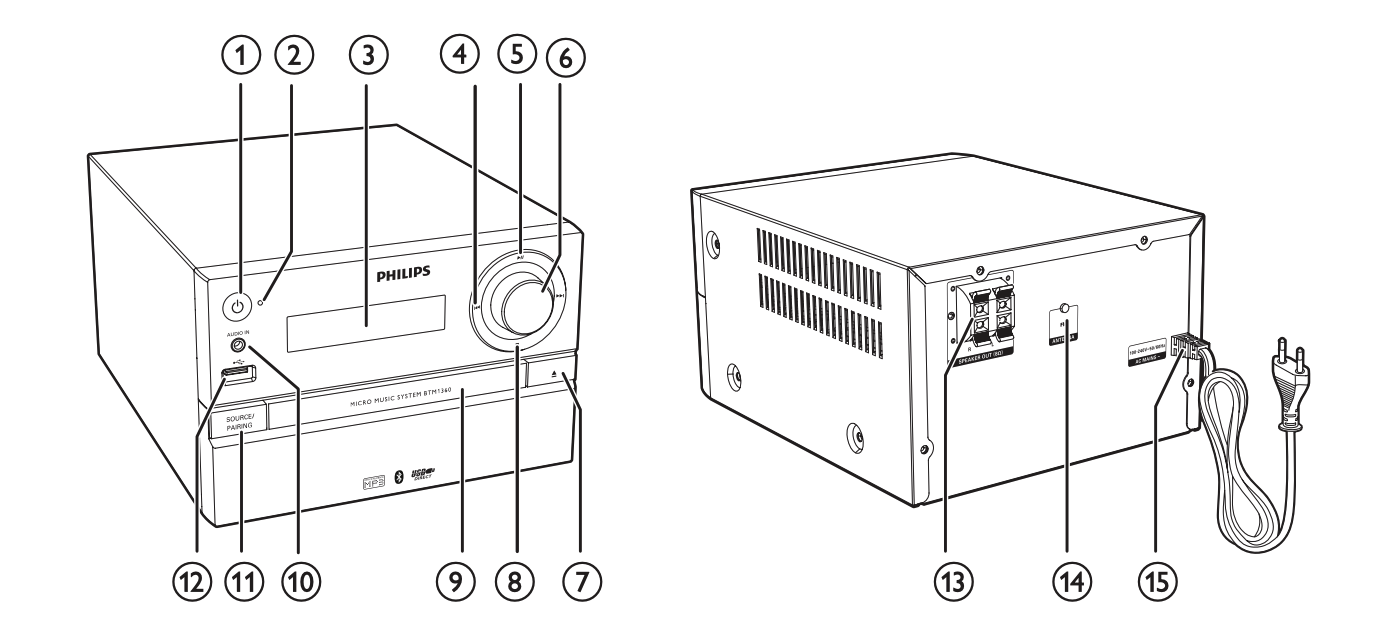
Figure 1: Philips BTM1360 stereo main unit and control panel.
Next, enable Bluetooth on your smartphone, desktop computer, laptop, or other system, and let the computer automatically search for nearby Bluetooth devices. The hardware name “Philips BTM1360” will then appear, as shown in Figure 2 below.
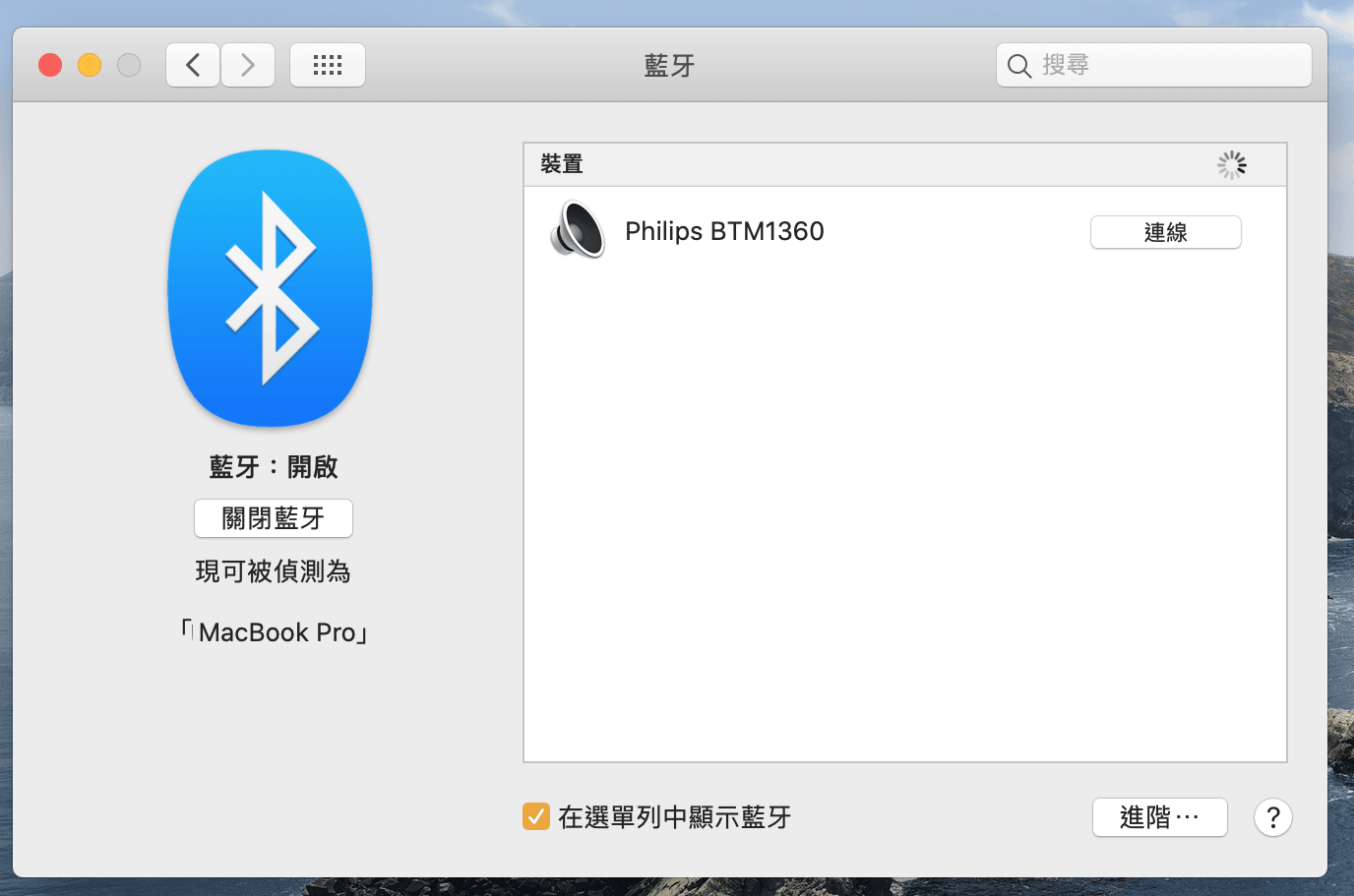
Figure 2: Apple macOS Bluetooth pairing.
Finally, click “Connect” to perform wireless pairing, and from then on it will connect automatically without needing to pair again.
Notes:
- Apple iPhone/iPad can also connect wirelessly to the Philips Bluetooth stereo via Bluetooth and play phone sounds, app music (such as Facebook, YouTube), and so on. However, some apps may not be well-designed, so they cannot play sound through the hardware-level Bluetooth connection (for example, Skout).
Support Independent Perspectives & In-Depth Insights
Every thoughtful analysis and candid critique comes from our dedication to truth and quality. We choose not to follow sensational algorithms or clickbait headlines.
Sustaining independent research requires reader support. Make a one-time or monthly contribution, securely processed by Google.
Payments secured by Google · Manage or cancel anytime in your Google Account


Comments