

Over time, active WordPress installations accumulate substantial amounts of redundant overhead. When plugins are tested, updated, or deactivated, many neglect to clean up the custom tables they created inside your MySQL database.
Over years of site operation, dozens of orphaned database tables can bloat backups and slow down complex database queries.
To safely identify and eliminate these leftovers, Plugins Garbage Collector is an invaluable administrative utility.
How Plugins Garbage Collector Works
The plugin scans your active WordPress database and categorizes tables based on their origin:
- Core WordPress Tables (Blue): Essential tables (
wp_posts,wp_options,wp_users, etc.). - Active Plugin Tables (Green): Tables currently recognized and used by active plugins.
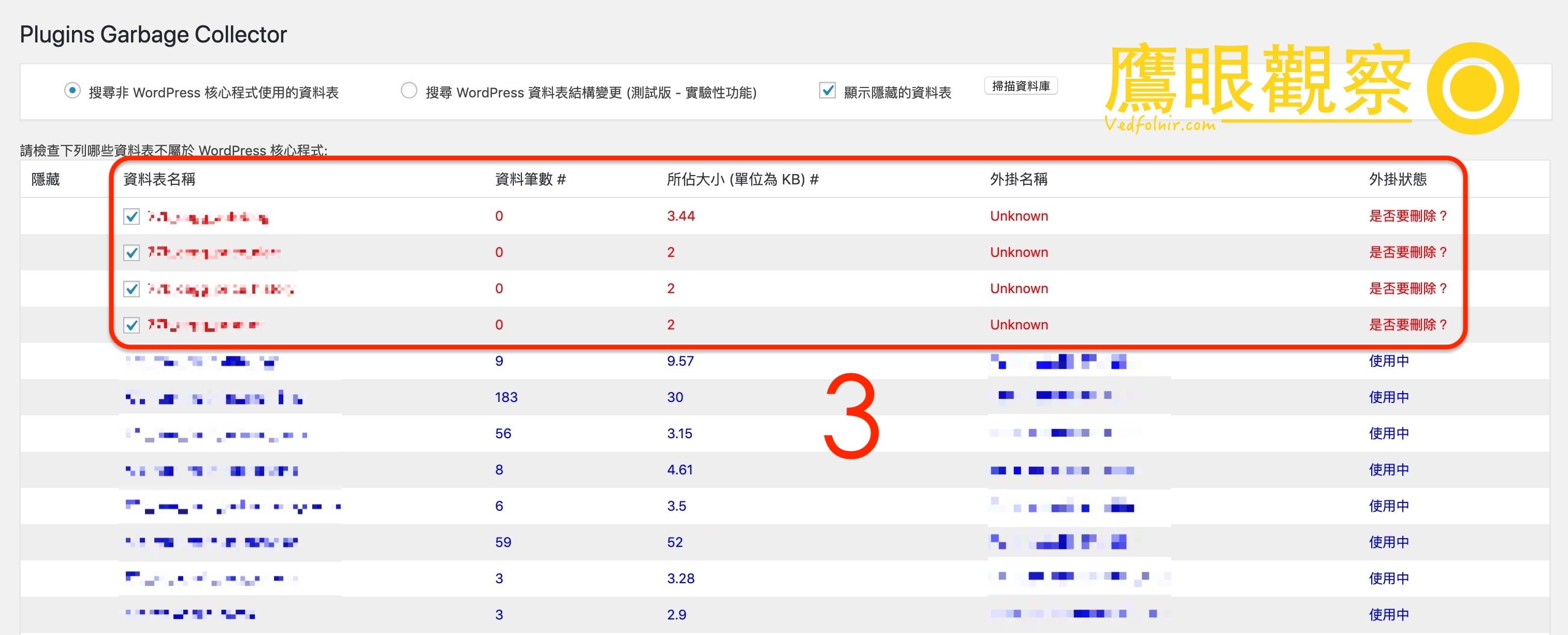
- Orphaned / Unrecognized Tables (Red): Tables originating from uninstalled plugins, marked as “Unknown”.
Step-by-Step Cleanup Guide
- Install and activate Plugins Garbage Collector from the WordPress repository.
- Navigate to Tools -> Database Cleanup.
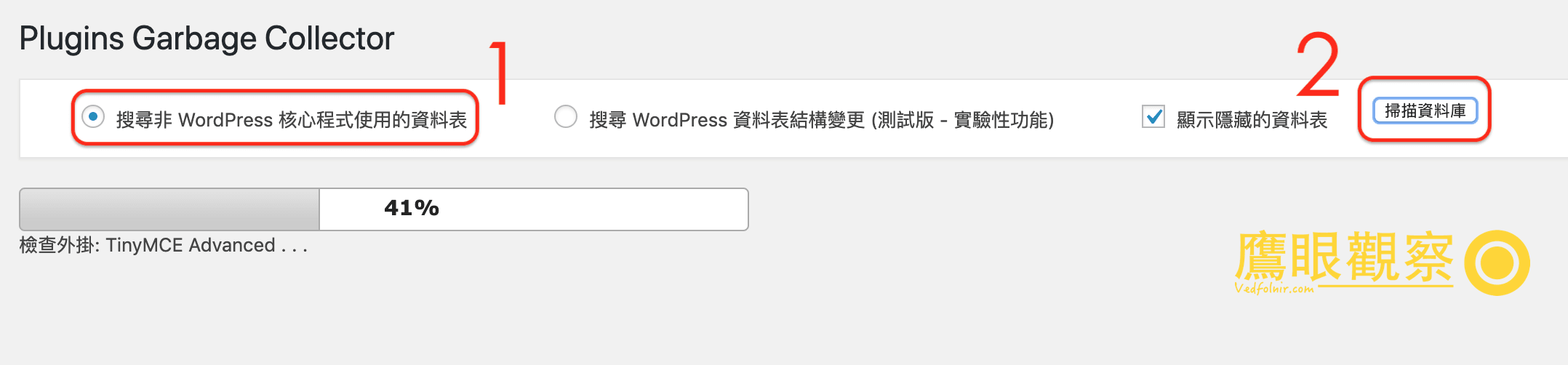
- Select “Search non-WP tables” and click Scan Database.
- Review the results table carefully:
- Verify table prefixes to identify which legacy plugin originally created them.
- If a table belongs to a plugin you deleted long ago, check the deletion box.
- Confirm deletion to drop the orphaned tables from MySQL.
Ongoing Maintenance
Once orphaned tables have been removed, pairing this maintenance with an optimization tool such as WP-Optimize allows you to defragment tables, clean post revisions, and purge auto-drafts to keep your database lean and responsive.
Support Independent Perspectives & In-Depth Insights
Every thoughtful analysis and candid critique comes from our dedication to truth and quality. We choose not to follow sensational algorithms or clickbait headlines.
Sustaining independent research requires reader support. Make a one-time or monthly contribution, securely processed by Google.
Payments secured by Google · Manage or cancel anytime in your Google Account


Comments