
Following Google’s release of Goo.gl and its developer APIs, URL shortening services have become widely accepted and utilized across the web.
Although concealing the destination URL introduces inherent security risks from malicious actors, short and tidy links provide a clean appearance when posting on character-limited platforms like Twitter and Plurk, or when sharing lengthy links publicly. They make information sharing significantly more convenient.
In the past, Mountos Institute self-hosted an internal short URL service called “MOUNX LINK Shortener” for our network of websites.
If you also wish to deploy a private, dedicated URL shortener, the open-source “YOURLS” community provides an easy-to-install package. Today, we will introduce how to install the package and explore useful supporting plugins.
The YOURLS URL shortener server can be deployed on shared hosting, Virtual Private Servers (VPS), and dedicated servers.
However, because numerous automated bots and malicious scripts will attempt to abuse your service if opened to the public, setting it up on a dedicated server or using an affordable shared hosting plan is a solid choice.
How to Set Up the YOURLS Service
First, you need an Apache or Nginx web server. Providers like Bluehost offer affordable entry-level shared hosting plans suitable for personal or small-team use, unless you plan to open the service to millions of users.
Download the latest release package (e.g., 1.7.4) from Yourls Download. Extract the files into your web root directory (for example, /var/www on Apache). You can either extract everything directly into the root web folder, or place them into a subdirectory and route traffic via .htaccess.
Standard .htaccess Rules (Pointed to Web Root)
# BEGIN YOURLS
<IfModule mod_rewrite.c>
RewriteEngine On
RewriteBase /
RewriteCond %{REQUEST_FILENAME} !-f
RewriteCond %{REQUEST_FILENAME} !-d
RewriteRule ^.*$ /yourls-loader.php [L]
</IfModule>
# END YOURLS / MOUNTOS : Institute
Next, open the extracted user directory, rename config-sample.php to config.php, and configure at least the following four essential parameters (make sure you have already set up a MySQL database and user beforehand):
define( 'YOURLS_DB_USER', 'DB_USERNAME' ); // Database username
define( 'YOURLS_DB_PASS', 'DB_PASSWORD' ); // Database password
define( 'YOURLS_DB_NAME', 'DB_NAME' ); // Database name
define( 'YOURLS_SITE', 'http://DOMAIN_NAME' ); // Site domain name
Once these settings are saved, accessing http://DOMAIN_NAME in your browser will display the installation setup page. Click the “Install YOURLS” button, and YOURLS will automatically create the database tables and complete configuration.
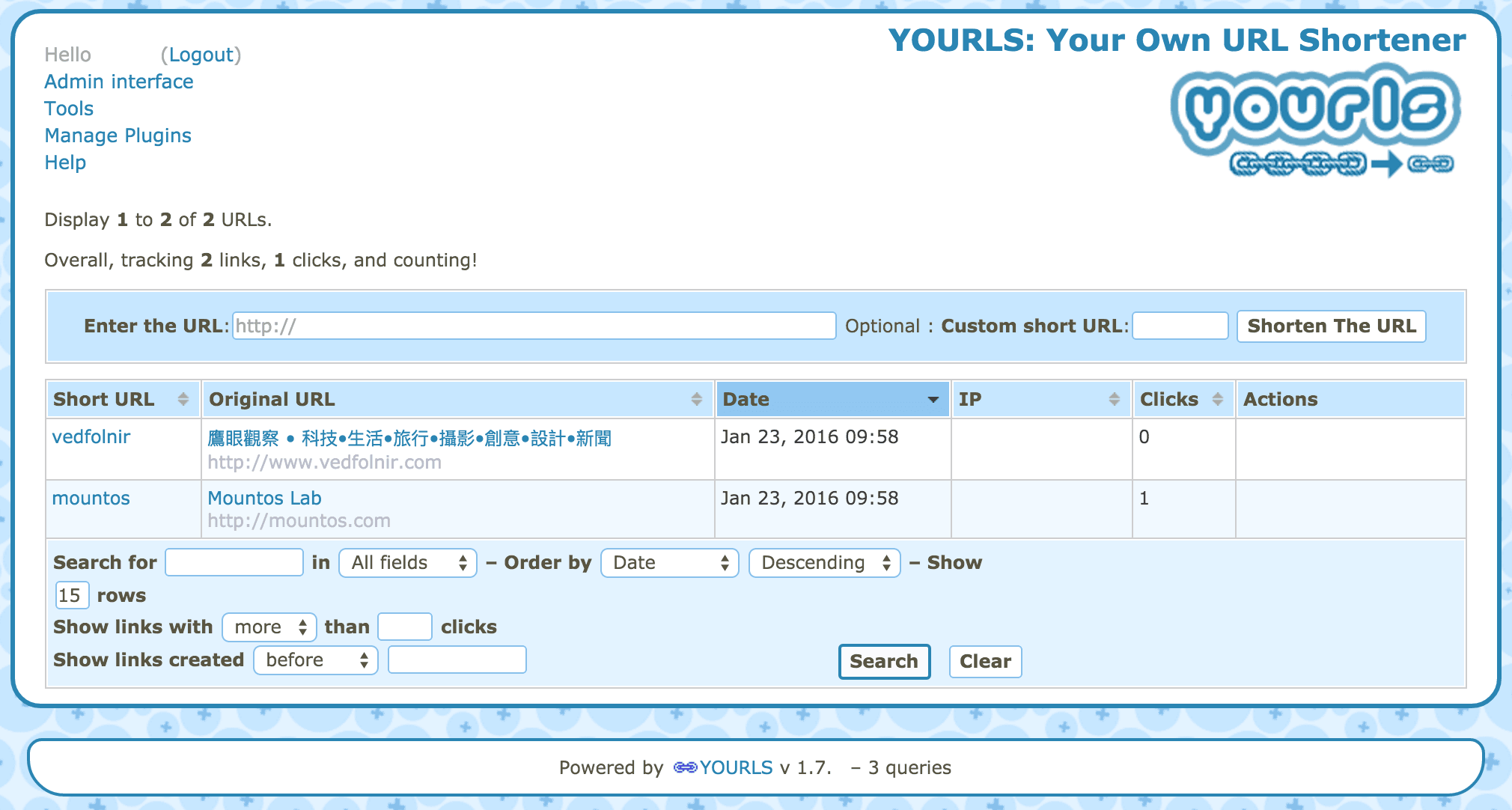
If everything is configured correctly, navigate to http://DOMAIN_NAME/admin to access the YOURLS admin dashboard, as shown in Figure 1 below.
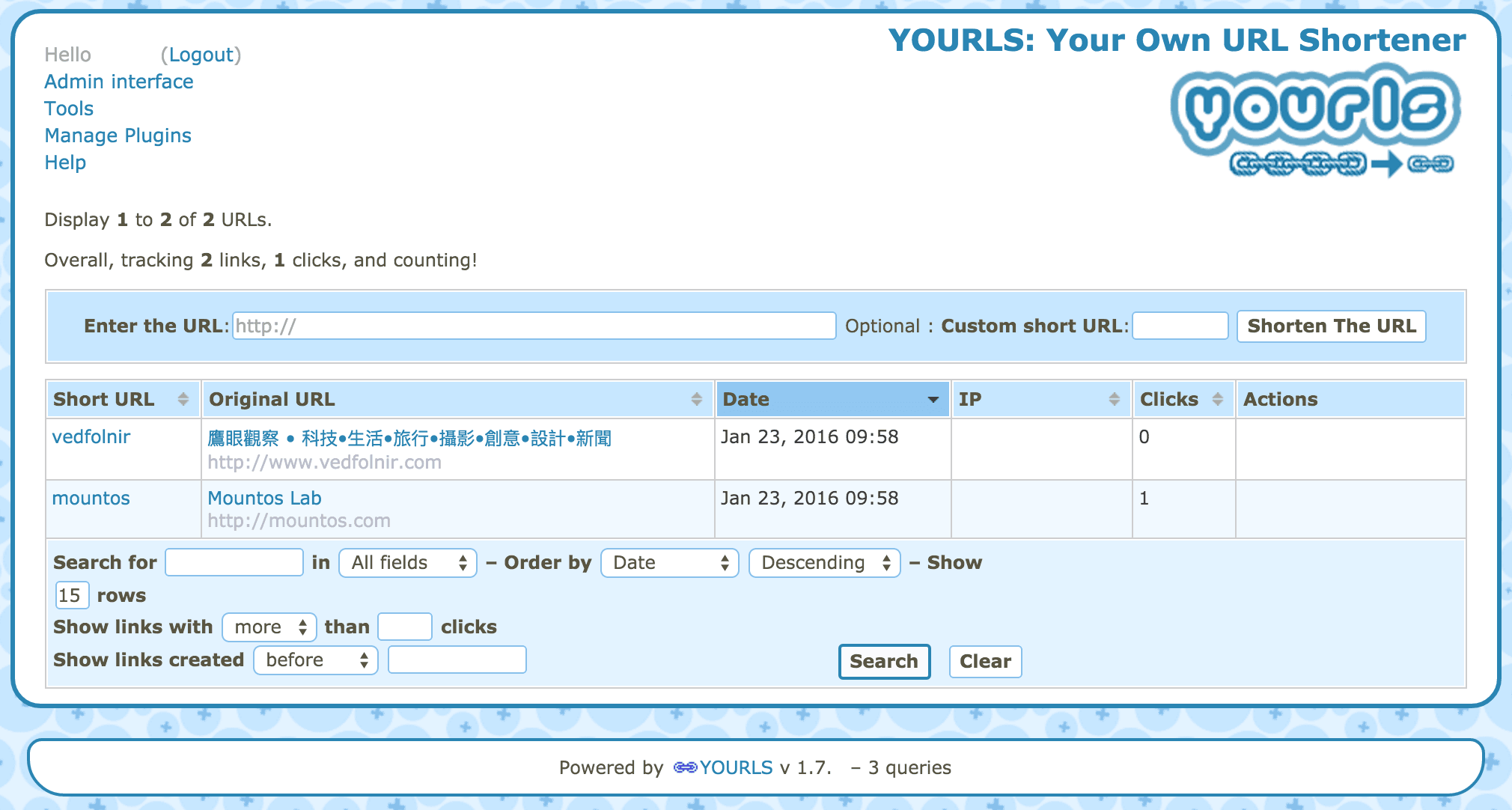 Figure 1: YOURLS URL shortener management dashboard.
In Figure 1, the dashboard consists of top navigation menus, the URL input area in the center, and the main URL mapping list occupying the lower part of the screen. The interface is clean, intuitive, and efficient.
YOURLS Quick Tools (Bookmarklets)
YOURLS provides two handy tools: “Bookmarklets” and “Prefix URLs”, which make it even more convenient to use than third-party browser extensions.
A bookmarklet is a clickable button saved in your browser’s bookmark bar, as shown in Figure 2. Whenever you browse any webpage and click the bookmarklet, your self-hosted shortener will instantly generate a corresponding shortened link.
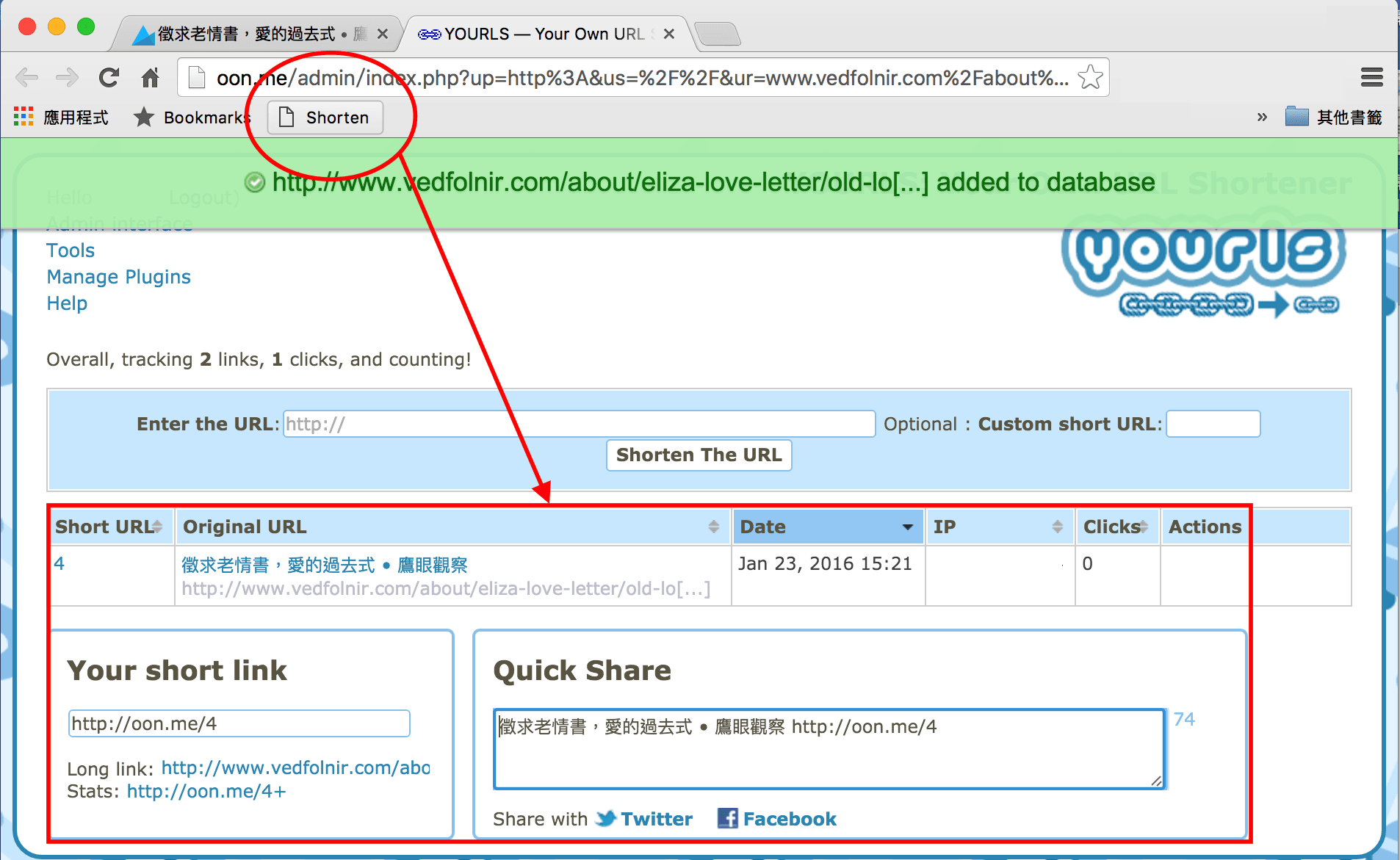 Figure 2: URL shortener bookmarklet button.
Adding this bookmarklet is effortless: log into the YOURLS admin dashboard (http://YOUR-DOMAINNAME/admin/), click “Tools” in the upper menu, and you will see the available shortener bookmarklets as shown in Figure 3.
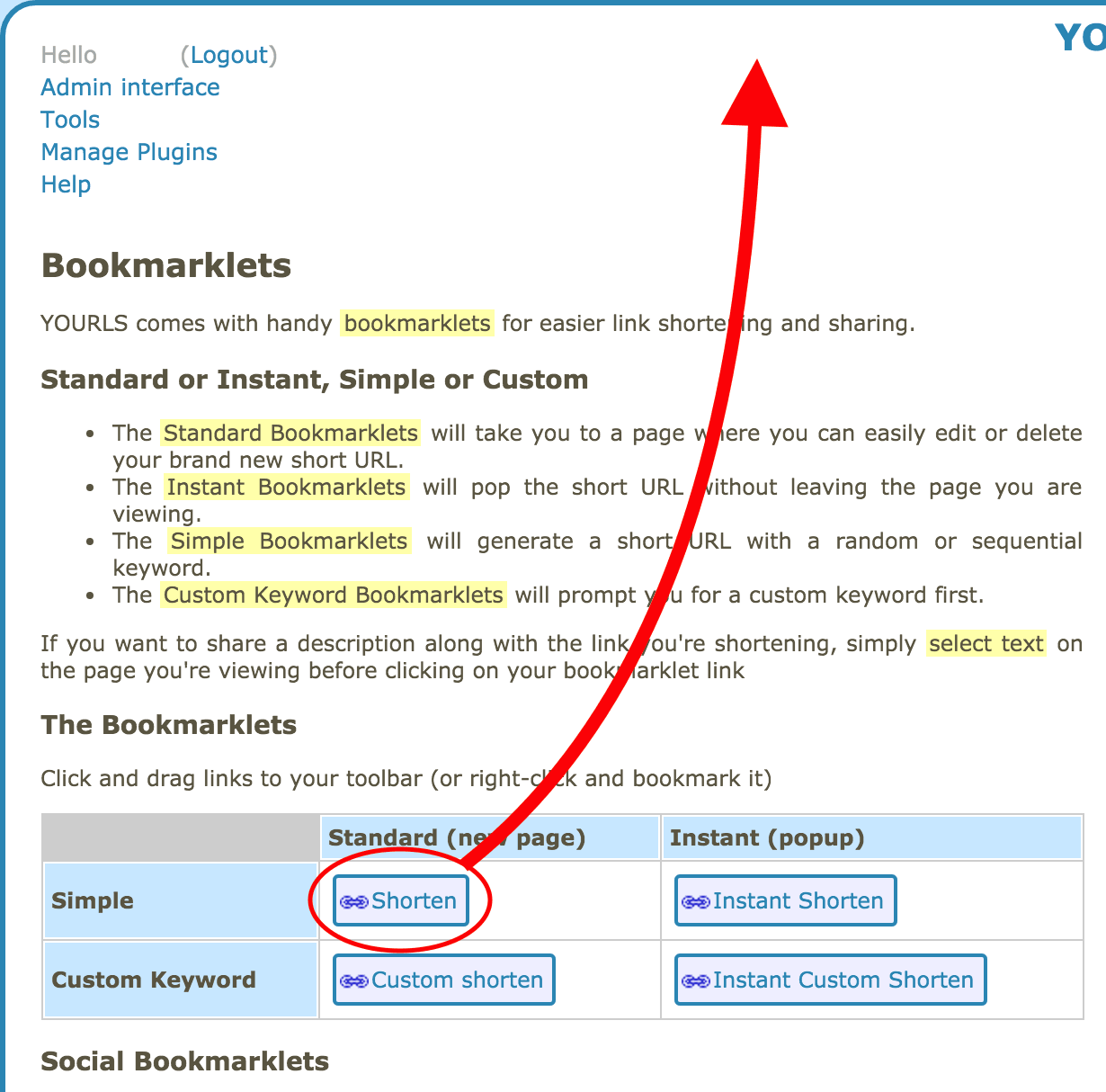 Figure 3: YOURLS bookmarklet tools.
Additionally, the Prefix URL feature is described on the same “Tools” page and works immediately without extra configuration.
To use it, simply prepend your shortener’s base URL to any standard URL (including http:// or https://):
https://example.com/s/https://www.vedfolnir.comRecommended Plugins for YOURLS
YOURLS supports plugins to extend core functionality. In the admin dashboard, click “Manage Plugins” to open the plugin management interface (shown in Figure 4).
In the “Action” column for each plugin, you can directly click “Activate” or “Deactivate” to toggle features on and off.
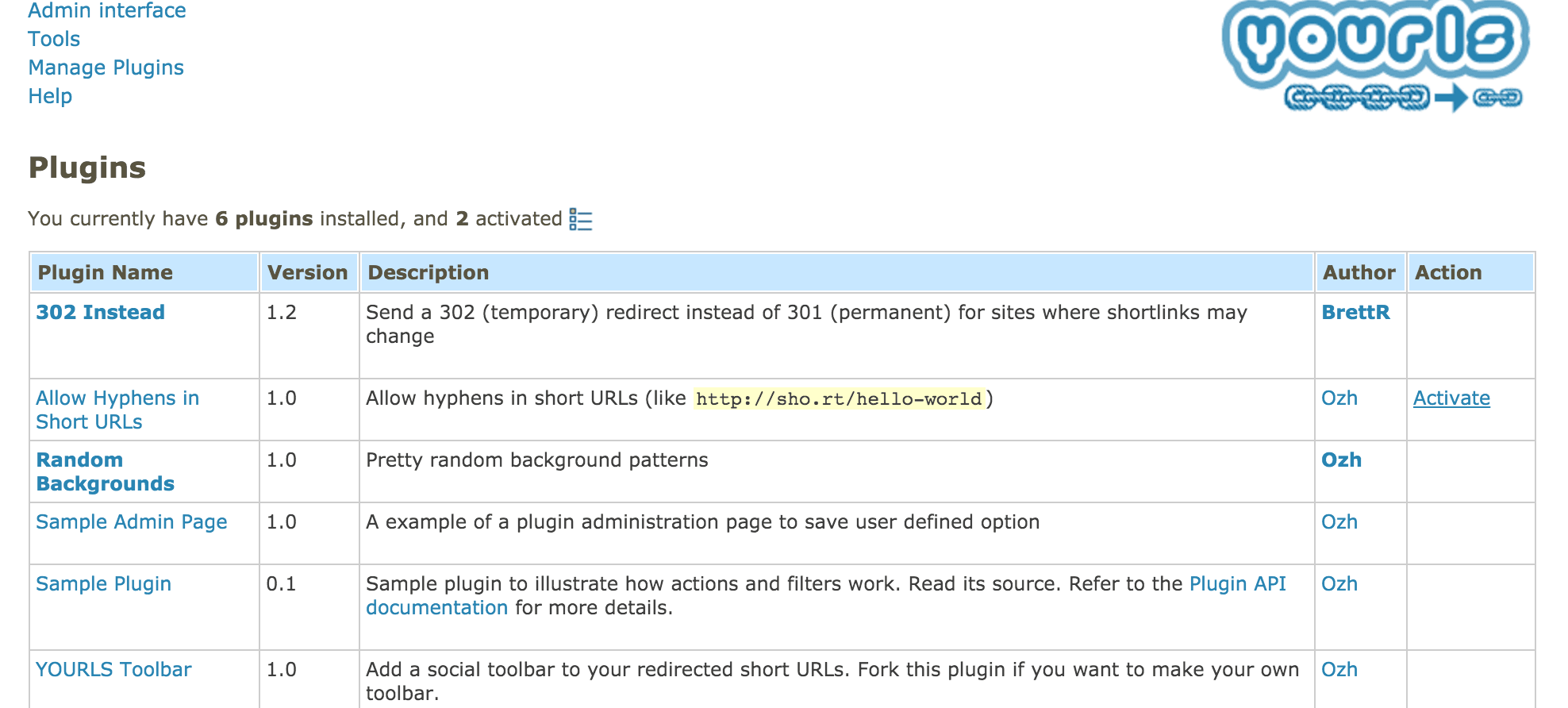 Figure 4: YOURLS plugin management.
Community-developed plugins are listed on GitHub, and you can easily find what you need in the Plugin List. Here are seven verified plugins worth considering:
- 302-instead: Changes URL redirection from 301 to 302 (to avoid diluting SEO link equity).
- Mass Remove Link: Allows batch deletion of shortened links based on conditions such as dates or IP addresses.
- multi-user-yourls: Enables multiple user accounts and permissions.
- Qrcode Plugin for Yourls (or Qr Google Charts): Automatically generates a QR Code when creating a short URL.
- Random Keywords: Highly recommended; generates randomized alphanumeric slugs for short links rather than sequential IDs starting from 1.
- Yourls-Memcached: Suitable for high-traffic multi-server environments to reduce database load.
- Upload and Shorten: Lets you upload files directly in the admin panel and generate corresponding short URLs.
How to Install YOURLS Plugins
Earlier we covered activating and deactivating plugins, but how do you install new ones?
- Connect to your server and navigate to the web directory where YOURLS is installed (e.g.,
/var/www). - Navigate into the
userfolder, and then open thepluginsfolder, which houses all plugin files. - Inside
plugins, create a new directory named after the plugin:sudo mkdir FOLDER_NAME - Enter the new folder and create a
plugin.phpfile:sudo nano plugin.php - From the Plugin List, locate the desired plugin repository. Copy the plugin code and paste it into the
plugin.phpfile you just created, then save and exit. - Return to “Manage Plugins” in the YOURLS admin panel. The newly added plugin should now appear in the list. Click “Activate” to begin using it.
Caveats and Drawbacks of Self-Hosting a URL Shortener
While running a private shortener provides great flexibility and brand recognition, there are several caveats. Exposing an additional public web service inherently invites malicious activity.
YOURLS can require user authentication for link creation, and public access can be disabled in user/config.php. However, if you open registration or link shortening to the general public, automated bots will quickly flood your service with spam links. Generic anti-spam plugins may struggle to stop targeted abuse, and excessive automated requests will consume server CPU and memory, impacting overall server performance.
Additionally, many community plugins were developed years ago; some have been superseded by native features in newer YOURLS versions, while others may be outdated or abandoned. Evaluate each plugin carefully before adding it to production.
Note (Added 2016.02.01): Be cautious with Apache web server template configurations. Certain templates (such as phpfcgid) have occasionally triggered redirect loops prompting for reinstallation. If you encounter configuration anomalies, try standard PHP configurations or review php.ini settings.
Further Reading & References
- Server hosting recommendations: Bluehost (Rating: ★★★★★)
- Domain registrar and DNS: Namecheap (Rating: ★★★★)
- Official Website: YOURLS
Support Independent Perspectives & In-Depth Insights
Every thoughtful analysis and candid critique comes from our dedication to truth and quality. We choose not to follow sensational algorithms or clickbait headlines.
Sustaining independent research requires reader support. Make a one-time or monthly contribution, securely processed by Google.
Payments secured by Google · Manage or cancel anytime in your Google Account


Comments