
Midjourney is an extraordinarily powerful AI image generation tool that has captivated thousands of digital creators, designers, and curious newcomers alike.
However, beginners using Midjourney often run into the same frustrating roadblock: the official public Discord channels (such as #newbies) are intensely crowded. Hundreds of users generate art simultaneously, causing prompt commands and generated images to be rapidly pushed offscreen by a nonstop stream of messages. Finding your own generated artwork turns into a tedious chore of endless scrolling.
Not only does this chaotic feed shatter your concentration, but you also risk missing critical generation jobs or losing track of your iterations.
What if you could generate images in your own private, peaceful channel? Here is a simple three-step guide to setting up your personal Discord server and inviting the Midjourney Bot—saying goodbye to shared newbie rooms forever.
Step 1: Create Your Own Discord Server
First, you need to create a dedicated personal server in Discord:
- Open Discord on your desktop or browser.
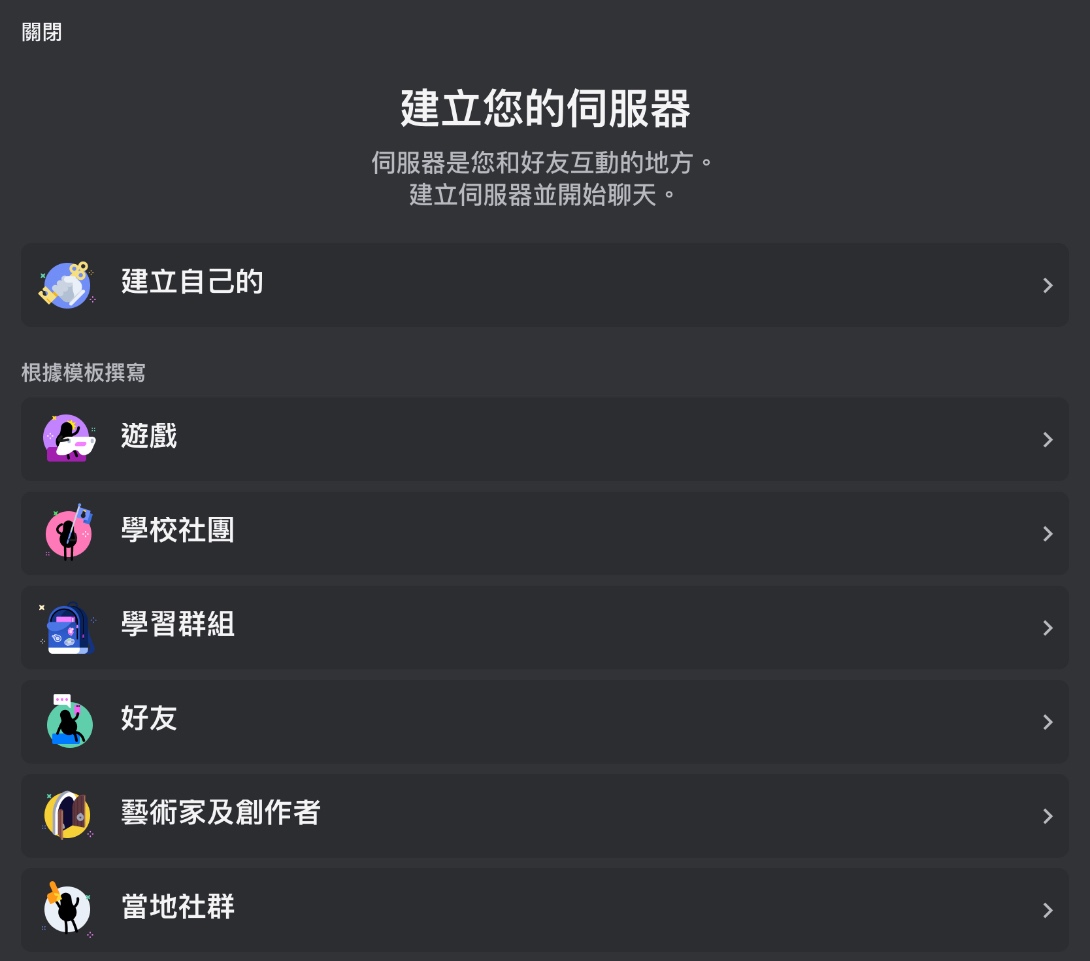
- In the left-hand server list, click the ”+” icon (“Add a Server”).
- Choose “Create My Own”, followed by “For me and my friends”.
- Enter a name for your server (e.g., “My AI Art Studio”) and click “Create”.
Step 2: Invite the Midjourney Bot to Your Server
Next, authorize the Midjourney Bot to join your newly created server:
- Navigate to the official Midjourney Discord server.
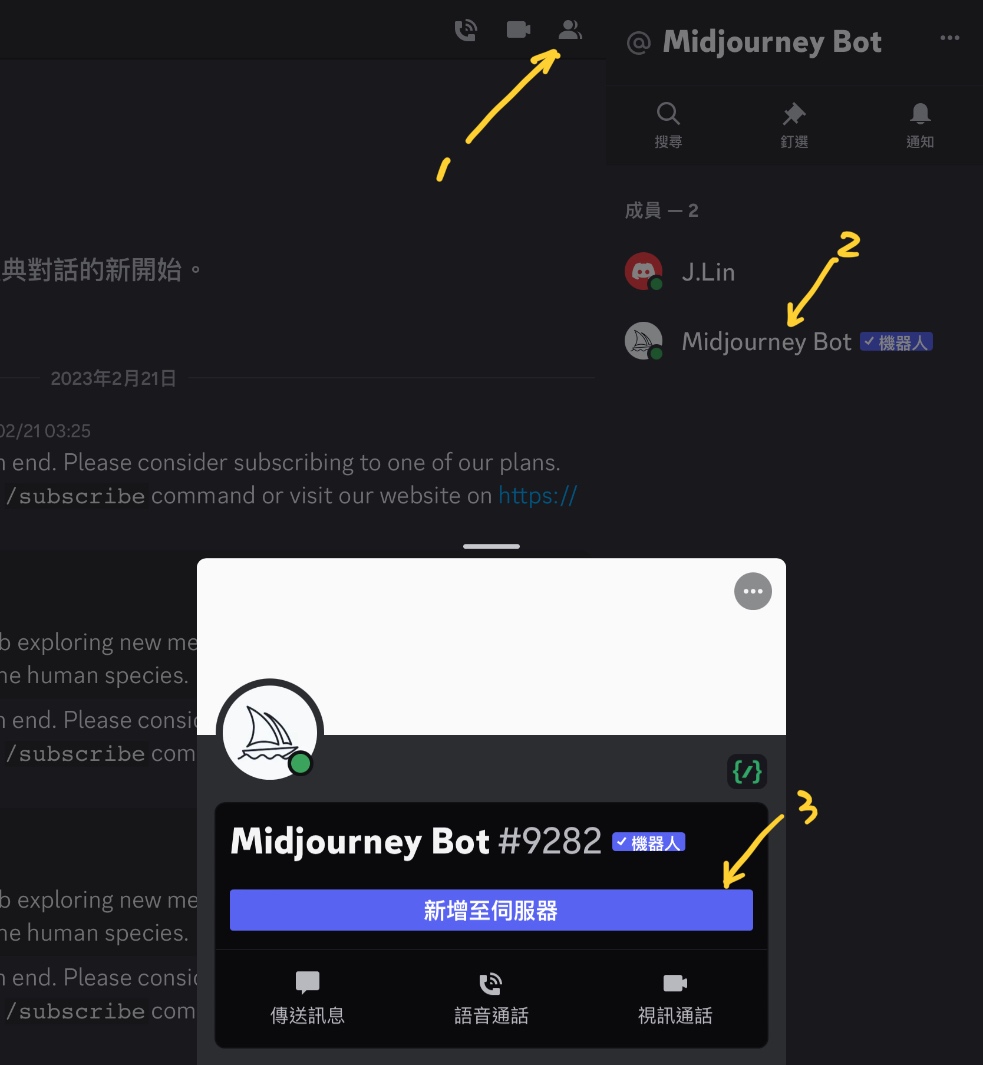
- Click the “Show Member List” icon located in the top navigation bar.
- In the right-hand member sidebar, locate “Midjourney Bot” and click on it.
- Click the “Add to Server” button.
- In the dropdown menu, select the private server you created in Step 1, then click “Continue” and “Authorize”.
Step 3: Start Generating Images in Your Private Channels
Once the Midjourney Bot has joined your server, you can operate exactly as you would in the public rooms.
Simply type /imagine followed by your prompt in any text channel. The bot will generate your images directly within your private space, completely free of extraneous chat chatter.
Conclusion
Midjourney is an indispensable creative companion, but relying on public channels can quickly drain your productivity. By taking two minutes to set up your own Discord server and inviting the bot, you gain a clean, organized workspace where your creations are easily tracked, referenced, and archived.
Support Independent Perspectives & In-Depth Insights
Every thoughtful analysis and candid critique comes from our dedication to truth and quality. We choose not to follow sensational algorithms or clickbait headlines.
Sustaining independent research requires reader support. Make a one-time or monthly contribution, securely processed by Google.
Payments secured by Google · Manage or cancel anytime in your Google Account


Comments