
One evening, I received an SMS message from phone number “0911517553” stating that my Microsoft account was suspected of unauthorized access, triggering automatic security protections and prompting me to review my security settings.
The text message read:
Someone accessed Microsoft account *****@live.com. Please recover at https://account.live.com.
Because I had not accessed this particular email address for a very long time, it was hardly surprising that it could have been targeted. Around the same time, I also received a more detailed security alert email (shown below), warning that my Microsoft account had encountered a security issue and requiring identity verification and a stronger password reset[i].
The official Microsoft security email read:
Microsoft account
Security alert
We think that someone else might have accessed the Microsoft account Ve*****@live.com. When this happens, we require you to verify your identity with a security challenge and then change your password the next time you sign in.
If someone else has access to your account, they have your password and might be trying to access your personal information or send junk email.
If you haven’t already recovered your account, we can help you do it now.
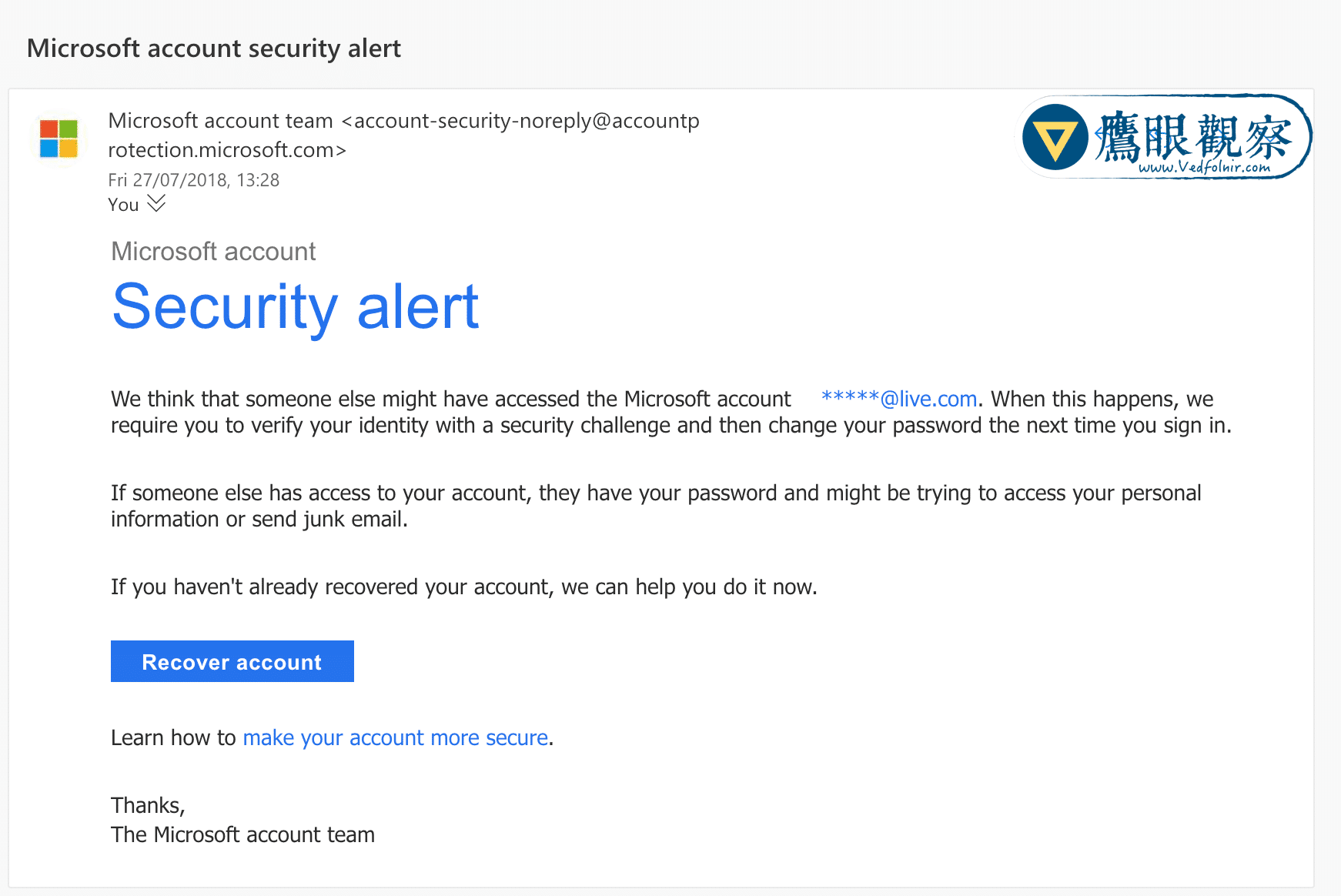 Warning email regarding suspected unauthorized access to Microsoft Live account.
In addition to genuine unauthorized logins by cybercriminals, third-party apps or websites authorized to access your mailbox can sometimes trigger false-positive security warnings. While there are several ways to diagnose the root cause, it is prudent to assume Microsoft’s detection mechanisms are correct: an unauthorized party may indeed be probing your account. We need to act quickly to secure the account and prevent misuse.
Accessing the Official Microsoft Portal
A crucial security rule: regardless of whether you receive an SMS or an email, never, ever click directly on links embedded within warning messages, especially those dealing with account settings or security credentials!
Phishing scammers routinely forge authentic-looking security notices. In some cases, attackers probe your account knowing an official alert will be triggered, and simultaneously send spoofed follow-up emails hoping confusion leads you to a fake phishing portal. The safest course of action is to navigate independently—search via Google or type the official URL directly into your browser address bar.
For Microsoft Live security management, type “live.com” directly into your browser to log in.
Because Microsoft has flagged the account with a security risk, the login process will automatically require a password reset.
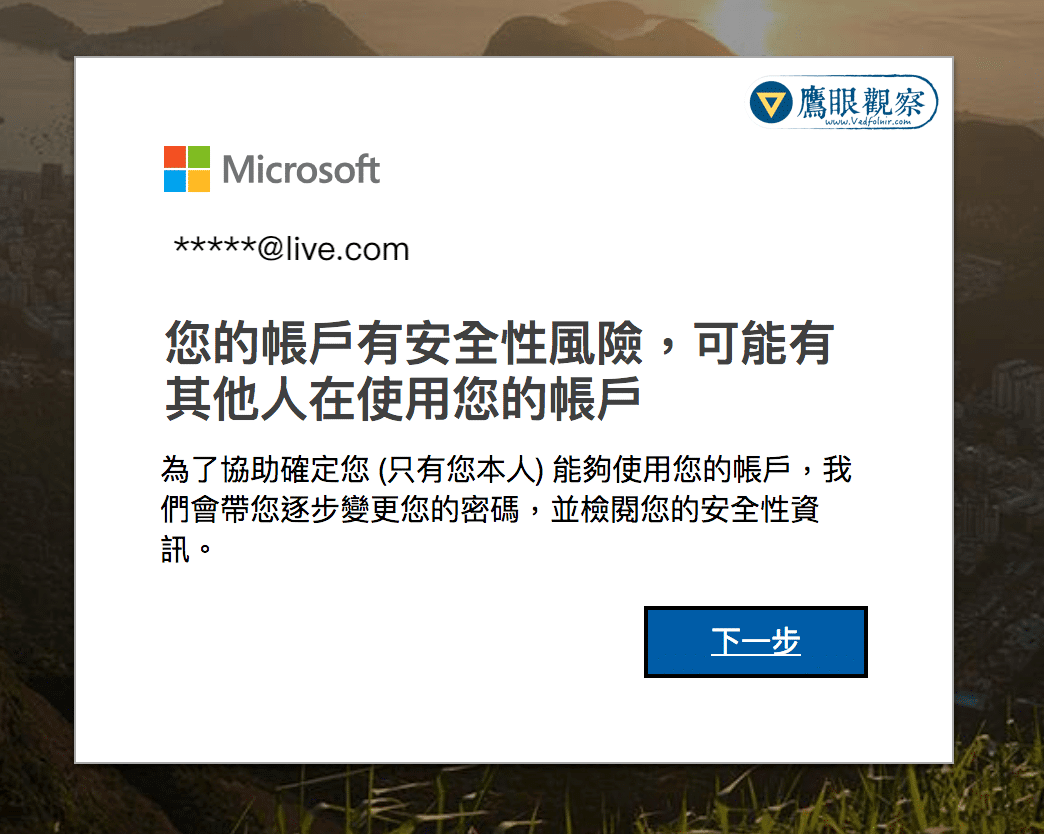 Microsoft Live account security risk notification prompt.
If you are unsure of how to create a resilient, complex password, refer to the tutorial in appendix [i] at the end of this article.
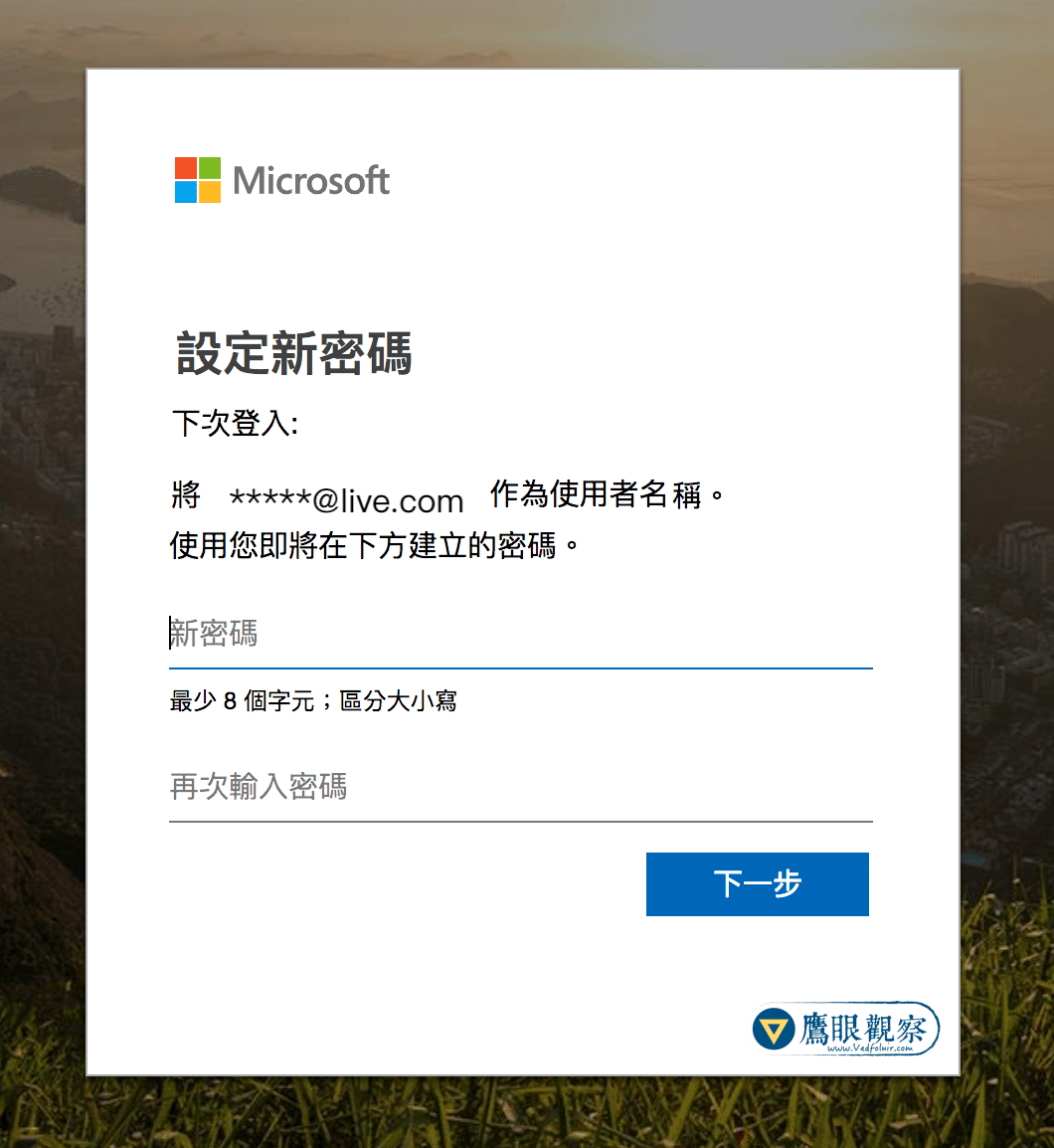 Mandatory password reset screen for Microsoft Live.
Once the new password is set, you can resume normal access to your Microsoft account, Outlook inbox, and associated services.
To review deeper security configurations, head over to the “Security basics” page, which covers three primary sections: “Change your password,” “Update your security info,” and “Review recent activity.”
Advanced Security Configuration for Microsoft Accounts
Whenever an account might be compromised, the first immediate step is changing the password. The second is verifying that recovery information—especially backup email addresses and phone numbers used for identity verification—has not been altered or tampered with.
Next, navigate to “Review recent activity” (shown below) to inspect who recently accessed or attempted to log into your account.
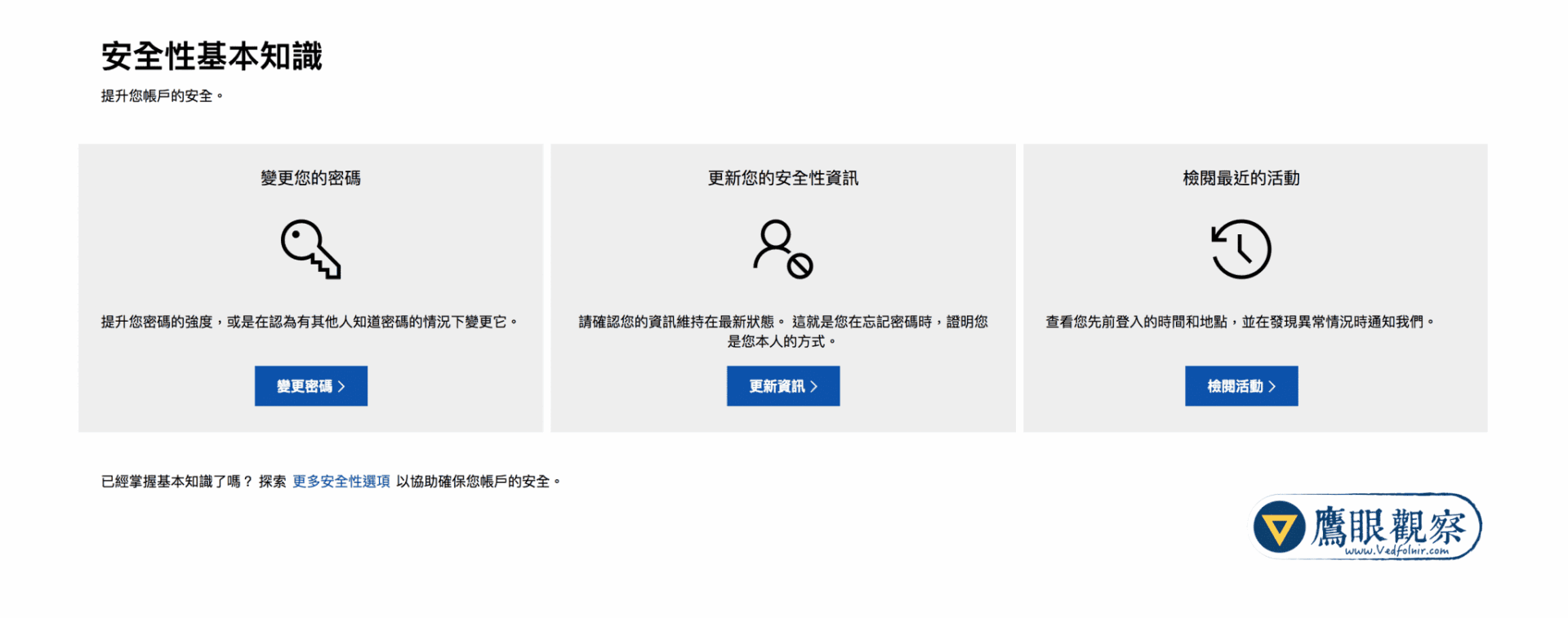 Microsoft Account Security Basics
As shown below, Microsoft monitors anomalous activity. In this incident, while my routine logins originate from Taiwan, a connection suddenly appeared from Suzhou, mainland China. For automated fraud detection, this geographical impossibility makes it straightforward to flag the remote IP address as an unauthorized intrusion.
Because this session was not authorized by me, clicking “This wasn’t me” flags the connection, prompting the security system to block and blacklist that IP address.
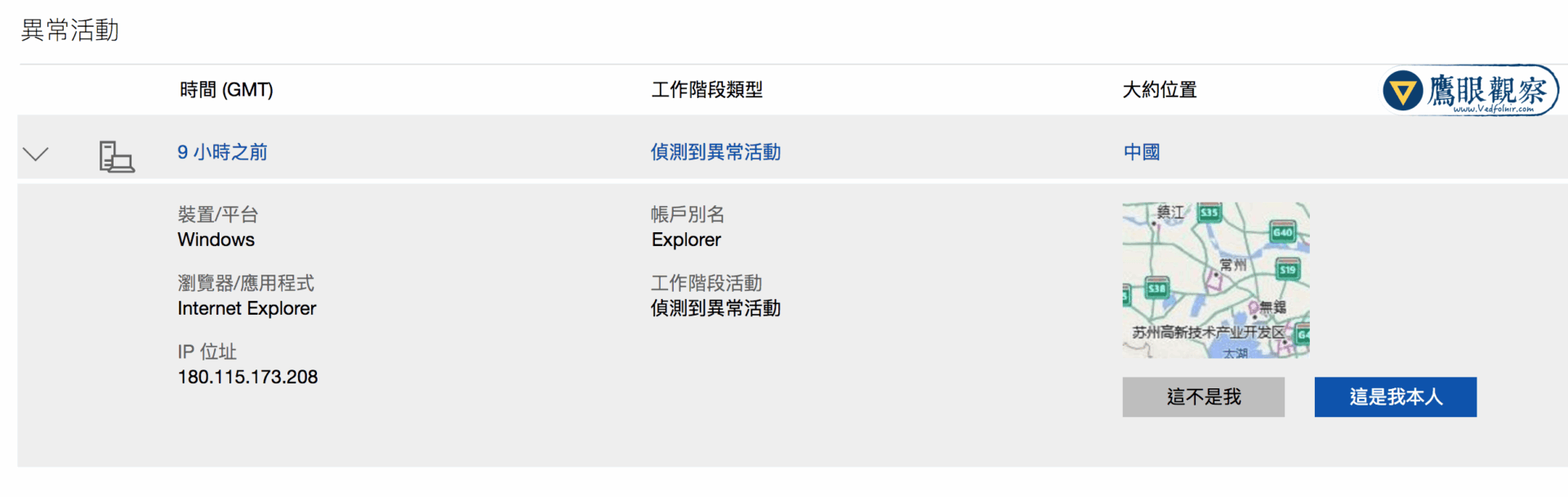 Unusual sign-in activity on Microsoft Live account.
Finally, to maximize your account protection, visit Microsoft’s “Additional security options” page to configure fine-grained settings. Enabling two-step verification (2FA)[ii] provides robust defense against brute-force attacks and credential stuffing.
Further Reading
- Cybersecurity: Designing Strong Passwords to Protect Online Privacy and Security (Best Practices & Rules).
- Network Security: Enabling Two-Factor Authentication (Setup Guide Using Google).
- Cybersecurity: “Authy” Two-Factor Authentication App (Recommended App for Android & iOS).
- Two-Step Verification: Creating App Passwords for Legacy Applications.
Support Independent Perspectives & In-Depth Insights
Every thoughtful analysis and candid critique comes from our dedication to truth and quality. We choose not to follow sensational algorithms or clickbait headlines.
Sustaining independent research requires reader support. Make a one-time or monthly contribution, securely processed by Google.
Payments secured by Google · Manage or cancel anytime in your Google Account




Comments