

The mobile messaging app “LINE” recently launched an official free dark theme called “Extreme Black,” blending a minimalist, refined black-gray-white understated design into everything from the splash screen to every page of the app, giving those tired of the cluttered green a brand-new choice.
Getting the Extreme Black Theme
To use LINE’s Extreme Black dark theme, you can download it for free from the “Themes” section in the LINE app’s settings.
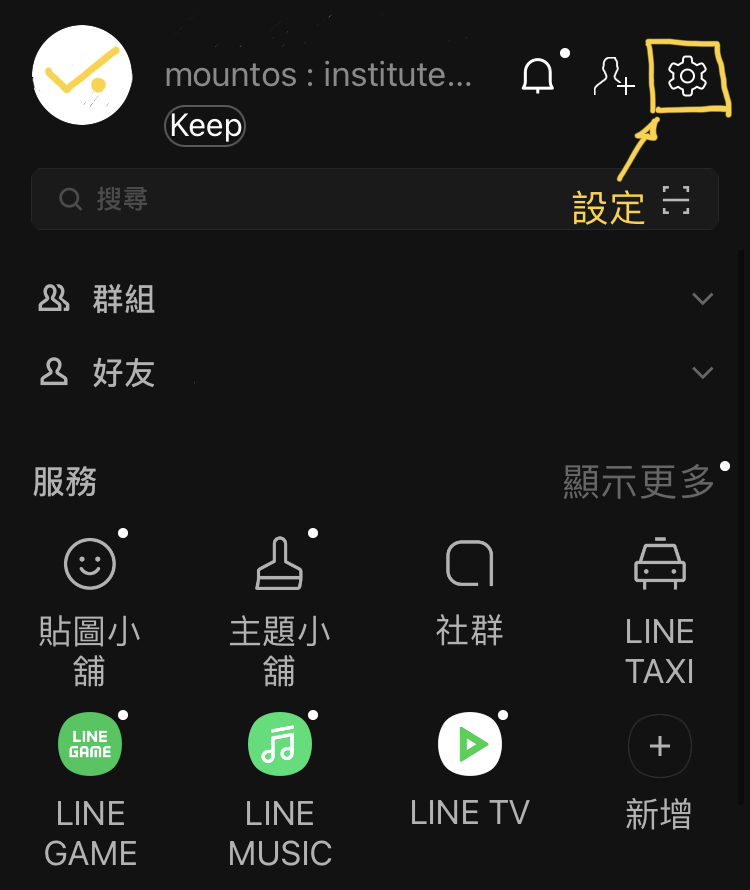
Figure 1, LINE main page.
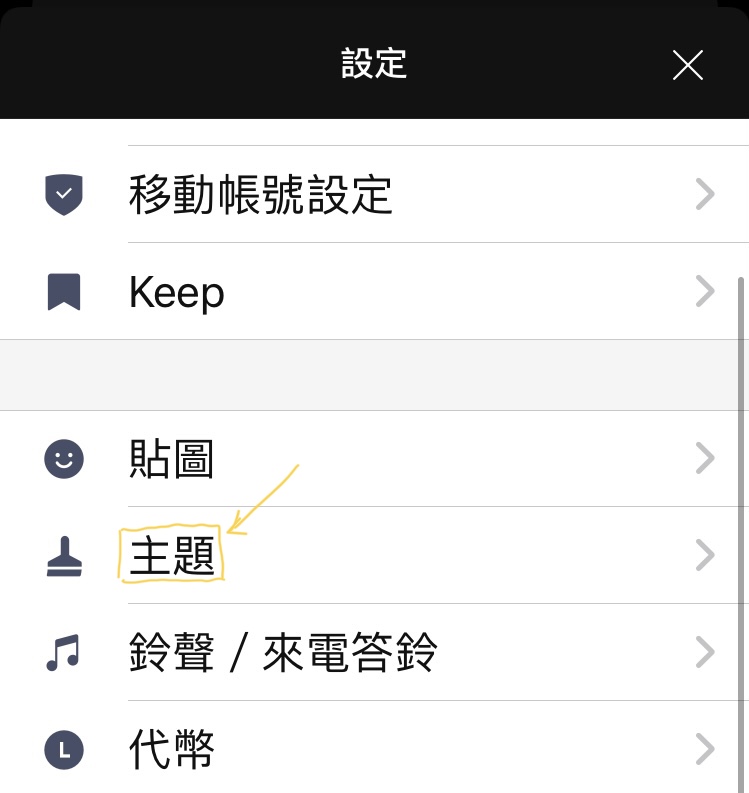
Figure 2, Settings page.
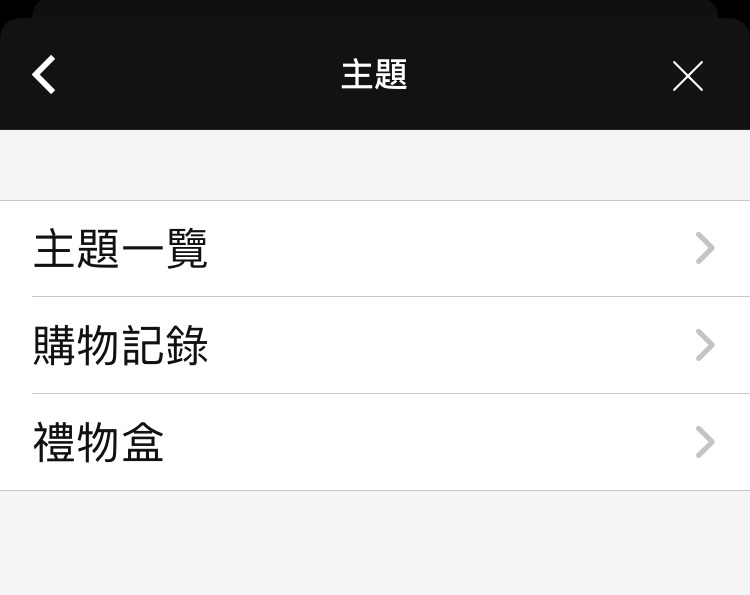
Figure 3, Themes menu.
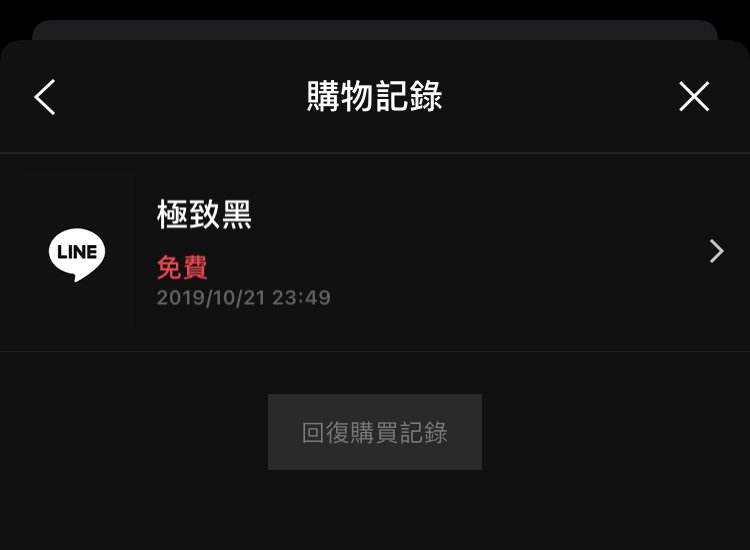
Figure 4, Downloading Extreme Black.
If you are not sure how to do it, please refer to Figures 1 to 4 above, which break down step by step the whole process of entering the settings page from the LINE main screen, then opening the theme menu, and finally downloading Extreme Black.
Extreme Black on Google Android Phones
Users of Google Android phones can also see the option “Apply Extreme Black theme for dark mode” in the theme menu. For the benefits of saving power and protecting eyesight, the author recommends that you definitely turn it on.
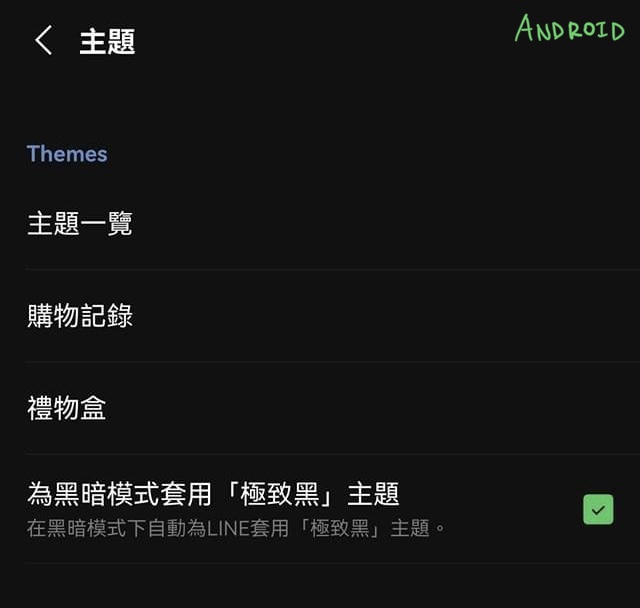
Figure 5, LINE theme page on Google Android.
Comparison of LINE’s Basic Theme (Green) and Extreme Black
Please refer to Figure 6 below. Under dark mode (enabled after nightfall), the background of the basic theme is actually not fully black (refer to the hint in Figure 7), and the chat bubbles are the green you are tired of seeing.
After enabling the Extreme Black theme, as shown in Figure 7, the background is displayed in pure black, meaning the screen can save more power; the chat bubbles are shown in gray-white, and the overall feel is quite comfortable.
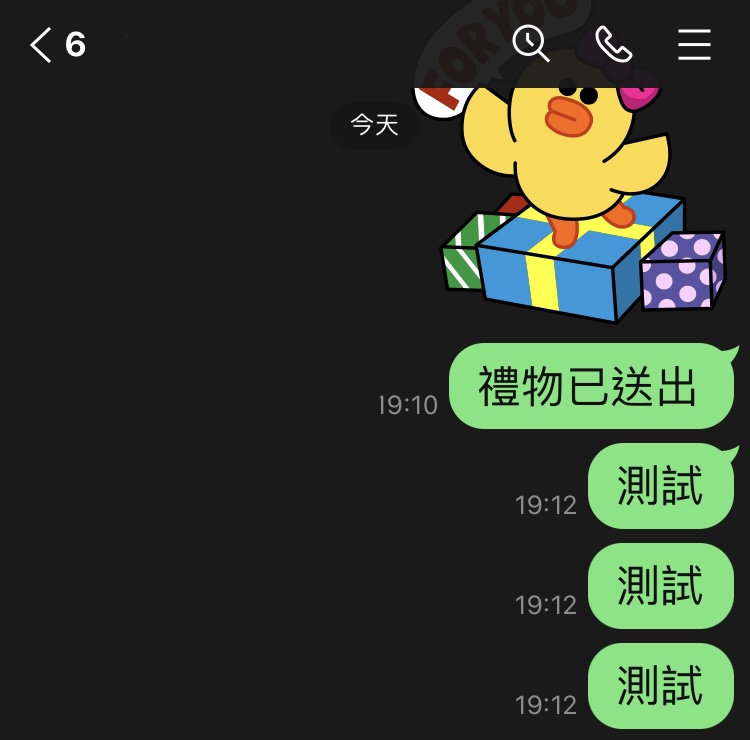
Figure 6, Basic theme under dark mode.
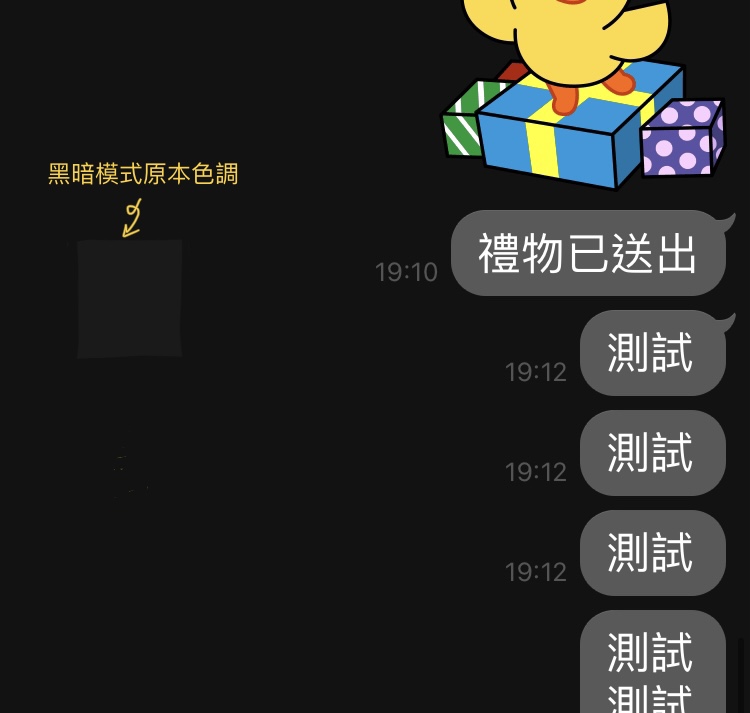
Figure 7, Extreme Black theme.
App Bug of Extreme Black on Apple iPhone iOS
When the author tested LINE’s Extreme Black theme on an Apple iPhone (iOS 14.7.1), I found that the app did not display quite normally. Please refer to Figure 8 below, which is the normal display under dark mode; but after enabling the Extreme Black theme, pages including the menu, the Timeline (LINE Today) and the Wallet instead turned into the white screen shown in Figure 9, becoming a neither-black-nor-white mess. This will have to wait for an official fix.
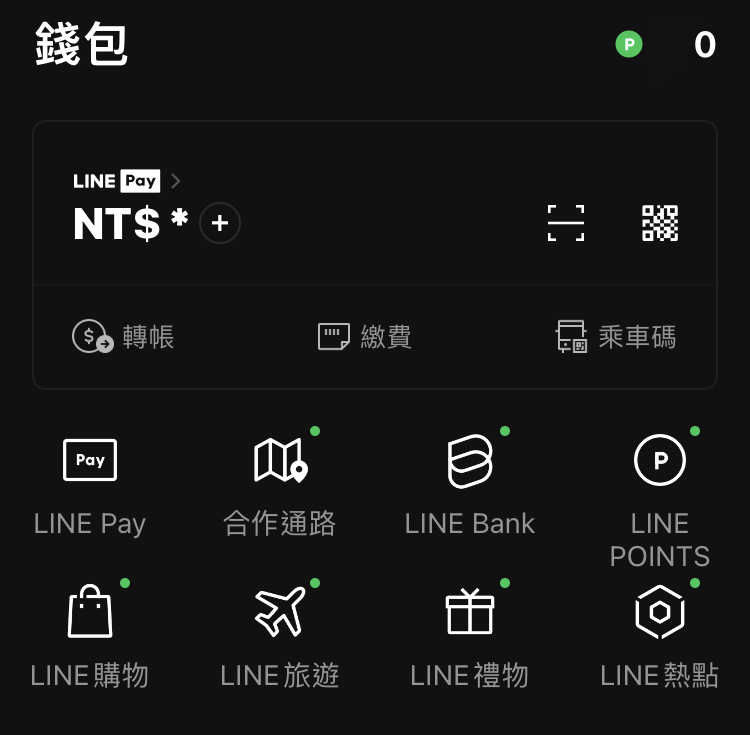
Figure 8, Page design under dark mode.
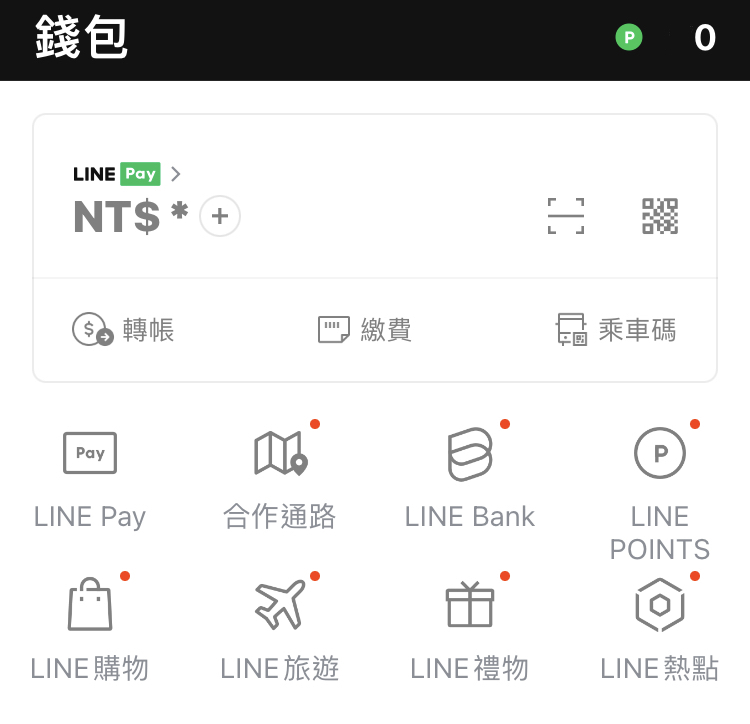
Figure 9, LINE app bug on Apple iOS.
For now the author still keeps using Extreme Black, since the other pages are rarely used anyway, so the impact is not too great.
Finally, a reminder: occasionally go back to the theme menu to check whether a new version of the Extreme Black theme has been released, because themes are not part of the app itself and will not update automatically with the app.
Support Independent Perspectives & In-Depth Insights
Every thoughtful analysis and candid critique comes from our dedication to truth and quality. We choose not to follow sensational algorithms or clickbait headlines.
Sustaining independent research requires reader support. Make a one-time or monthly contribution, securely processed by Google.
Payments secured by Google · Manage or cancel anytime in your Google Account



Comments