

Google Domains marks Google’s first venture into the domain registration business using its own proprietary infrastructure, offering domain search, registration, management, transfer, and billing functionalities comparable to established registrars like GoDaddy.
In fact, GoDaddy was an early partner that helped Google users register domain names, until a massive security breach incident at GoDaddy [1] caused the two tech giants to drift apart. Perhaps Google also realized that if other companies could build an empire up to an IPO (Initial Public Offering) purely on domain registration, why not capture that revenue directly while ensuring full control over infrastructure security?
Using Google Domains as a domain management hub means enjoying ultra-efficient DNS propagation, rapid resolution, and smooth integration with search engines. However, for everyday users like me, domain pricing remains an important decision factor (inner monologue: anyone looking to buy unused domains off my hands?).
Under Google Domains’ pricing strategy, many top-level domains (TLDs) such as .com and .net are priced uniformly around $12.00 USD per year, with no discount codes or multi-year tier discounts. However, they include WHOIS Private Registration by default at no extra charge, preventing third parties from looking up the domain owner’s personal registration data.
Comparing this with GoDaddy’s pricing strategy: a domain costs $12.99 USD (about $0.99 higher than Google), and adding domain privacy protection incurs an extra $7.99 USD, bringing the total to $20.98 USD. Either way, it ends up slightly more expensive than Google Domains (though a couple of dollars isn’t a dealbreaker). That said, GoDaddy.com frequently offers steep discount promotions, such as deals dropping prices down to $1.99 USD.
Unfortunately, Google currently restricts this new service to users located in the United States (why even send me an invite code then? table flip). Even though the geographic restriction is frustrating, I still took it for a test drive. Below are walkthrough screenshots and my hands-on impressions—scroll down if you’re interested! ^__^
2018.12.26 Update: If you have a way to obtain a US address, even if you are in Taiwan, you can complete the registration using a credit card issued in Taiwan.
Google Domains Walkthrough
Figure 1 illustrates what appears upon first visiting the official Google Domains page [2]. Simply enter the invitation code from your invite email to begin verification.
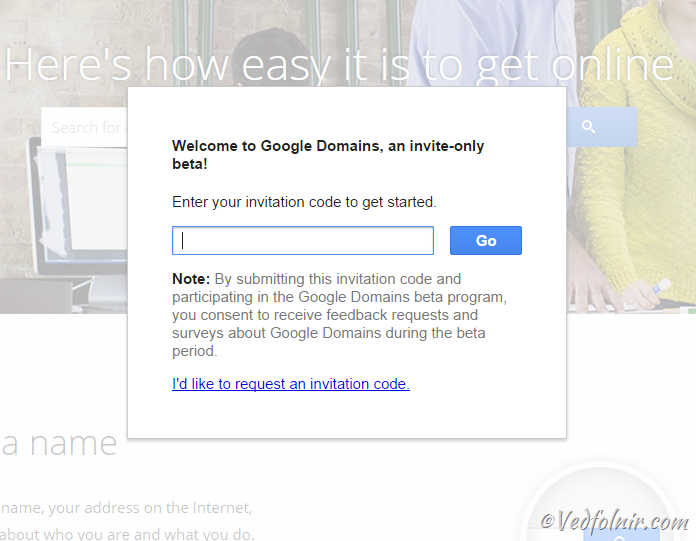
Figure 1: Google Domains homepage (invitation code required for initial access).
As shown in Figure 2, once authenticated into the dashboard, you can search for desired domains. Beyond classic TLDs like .com, .org, and .net, Google Domains offers a wide array of trendy new gTLD extensions.
If your desired domain is already taken, Google Domains automatically suggests semantic variations and relevant appended keywords to boost your chances of landing a catchy alternative.
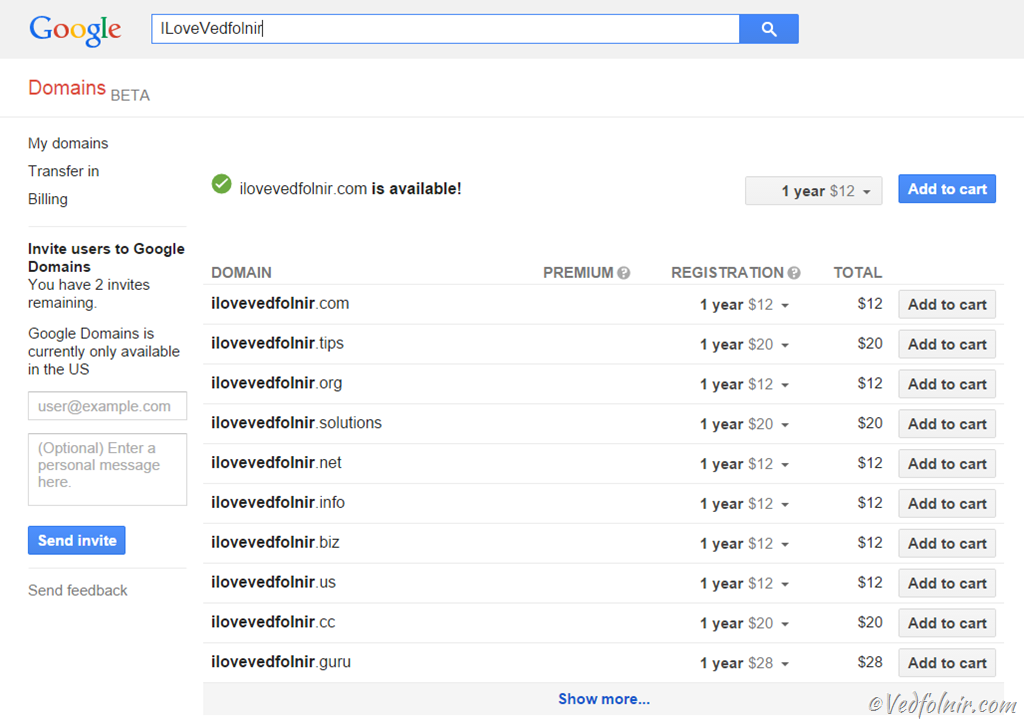
Figure 2: Searching for new domain names.
Once you have selected your domain, add it to your shopping cart.

Figure 3: Ready to proceed.
In Figure 4, reviewing the shopping cart inside the dashboard allows you to verify the domain name and pricing all at once.
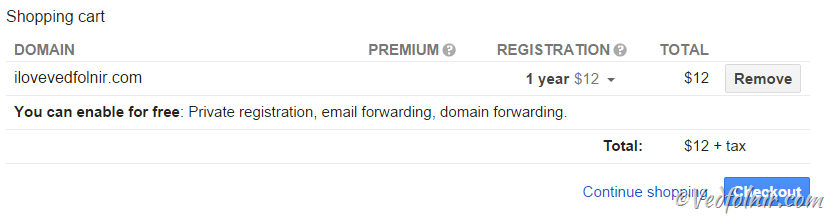
Figure 4: A clean, minimalistic cart interface true to Google’s style.
However, as mentioned earlier, the registration system does not yet support my region. When attempting to enter billing details, the system blocked me from submitting valid contact info.
As shown in Figure 5 below, the pesky “State” field simply wouldn’t validate—blocked by just this one field.
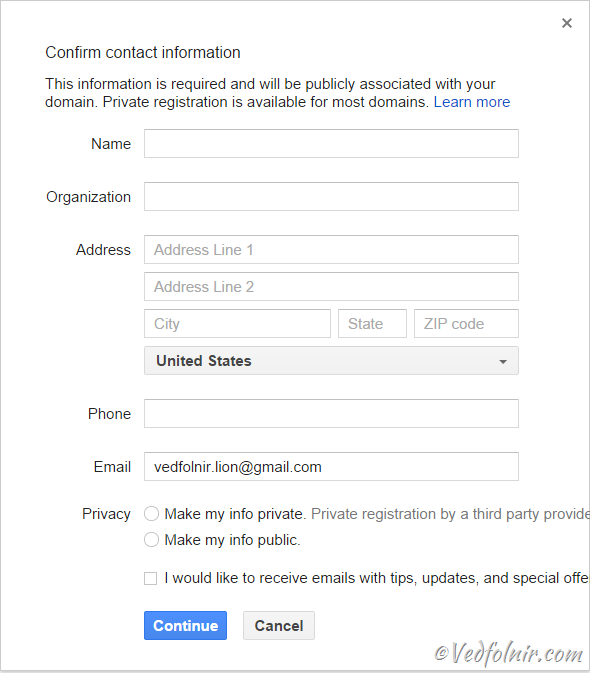
Figure 5: The heartbreaking roadblock when entering contact details.
Additionally, Figure 6 shows the domain transfer interface in Google Domains. Having used countless domain registrars [3, 4], this is one of the cleanest domain transfer flows I have ever seen. The clear, stepped process makes you genuinely want to try transferring a domain right away.
As for the exact transfer steps, because they involve coordination between the registrar of origin and the destination registrar (Google Domains), every registrar’s workflow differs slightly, so I won’t dive into specifics here. Feel free to leave a comment or send a message [5], and I’ll do my best to help.
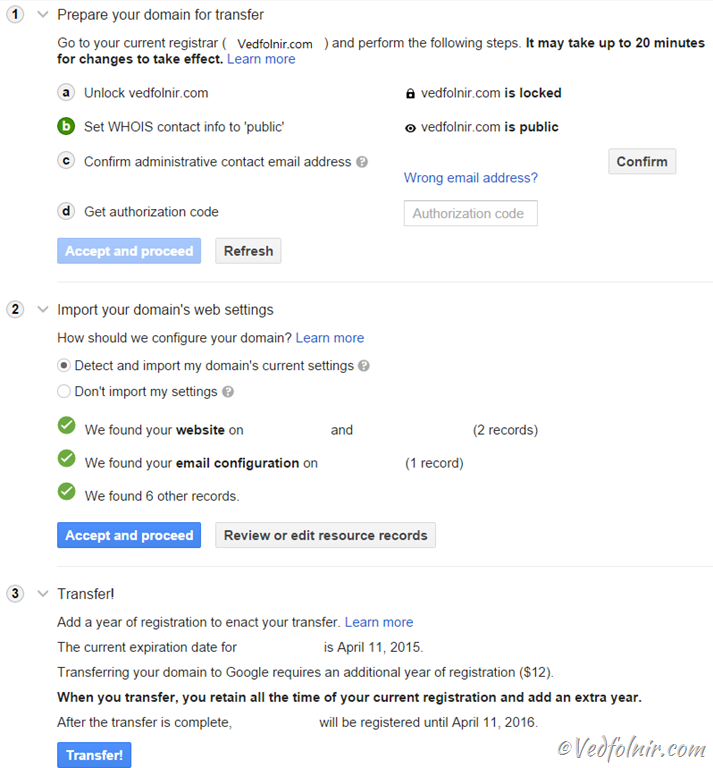
Figure 6: One of the cleanest domain transfer interfaces around.
Shortcomings of Google Domains
When shopping for domain names, we occasionally run into scenarios where a registrar claims a domain is available, only for it to turn out already registered.
On GoDaddy, selecting a domain in the search results triggers an automatic real-time availability check. Google Domains’ implementation, however, felt somewhat unrefined at launch. After choosing a domain, you had to proceed to the cart before the system verified availability, disrupting the shopping workflow.
2018.12.26 Update: Google Domains has resolved this issue and now provides an even better workflow than most competitors, offering a pre-configured WHOIS lookup link directly alongside taken domains so you can see who owns them.
Further Reading
- Tech Gossip: Exploring the Probability That Google Played a Role in the GoDaddy Hack.
- Google Domains (Google’s Domain Registration and Management Service).
- Bluehost.com (Popular Web Hosting Provider with Free Domain Included, Recommended).
- GoDaddy.com (Ideal for Bulk Domain Purchases, Frequently Offering Discount Codes).
Support Independent Perspectives & In-Depth Insights
Every thoughtful analysis and candid critique comes from our dedication to truth and quality. We choose not to follow sensational algorithms or clickbait headlines.
Sustaining independent research requires reader support. Make a one-time or monthly contribution, securely processed by Google.
Payments secured by Google · Manage or cancel anytime in your Google Account



Comments