
Google Cloud Platform (GCP) provides an online object storage service called Cloud Storage, which enables scalable storage pools called Buckets. This versatile service supports automated backups, high-capacity file exchanges, CMS media attachments, static asset CDN delivery, and even static website hosting.
Once a bucket is provisioned, you can upload any file format. Every uploaded object has a persistent URL address that can be embedded into web applications or shared directly.
By default, newly uploaded objects in GCP Storage buckets are strictly Private, accessible only by authenticated project users. To share assets publicly or link them across websites, you must explicitly grant public read access.
 GCP Storage Console showing bucket file status.
To make a file in a GCP Storage Bucket publicly accessible:
- Locate the file in the Cloud Storage console and click the three vertical dots (
...) menu on the right; - Select Edit Permissions.
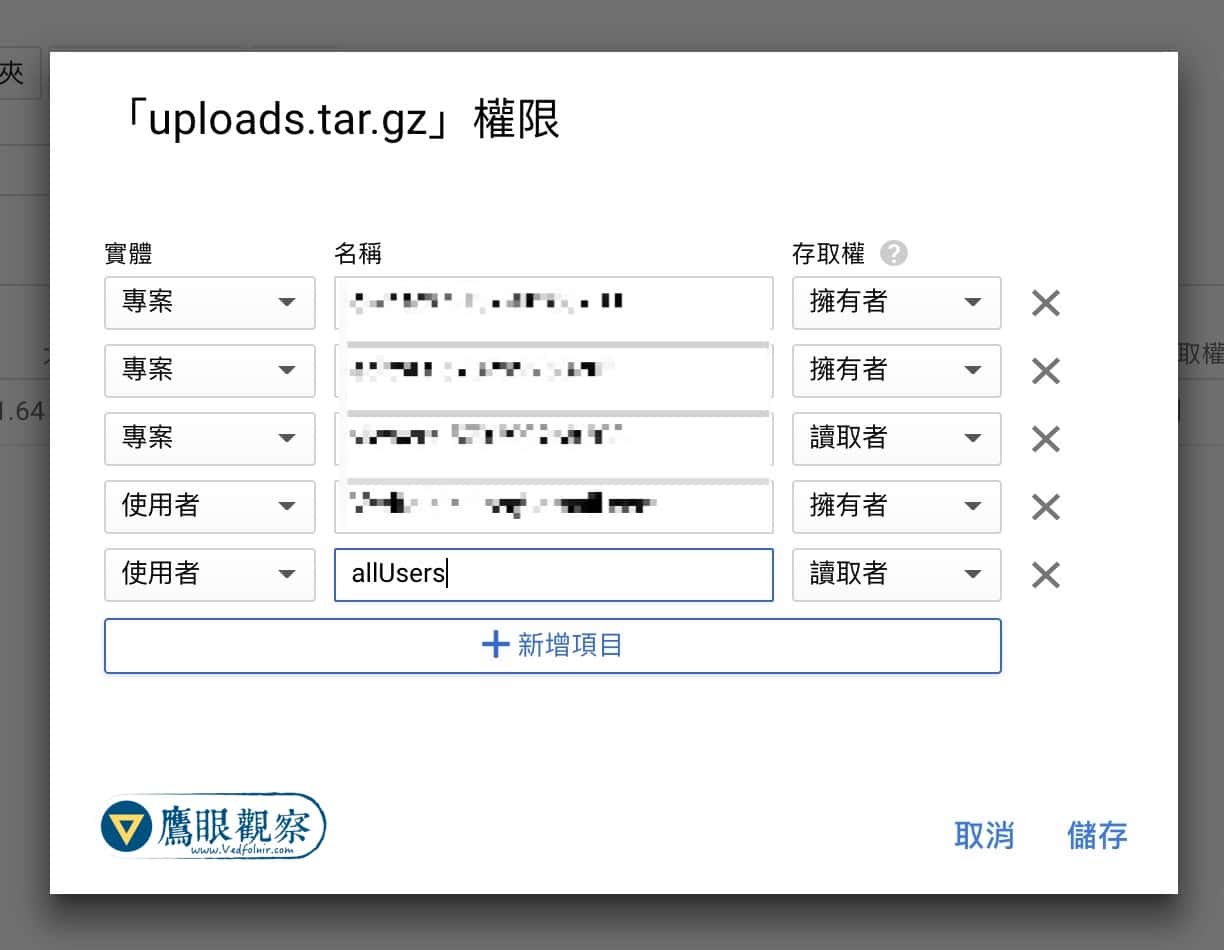 Editing file access permissions in GCP Storage.
- In the permissions dialog, click Add Item;
- Set the Entity to User and the Name to
allUsers; - Set the Access level to Reader.
After saving, the object status updates to Public, and clicking the link icon (🔗) copies the direct public URL for embedding in websites or sharing with users.
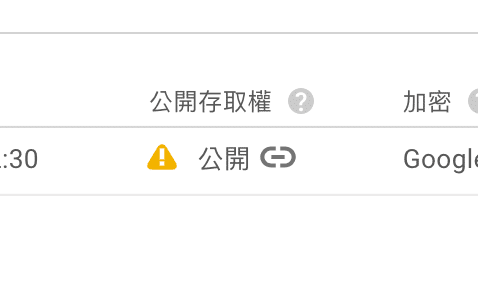 Public URL access enabled.
Support Independent Perspectives & In-Depth Insights
Every thoughtful analysis and candid critique comes from our dedication to truth and quality. We choose not to follow sensational algorithms or clickbait headlines.
Sustaining independent research requires reader support. Make a one-time or monthly contribution, securely processed by Google.
Payments secured by Google · Manage or cancel anytime in your Google Account

Comments