
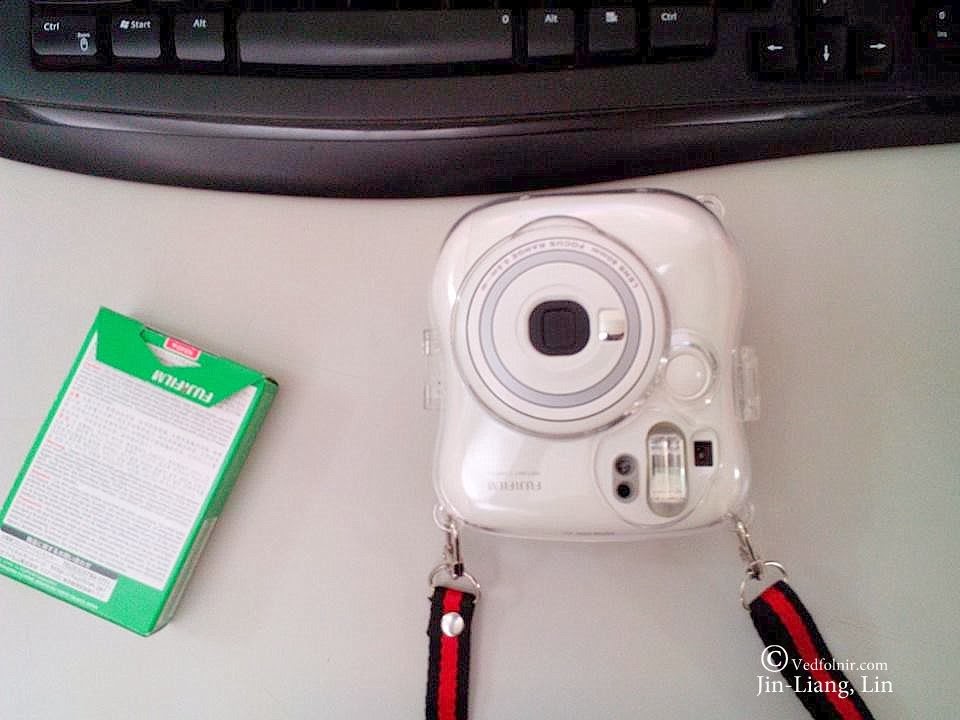
This is a rather curious learning-note article, and the reason is that it is boring enough that its content exists only to discuss a small annoyance on the interesting Fujifilm Instax Mini 25 camera.
The Instax camera is already a super point-and-shoot, so everyone must be curious why I would even write about it.
The reason is simple: to earn a writing fee, a groom asked me to use an Instax camera, in addition to a DSLR, to record the wedding and banquet scenes for him, with unlimited film supplied.
Such a good deal where you both shoot and get something, of course we cannot pass it up. Everyone agree?
Crowd: “Agreed!”
I was somewhat unfamiliar with this Instax camera, which I was encountering for the first time: the “FUJIFILM instax mini 25 (product reference link, to be added).” The so-called first encounter does not just refer to this Mini 25 model of Instax camera, but to Instax cameras of “this kind” in general.
I believe that only the owner of each camera can bring out its functions to the fullest, because they have handled it long enough. But at least for photography lovers like us, having handled many cameras, we naturally pick things up quickly.
Many people’s cameras, when borrowed by us to admire, usually end up with many settings changed. The happiest thing is probably getting praise like “it seems easier to use now.”
The only troublesome issue with the Fujifilm Mini 25 that made me want to write an article is a single “D/L button” in the camera’s design.
I asked the camera’s original owner, and he was equally clueless about the function of this button, even asking me back what that button was for (faint).
Later, I laughingly forced him, amid the busy preparations for his wedding, to dig out the manual, and only then did it confirm the saying that the truth is always plain and simple. The D/L button actually refers to the two functions “Lighten L” and “Darken D.”

L/D button, flash/landscape mode
The aperture value of the Fujifilm Mini 25 is fixed at F12.7, a design concept similar to the fixed-aperture design of pinhole cameras.
From my earlier article “Photography for Beginners: An Introduction and Tutorial on the Most Important Exposure Modes, Shutter, Aperture, and ISO in Camera Operation,” we can see that the exposure of this kind of camera is increased or decreased by changing the shutter speed.
Naturally, when lightening, the shutter speed slows down and the failure rate increases, which must be noted.
Therefore, the design of ordinary Instax cameras is to force the flash to turn on automatically when the ambient light is too dark, though the flash intensity is relatively low and only works for close subjects.
However, the Fujifilm Mini 25 cannot be too close to the subject either, because the minimum shooting distance of the Mini 25 must be greater than 50 cm; to shoot distant scenes, you must first manually switch to landscape mode.
If you want to shoot even closer scenes, you need to additionally attach a close-up lens, bringing the minimum shooting distance down to 35 cm.
In short, it seems this toy is not as easy as imagined. It feels like a camera suitable for selfies, yet also troublesome.
Thoughts After Shooting
After a whole day of rushing between the hotel, the bride’s home, the groom’s home, and the evening banquet, I found that using an Instax to record a wedding and banquet has its advantages and disadvantages.
The advantage is that it can output immediately, and placing it at the sign-in area is actually quite interesting. It is also very suitable for photos of couples together, or just tossing it to a table so they can play with it themselves.
As for the disadvantage, well, it is very easily confiscated by couples ahhhhhhhhhh. So if you want to use an Instax to record an event, you need to first think about how to use the photos!
Support Independent Perspectives & In-Depth Insights
Every thoughtful analysis and candid critique comes from our dedication to truth and quality. We choose not to follow sensational algorithms or clickbait headlines.
Sustaining independent research requires reader support. Make a one-time or monthly contribution, securely processed by Google.
Payments secured by Google · Manage or cancel anytime in your Google Account




Comments