
I am certain that everyone addicted to the online world has asked themselves at some point in their life: “The internet seems to have gotten slower, what should I do?”
In fact, a computer is like a person: stuffing too much into the brain slows down thinking. Unfortunately, while having more in your head can improve a person’s character, the quality of your internet does not improve as a result.
Sometimes a slow internet is not the fault of the telecom provider or the network cable itself, but rather that your personal computer system cannot effectively utilize the network speed, or that your bandwidth is being secretly consumed or occupied by other software without your knowledge.
Below is a summary of five mistakes that people very easily make in daily life. Please be sure to avoid them as much as possible!
Mistake 1: Installing P2P Sharing Software and Video Accelerators (Background Traffic Theft)
These tools (such as eMule, BitTorrent, Xunlei, iQIYI/PPS video, etc.) are convenient, and many people even spent their youth using them. But while you enjoy free resources, you may not realize that such P2P software consumes a large amount of your computer’s “upload bandwidth” in the background.
In the TCP/IP network protocol, when downloading data the computer must simultaneously send acknowledgment packets (ACK). If the upload bandwidth is 100% occupied by P2P software, the download acknowledgment packets cannot be sent out, causing download speeds to collapse entirely.
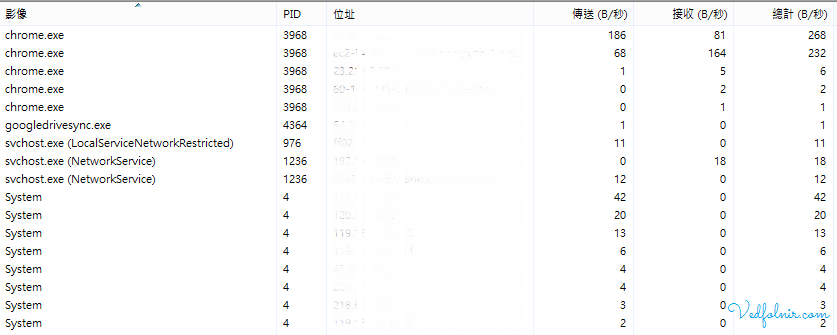
Take the once-popular video software (such as iQIYI/PPS) as an example. Even if you close the main player program, its background service (such as QyKernel.exe) will still silently upload data 24 hours a day without interruption, treating your computer as their free CDN node!
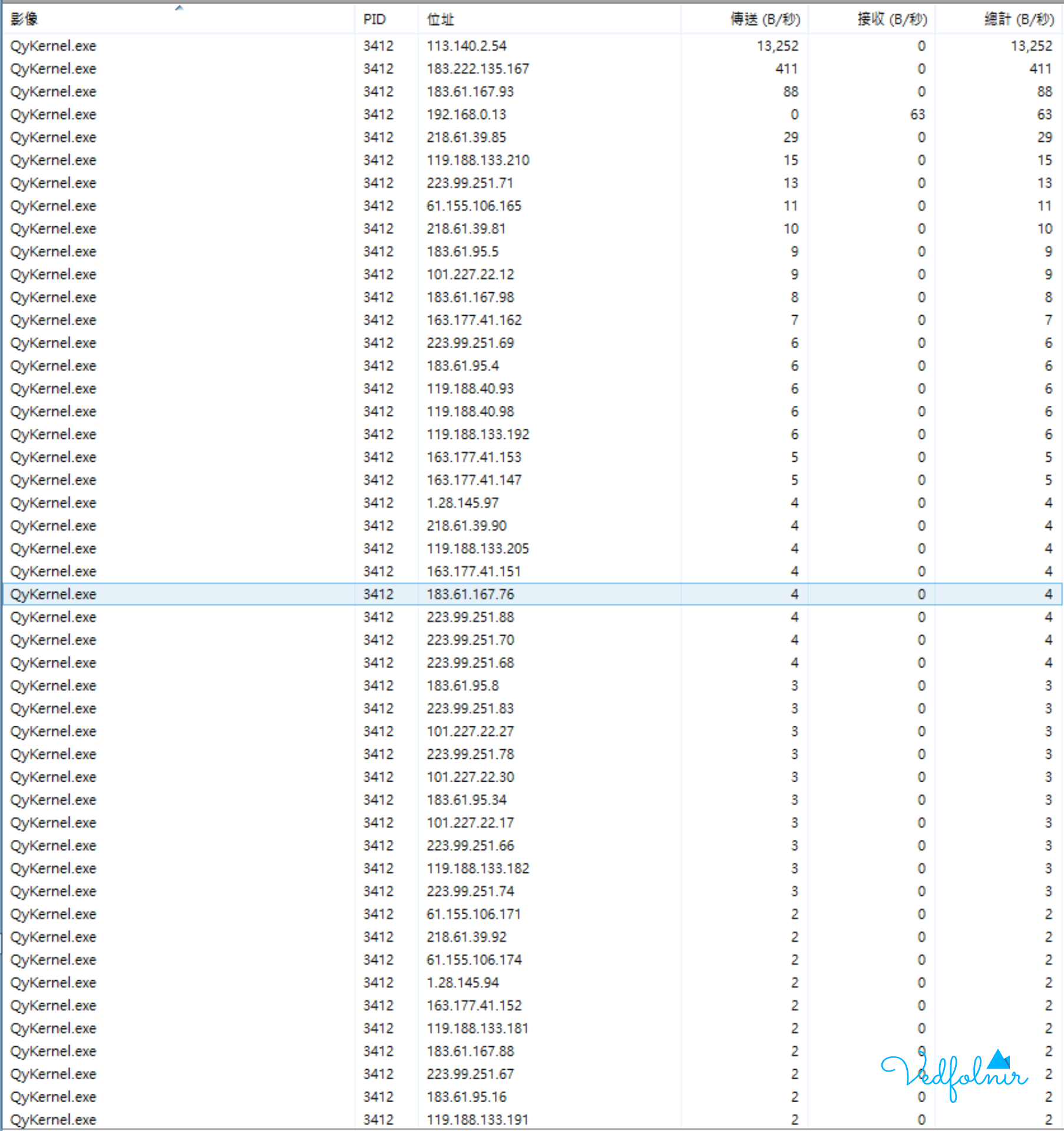
When I occasionally served as a “fake” MIS (network management engineer) at a company, for a while I often heard colleagues complain that the internet was too slow. At first I thought it was because the company computers were old or the bandwidth applied for was insufficient, but after a deeper investigation I discovered that someone’s computer was secretly running P2P software in the background, consuming the entire office’s upload bandwidth!
Mistake 2: A Browser Loaded with Useless Extensions (Plugins) and Uncontrolled Tabs
Many people, when using Chrome, Edge, or Firefox, habitually install dozens of extensions (Plugins / Extensions) and open hundreds of tabs at once.
- Extensions consume resources: Many non-standard extensions periodically send requests, track data, or preload ads in the background.
- Background tab syncing: Even if you have not switched to them, many dynamic web pages (such as Facebook, YouTube, and news sites) continue Ajax polling and video preloading in the background, wasting memory and bandwidth for nothing.
Recommended practice: Regularly clean up extensions you do not often use, and use a tab suspension tool (such as OneTab) to manage excessive browser tabs.
Mistake 3: An Unguarded Wireless Network (Wi-Fi) and No Regular Device Checks
If your home Wi-Fi router has no password, uses a simple default password (such as 12345678), or still uses the cracked WEP encryption protocol, it is extremely easy for neighbors or strangers to “freeload” off it for free.
When multiple unknown devices connect to your Wi-Fi network without permission to download large files or stream, your own network speed will naturally be sharply compressed.
Recommended practice:
- Always set the router’s wireless encryption to WPA2-PSK (AES) or WPA3.
- Regularly log into the router’s admin panel (such as
192.168.1.1) to check the “connected device list” and remove unknown devices.
Mistake 4: Lacking Good Security Awareness, a Computer Infected or Injected with Mining Scripts
If your computer is unfortunately infected with a Trojan, a botnet virus, or has been injected with a cryptocurrency mining script from visiting a malicious website, these background malicious programs will secretly consume a large amount of CPU power and network bandwidth, sending spam or conducting remote DDoS attacks.
Recommended practice:
- Never casually download and run cracked files or pirated software of unknown origin.
- Ensure Windows Defender or your antivirus software keeps the latest virus definitions, and perform regular full-system scans.
Mistake 5: Choosing a Bandwidth Provider (ISP) Only for Cheapness, Ignoring the Contention Ratio and Upload Speed
Many consumers compare only “download speed” and “price discounts” when choosing an internet provider, while ignoring the provider’s network architecture:
- Shared bandwidth problem: Some cheap broadband (such as certain traditional cable broadband) uses a regional user shared-concentration architecture. During the popular hours from 8 to 11 p.m., when users in the same community all go online together, the speed plummets in a straight line.
- Upload speed too low: Many plans offer 100M download, but upload is a pitiful 10M or 20M. Once family members upload photos or hold video conferences, the network immediately faces lag.
Recommended practice: Prioritize well-known telecom providers with independent fiber-to-the-home (FTTH) and stable supply-demand quality with ample upload bandwidth.
Support Independent Perspectives & In-Depth Insights
Every thoughtful analysis and candid critique comes from our dedication to truth and quality. We choose not to follow sensational algorithms or clickbait headlines.
Sustaining independent research requires reader support. Make a one-time or monthly contribution, securely processed by Google.
Payments secured by Google · Manage or cancel anytime in your Google Account



Comments