
For friends planning to set up a Mesh wireless network at home, the “EasyMesh WDR7650” combo kit under the TP-Link series offers decent connection performance and is cheap—a product with a fairly high cost-performance ratio.
However, for those with Chunghwa Telecom MOD installed on their home TV, they may face a headache: many people have found that after MOD connects through the WDR7650, a “check router” failure appears and it cannot work properly.
If it were another brand of wireless router, it might offer a DHCP configuration scheme called “IPTV” to let MOD connect correctly to the internet and play TV programs. Unfortunately, the low-end version of the TP-Link WDR7650 does not have this setting built in.
The reason the router can’t be found is mainly that MOD must be on the same subnet as the modem.
For example, whether it’s Chunghwa Telecom’s ADSL turtle modem or Fiber-to-the-Home, the modem’s default subnet is 192.168.1.1, and MOD’s IP address must also be within 192.168.1.2~255.
However, besides the WAN side (Wide Area Network) obtaining a 192.168.1.xxx IP from the modem, the WDR7650 will configure another subnet for subsequent LAN-side (Local Area Network) devices to use, to avoid conflicting with the WAN (please refer to Figure 1 below), for example 192.168.0.1~255. Therefore, when MOD is connected to the WDR7650’s LAN, it will be assigned an IP address different from the modem’s.
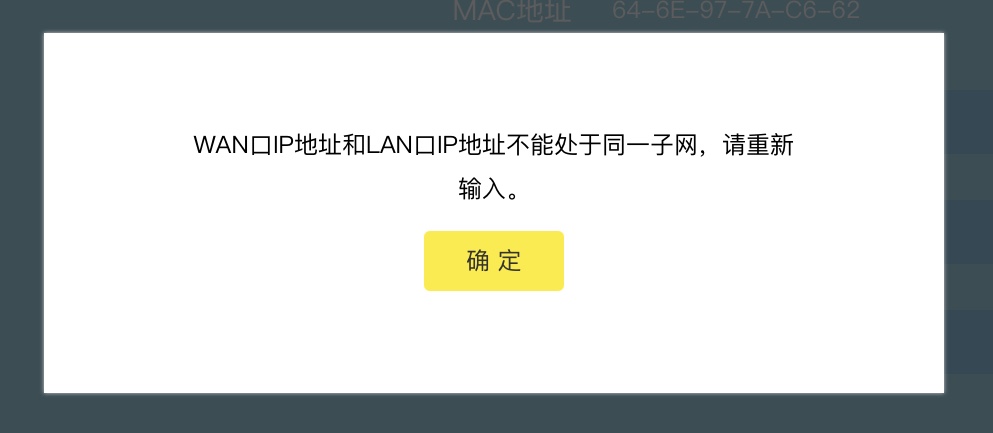
Figure 1: Warning that the WDR7650’s WAN and LAN IP subnets cannot be the same.
Configuration Scheme for MOD to Work Properly on the WDR7650 Router
Basically, to make MOD play video properly on the WDR7650, unless the manufacturer later releases an update, there is currently no perfect solution—but there is still a workaround.
Besides running a dedicated network cable for MOD, the simplest way, please refer to Figure 2 below, is to simply disable the DHCP auto-configuration setting built into the TP-Link WDR7650. This turns the router into a pure wireless access point (Wireless Access Point, WAP), so that MOD’s IP address configuration is handled by the modem, and it will naturally be within the same subnet.
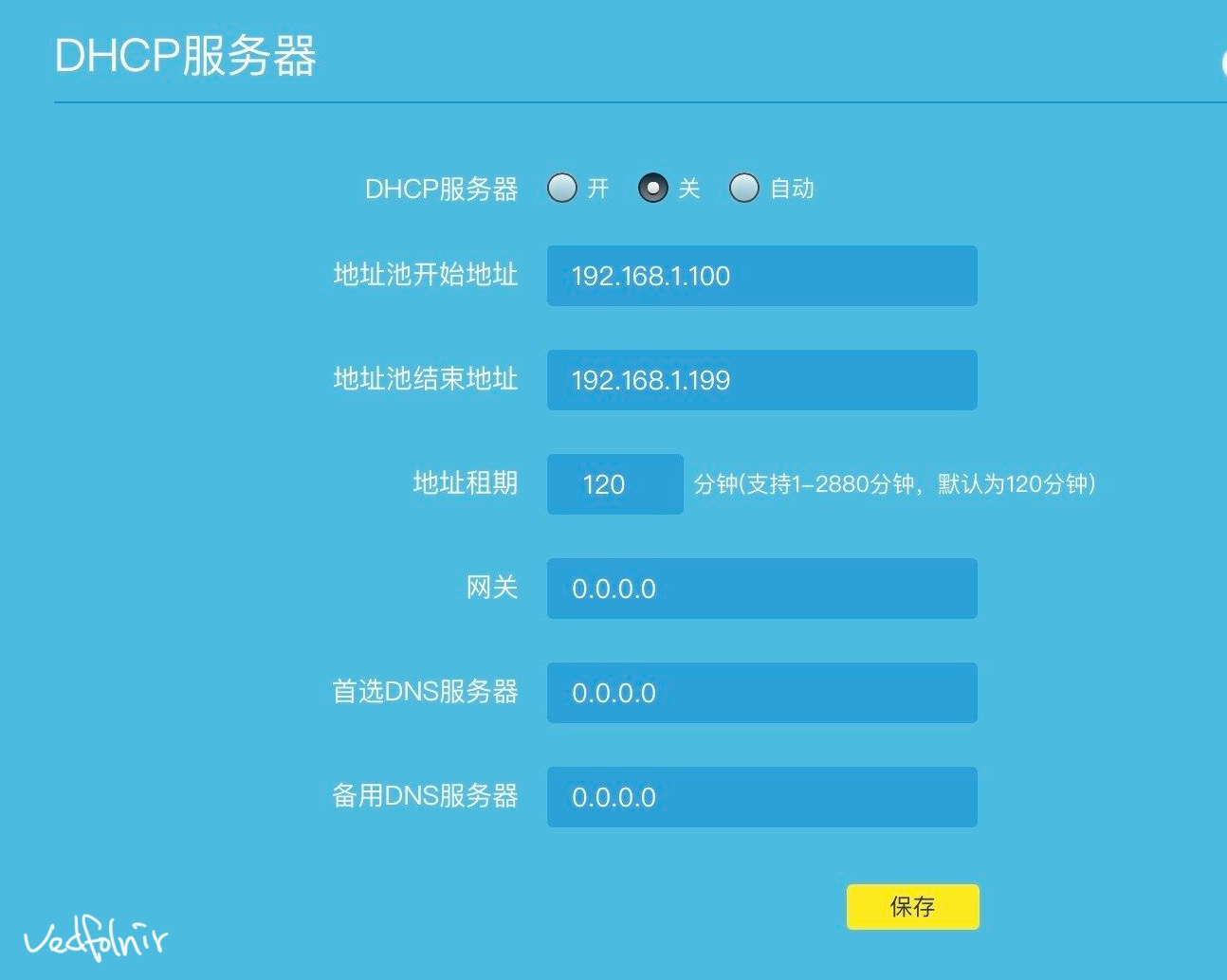
Figure 2: TP-Link WDR7650 DHCP server settings page.
Please refer to Figure 3 below for the system prompt on how network addresses are assigned to each LAN-side device after disabling DHCP.
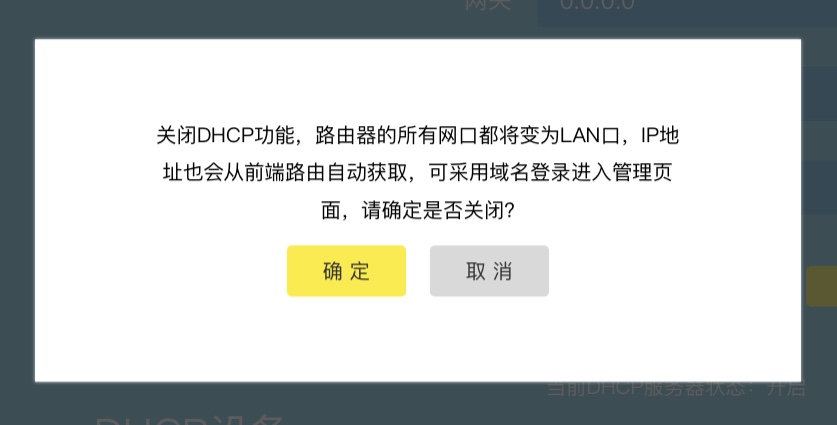
Figure 3: Prompt when disabling DHCP.
As for what disadvantages this brings? Based on my observations so far, the only one is probably that the WDR7650 device’s IP becomes unpredictable, requiring you to find it separately and then connect to enter the backend for other settings. The rest is probably just the situation that makes perfectionists itch—please refer to that red X in Figure 4 below. Well, they’re all harmless issues anyway.
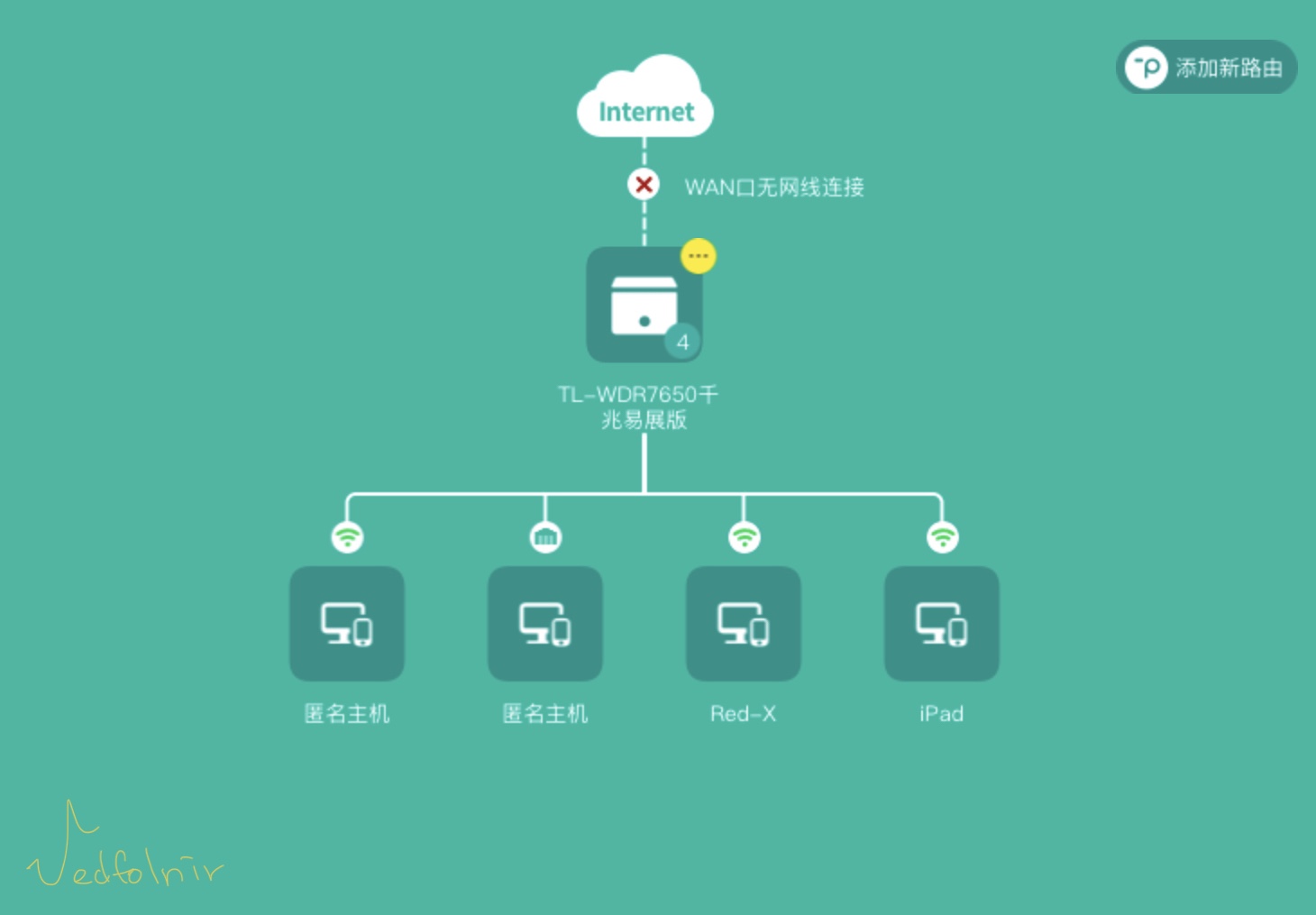
Figure 4: LAN network connection status.
Finally, a reminder to everyone: after turning off DHCP and becoming a pure AP, although everything works normally, when using the network call function while moving around, the router’s automatic switching may cause disconnection. If it’s an important business call, remember not to move around casually.
The Network Book of Unbelievable Events
Although the solution for MOD not connecting properly was given above, computer technology often produces some unbelievable phenomena, so if one day Skynet suddenly starts controlling humanity, I wouldn’t be surprised at all—some things in the world just make no sense.
By the way, after I set up the WDR7650 master and slave devices, I quickly ran off to the storage room to set up a Xiaomi wireless router as an extended network, as a backup mechanism for the last mile to the backyard.
My original plan was, once all the master, slave, and backup wireless networks were set up, to then turn off the DHCP in the main router and let the modem directly assign same-subnet IPs, with MOD connecting last.
But when I returned to the living room, I unexpectedly found that MOD had already connected automatically (surprised face).
The reason I can guess is that I happened to set DHCP to automatic (please refer to Figure 5 below); the system automatically detects LAN-side needs, and besides assigning private-subnet IPs to client devices on its own, it also forwards MOD to the modem for IP configuration into the same subnet.
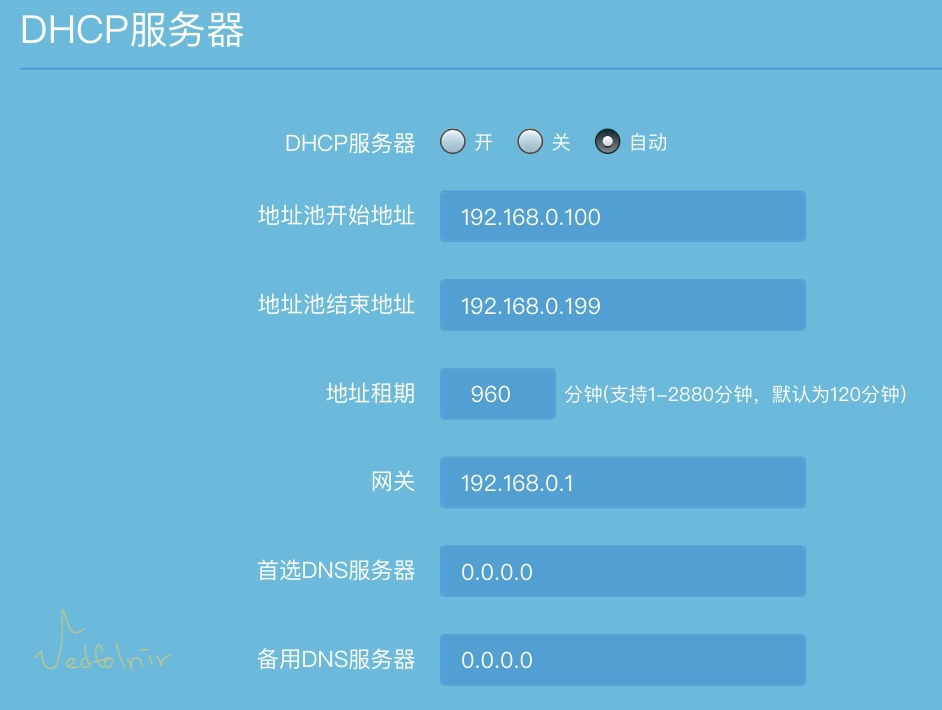
Figure 5: DHCP automatic configuration.
But conversely, this “gods fighting” approach caused the Chunghwa Telecom modem’s backend to become unreachable, and although MOD’s movie channels and drama channels could be watched, the channel programs wouldn’t come up. This should also count as a partial compromise under network conflict. However, I don’t really recommend this increasingly unpredictable approach.
Support Independent Perspectives & In-Depth Insights
Every thoughtful analysis and candid critique comes from our dedication to truth and quality. We choose not to follow sensational algorithms or clickbait headlines.
Sustaining independent research requires reader support. Make a one-time or monthly contribution, securely processed by Google.
Payments secured by Google · Manage or cancel anytime in your Google Account




Comments