

Facebook has been remarkably active lately. In addition to upgrading its Graph API for developers to version 2.3, it has quietly rolled out handy enhancements across its primary apps. Today, let’s explore an engaging post-upload feature: Edit Photo. Where Facebook’s classic photo editing was essentially limited to rotating orientations, users can now take advantage of full Sticker Editing.
In other words, Facebook integrated its existing Messenger stickers directly into its photo editing workflow.
As shown in Figure 1 below, when uploading photos or videos on desktop Facebook, users get the standard composer where you can batch-upload images, edit captions, tag friends, share feelings/activities, and add check-in locations.
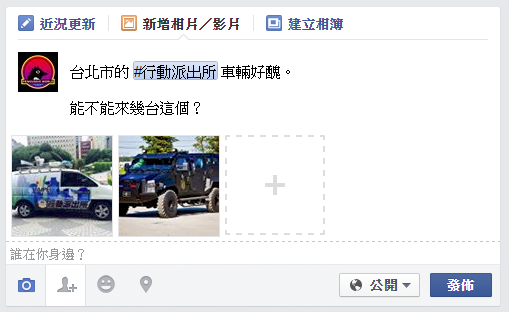 Figure 1: Adding photos and videos.
However, as shown in Figure 2, hovering over a photo thumbnail in the updated photo uploader reveals two new icon overlays: a silhouette icon on the left for tagging friends, and a paintbrush icon on the right for “Edit Photo”.
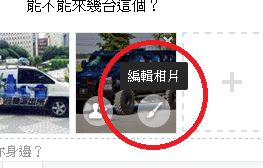 Figure 2: Editing photos.
Clicking the paintbrush icon opens a standalone photo editing modal, as seen in Figure 3. The bottom-left offers rotation buttons along with an “Add Sticker” button, while the bottom-right features the “Save” confirmation button.
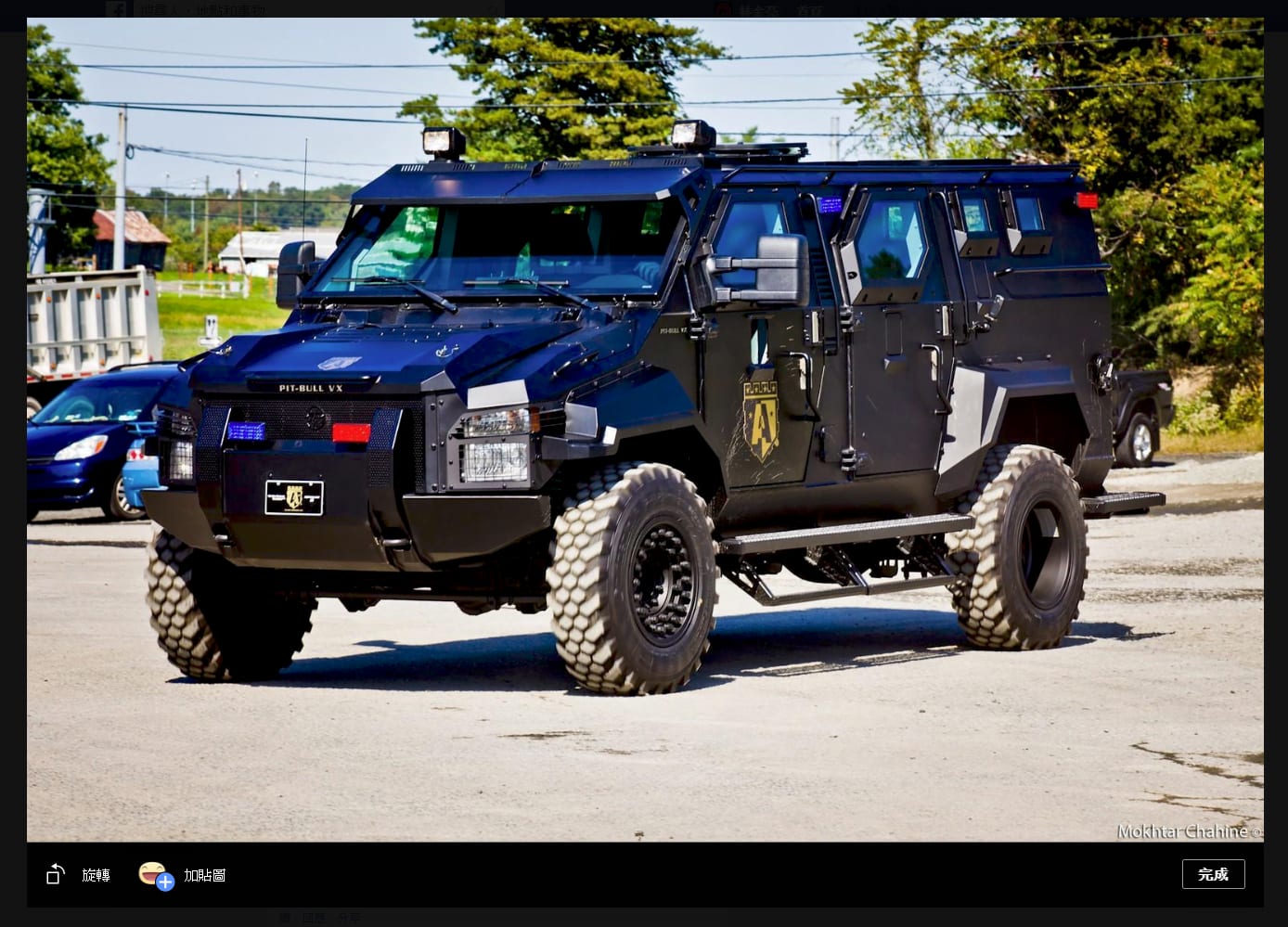 Figure 3: Photo editing view with Add Sticker button.
As illustrated in Figure 4, clicking “Add Sticker” displays the sticker collections you have downloaded. Choose your favorite stickers, and Facebook instantly overlays them onto your photo, letting you scale and rotate them freely. Beyond making photos entertaining, this is remarkably useful for concealing private details or faces you’d rather keep off social feeds.
Once you have arranged the placement, orientation, and size of the stickers and clicked Save, those elements are permanently flattened onto the image. Even if someone downloads the photo later, the stickers remain baked into the file.
Importantly, Facebook’s sticker overlay design respects privacy (a pleasant surprise). For instance, if you cover someone’s face with a sticker, Facebook’s facial recognition algorithms can no longer identify the individual.
 Figure 4: Sticker editing.
Furthermore, as shown in Figure 5, opening a photo after publishing reveals shortcut options like “Make Profile Picture” or “Make Cover Photo” in the photo viewer toolbar. However, the sticker editing option is notably absent here.
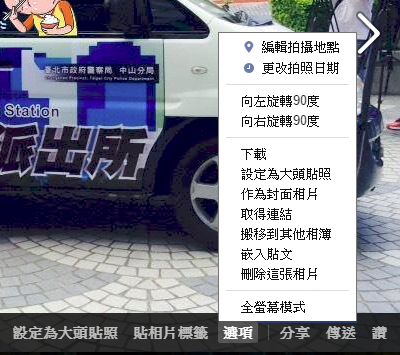 Figure 5: Facebook photo viewer.
Sticker editing is currently restricted to newly uploaded photos. Facebook does not permit retroactively applying stickers to existing photos already published to albums—likely due to the computing overhead of reprocessing historical media in bulk.
Lastly, once sticker edits are applied, Facebook renders the updated image; but until you click Post, you can re-enter and fine-tune your stickers as many times as you like.
Support Independent Perspectives & In-Depth Insights
Every thoughtful analysis and candid critique comes from our dedication to truth and quality. We choose not to follow sensational algorithms or clickbait headlines.
Sustaining independent research requires reader support. Make a one-time or monthly contribution, securely processed by Google.
Payments secured by Google · Manage or cancel anytime in your Google Account

Comments