
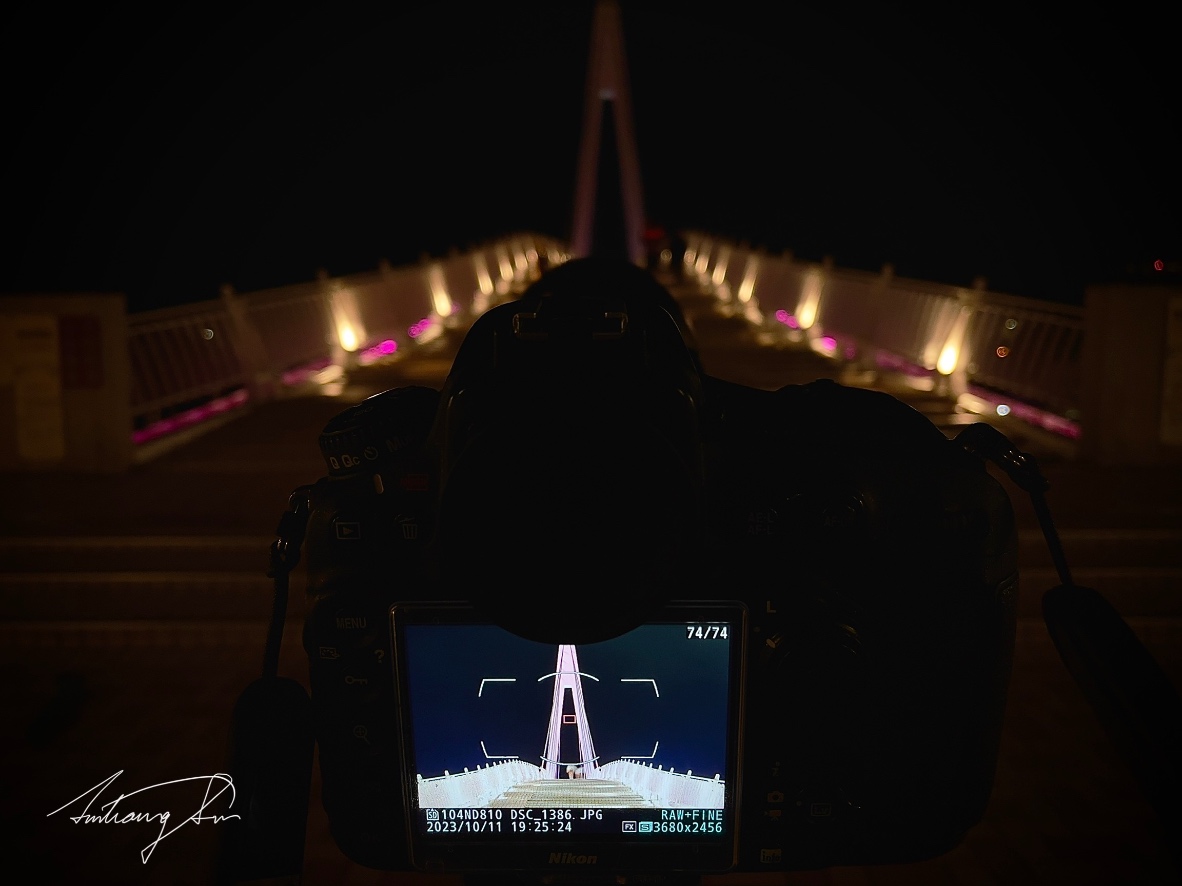
The Apple iPhone has long been praised for its superior performance and excellent user experience.
However, there is actually a very useful basic feature for camera composition that the author has always wondered why the development team overlooked.
Fortunately, in Apple iPhone’s recent operating system update iOS 17.X, Apple has filled this gap. This article will introduce this very practical feature in the camera app - the Spirit Level (level line).
Table of Contents
show
- Spirit Level: What Is It?
- Why Is This Feature So Important?
- How to Use the Level Line?
- Conclusion
Spirit Level: What Is It?
Many users have surely encountered this problem when taking photos or recording videos: we keep adjusting the angle while holding the camera, yet the frame still feels slightly tilted.
In this case, a reference line based on geographic level (level line) would be a very practical tool.
Even in the worst case, if a photo taken using the spirit level still feels slightly tilted, it would only be because the subject itself is tilted.
But with a reference line, we can more easily adjust the balance of the frame ourselves to achieve the composition we expect.
Please refer to the image below. When we pick up the phone to take a photo, a thin line appears in the center of the frame. When the phone is completely level, it appears as a long, straight pale yellow line.
If the phone is slightly tilted, a long white line appears in the middle of the frame, with a short, fixed white line at each end. We just need to slightly rotate the phone so that the three segments connect horizontally to form a yellow straight line, indicating the phone is level.
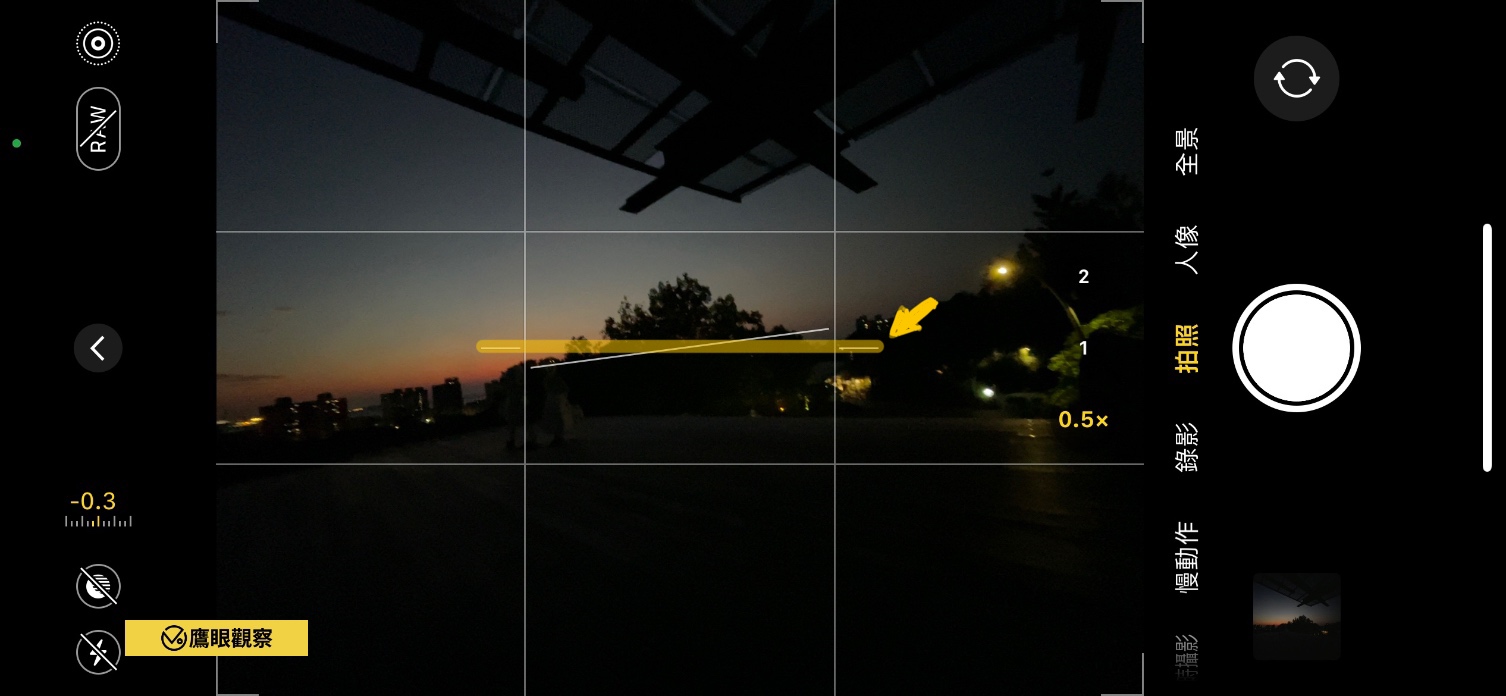 Apple iPhone camera level line new feature
Why Is This Feature So Important?
In the past, users often had to rely on third-party apps or camera accessories, such as a yellow spirit level, to ensure they could keep the camera as level as possible when composing.
However, such methods usually require extra cost or downloads, and even occupying a bit of space to attach a physical spirit level could affect the shooting experience.
The iPhone spirit level not only simplifies the process but also provides a smoother operating experience.
How to Use the Level Line?
Using this feature is very simple.
Find the “Settings” icon on the iPhone Home Screen, tap into it, then scroll down to “Camera”, and enable the spirit level option in its settings (see the image below).
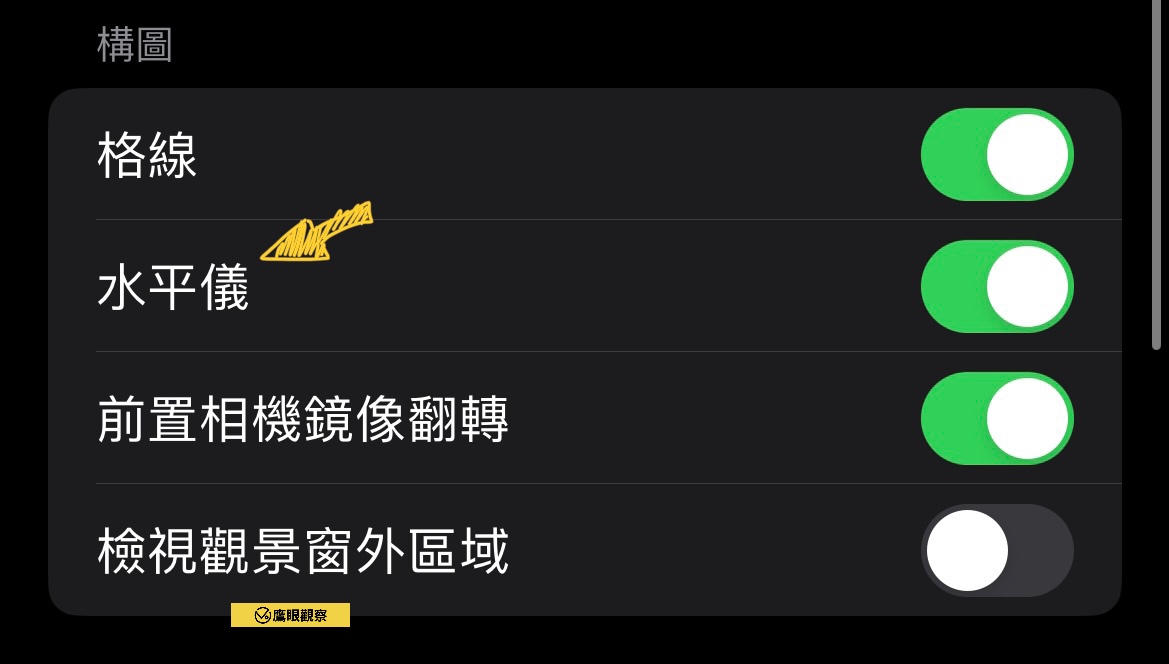
Afterward, when you shoot, you will see a level reference line floating on the screen.
This reference line will help you ensure your shot is level, thereby improving the quality of your photos and videos and speeding up composition.
Note ⚠️, the spirit level only appears when the camera itself is close to level, helping adjust the angle. It will not appear if the tilt angle is too large.
Conclusion
Although some users may complain about why Apple only released such a basic feature recently, it is undeniable that this new feature will provide users with a better shooting experience.
The spirit level introduced in the APPLE iPhone iOS 17 update is a small but practical feature that highlights Apple’s attention to user needs and brings convenience to our shooting experience. Whether you are a professional photographer or just want to take better photos, this feature is worth a try.
Support Independent Perspectives & In-Depth Insights
Every thoughtful analysis and candid critique comes from our dedication to truth and quality. We choose not to follow sensational algorithms or clickbait headlines.
Sustaining independent research requires reader support. Make a one-time or monthly contribution, securely processed by Google.
Payments secured by Google · Manage or cancel anytime in your Google Account




Comments