
A friend recently received a billing notice email seemingly sent by Apple. Distressed by anything involving unexpected charges, she immediately rushed over to ask me what had happened. The subject line of the email read: ”【 Another Eden Games 】 - Order Received: Item game will be delivered via app on Jan 29, 2019 [ TW ]”.
To put it plainly: this was a fraudulent phishing email sent by scam syndicates, cleverly impersonating an Apple App Store game pre-order invoice (refer to the screenshot below).
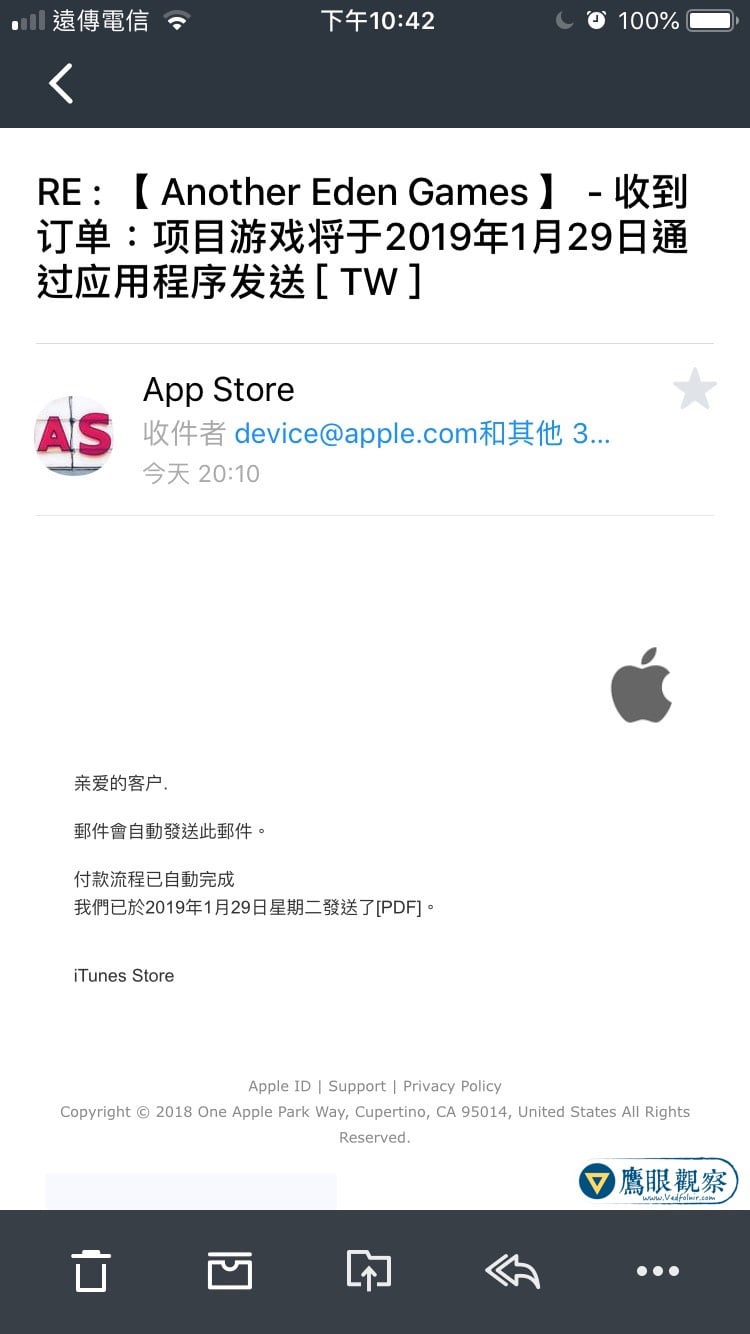
Apple App Store “Another Eden Games” Pre-order Notification Phishing Email
As shown below, attached to the email was a spoofed electronic invoice mimicking Apple’s legitimate format. Anyone who regularly purchases apps on Apple platforms would find it strikingly familiar—replicated quite convincingly, aside from a strangely bloated, distorted Apple logo at the bottom.
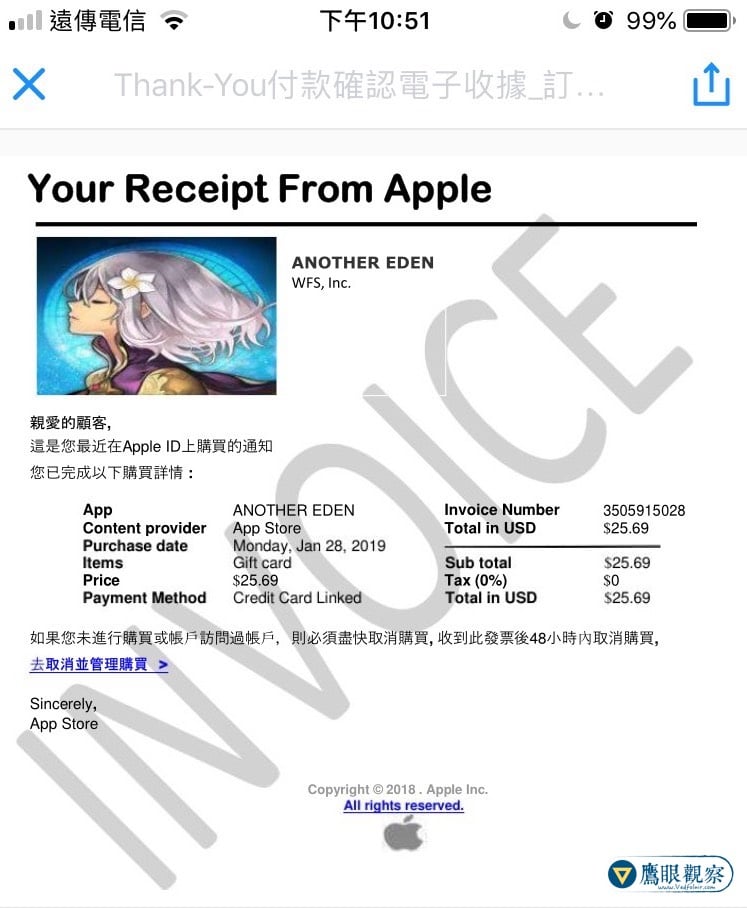
Spoofed Apple Computer “Payment Confirmation Electronic Receipt”
This fake receipt arrived as a PDF attachment. And right there lies the phishing syndicate’s primary trap. Knowing that users will naturally panic and question when they ever bought such a game, the scammers thoughtfully placed a “Cancel and Manage Subscriptions” quick link inside the document.
In reality, clicking this link directs the user to a fraudulent phishing website meticulously disguised as an Apple ID login portal. The moment an unsuspecting victim enters their Apple ID account name and password, the scammers harvest the credentials in plain text.
If you ever encounter suspicious emails of this nature, please remember the following safety guidelines:
- Verify the sender’s actual email domain: Official Apple billing communications originate from domains ending in
@apple.comor@email.apple.com. Phishing emails almost always originate from randomized, unrelated third-party domains. - Never click cancellation links inside unsolicited attachments: If you suspect an unauthorized transaction occurred, open your device’s native App Store app, navigate to Account > Purchase History, or visit Apple’s official reportaproblem.apple.com directly in your browser.
- Enable Two-Factor Authentication (2FA): Even if malicious actors acquire your password, two-factor authentication prevents unauthorized sign-ins from unrecognized hardware.
Support Independent Perspectives & In-Depth Insights
Every thoughtful analysis and candid critique comes from our dedication to truth and quality. We choose not to follow sensational algorithms or clickbait headlines.
Sustaining independent research requires reader support. Make a one-time or monthly contribution, securely processed by Google.
Payments secured by Google · Manage or cancel anytime in your Google Account



Comments