

Modern versions of WordPress allow plugins[1] to be updated automatically via Jetpack, and whenever you log into the WordPress dashboard, conspicuous update notifications guide you. As long as site administrators log in regularly, most can promptly patch security vulnerabilities or upgrade features.
Yet as a webmaster, do you realize that besides applying updates, there is another essential task awaiting your direct attention?
As shown in Figure 1 below, beneath the description of each plugin sits a “View details” link. After completing a plugin update, The Fixer strongly recommends clicking into these details.
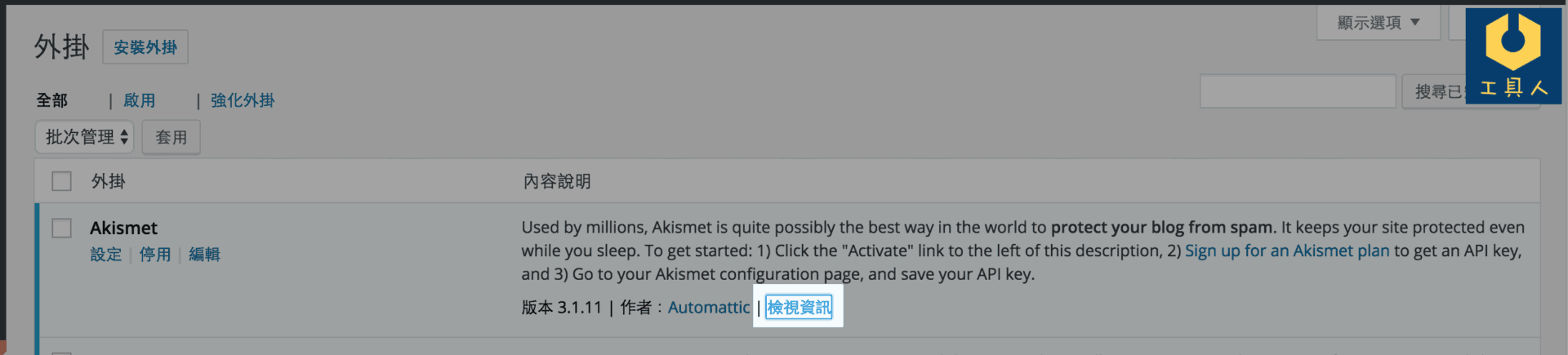 Figure 1: WordPress plugin “View details” feature.
As illustrated in Figure 2, once the plugin information window opens, click the “Changelog” tab to switch to the version history page.
The changelog displays the development history of the plugin, detailing whether new features have been introduced or specific bugs and security vulnerabilities have been patched. This information is invaluable for webmasters. By reviewing the changelog, you can discover whether a plugin now offers safer, more powerful capabilities, or resolves a long-standing issue that previously affected your site.
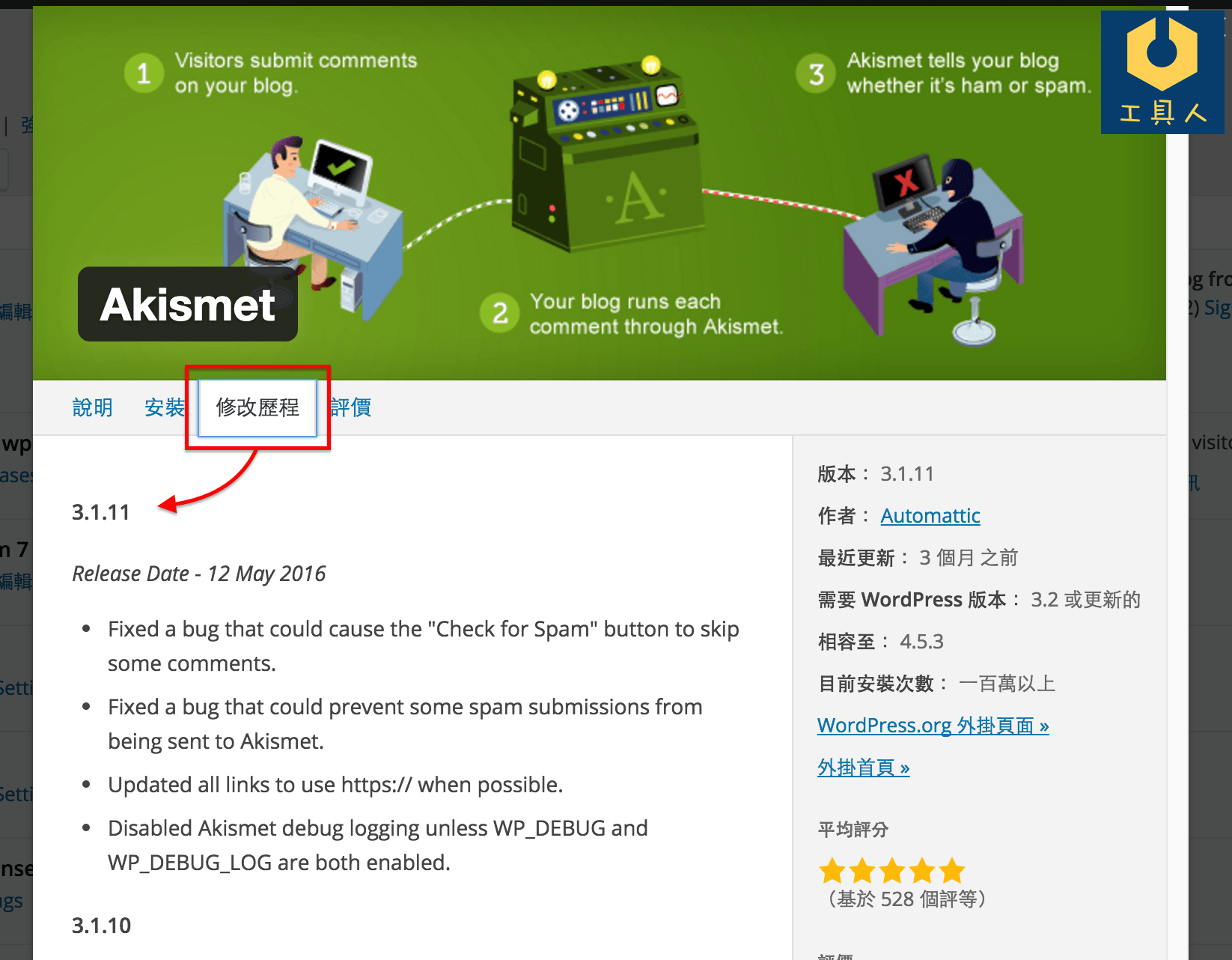 Figure 2: WordPress plugin changelog.
A clear understanding of plugin update logs allows us to enhance WordPress system security and stability proactively.
Similarly, when updating WordPress themes[2], it is vital to know exactly what changes the original author made. This ensures you can adapt site configurations accordingly, preventing outdated settings from degrading performance or breaking layouts.
Although reviewing changelogs after an update takes only a moment, it is a crucial discipline that every WordPress administrator and blogger should cultivate!
[1] WordPress Plugins: Add-on software components that extend and expand the functionality of WordPress.
[2] WordPress Themes: Visual templates that govern the front-end styling and layout presentation of a WordPress website.
Support Independent Perspectives & In-Depth Insights
Every thoughtful analysis and candid critique comes from our dedication to truth and quality. We choose not to follow sensational algorithms or clickbait headlines.
Sustaining independent research requires reader support. Make a one-time or monthly contribution, securely processed by Google.
Payments secured by Google · Manage or cancel anytime in your Google Account


Comments