
The Mountos team previously acquired a dedicated ZOOM iQ7 microphone for Apple iPhone for capturing lecture recordings and high-stakes conference audio. It even proved indispensable during an official Japanese tourism delegation trip, earning high praise from municipal liaisons for its vocal clarity and prompting genuine appreciation for ZOOM’s portable audio hardware across our studio.
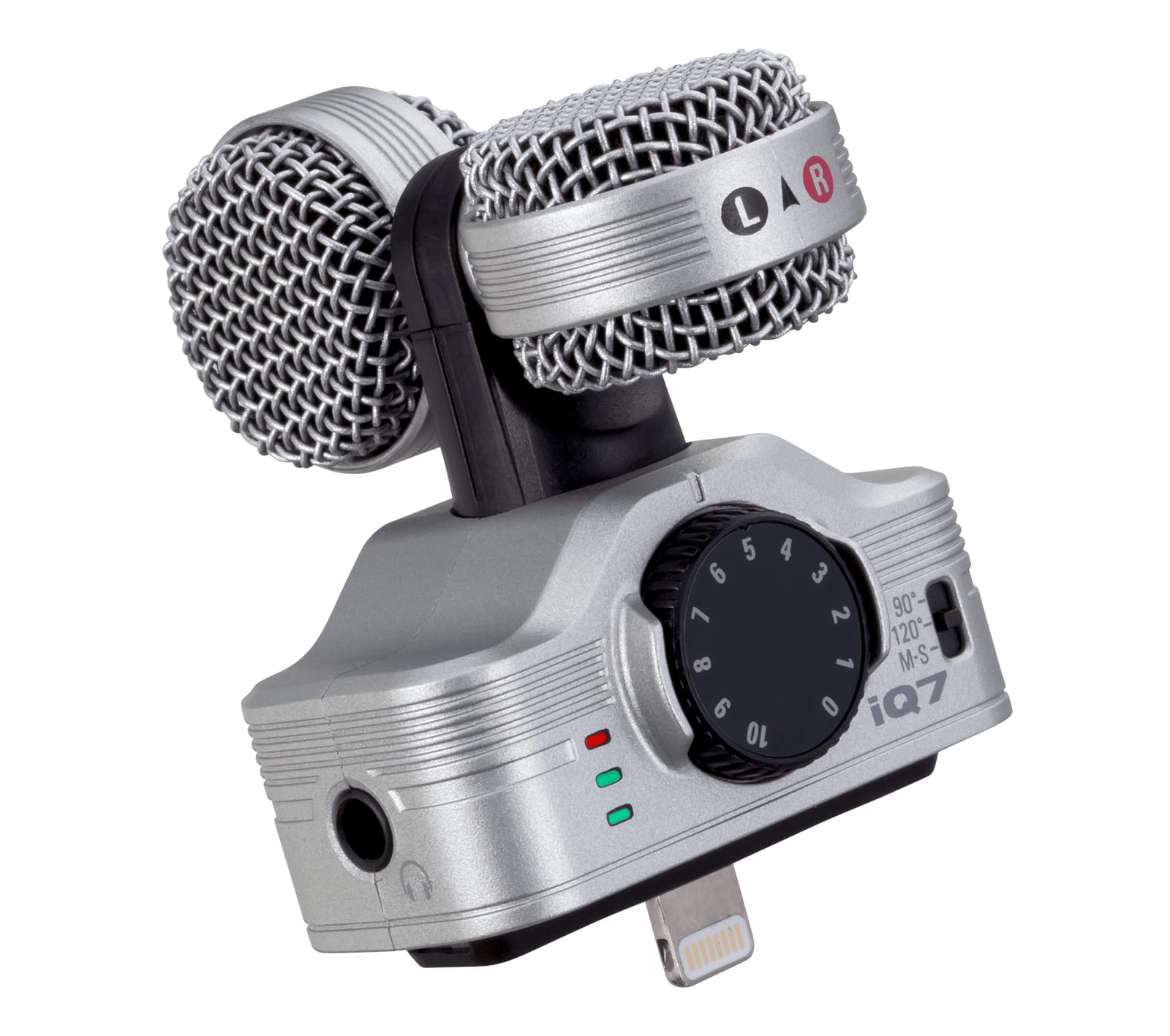 iPhone-dedicated Zoom iQ7 stereo microphone
Recently, when scouting an external camera-mounted microphone setup for DSLR videography, our attention was drawn to the ZOOM F1 Field Recorder paired with its modular shotgun microphone capsule (a popular portable alternative to the ubiquitous RODE VideoMic Pro+).
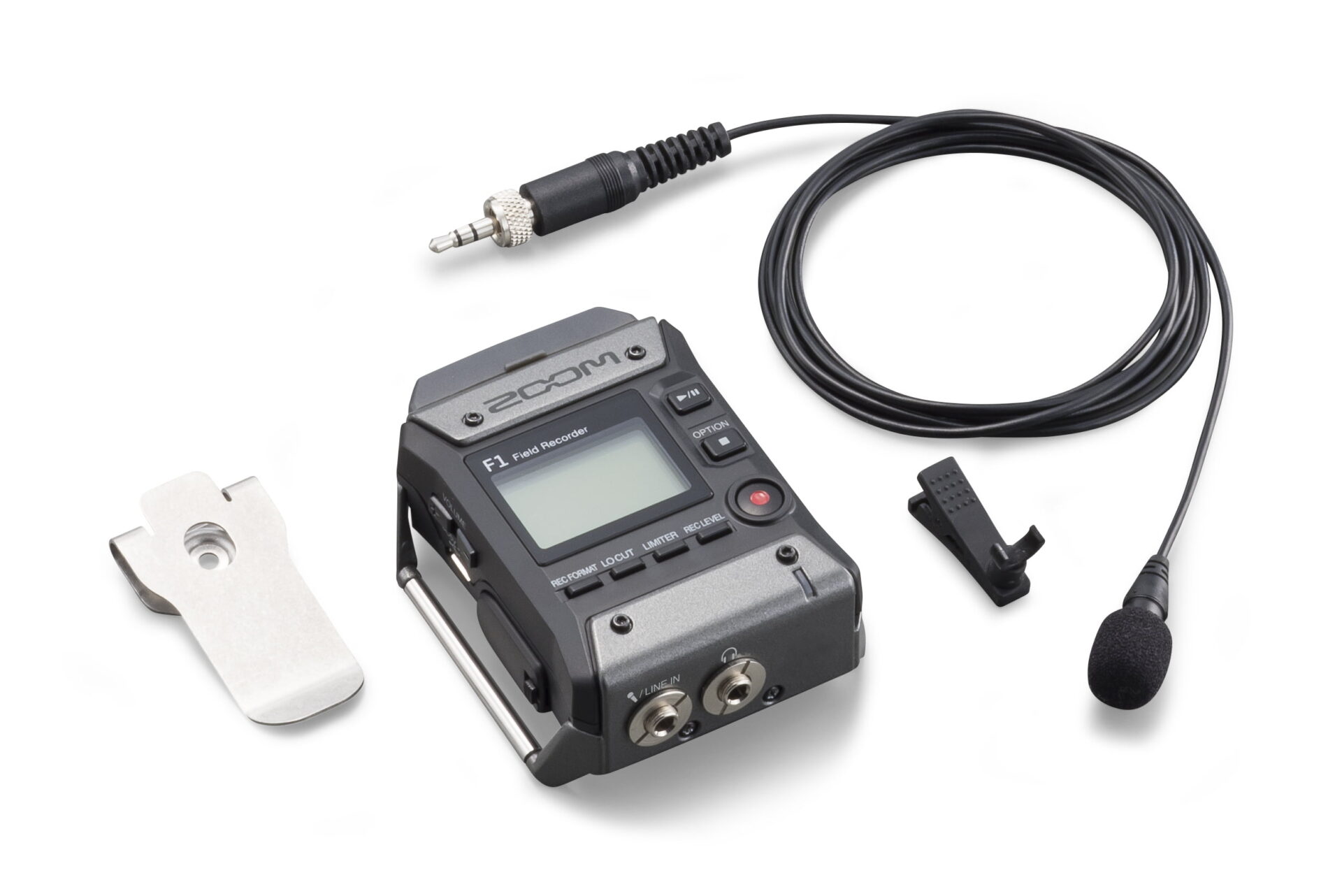 ZOOM F1 LP Field Recorder
Operating the ZOOM F1 is reasonably intuitive—even without cracking open the user manual, an experienced creator can master the core workflow quickly. Nonetheless, several dedicated hardware switches and menu toggles merit careful breakdown: specifically LOCUT, LIMITER, Rec Hold, Pre Rec, PLAY TONE, and Sound Marker. Here are our lab testing notes compiled for creators looking to streamline their field recording setup.
LOCUT and LIMITER Dedicated Switches
These two primary hardware buttons occupy prime real estate directly below the display screen, underscoring their critical importance during active capture.
- LOCUT refers to a switchable high-pass filter designed to attenuate low-frequency rumble, handling noise, HVAC hum, and wind turbulence.
- LIMITER acts as a fast-acting peak limiter combined with dynamic gain attenuation to safeguard against sudden acoustic transients and harsh digital clipping distortion.
Enabling these two functions in erratic acoustic environments ensures clean headroom and saves countless hours of forensic audio repair in post-production.
Rec Hold Function
Tucked inside the internal MENU options (defaulting to OFF), Rec Hold serves an identical purpose to the physical sliding HOLD switch beside the power toggle. It locks out accidental physical button presses from prematurely interrupting an active recording session. In practical field use, flipping the physical sliding switch remains faster and more reliable than navigating software menus.
Pre Rec (Pre-Recording Buffer)
Accessible under the Option menu, Pre Rec continuously captures incoming audio into an internal memory buffer. When you depress the Record button, the recorder automatically appends the previous 2 seconds of buffered sound to the start of the audio file. This eliminates missed cues when recording spontaneous speeches or unpredictable natural ambiance, with negligible impact on battery endurance.
PLAY TONE Reference Generator
Also found under the Option menu, PLAY TONE outputs a continuous reference test tone used to calibrate input gain staging between the recorder and camera DSLR mic inputs, eliminating mismatched recording levels.
Sound Marker (Slate Tone Generator)
An invaluable utility located inside the MENU options (defaulting to OFF). When enabled, the unit automatically injects an instantaneous high-pitched transient spike at the beginning and end of each recording take. In your video editing timeline, this creates an unmistakable visual peak across the audio waveform, allowing lightning-fast visual synchronization between offboard scratch audio and the master WAV track.
Product Reference Links
- Yahoo Shopping: ZOOM F1-LP Lavalier Field Recorder Kit
- MOMOSHOP: ZOOM F1-LP Portable Lavalier Audio Recorder
- U.S. Amazon: Zoom Digital Multitrack Recorder F1-LP
- Amazon Japan: ZOOM F1 Field Recorder
- eBay: ZOOM F1 Field Recorder
Support Independent Perspectives & In-Depth Insights
Every thoughtful analysis and candid critique comes from our dedication to truth and quality. We choose not to follow sensational algorithms or clickbait headlines.
Sustaining independent research requires reader support. Make a one-time or monthly contribution, securely processed by Google.
Payments secured by Google · Manage or cancel anytime in your Google Account

Comments