

As a website develops to a certain point, many webmasters find a more attractive domain name, change their topic, or simply want a new name, and therefore need to migrate their old site address to a new domain.
I know many webmasters worry that changing the domain name will damage SEO and cause rankings to drop. In fact, Google Search itself provides a solution that minimizes the harm of a site address change.
Steps to Change the Domain Name
1. Buy a new domain:
I recommend applying through the domain providers “Namecheap” or “Godaddy”.
2. Change the website address (Domain name address) or migrate the site content (move):
I suggest building a new site and then transferring the content, which saves many checking steps and is more convenient for those unfamiliar with the backend system.
3. Redirect the old site’s article and homepage addresses to the new site address using HTTP 301 rules.
Article page addresses can be quickly redirected using a plugin (for example, WordPress’s Redirection), avoiding tedious manual work.
However, in most cases the homepage itself must be handled by embedding code or configuring the DNS management interface of the domain provider.
My own usual method is to embed the following control directive in the homepage file so the homepage can redirect directly to the new site. There are also options such as using JavaScript directives or writing flow control in .htaccess, so choose whichever suits your needs.
/** Place between the tags of the web page code.
Remember, whenever you use redirection, you must follow HTTP 301 rules so search engines know the old address has been permanently changed.
Please refer to the image below. Later, in step five, you will need to verify that all site addresses redirect correctly. So this step must be done properly!
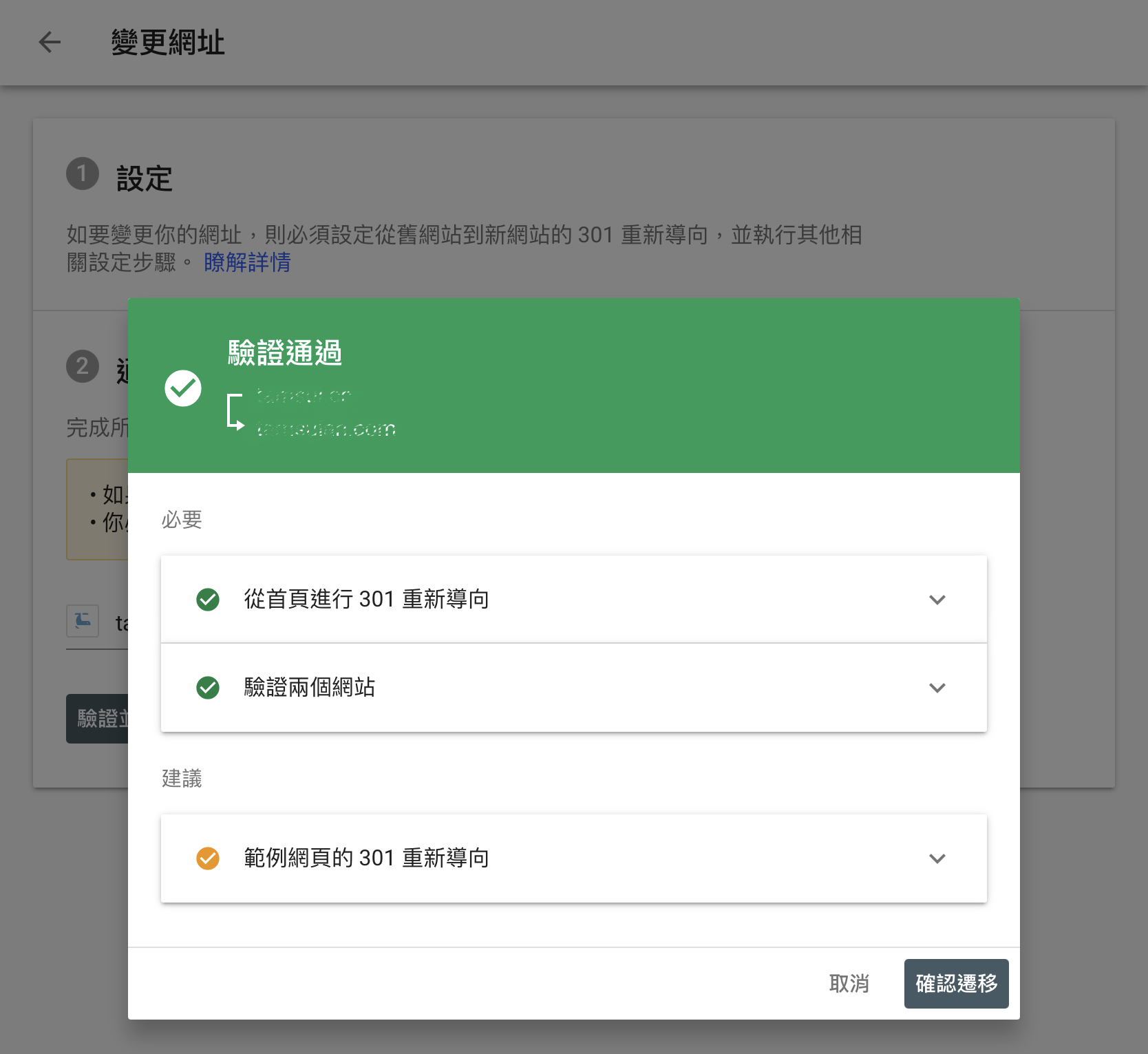
Website address redirect verification
4. Embed the new site’s sitemap in the old site’s robots.txt file.
Replace the old site’s original sitemap path (for example, inside the robots.txt file) with the new site’s sitemap (sitemap.xml) URL, so Google’s search crawler quickly learns of the site change.
5. Use the “Change of Address” tool in Google “Search Console (formerly Webmaster)” to tell the search engine the domain name has been legally changed.
Google’s important web development tool “Search Console (formerly Webmaster)” can be used to register a new domain name and improve a site’s performance in Google Search. I believe every webmaster has set it up at some point.
In fact, tucked away in a corner of Search Console is a feature called “Change of Address”. Please refer to the image below.
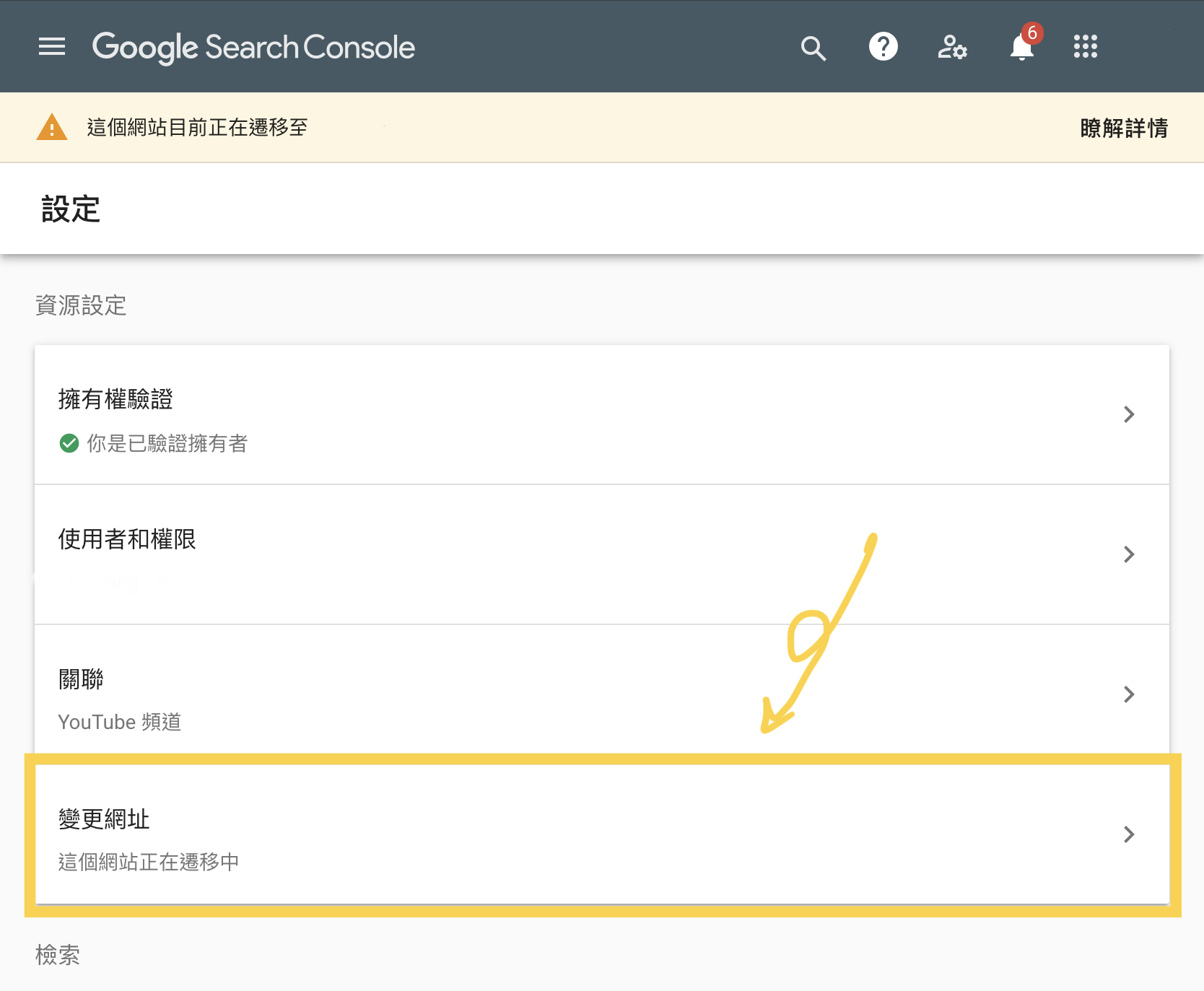
Google Search Console settings
Any site owner who needs to change their domain can proactively submit a change request here, letting Google Search know it is a legitimate change, which speeds up indexing and preserves the site’s original authority.
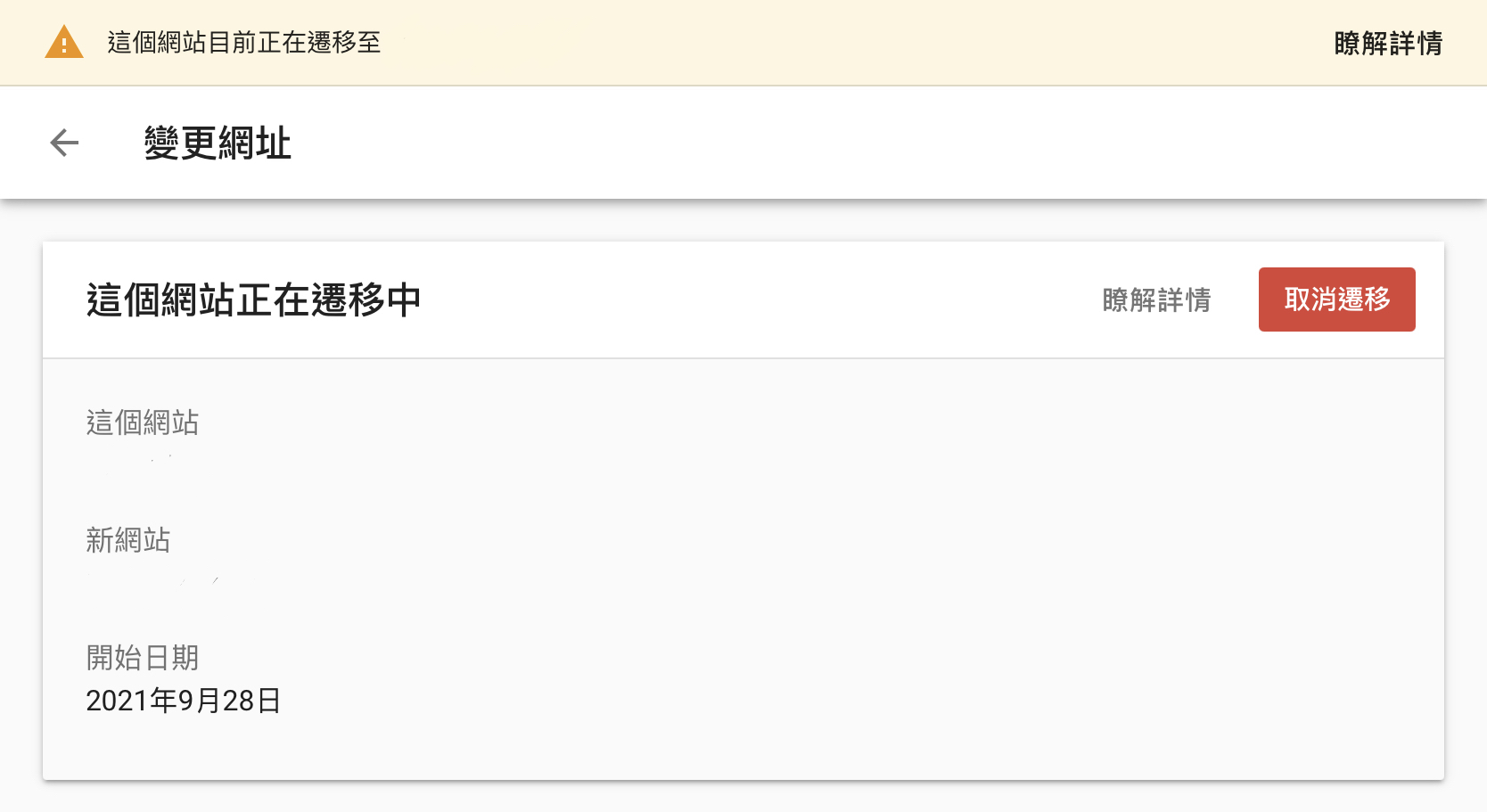
Site migration management interface
Things to Note After Changing the Address
After changing the domain name address, you need to keep the old address for at least 180 days. If the domain has been in use for less than half a year, you will need to pay extra to extend it for a year. Besides giving search engines enough time to transfer the domain, this also prevents malicious actors from grabbing the old domain and using black-hat methods to exploit the old domain’s authority to damage our site’s SEO.
Support Independent Perspectives & In-Depth Insights
Every thoughtful analysis and candid critique comes from our dedication to truth and quality. We choose not to follow sensational algorithms or clickbait headlines.
Sustaining independent research requires reader support. Make a one-time or monthly contribution, securely processed by Google.
Payments secured by Google · Manage or cancel anytime in your Google Account




Comments